








Key Takeaways
- 1.A sales data warehouse combines CRM, marketing, product, enrichment, and other GTM data so revenue teams can analyze relationships that are difficult to see inside a single system.
- 2.Your CRM remains the system where sellers work. The warehouse is the analytical and data foundation where information from multiple systems can be unified, modeled, and queried.
- 3.You probably need one when your questions regularly cross systems, your reporting depends on manual reconciliation, or your sales and marketing teams are making decisions from different definitions of the same metric.
- 4.To build one, you need to define your revenue questions first, then choose the right architecture, and extract and model the data.
- 5.The warehouse only creates value if modeled outputs reach your GTM tools. Without an activation layer, insights stay locked in dashboards instead of feeding your operational workflows, CRM updates, and AI agents.
A CRM can tell you what’s happening to a deal. It’s not much help when you want to understand why it happened. Especially when the data is spread across marketing touches, product usage, enrichment, website activity, and historical pipeline numbers.
On top of that, only 35% of sales professionals completely trust the accuracy of their organization's data. When the data inside the CRM is already unreliable, layering complex cross-system reporting on top of it only compounds the problem.
That’s usually why RevOps teams start looking at a sales data warehouse. A sales data warehouse solves the problem by bringing GTM data sources together for analysis and activation.
This guide explains what belongs in one, how the architecture works, and how to build it. We also cover the best tools to help you get started with it.
What is a sales data warehouse?
A sales data warehouse is a centralized data store that brings together revenue information across business systems so it can be queried, modeled, and analyzed together. It pulls structured data from your CRM, marketing automation, billing platform, product database, revenue intelligence tools, and enrichment providers. That makes questions such as “Which acquisition channels produce the highest-value opportunities after six months of product usage?” much easier to answer.
Here is the simplest way to think about the CRM vs. warehouse difference:
- Your CRM stores records for day-to-day sales execution
- A CRM data warehouse stores historical and cross-system records optimized for data analysis, reporting, and activation
The first is operational. The second is analytical.
Why sales teams outgrow the CRM
CRM reporting works well for simple, single-object questions: “How many deals closed this quarter?” “What is rep X's pipeline?”
But the moment your team starts asking cross-source questions, the CRM hits its limits.
For example: “Which combination of acquisition source, company characteristics, product behavior, sales activity, and rep engagement produces the highest win rate?”
Salesforce's 2026 State of Sales says sales teams use an average of 8 tools to close deals. For RevOps teams, this means that data, definitions, and handoffs across these tools need to be reconciled—and that’s where a data warehouse comes in handy.
Other common triggers that push teams toward a warehouse:
- Forecast reports that don't match between sales, marketing, and finance because each team pulls numbers from different sources
- Lead scoring and segmentation that rely on incomplete or stale CRM fields
- Attribution analysis that requires connecting ad spend, web behavior, and closed-won revenue across platforms
- Pipeline reporting that breaks the moment you add product usage or billing data into the picture
There’s also the historical data problem. Operational systems like CRMs tend to reflect the current state of a record, while revenue analysis often depends on understanding how that record changed over time: when an opportunity entered a stage, how its amount changed, what activity preceded conversion, or what marketing and product signals existed before a deal closed.
A warehouse gives teams a place to preserve and join those datasets rather than repeatedly exporting point-of-time data snapshots into spreadsheets.
What data goes into a sales data warehouse?
There is no universal sales warehouse schema. The right datasets depend on the questions your revenue team needs to answer.
A useful starting point looks like this:
The goal here is to create reliable relationships between the datasets that explain revenue performance.
For example, an opportunity becomes much more useful when you can connect it to the account that owns it, the campaign that sourced it, the person who engaged with it, and the enrichment data or intent signals available at the time.
This is also where identity resolution becomes important. The same company may appear as an account in Salesforce, a company in an enrichment provider, a workspace in the product database, and an organization in billing. If you can’t connect those records consistently, the warehouse simply gives you a larger place to store disconnected data.
How a sales data warehouse works
A typical sales data warehouse architecture has four practical layers:
Source systems → ingestion → warehouse/modeling → analytics and activation
- The first layer contains the systems generating data: CRM, marketing automation, product databases, billing, website analytics, enrichment providers, and sales activity tools.
- The ingestion layer extracts information and streams it into the warehouse. This can use ETL, where data is transformed before loading, or ELT, where raw data is loaded first and transformed inside the warehouse. ELT is particularly common in modern cloud architectures because warehouse compute can handle transformation at scale.
Did you know? In a 750-person 2024 Data Liquidity Index study, 59% said they use APIs and 50% use ETL to integrate data sources; 56% were already using AI for data integration and another 34% were experimenting with it.
- The warehouse then becomes the central data layer. Raw source data is cleaned, standardized, deduplicated, joined, and modeled into datasets that the business can actually use.
- Finally, the data is exposed back to BI tools, analytics, models, workflows, or operational applications via reverse ETL or activation platforms.
What does a simple sales data warehouse schema design look like?
You don’t need to become a data engineer to understand the core modeling decisions.
Star schemas (a central fact table surrounded by dimension tables) work well for most sales data warehouse setups because they prioritize query speed and are easy for analysts to understand:
- Fact tables hold events or measurable business activity, such as opportunities, purchases, product events, or meetings.
- Dimension tables describe the entities behind those events, such as accounts, people, products, territories, or campaigns.
- Keys connect those entities so the same account or person can be identified across datasets.
- Models turn raw tables into business-ready datasets, such as pipeline by source, account health, or conversion by segment.
The exact schema will vary. What matters is that the model reflects how your revenue organization actually operates.
How is AI reshaping the modern sales data warehouse architecture?
Modern warehouses can also support AI and machine-learning workflows because they provide a centralized foundation of structured, queryable data. So, warehouse design is increasingly an AI-readiness decision, not just a reporting decision.
This becomes even more important as revenue teams move toward AI agents. An agent can’t reliably reason about a GTM process if the underlying account, opportunity, activity, and enrichment data is fragmented or contradictory.
This is why the modern revenue stack is starting to look different from the traditional warehouse → dashboard architecture. A warehouse can centralize and model the data, but revenue teams increasingly need that same context to power workflows, agents, and operational decisions.
Default takes this approach with a unified data layer for go-to-market.
It connects your CRM, marketing automation, product, call recording, sales engagement, and advertising data into a common layer, resolves it into a canonical record of people and companies, and enriches these records before agents access them.
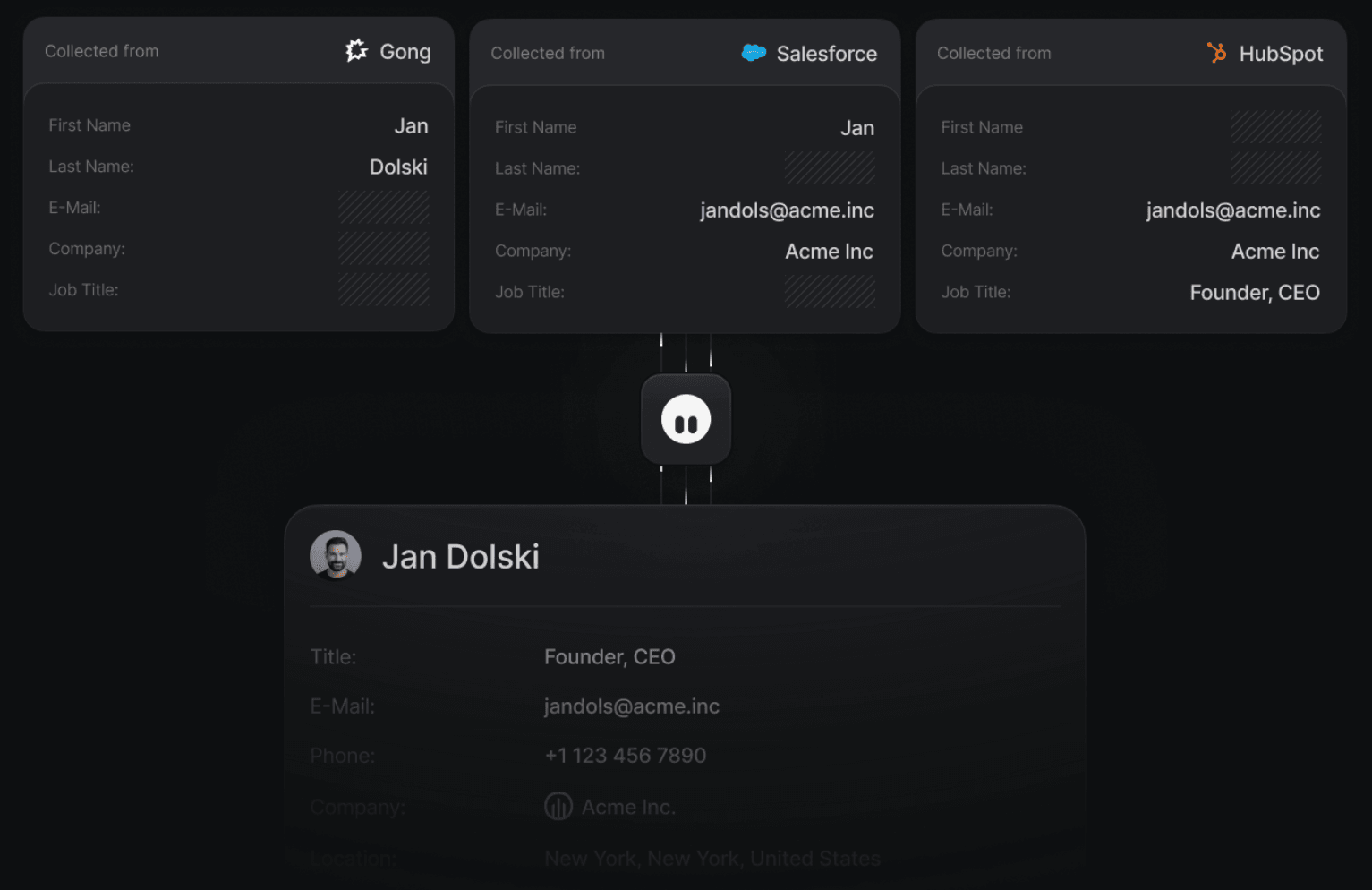
The same layer then provides the context underneath Default's workflows and its built-in MCP.
Default isn't trying to replace the warehouse your data team uses for company-wide analytics, nor does it replace your CRM. Rather, it offers an operational data and execution layer for revenue teams.
The warehouse provides the broader analytical foundation, while Default makes GTM data usable by both people and agents for work, with built-in tools for enrichment, qualification, routing, scheduling, and CRM updates.
See Default in action
Walk through how Default unifies your revenue stack — live with our team.
Book a demoHow to build a sales data warehouse
If you are figuring out how to build a sales data warehouse, resist the temptation to begin with a warehouse vendor. The implementation should start with the business questions, then work backward into the required data, architecture, and activation layer.
Step 1: Define the revenue questions you need to answer
Start with three to five questions that your current stack cannot answer reliably.
Some food for thought:
- Which acquisition sources produce the highest-quality pipeline?
- Which ICP segments have the strongest win rates and deal velocity?
- Which product behaviors do we see right before conversion?
- Which accounts show intent before entering the pipeline?
- Where are qualified leads being lost between conversion and sales engagement?
Then define the decision each answer should support.
A useful warehouse question should lead somewhere. If a model tells you that enterprise accounts with a particular product signal convert better, for example, the next question might be whether those accounts should receive a different score, routing path, or sales motion.
Step 2: Map the systems and define ownership
Inventory every source that contributes to the questions you identified.
For a typical B2B SaaS team, that could include Salesforce or HubSpot, Marketo, product analytics, billing, website events, enrichment, intent, and sales engagement data.
For each dataset, document:
- What system is the source of truth?
- Which objects and fields matter?
- How frequently does the data need to update?
- What identifies the same person or company across systems?
- Who owns the data?
Do this before writing pipelines.
Identity and field ownership become particularly important when the same customer exists in several systems. A warehouse should resolve those differences rather than silently choosing whichever value arrived last. This becomes even more important if warehouse outputs will eventually be written back into Salesforce or HubSpot.
Step 3: Choose the warehouse and ingestion architecture
Now choose the technical foundation.
For most B2B SaaS teams, the setup looks like this: an ELT tool (Fivetran, Airbyte) extracts CRM and marketing data, loads it into a cloud warehouse (Snowflake, BigQuery, Redshift), and a transformation layer (dbt) models it for reporting.
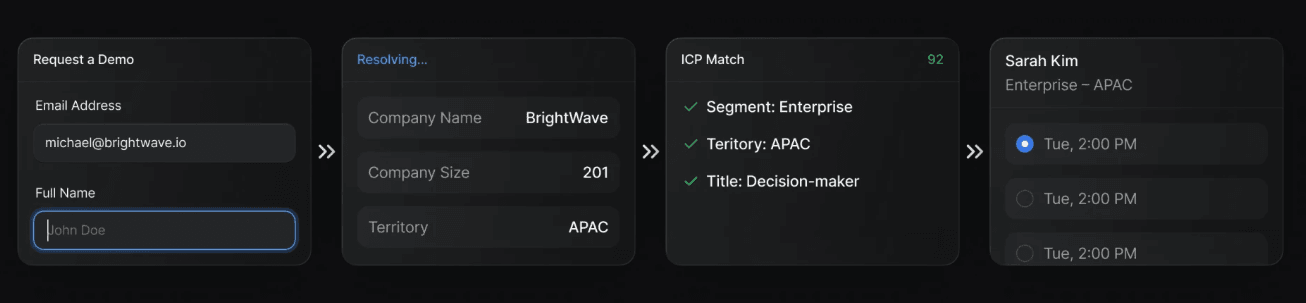
If you also need modeled data to flow back into Salesforce or HubSpot for scoring, routing, or segmentation, you will need a reverse ETL tool (Hightouch) or a platform like Default that handles activation natively.
Step 4: Extract and load your CRM and GTM data
Set up your pipelines to pull the objects your warehouse actually needs. That usually means leads, contacts, accounts, opportunities, activities, and campaign membership from the CRM, plus key objects from marketing automation and billing.
Pay attention to sync frequency. Daily syncs work for historical reporting. Near real-time syncs are necessary if your warehouse feeds operational workflows like lead scoring or routing logic.
Watch for API rate limits, especially with Salesforce and Marketo. Incremental syncs (pulling only changed records) reduce API consumption and keep pipelines stable.
Step 5: Transform and model data for revenue reporting
Raw CRM data isn’t analysis-ready. Once data lands in the warehouse, it needs cleaning, deduplication, and restructuring.
This is the stage where you standardize lifecycle stages, resolve field conflicts between systems, and build the models your team will query. Common models include pipeline snapshots, cohort analyses, funnel conversion tables, and account-level health scores.
Use a transformation tool like dbt to version-control your models. Models that are easy to update survive changes to your GTM motion, including new products, new segments, and new scoring logic. Models buried in ad hoc SQL queries don’t.
Step 6: Make the warehouse operational by activating insights back into your GTM tools
If the warehouse tells you which accounts are high-value, which leads are qualified, or which customers show a buying signal, decide what should happen next with that information.
Some outputs belong in BI:
- Pipeline dashboards
- Attribution analysis
- Forecast reporting
- Cohort analysis
Others should move back into operational systems:
- Lead and account scores
- Enrichment fields
- Segment membership
- Routing signals
- Qualification states
- Workflow triggers
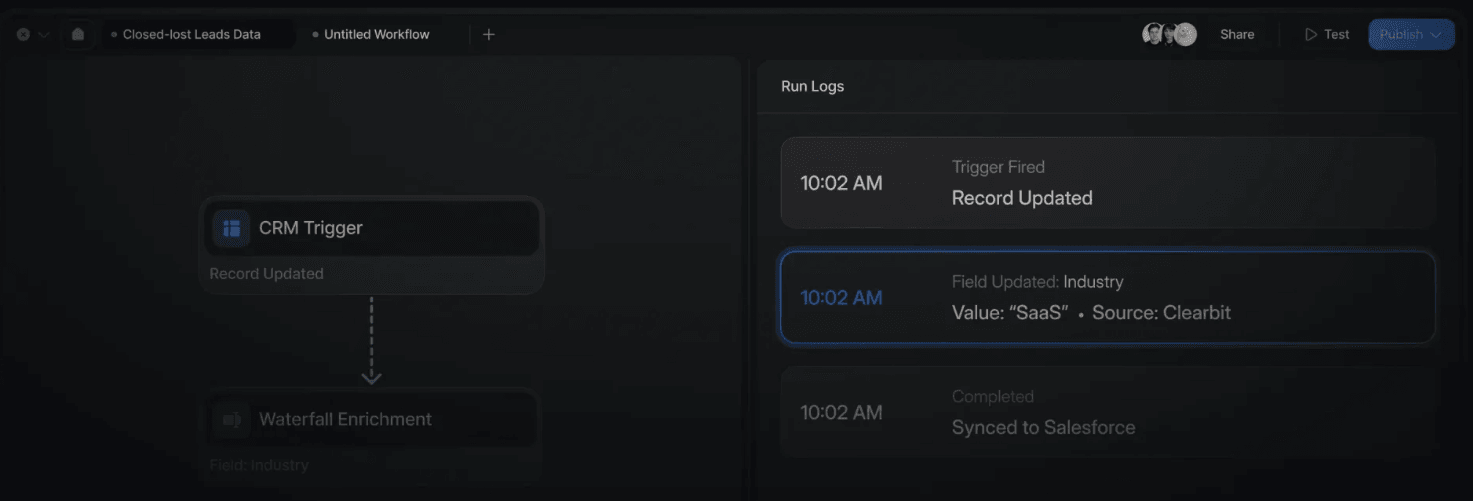
Reverse ETL tools can push scores, segments, and enrichment values back into Salesforce or HubSpot. But if you need those signals to trigger routing, qualification, or scheduling workflows in real time, you need more than a sync tool.
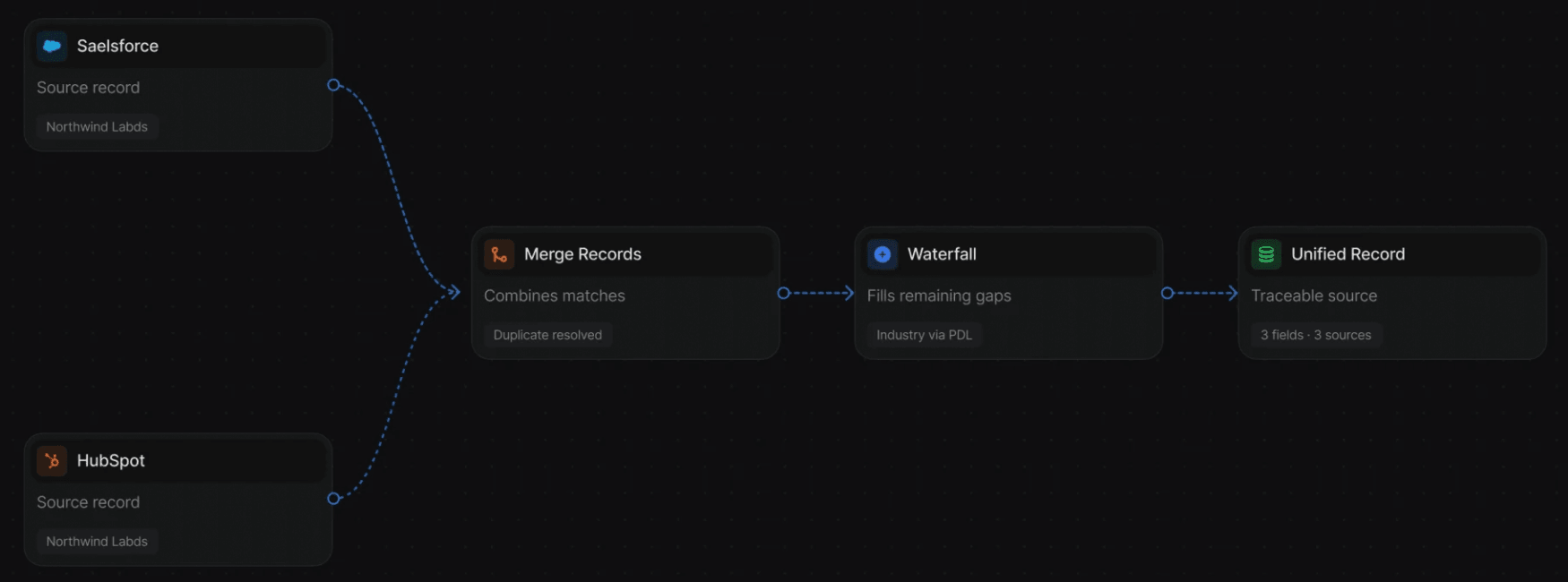
Default syncs your CRM into a purpose-built data layer, assembles a unified data model across duplicate object representations (a lead in Salesforce, a contact in HubSpot, a campaign member, all mapped to a single person), enriches missing info, and exposes that unified data to its routing, enrichment, scheduling, and workflow tools.
The result is that warehouse-level insights don’t stay in dashboards. They reach reps and marketers through the workflows they already use.
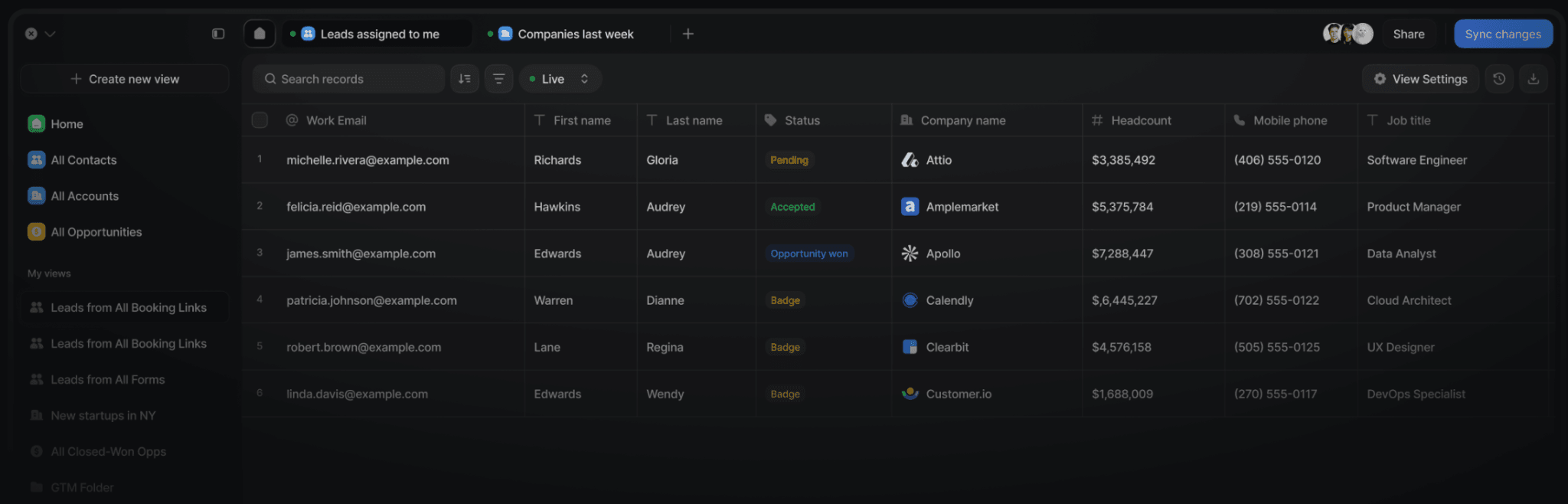
Plus, with Default Tables, RevOps teams get a live query interface built on top of the data layer, so they can pull, filter, enrich, and segment records from across their stack without writing SQL or waiting on a data team.
Run revenue as an engineered system
Revamp inbound with easier routing, actionable intent, and faster scheduling.
Book a demoPopular sales data warehouse platforms and tools
Here is a comparison of the most common warehouse platforms and where each fits best:
For the sync and activation layer, teams typically pair these with tools like Fivetran or Airbyte (extraction), dbt (transformation), and Hightouch (reverse ETL).
Default takes a different approach by collapsing the sync, enrichment, and activation layers into one platform. Instead of managing a RevOps Frankenstack aka four to five disconnected tools to move data in and out of the warehouse, Default provisions a warehouse-native data layer that handles managed sync, builds an identity-resolved data data model, and directs activation through native tools for routing, scheduling, and workflows.
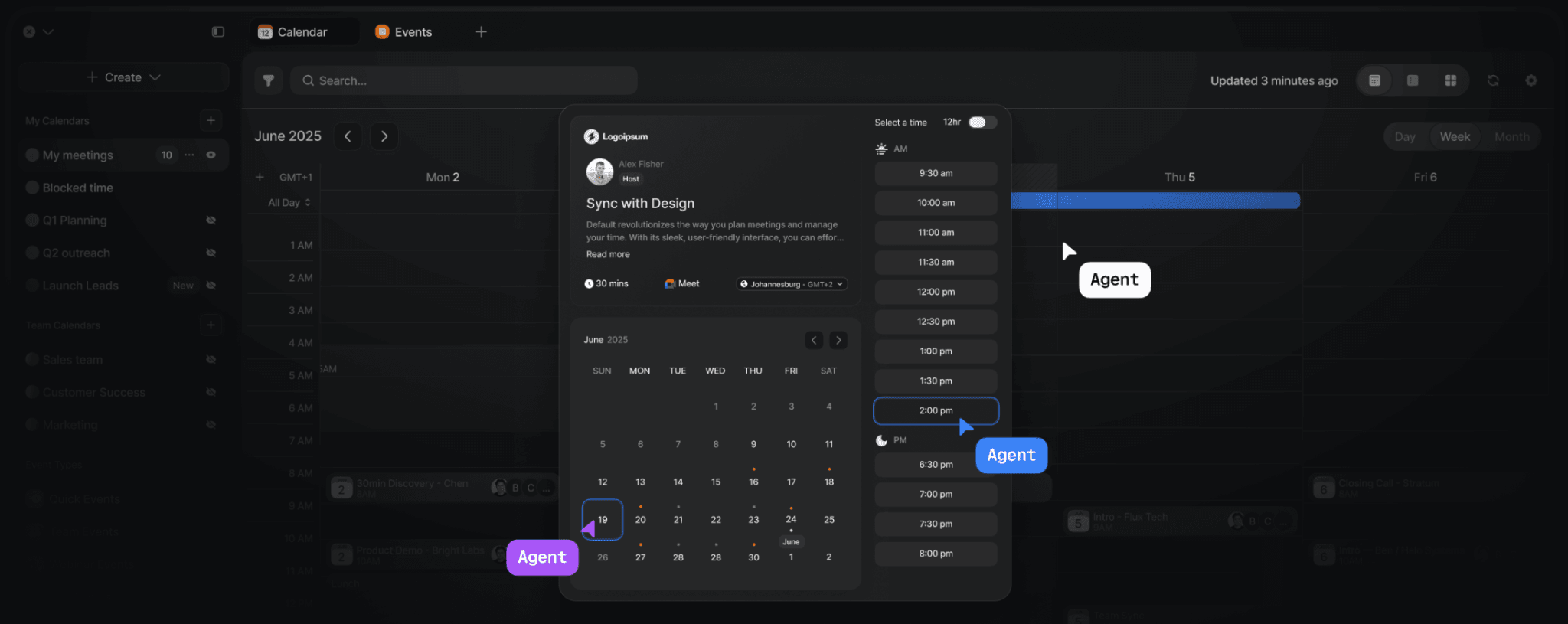
👉🏽 Explore Default for auditable lead routing or check out Default’s scheduling layer for sales, marketing, and customer teams.
Which sales use cases justify the investment in a data warehouse?
A sales data warehouse is worth the investment when joining data changes a decision, not simply because the company has accumulated a lot of data. Here are the use cases that typically justify the investment:
1. Pipeline and revenue attribution
Connect CRM opportunities with campaigns, website interactions, product activity, and billing data to understand which sources contribute to pipeline and revenue. The outcome is a more defensible multi-touch attribution model and fewer arguments over whose dashboard is right.
2. Better account and lead scoring
Combine firmographic, behavioral, intent, product, and historical conversion data to identify which accounts are actually worth sales attention. This can even support AI-powered predictive scoring models rather than relying exclusively on static CRM fields.
3. Revenue forecasting and pipeline analysis
Historical opportunity snapshots let RevOps analyze stage progression, deal velocity, slippage, win rates, and pipeline coverage over time. That gives leadership a more useful picture than a report based only on the current state of open opportunities.
4. Operational segmentation
A warehouse can identify cohorts such as high-intent enterprise accounts, product-qualified leads, expansion candidates, or accounts showing a particular buying signal. The combination of billing, product usage, and support ticket data can also help identify accounts at risk or ready for upsell before the signal shows up in the CRM.
The next step is to send those segments into the systems where sales and marketing can act on them.
5. Agentic revenue operations
This is the newer use case.
Instead of asking an analyst to find accounts with missing ownership, stale enrichment, or unusual pipeline behavior, an agent can query the unified warehouse data layer, identify the affected records, determine the appropriate workflow, and stage changes for review.
This is what we had in mind while building Default’s MCP.
Default’s MCP takes plain English requests from sales reps, admins, and leaders, and turns them into working GTM systems. We designed it to plan work, work with your agents, query Default’s unified GTM data for the context it needs, and stage changes to workflows and GTM systems for human approval.
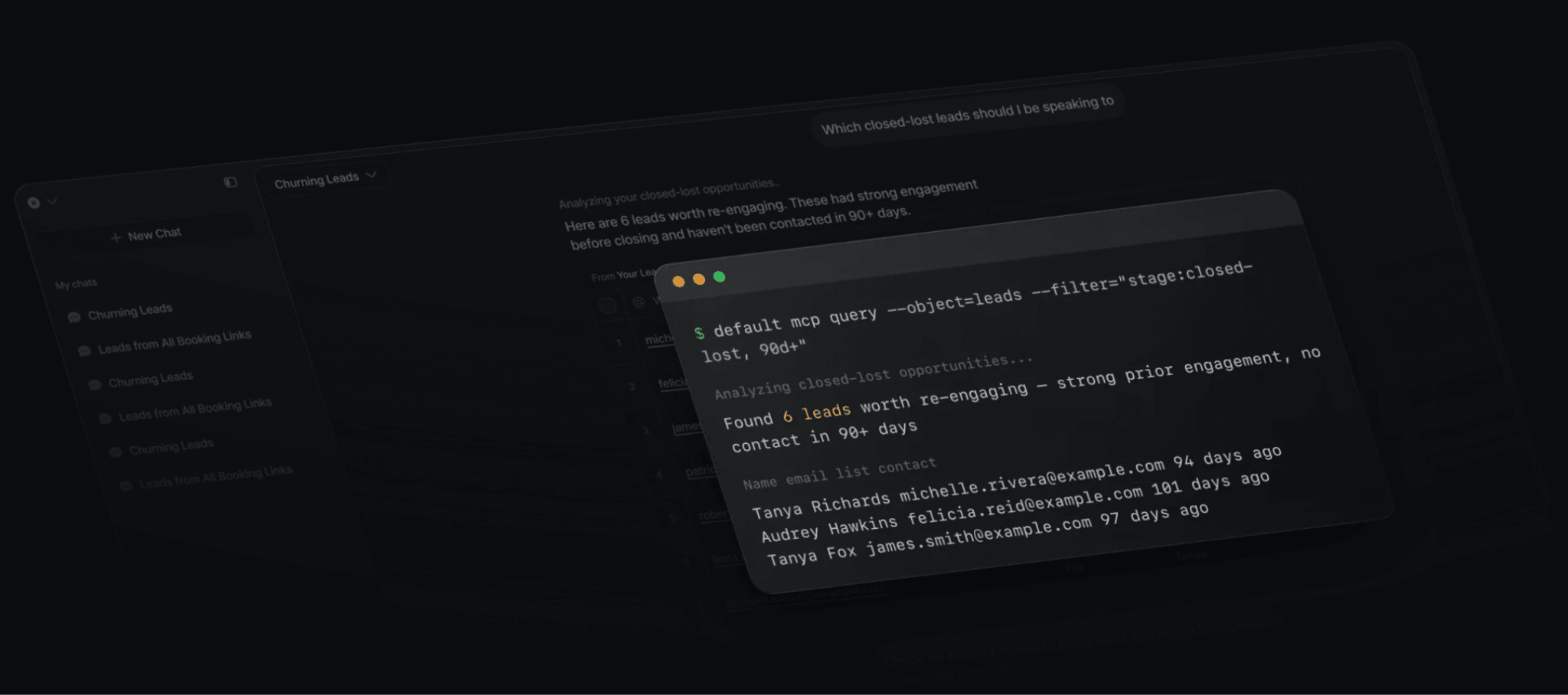
Plus, every action it performs is logged, governed, and reversible to boot.
See Default in action
Walk through how Default unifies your revenue stack — live with our team.
Book a demoUnify your sales data with Default
A traditional sales data warehouse gives RevOps a place to consolidate and analyze data. But the modern revenue stack needs another layer: turning that unified context into action.
Because if enrichment scores, routing signals, and qualification updates stay locked in the warehouse, your reps are still working with incomplete CRM records.
Default closes that gap with a warehouse-native data layer that syncs, unifies, and activates your GTM data in one platform. No separate ETL, reverse ETL, or middleware. Your CRM data, enrichment, workflow logs, and scheduling history live in one unified model, and the tools your team already uses, including routing, enrichment, and workflow automation, run directly on top of it.
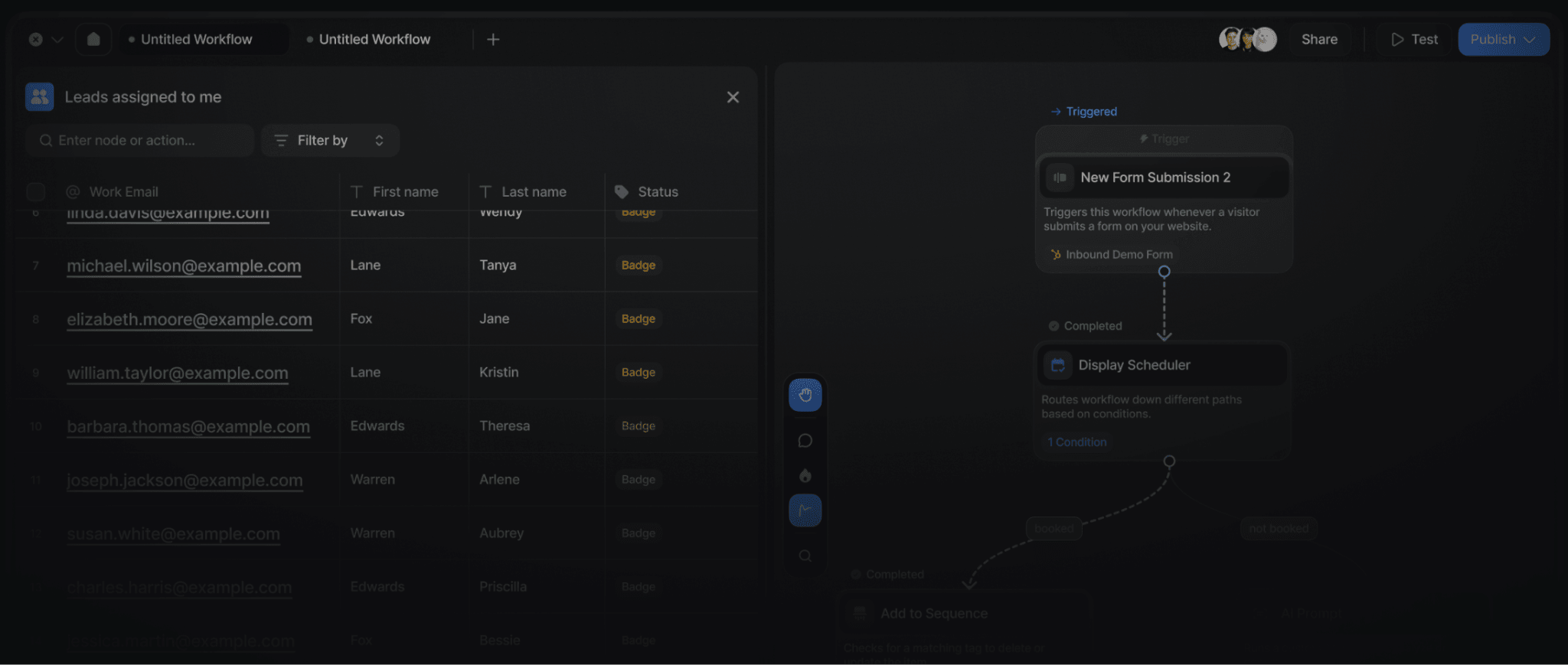
If you’ve done the hard work of centralizing your data in a warehouse, Default makes sure it doesn’t stop at dashboards.
Book a demo and see how your warehouse data can drive execution.
FAQs
1. How is a sales data warehouse different from a CRM?
It differs in purpose. A CRM stores operational records for day-to-day sales execution. A data warehouse stores historical and cross-system data optimized for analysis, modeling, and activation across revenue teams.
2. Can a small sales team use a data warehouse?
Yes. Smaller teams can benefit when they have multiple GTM data sources or specific cross-system questions, but a warehouse is unnecessary if CRM reporting already answers their core questions.
3. Does a sales data warehouse replace Salesforce?
No. Salesforce remains the operational CRM; the warehouse provides a broader data foundation that can combine Salesforce with other revenue data.
4. How often should sales data be refreshed?
It depends. Daily or hourly updates can be sufficient for reporting, while routing, scoring, and other time-sensitive workflows may require much fresher data.
5. What is the difference between a data warehouse and reverse ETL?
A warehouse stores and models data; reverse ETL moves modeled data from the warehouse into operational systems. Teams often use both when warehouse insights need to become actionable inside the CRM.
6. How much does a sales data warehouse cost?
It depends on scale. Cloud warehouse platforms like Snowflake and BigQuery use usage-based pricing that can range from a few hundred to several thousand dollars per month. Add ETL, transformation, and activation tools, and the total stack cost for a mid-size team typically lands between $3,000 and $10,000 per month.