








Key Takeaways
- 1.LeanData’s Salesforce integration uses a native managed package to automate lead-to-account matching, routing, and ownership assignment directly inside Salesforce.
- 2.Setup success depends on clean CRM data, clear routing logic, and strong admin ownership. Without these, routing errors and SLA issues are unavoidable.
- 3.Routing is controlled through matching rules and routing graphs, which can become complex and harder to maintain as your GTM motion scales.
- 4.Many RevOps teams hit a ceiling with LeanData as routing graphs grow. Default replaces that maintenance burden with a centralized orchestration layer that handles routing at scale without the admin overhead.
If leads are misrouted or slow to reach reps, chances are your LeanData Salesforce integration is the bottleneck.
LeanData connects directly to Salesforce to automate routing and matching. But only if it’s set up correctly.
This guide covers how the integration works, how to configure it step by step, and where revenue teams typically run into trouble at scale.
What is the LeanData Salesforce integration?
LeanData’s Salesforce integration is designed to solve one core problem: ensuring every lead is matched, routed, and assigned correctly the moment it enters your CRM and moves through your sales process.
- A native Salesforce managed package that embeds directly into your CRM, enabling routing and matching without external syncs.
- Automates real-time lead-to-account matching, lead routing, and ownership assignment across Leads, Contacts, Accounts, and Opportunities.
- Uses routing graphs, matching rules, and territory logic to control how records are assigned.
- Built for complex B2B environments where standard Salesforce assignment rules are not sufficient.
In practice, this gives RevOps teams precise control over how pipeline flows, but outing graphs can become difficult to govern as GTM logic evolves.
Without clear ownership and maintenance discipline, you end up with fragmented rules, inconsistent assignments, and an admin dependency that grows alongside the complexity.
What you need before you start
Before setting up LeanData, make sure your Salesforce foundation is solid. Most routing issues actually come from poor setup, not the tool itself.
- Salesforce admin involvement: An experienced admin is required to handle installation, field mappings, and routing logic as complexity grows.
- Clean CRM data: Standardized account names, domains, and deduplication rules are essential for accurate matching and assignment.
- Defined routing logic: Document how leads should be assigned by region, segment, or ownership to avoid conflicts and SLA misses.
- Custom fields and objects: Ensure required fields for routing triggers and segmentation are consistent and complete.
- Validation rules and workflows: Review existing automations to prevent conflicts that can block or override routing.
Without these foundations in place, even well-built routing logic will break. The result is misassigned leads, delayed follow-up, and mounting admin overhead. And because routing failures often don't surface loudly, records still move. But to the wrong owner.
The damage accumulates quietly in your pipeline before anyone traces it back to a configuration gap.
How LeanData connects to Salesforce (step-by-step)
LeanData operates as a native layer inside Salesforce, controlling how records are matched, routed, and assigned in real time. Setting it up correctly requires a structured sequence, each step building on the last.
Step #1: Install the LeanData managed package
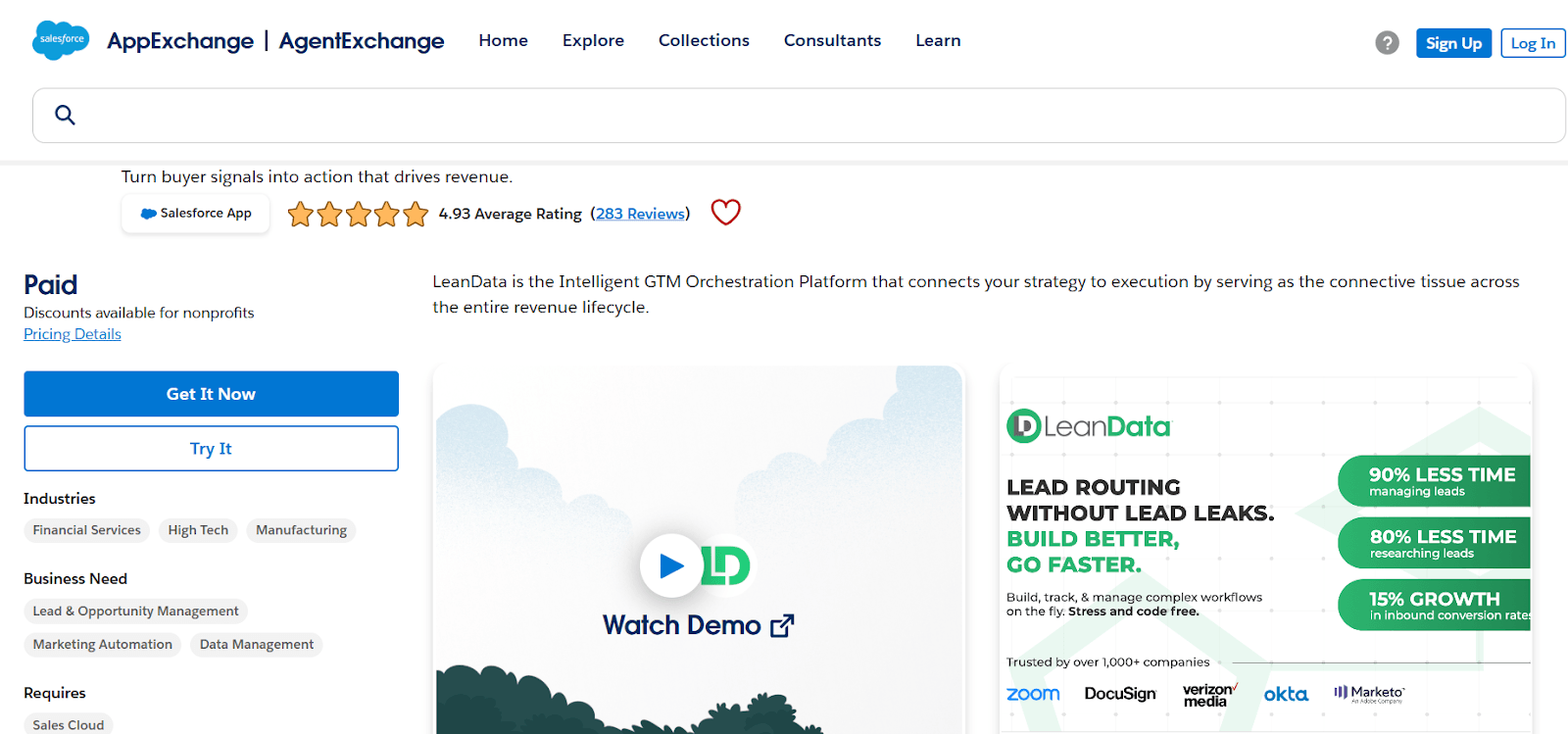
Start by installing LeanData from the Salesforce AppExchange. This embeds LeanData directly into your CRM, allowing it to operate on Salesforce objects and control routing without relying on external syncs.
During installation:
- Grant access to the correct user profiles
- Ensure API permissions are enabled
- Assign LeanData admin roles
This step sets the foundation for everything that follows. If permissions are misconfigured, LeanData may not be able to access or update records, leading to incomplete routing, failed assignments, and data visibility gaps.
Validate access and permissions before moving forward. Permission misconfiguration is the most common source of post-deployment routing failures. Because the errors aren't always explicit, teams spend hours debugging logic that was never the actual problem.
Step #2: Configure matching rules
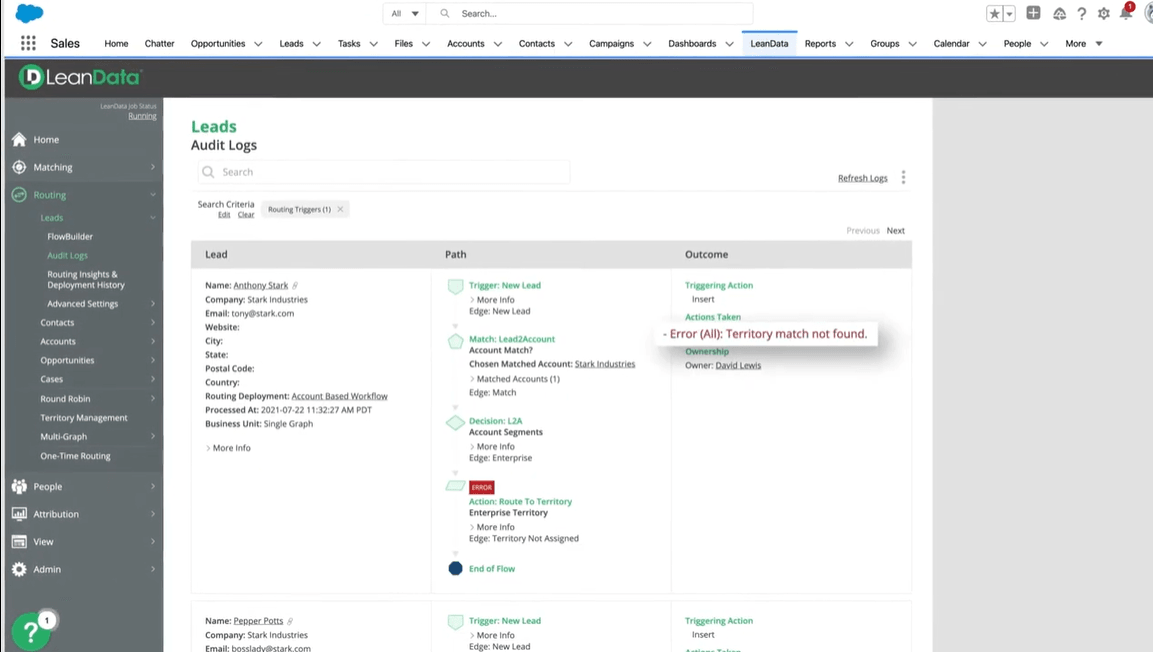
Matching rules determine how LeanData connects leads and contacts to accounts. This is the foundation of accurate routing and ownership.
If matching fails, everything downstream breaks: leads go unassigned, accounts duplicate, and attribution becomes unreliable.
Typically, you’ll configure:
- Domain-based matching (e.g. email → account domain)
- Fallback logic for edge cases (e.g. no domain match, partial matches)
- Deduplication conditions to prevent duplicate account creation
The goal isn’t maximum coverage; it’s consistent, accurate matching. Overly broad rules may increase match rates, but they also introduce incorrect ownership and routing conflicts.
Get this step right, and routing becomes predictable. Get it wrong, and you’ll spend time fixing downstream issues across your pipeline.
Step #3: Build routing graphs
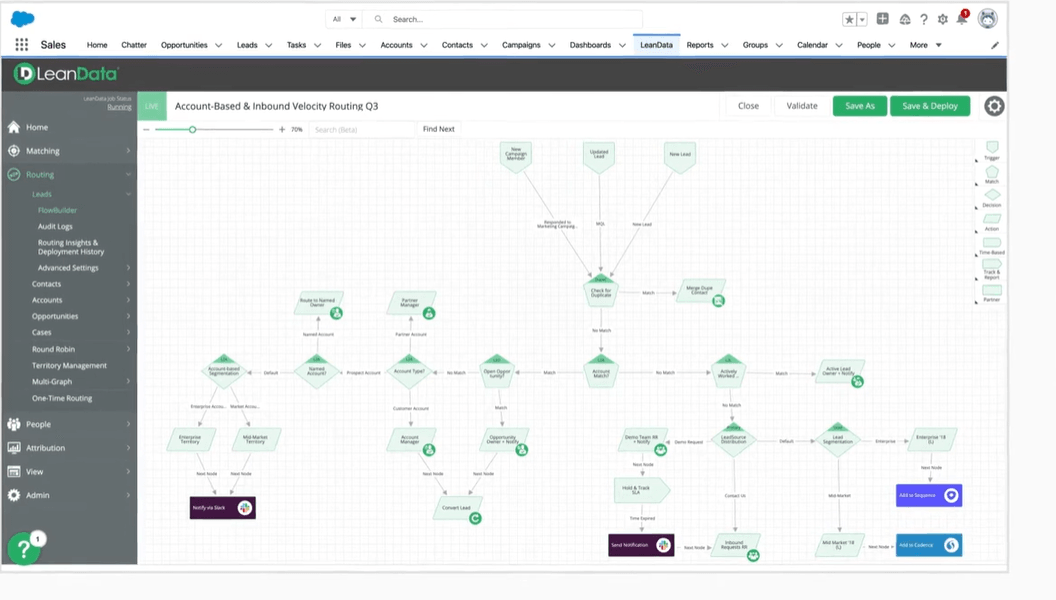
Routing graphs define how records move through your assignment logic and routing rules. This is where routing decisions are actually made, and where most failures originate.
You’ll build rules based on:
- Territory (region, segment, industry)
- Account ownership (existing account owners, account hierarchies)
- Round-robin distribution for fair lead allocation
Small gaps in routing graph logic snowball quickly: misrouted leads, delayed follow-up, missed SLAs.
The goal isn't just to build the logic. It’s to build it in a way you can actually maintain as territories shift and GTM priorities change.
Step #4: Map fields and ownership logic
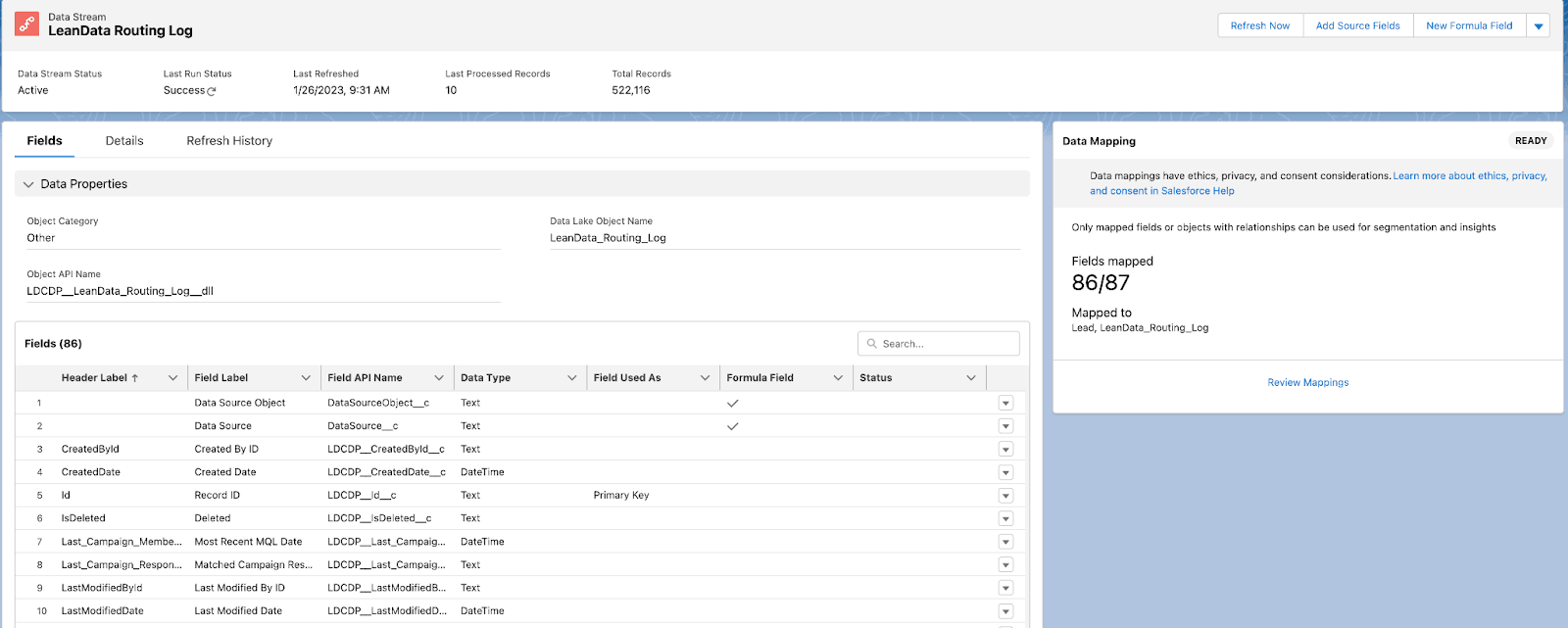
Next, align LeanData with your Salesforce data model by mapping fields and defining how ownership is assigned.
This step connects your routing logic to actual CRM data — if mappings are off, even correct routing logic will produce incorrect outcomes.
This includes:
- Lead and account owner fields
- Custom segmentation fields (e.g. region, segment, tier)
- Routing triggers that determine when assignment rules fire
Mapping errors are often hard to detect. Records may still route, but to the wrong owner, under the wrong conditions, or not at all in edge cases.
These issues become more pronounced in account-based or multi-touch models, where ownership logic depends on multiple fields and relationships.
Validate mappings carefully across all scenarios before going live. This is where structurally correct logic and incorrect outcomes diverge.
Step #5: Test, deploy, and monitor
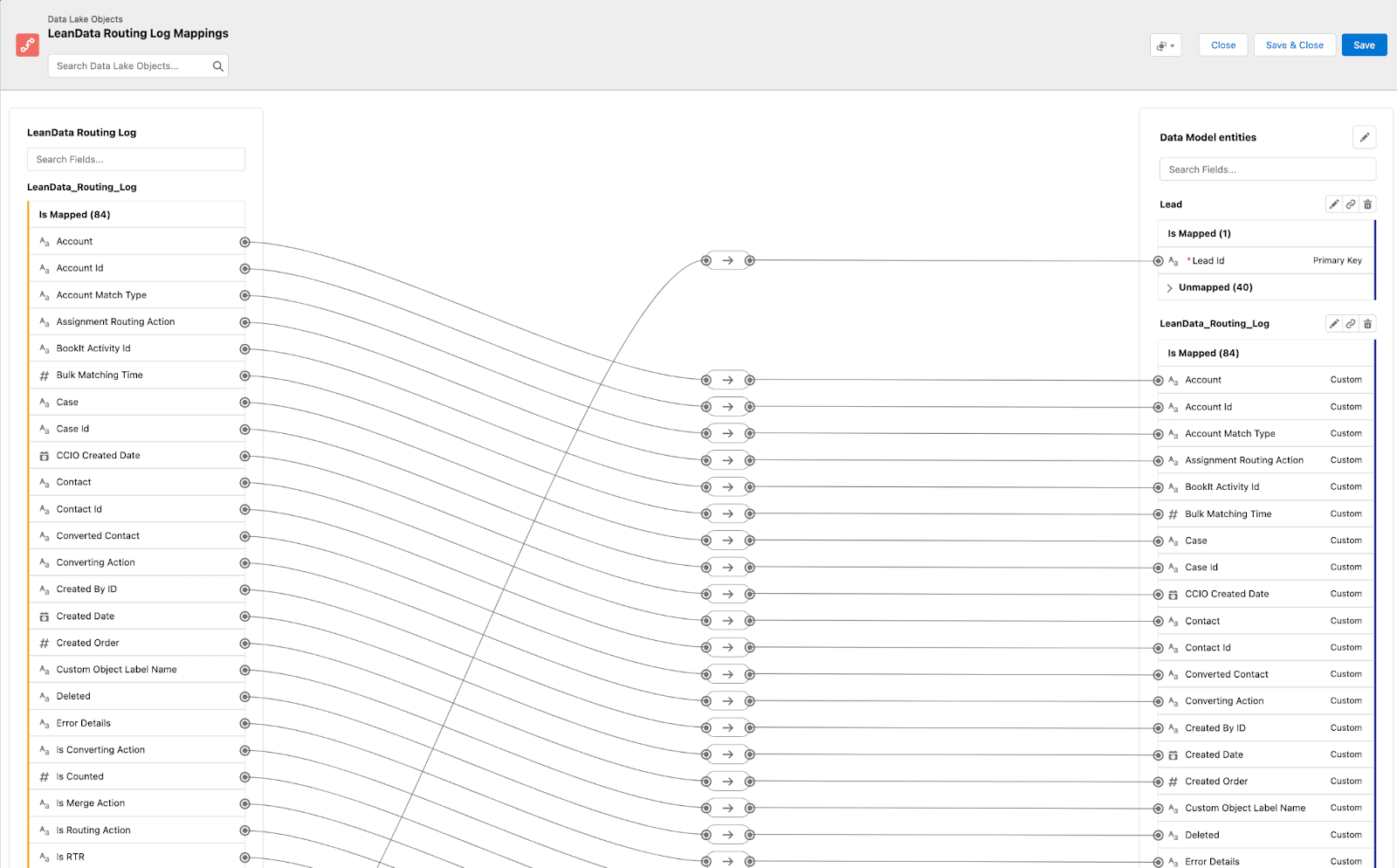
Before going live, validate how your routing logic performs under real conditions. Even correctly configured logic can fail once it interacts with live data and edge cases.
Focus testing on:
- Edge cases (no match, multiple matches, incomplete data)
- SLA timing and routing speed
- Ownership accuracy across different scenarios
Once deployed, monitoring becomes critical. Routing issues rarely fail loudly — misrouted leads, delayed assignments, and ownership errors often go unnoticed until they impact pipeline performance.
Without ongoing visibility, misrouting happens silently: records move, SLAs slip, and pipeline leaks before anyone realizes the routing logic is the source. By the time it surfaces in conversion numbers, the damage is already done.
When each step is configured correctly, LeanData gives you precise control over how records are matched, routed, and assigned inside Salesforce. The sequence matters, because every layer builds on the last and directly shapes how your routing behaves once it’s live.
Limitations and common pitfalls
Even with a strong setup, LeanData introduces operational complexity that can affect routing accuracy, visibility, and long-term scalability.
- Complex routing logic: As routing graphs expand, rules fragment and overlap. The result is inconsistent assignments and an admin dependency that makes every territory change a project.
- Data quality dependency: Matching relies on clean, complete CRM data—any gaps produce misroutes that are hard to trace back to the source.
- Limited visibility: It’s not always clear why a record was routed a certain way, slowing down troubleshooting.
- Ongoing maintenance: Territory changes, team restructures, and new segments all require routing graph updates. Without dedicated admin ownership, accuracy drifts.
- Edge cases: Scenarios like multiple matches or missing data can silently break routing flows.
For teams running LeanData, that cost has a specific shape: failed matching, ownership conflicts, and routing logic that executes confidently on information that's simply wrong.
Common pitfalls overview
Best practices for maintaining a healthy integration
LeanData’s Salesforce integration isn’t a set-it-and-forget-it system. Maintaining routing accuracy requires ongoing oversight as your data, teams, and GTM structure evolve.
Practice #1: Audit and simplify routing logic
Routing logic inside Salesforce becomes harder to manage as it scales. Regularly review LeanData routing graphs to remove outdated rules, eliminate overlaps, and consolidate logic where possible. Without this, routing becomes fragmented, harder to debug, and increasingly dependent on admin intervention.
Practice #2: Enforce strict data hygiene
LeanData relies entirely on your Salesforce data. Standardize key fields like account names and domains, and enforce deduplication consistently. Poor data quality leads to failed matching, duplicate records, and ownership conflicts that directly impact pipeline coverage.
Practice #3: Monitor performance and test edge cases
Track SLA adherence, routing accuracy, and lead response times within Salesforce. Regularly test edge scenarios such as no-match, multi-match, and incomplete data. These are the most common sources of silent routing failures and often go unnoticed until they affect conversion.
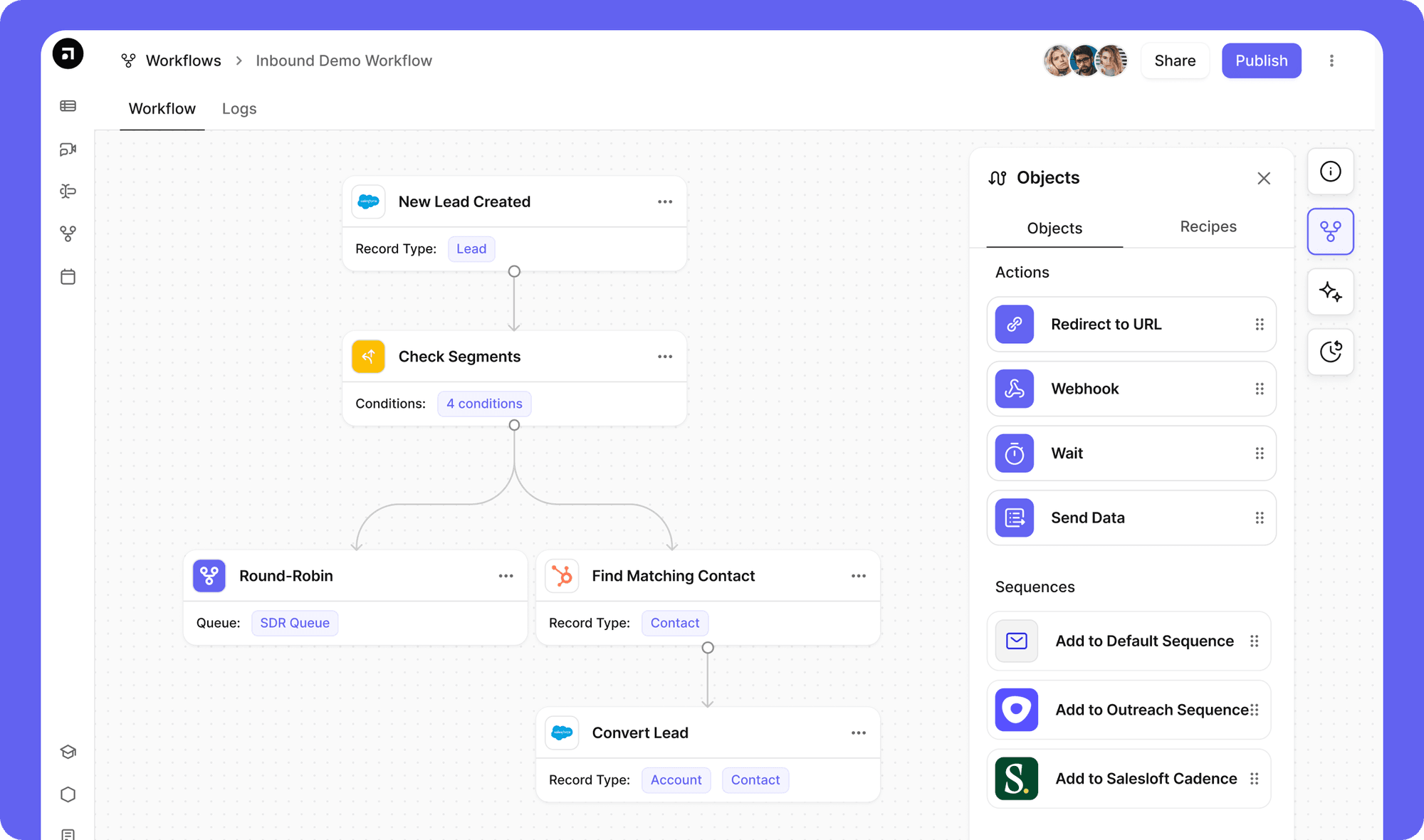
Default makes Salesforce routing easy: try now
If LeanData routing feels difficult to manage, it’s usually because the setup no longer reflects how your routing actually works in Salesforce.
What starts as a clean setup quickly turns into ongoing maintenance. Routing graphs grow, edge cases multiply, ownership rules conflict, and every GTM change requires another update. Over time, routing becomes something you manage constantly instead of something you trust.
Default takes a different approach to revenue orchestration.
Instead of building and maintaining routing logic across Salesforce dependencies, you centralize it in a dedicated orchestration layer designed to handle routing at scale.
With Default, you can:
- Centralize routing logic outside of Salesforce workflows and constraints
- Automate ownership and assignment without rebuilding routing graphs
- Eliminate duplicate handling and reduce conflict-driven rework
- Adapt routing quickly as territories, teams, and segments change
The result: your routing logic reflects how your team actually sells, stays accurate as your GTM evolves, and doesn't require a dedicated admin to stop it from drifting.
If your current setup feels fragile or time-consuming to manage, it’s a sign the system needs to change. Book a demo and see how Default gives you back control over your routing.
FAQs
1. When LeanData’s Salesforce integration makes sense
LeanData’s Salesforce integration makes sense for teams with complex routing needs, especially in account-based models. If manual processes or standard assignment rules cause delays or inconsistencies, LeanData provides the control needed to scale routing accurately.
2. How long does it take to set up LeanData with Salesforce?
Most teams take 2–6 weeks. Timelines depend on routing complexity, data quality, and how clearly ownership rules are defined upfront. The more ambiguity in your routing logic, the longer setup and testing will take.
3. Do you need a Salesforce admin to manage LeanData?
Yes. LeanData requires ongoing admin support to manage routing graphs, field mappings, and updates. As your GTM motion evolves, routing logic needs continuous maintenance to stay accurate.
4. Can LeanData handle complex territory-based routing?
Yes. LeanData supports multi-layered routing across territory, segment, and account ownership. However, as complexity increases, so does the effort required to maintain, troubleshoot, and update routing logic.
5. What are the biggest challenges with LeanData integration?
The most common issues are poor data quality, overly complex routing graphs, limited visibility into routing decisions, and ongoing maintenance overhead. These challenges tend to compound as your routing logic scales.