








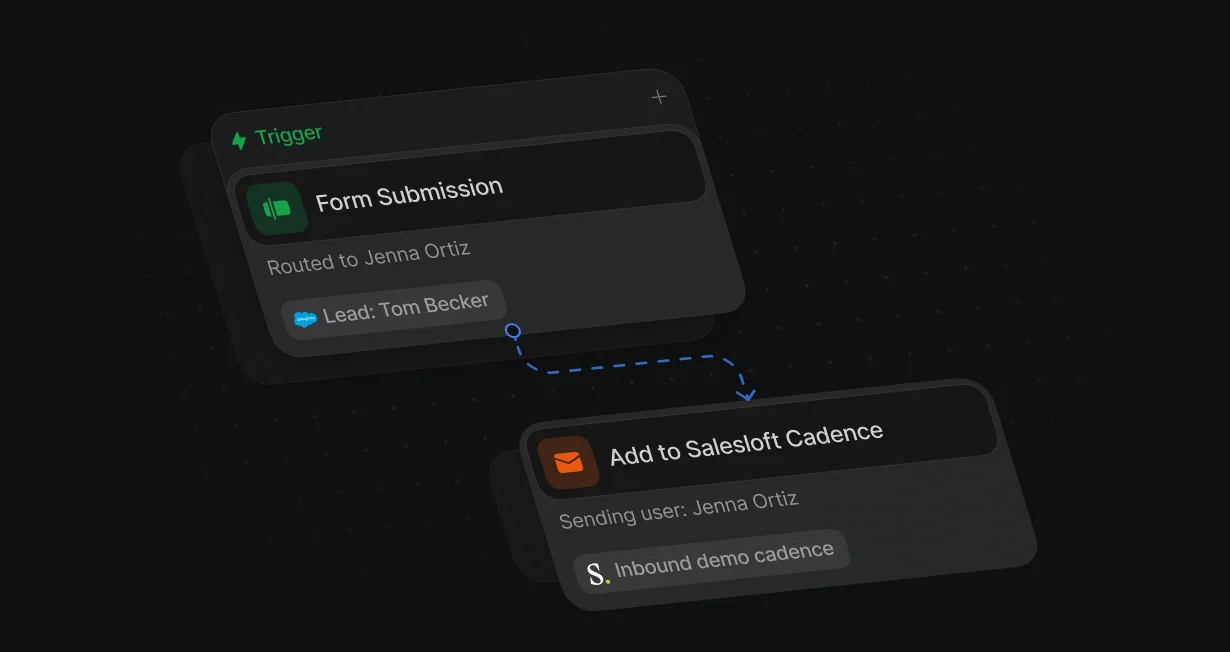
Sender follows routing
Set Sending user to the assigned rep, and the cadence runs on their behalf in Salesloft.
Send routed leadsinto Salesloft cadences
Default adds routed leads who don't book to a Salesloft cadence from their assigned rep.












Set Sending user to the assigned rep, and the cadence runs on their behalf in Salesloft.
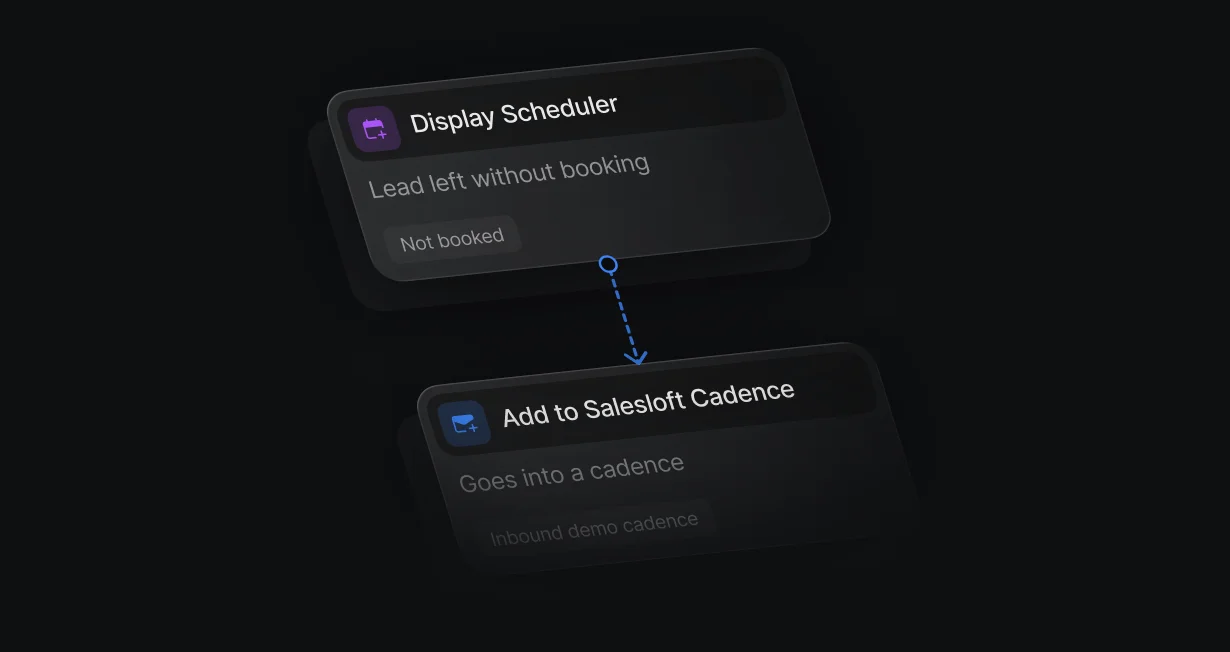
A lead who submits the form but closes the calendar without booking goes into a cadence.
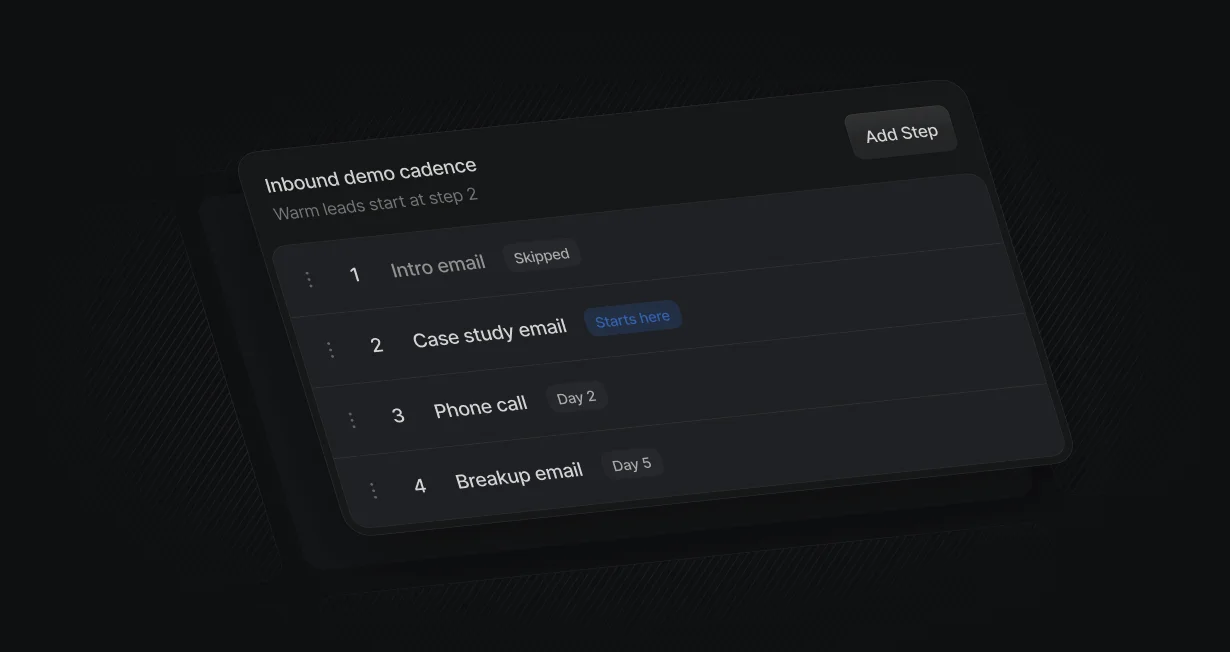
Pick Start at step to skip the intro email for warm leads.
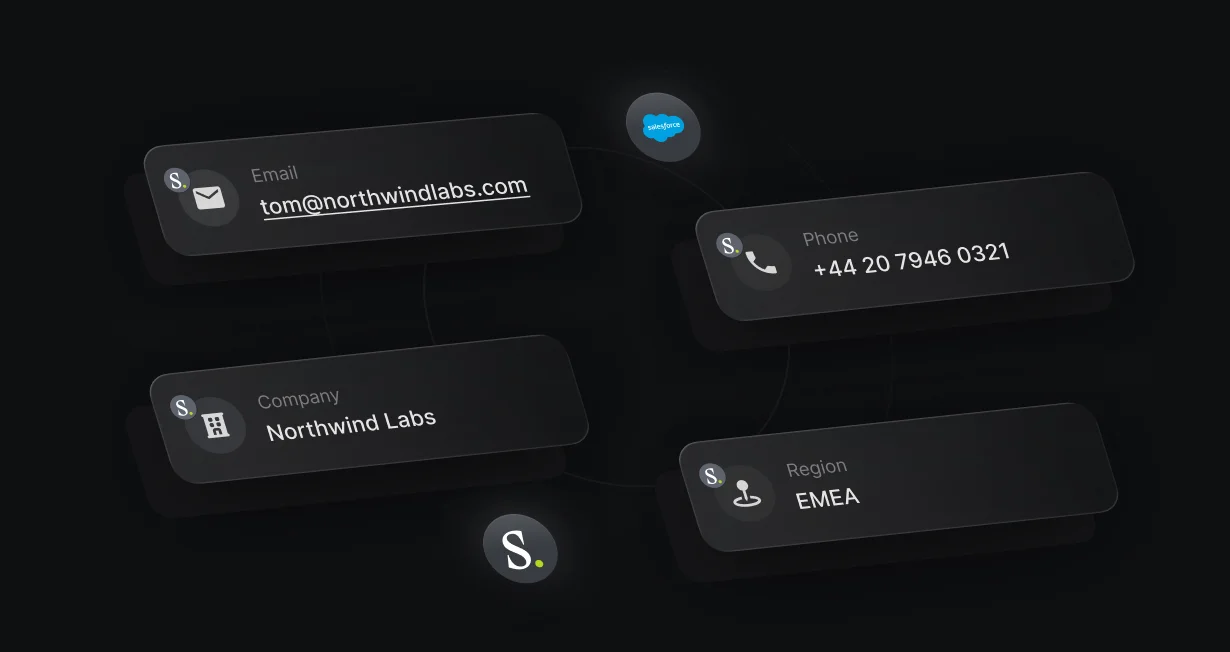
Map form answers and enrichment into Salesloft person fields, so the cadence has what the form collected.
On the Not booked branch, Add to Salesloft Cadence enrolls the person, starting at whichever step you pick. Salesloft creates the person if they don't exist yet.
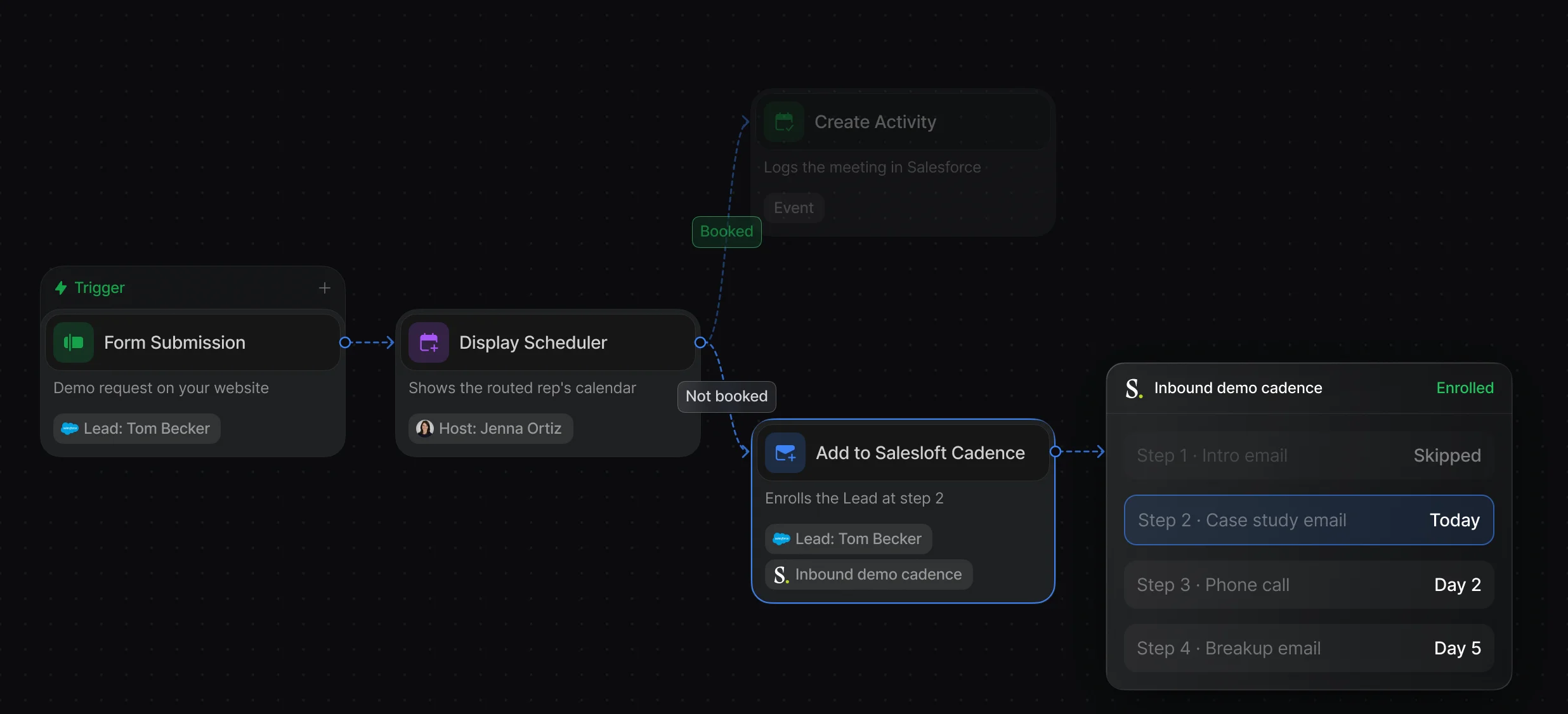
Pick the cadence, the email, the sending user, and the step to start on, 1 person per run.
The branch runs when the visitor closes the calendar or the timeout passes.
Set Sending user to the assigned rep, and Default maps them to their Salesloft sender. Person fields pass the form answers and enrichment into Salesloft.
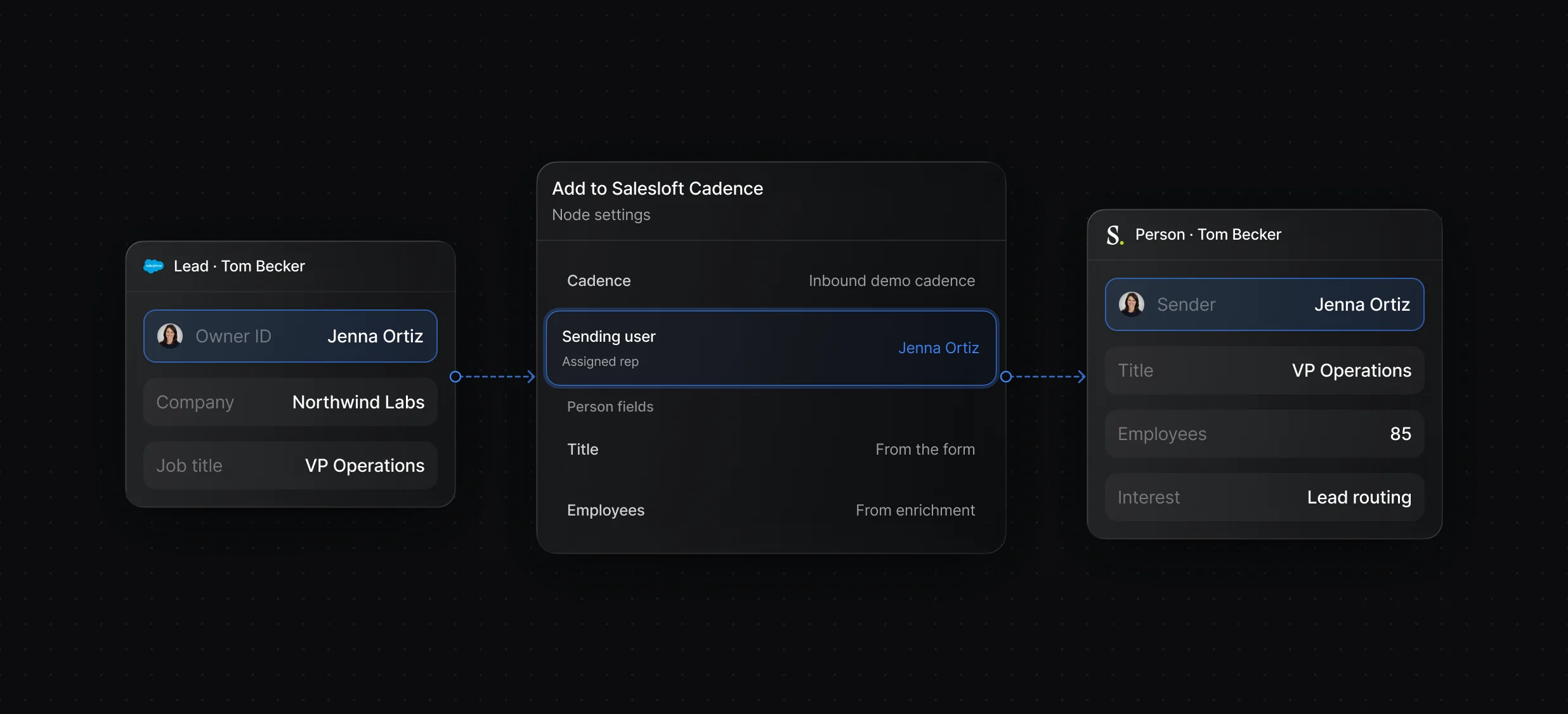
Route the lead, write the owner, and enroll the person in 1 workflow.
Pick the owner by territory or account rules, then pass them to the cadence as Latest resolved user.
“It’s the control layer we’re using to run GTM from the same brain.”

Default works with Salesloft and either CRM in 1 workflow: it routes the lead, writes the owner to Salesforce or HubSpot with Create Record or Update Record, and enrolls the person with Add to Salesloft Cadence from that rep. Salesloft also has its own Salesforce and HubSpot integrations for syncing records and logging activity.
Default enrolls them with the Add to Salesloft Cadence node, after a Round-Robin node picks the rep and Create Record or Update Record writes the owner to the CRM. Set Sending user to that rep and map each rep's Salesloft Sender ID in Default, since a missing mapping fails the node for that rep.
Yes, with Default's Add to Salesloft Cadence node: its Start at step field lets a warm lead skip the first steps and begin wherever you choose. Pick the cadence first, then the step.
Routing, scheduling, and follow-up for every inbound lead.
Send leads who don't book into Outreach sequences.
Add leads who don't book to Gong Engage flows.
Route every Salesforce lead and book the meeting.
Send each HubSpot lead to the right owner.
Tell the routed rep in Slack as soon as a lead lands.
One platform to manage workflows, enrich records, route leads, and schedule meetings.


