








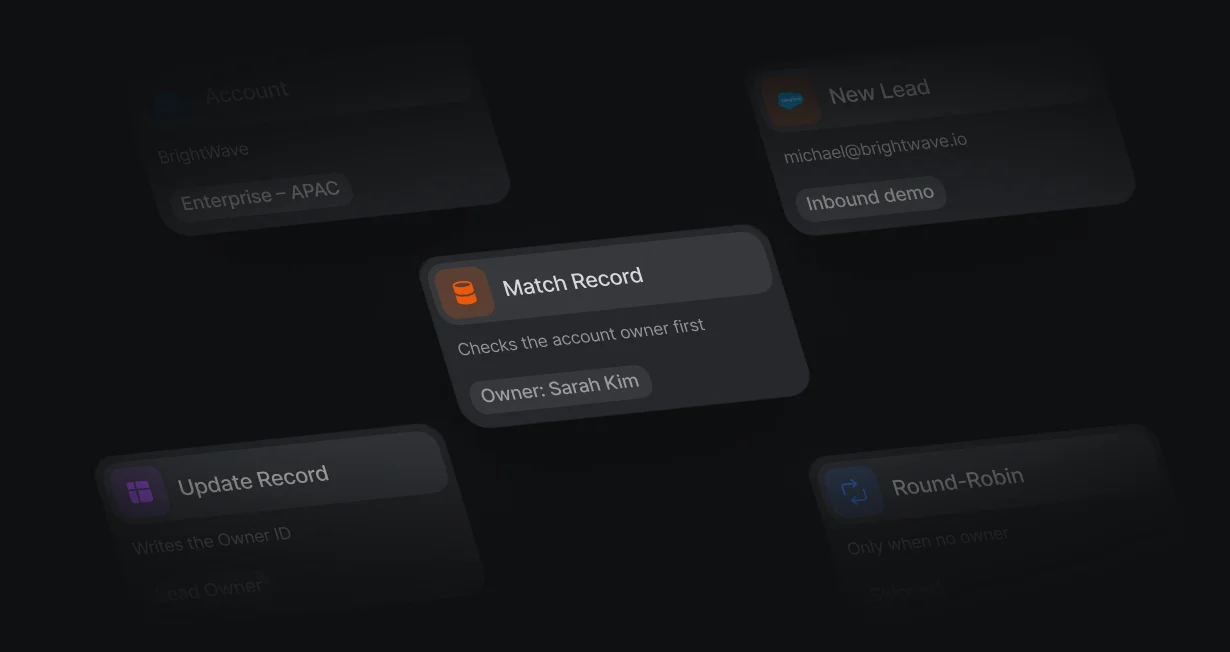
Account owners first
A lead from an account that already has an owner goes straight to that owner.
Route Salesforce leadsand book the meeting
Default assigns each Salesforce lead to the right rep, then books the meeting.












A lead from an account that already has an owner goes straight to that owner.
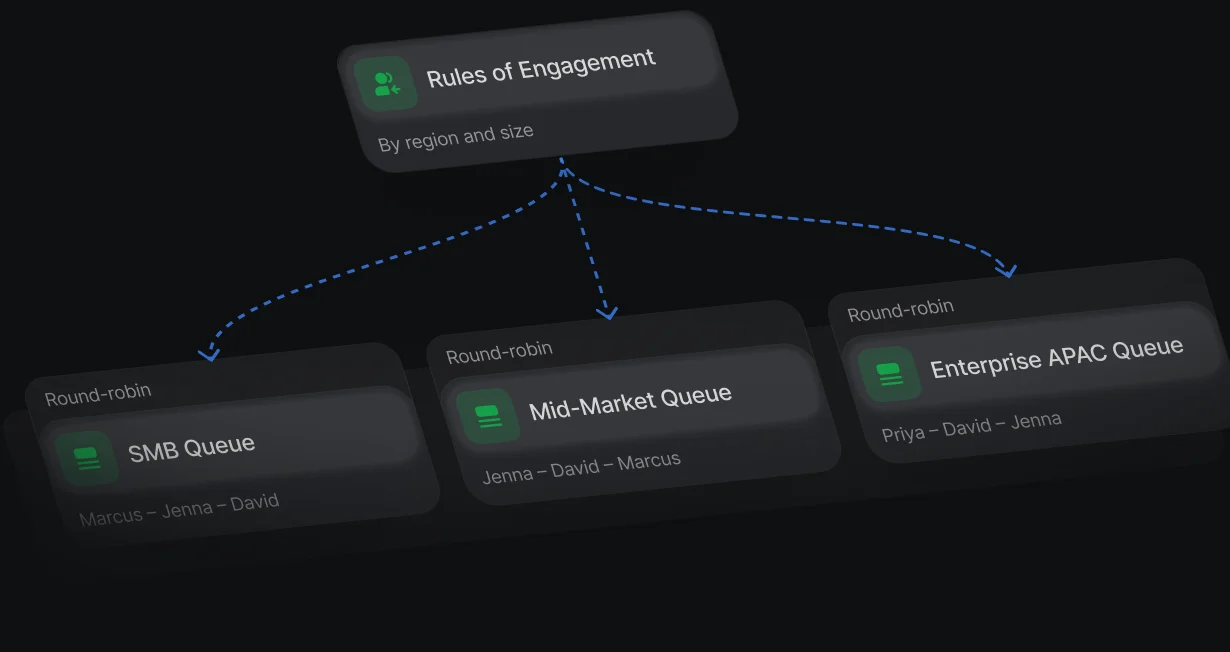
Route by headcount, region, or industry, then take turns inside each team.
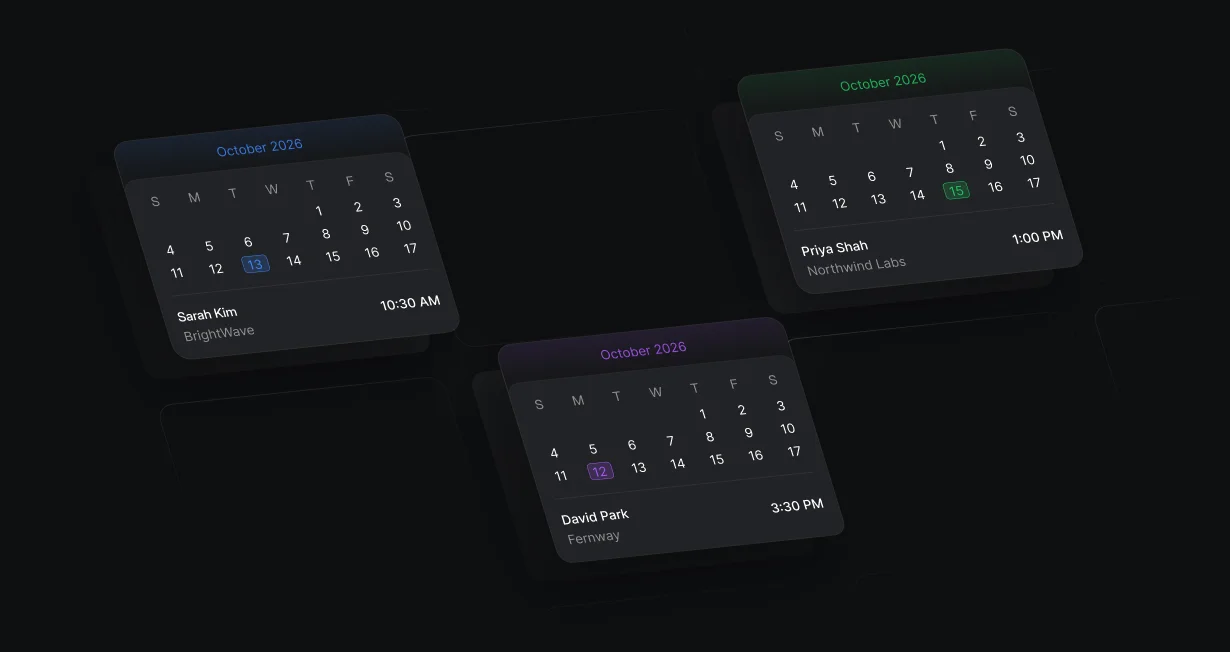
The lead picks a time on the routed rep's calendar right after the form.
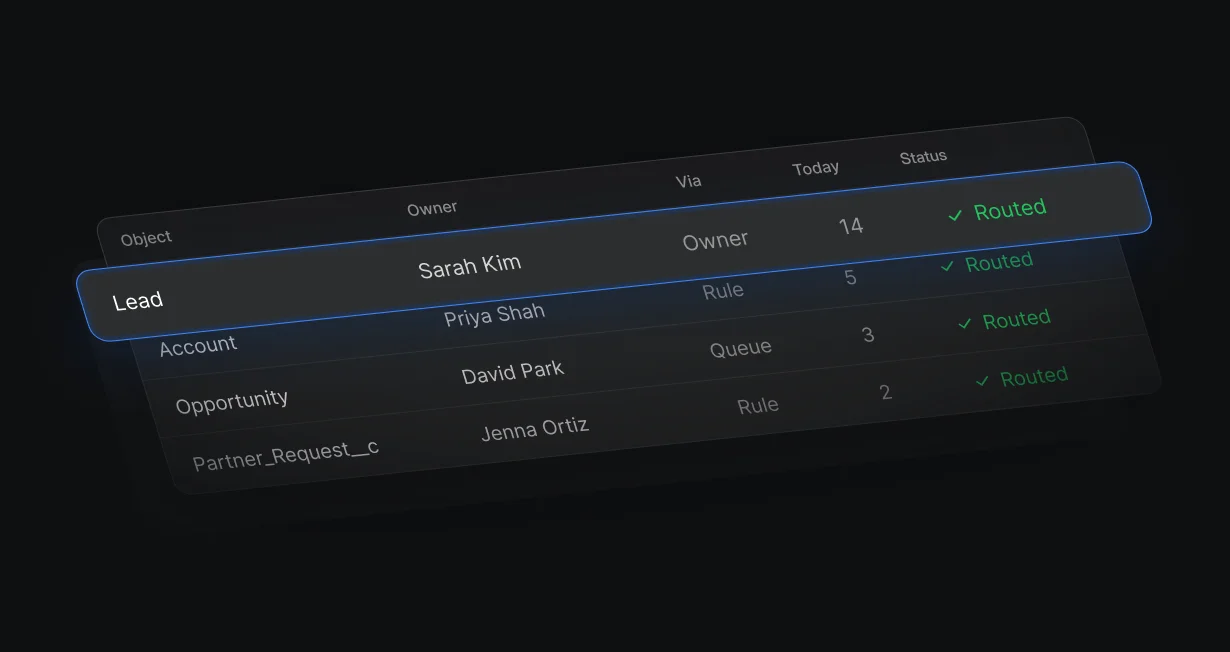
Route leads, contacts, accounts, and opportunities, and write owners on custom objects too.
Match Record finds the account by email domain and sends the lead to its owner. Leads with no owned account go through Rules of Engagement or a round robin queue, and Update Record writes the Owner ID.
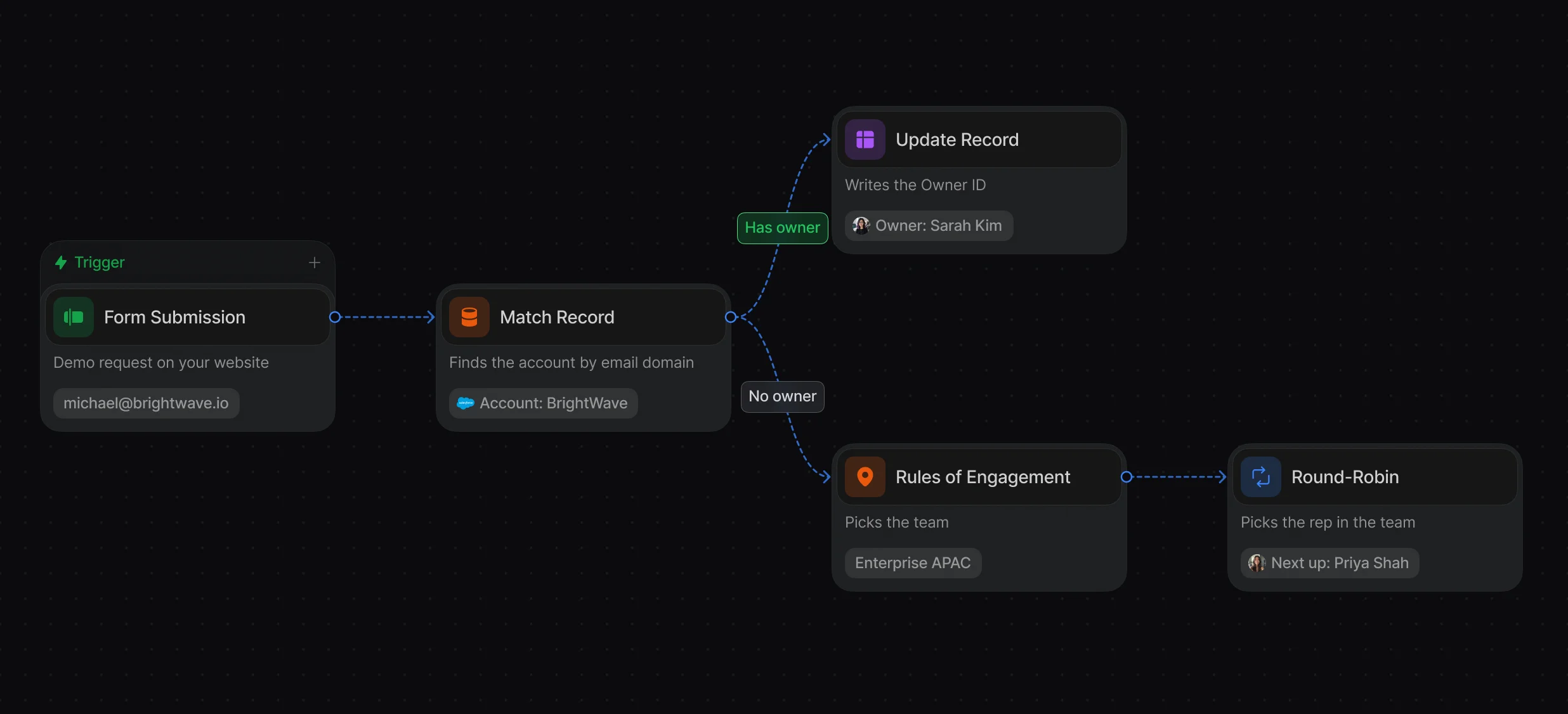
Domain matching, with tiebreakers when several accounts match.
Change a territory once and every workflow that uses the ruleset follows.
Weights, paused reps, and calendar checks decide who is next.
Default starts the Salesforce lookup and enrichment when the visitor leaves the email field, so routing is ready by the time they submit. Display Scheduler then shows the assigned rep's calendar over your page.
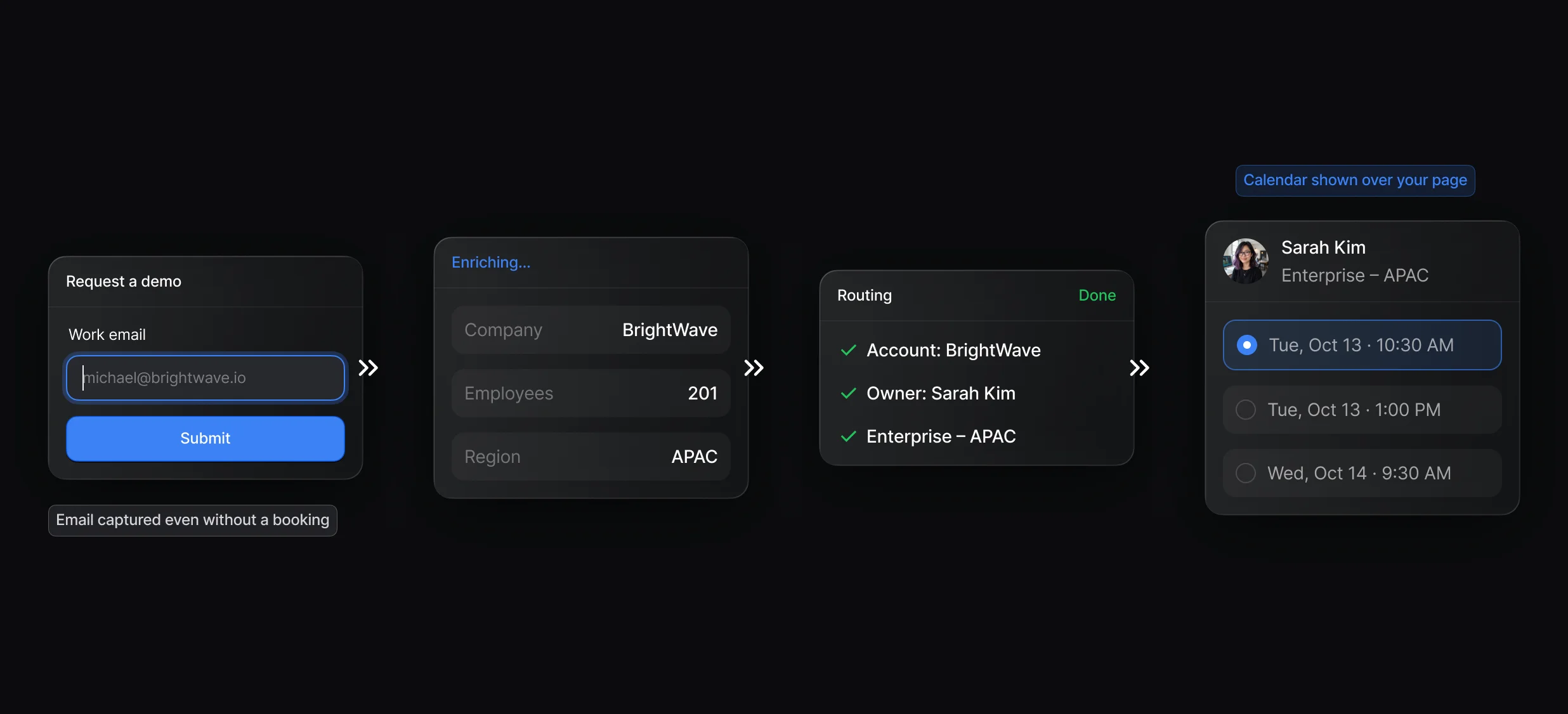
The calendar opens over your page, with no second form to fill in.
A fallback host covers reps who are out of office or unavailable.
Alert the owner in Slack or add the lead to a sequence when nobody books.
The Reasoning card shows which reps were scored, which tiebreaker applied, and who got the lead. Workflow errors post to the Slack channel your admin picks.
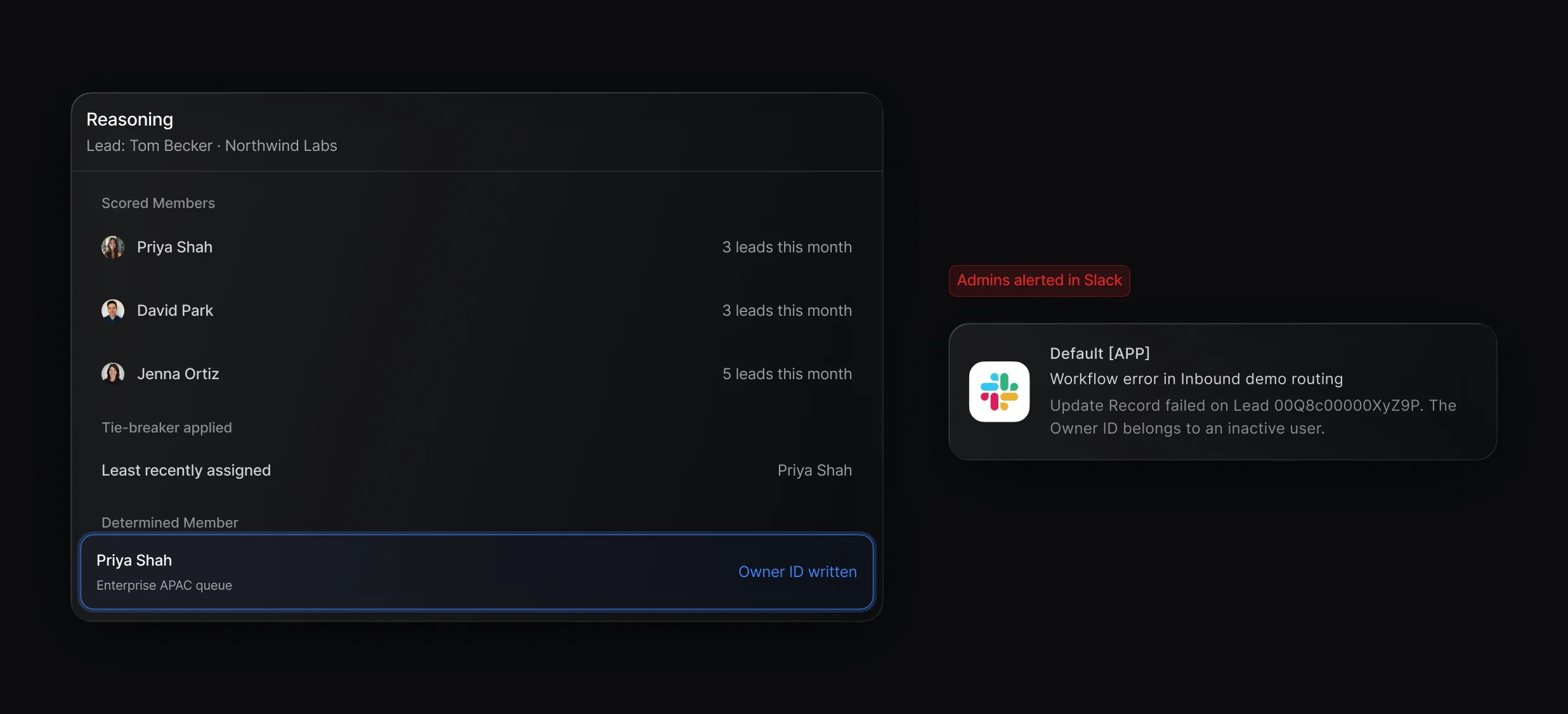
Trace any lead from the trigger to the rep who got it.
Send workflow errors to a Slack channel or straight to an admin.
The managed package, user mapping, and the Owner ID write-back.
“It’s the control layer we’re using to run GTM from the same brain.”

Default assigns Salesforce leads in a workflow: Match Record checks for an account owner, a Round-Robin or Rules of Engagement node picks a rep when there is none, and Update Record writes the Owner ID. Salesforce's own assignment rules give each lead to the first rule entry that matches.
Default routes Salesforce leads by account owner, rules, and round robin, then books the meeting with the assigned rep in the same workflow. Look for a tool that does all 3 and writes the owner back to Salesforce, so reps never wait on a separate scheduling tool.
Default automates it with a workflow that starts when a lead is created in Salesforce or a form is submitted. A Round-Robin or Rules of Engagement node picks the owner, Update Record writes it, and Default selects the Change Data Capture objects the trigger needs when you publish.
Default does both in 1 workflow. Routing decides which team or rep owns a lead, using rules like territory or account ownership, and distribution spreads leads across that team with a round robin queue so each rep gets a fair share.
Yes. Default's Display Scheduler node opens the routed rep's calendar on the same page after the form is submitted, and the workflow continues on a Booked or Not booked branch.
Default uses Change Data Capture only for workflows that start from a Salesforce record change, and each object they watch takes 1 of the objects your org can select. If your org is at that limit, a trigger on a new object can fail to fire even though the workflow publishes.
Routing, enrichment, and scheduling for every inbound lead.
Take turns across a team with weights and paused reps.
Match each new lead to its Salesforce account by domain.
Keep every routing rule in 1 ruleset.
Turn website form fills into routed Salesforce leads.
Send each HubSpot lead to the right owner.
One platform to manage workflows, enrich records, route leads, and schedule meetings.


