








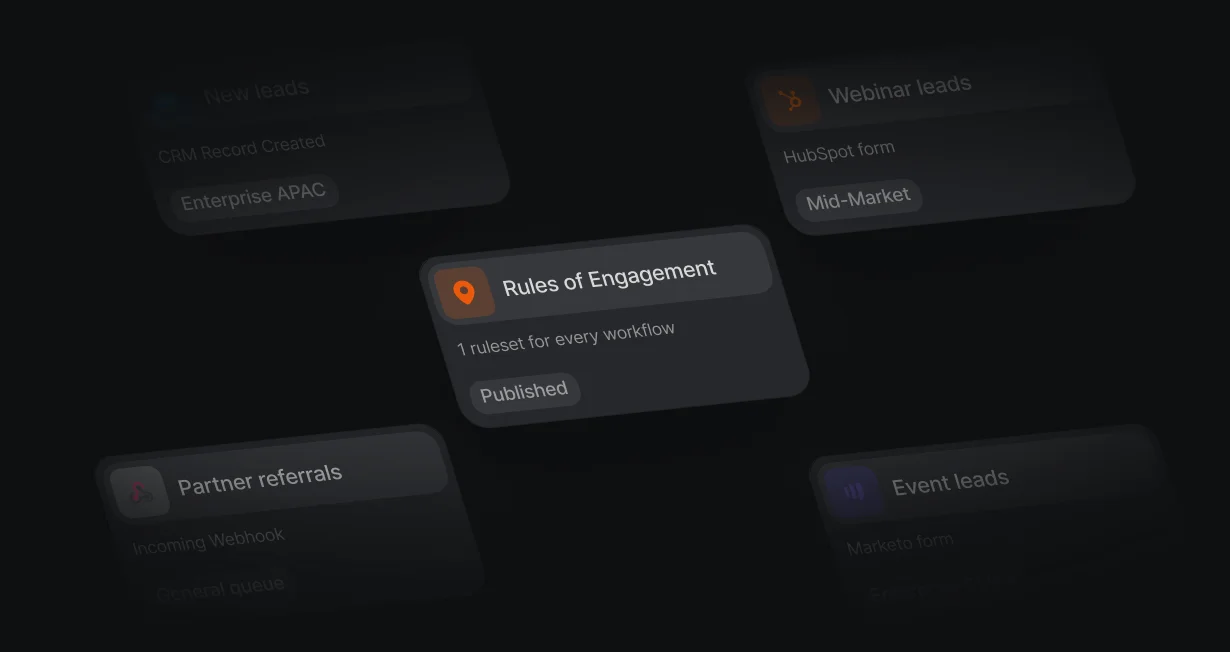
1 ruleset for every workflow
Change a territory once and every workflow that runs the ruleset follows.
Salesforce assignmentrules in 1 place
Default keeps your routing rules in 1 ruleset that every workflow reads, then books the meeting.












Change a territory once and every workflow that runs the ruleset follows.
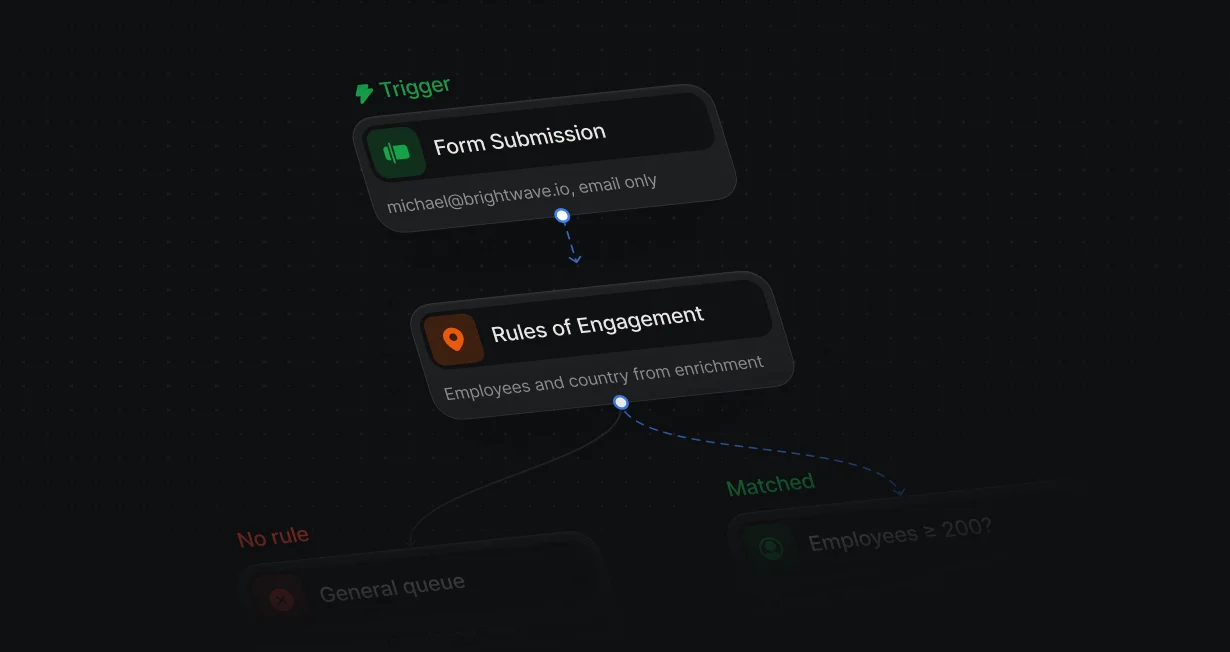
Route on company size or country from enrichment, without asking for them on the form.
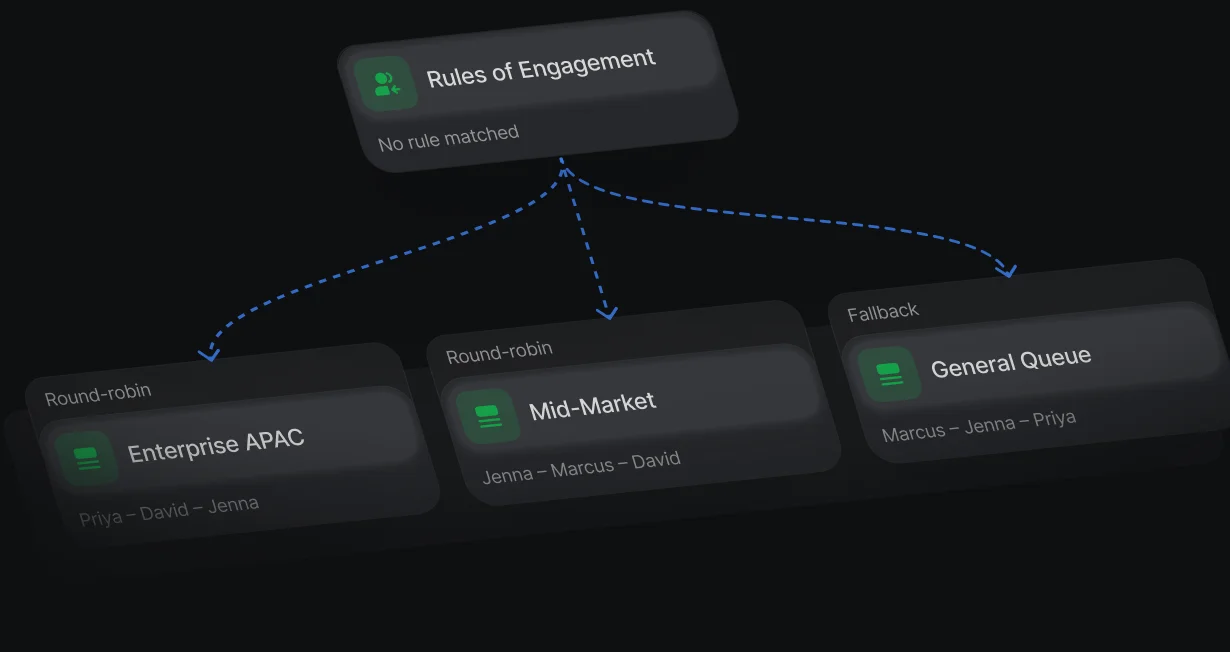
Leads that match no rule take the Else branch, where a catch-all queue picks the owner.
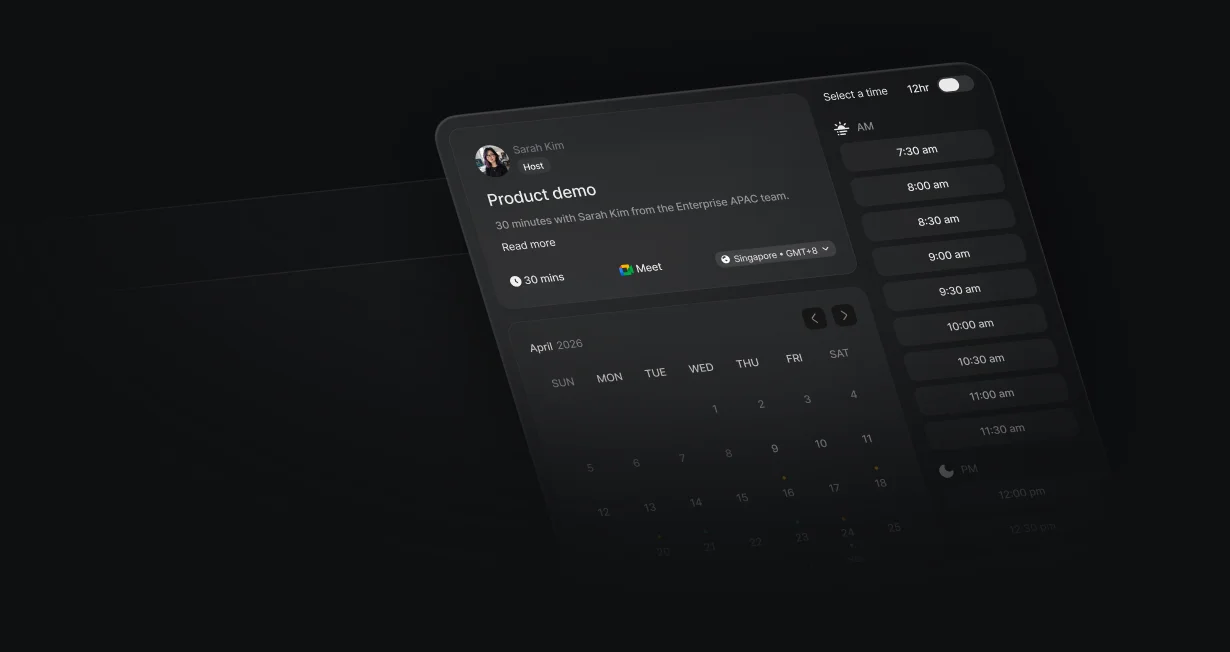
The assigned rep's calendar opens right after the form.
Rules of Engagement holds your rules in 1 ordered list, each with criteria, a queue or user to route to, and an optional fallback. Edits save as a draft, so live routing changes only when you publish a new version.
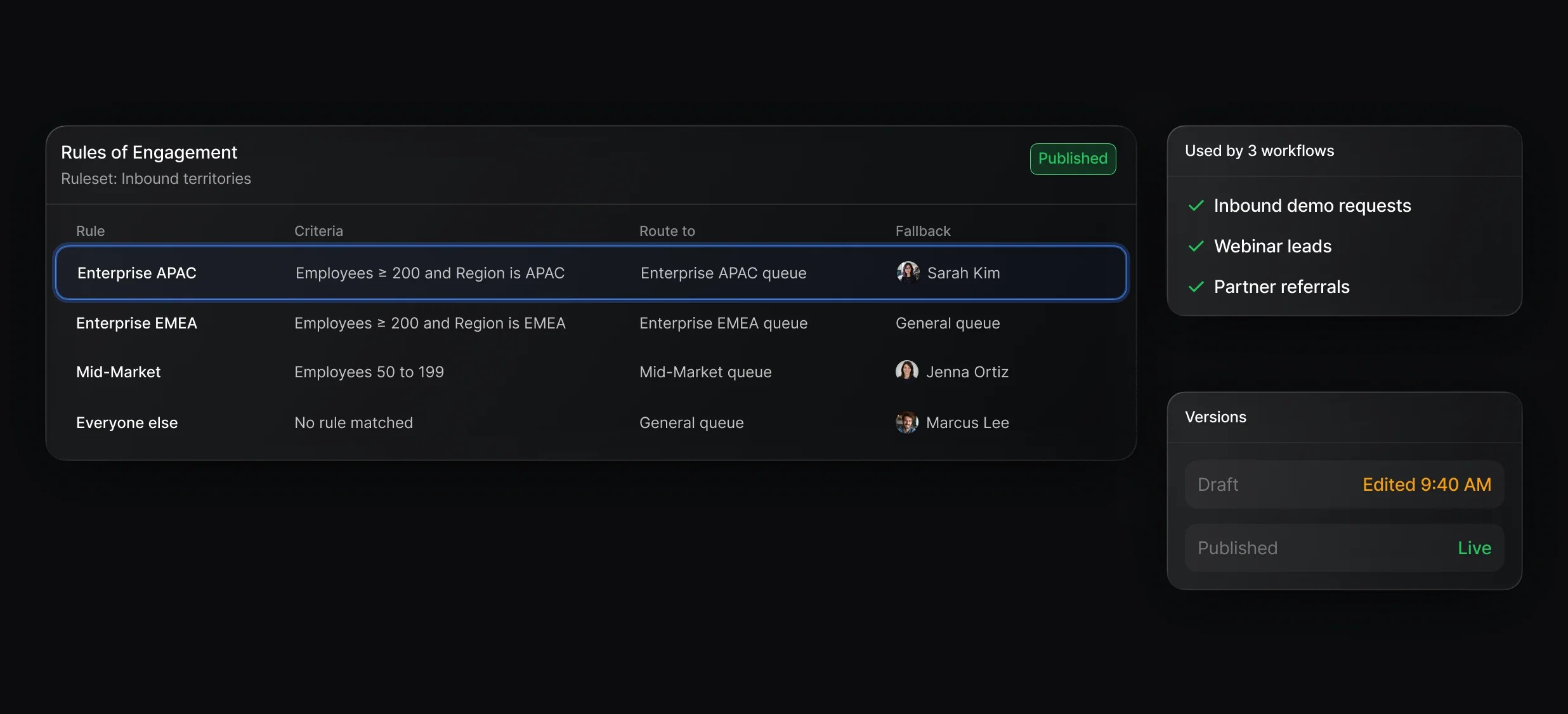
Ordered rules where the first match routes the lead to a queue or a user.
1 queue per team, picked by a rule, then a rep from that queue.
See which rule decided and why the rules above it didn't match.
Manage sources pulls in CRM fields, person and company enrichment, form answers, and booking answers. With an Enrich Data step first, you can route on headcount or industry from a form that only asks for an email.
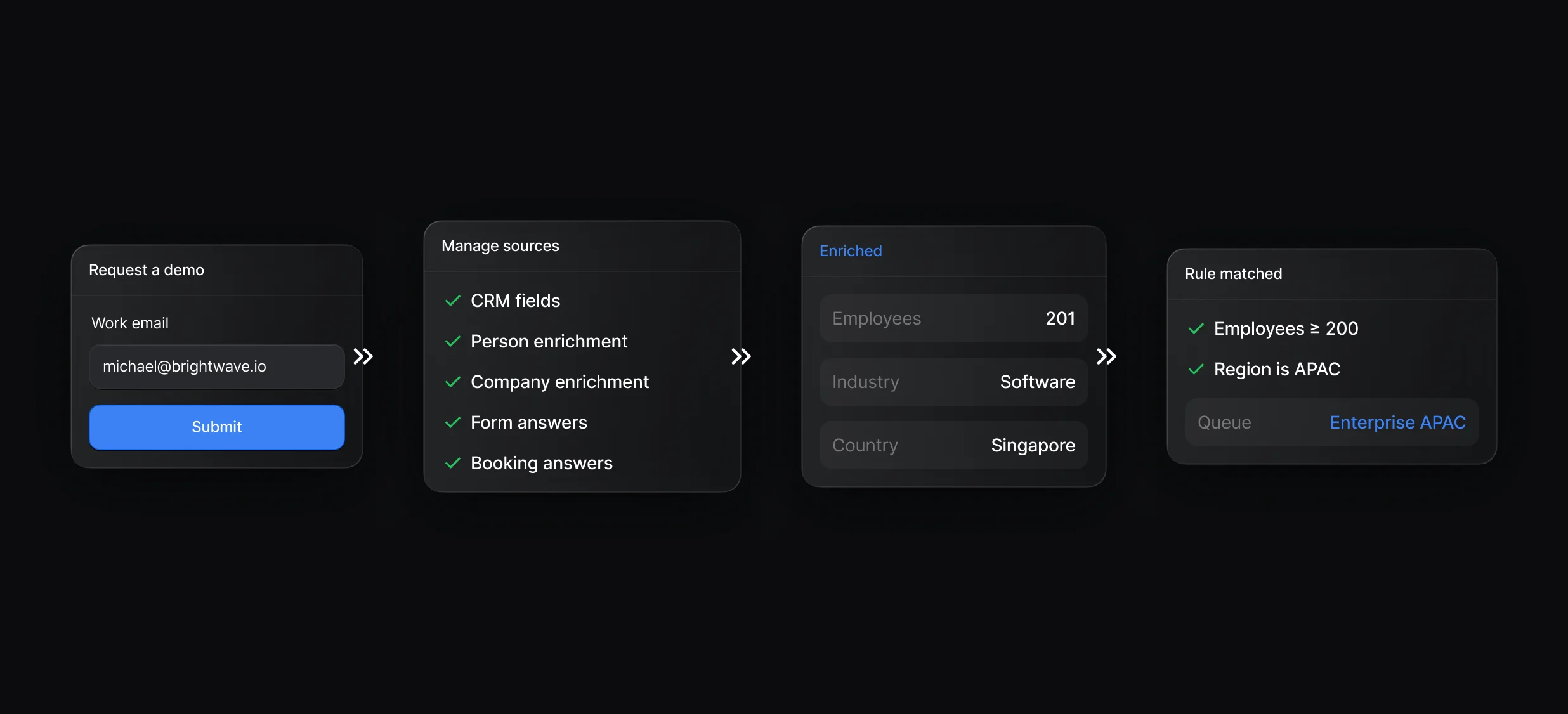
Default manages access to each provider, so there's no API key to paste.
The Pixel captures the forms already on your site and starts a workflow on each submit.
Display Scheduler books the visitor with the rep the ruleset picked. Leads that shouldn't get a calendar can go to an SDR as a Slack message or an internal email instead.
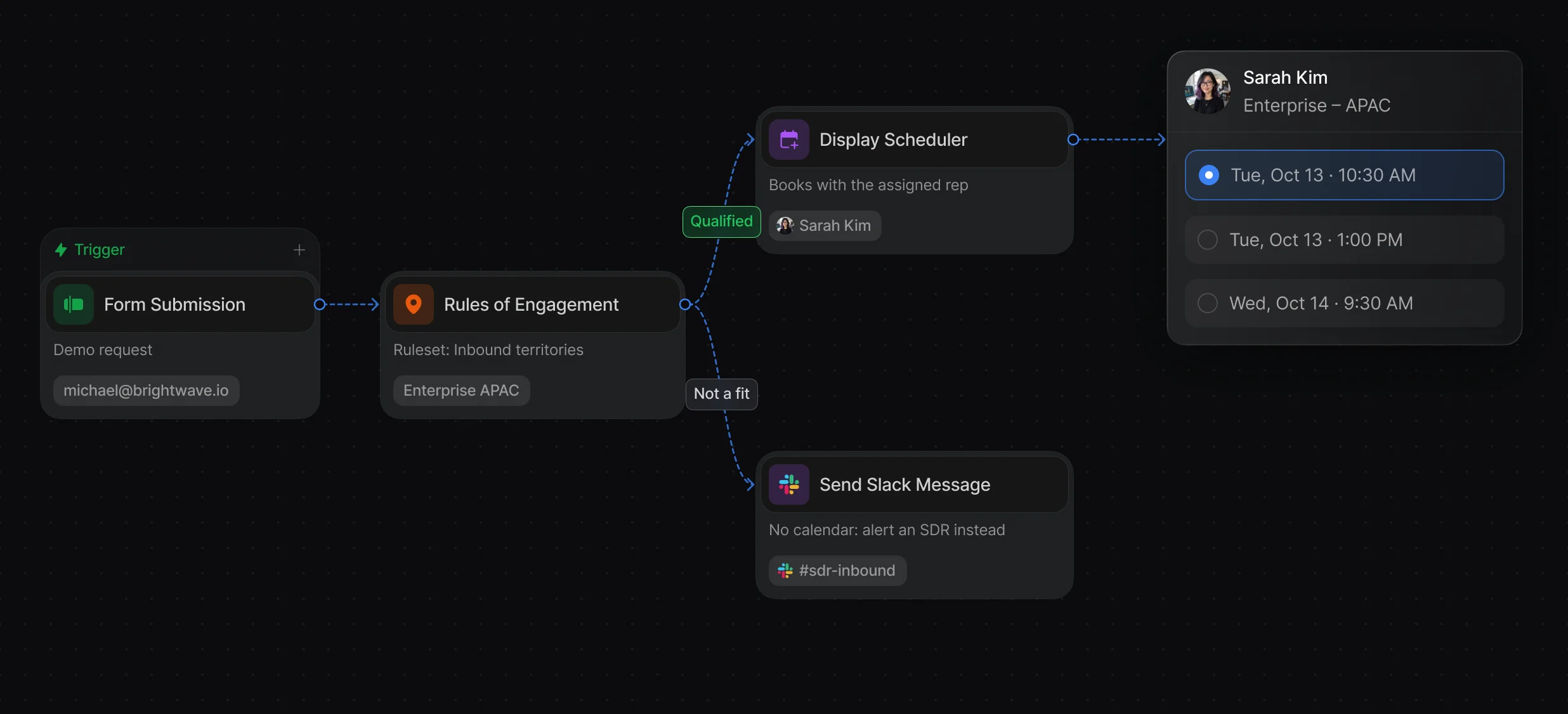
The calendar opens over your page, with no second form to fill in.
Message the rep or a channel with the lead's details and the rule that matched.
“It’s the control layer we’re using to run GTM from the same brain.”

In Default, you build them as a Rules of Engagement ruleset: declare inputs under Manage sources, add rules with criteria and a queue or user under Route to, and publish. Any workflow runs the ruleset with the Rules of Engagement node, and the first rule that matches decides.
Default's Rules of Engagement covers what teams usually need next: rules on enrichment data or the matched account's owner, and rules that hand the lead to a queue that takes turns with weights. Salesforce allows 1 active lead assignment rule at a time, so every source and territory has to share it.
Yes, every Default workflow with a Rules of Engagement node runs the latest published version of its ruleset, so publishing a change updates routing everywhere without editing a single workflow. Edits save as a draft first, so live routing changes only when you publish.
Your server calls a Default workflow's API trigger with the lead's email, then a Rules of Engagement or Round-Robin node picks the owner and Create Record or Update Record writes it as the Owner ID. Salesforce applies its own assignment rules to API-created leads based on request headers, which differ between the SOAP and REST APIs.
Routing, enrichment, and scheduling for every inbound lead.
Route every Salesforce lead and book the meeting.
Take turns across a team with weights and paused reps.
Match each new lead to its Salesforce account by domain.
Turn website form fills into routed Salesforce leads.
Route Marketo form fills to the right Salesforce rep.
One platform to manage workflows, enrich records, route leads, and schedule meetings.

