








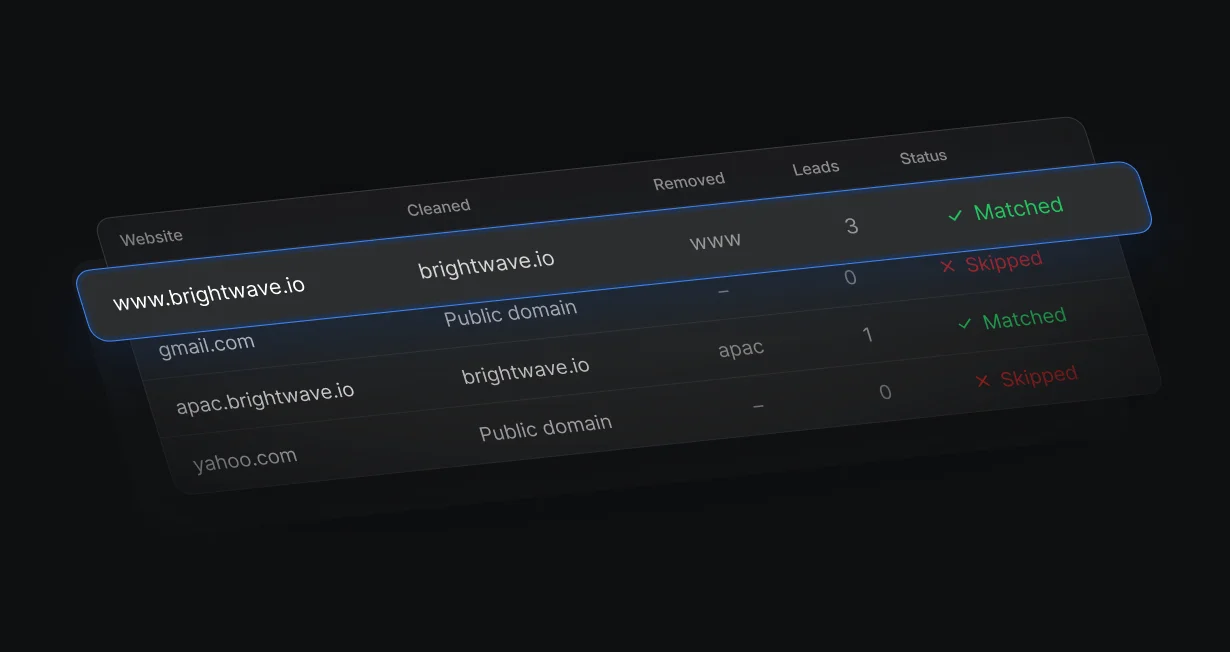
Domain matching on messy websites
Matching ignores https, www, paths, and subdomains in the Website field, and handles country suffixes like .co.uk.
Match every leadto its Salesforce account
Default matches each new lead to its Salesforce account and books it with the account owner.












Matching ignores https, www, paths, and subdomains in the Website field, and handles country suffixes like .co.uk.
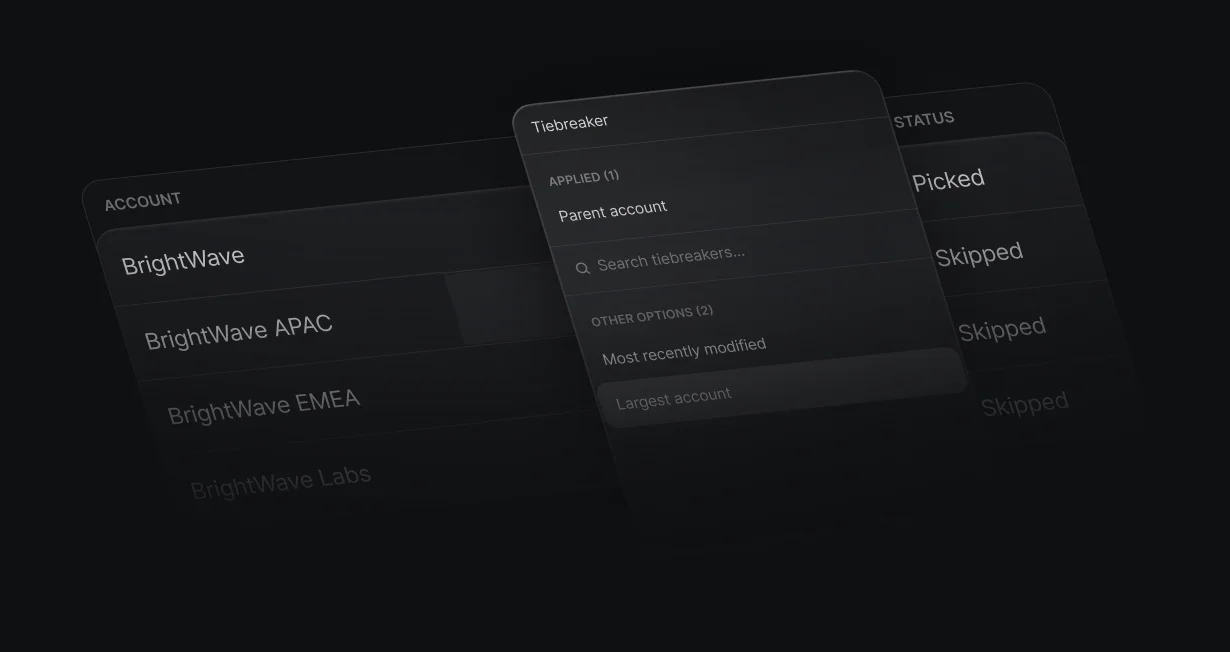
When several accounts match, prefer the most recently modified, the largest by employees, or an account that has a parent account.
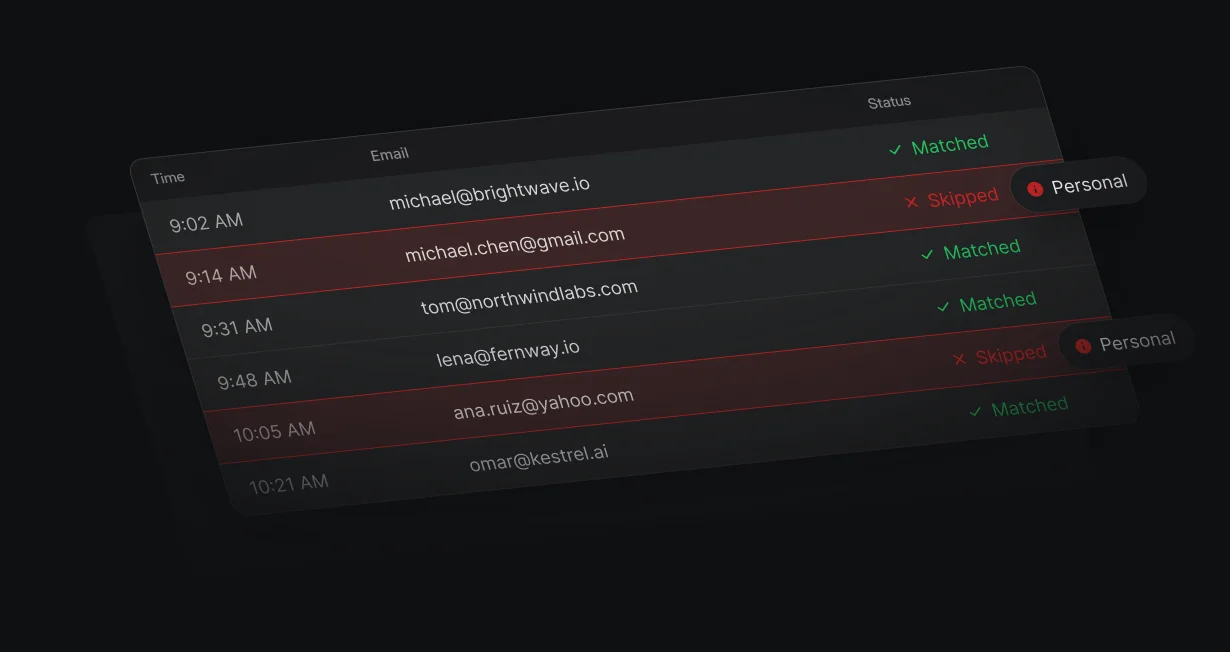
A Gmail address or another public email domain never matches an account, so Default doesn't guess the company.
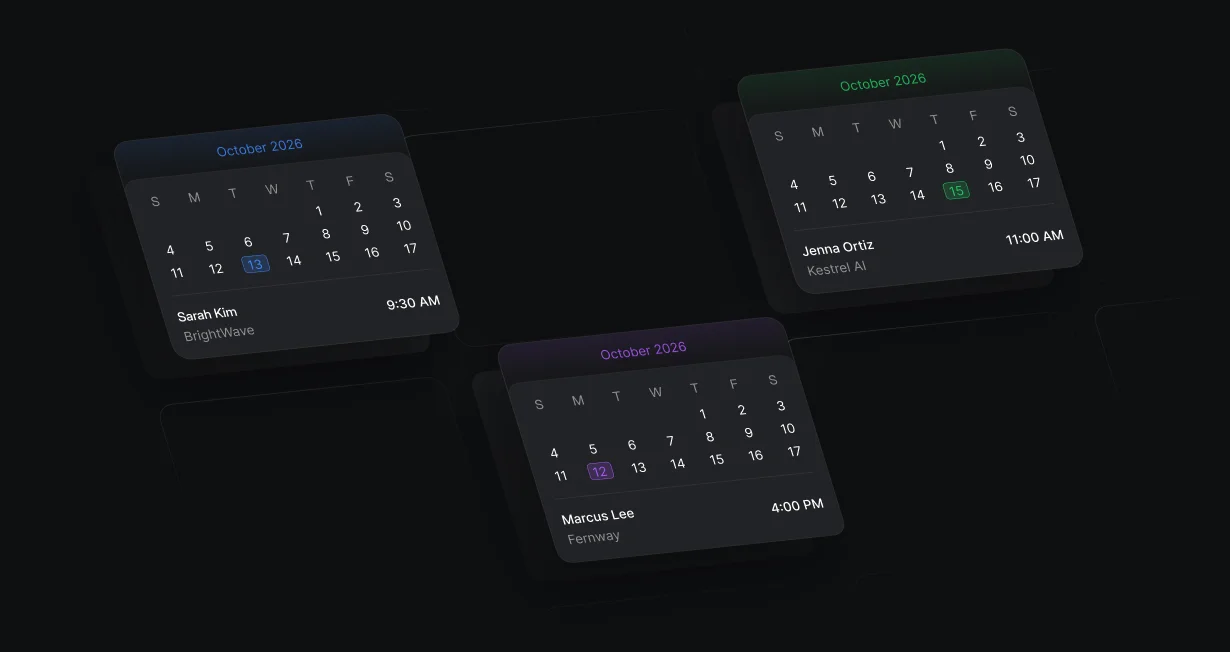
A form visitor from an account you already work books straight onto the account owner's calendar.
Match Record compares the lead's email domain with the Account Website and cleans both sides as it matches. When more than 1 account matches, tiebreakers pick the most recently modified, the largest, or the parent.
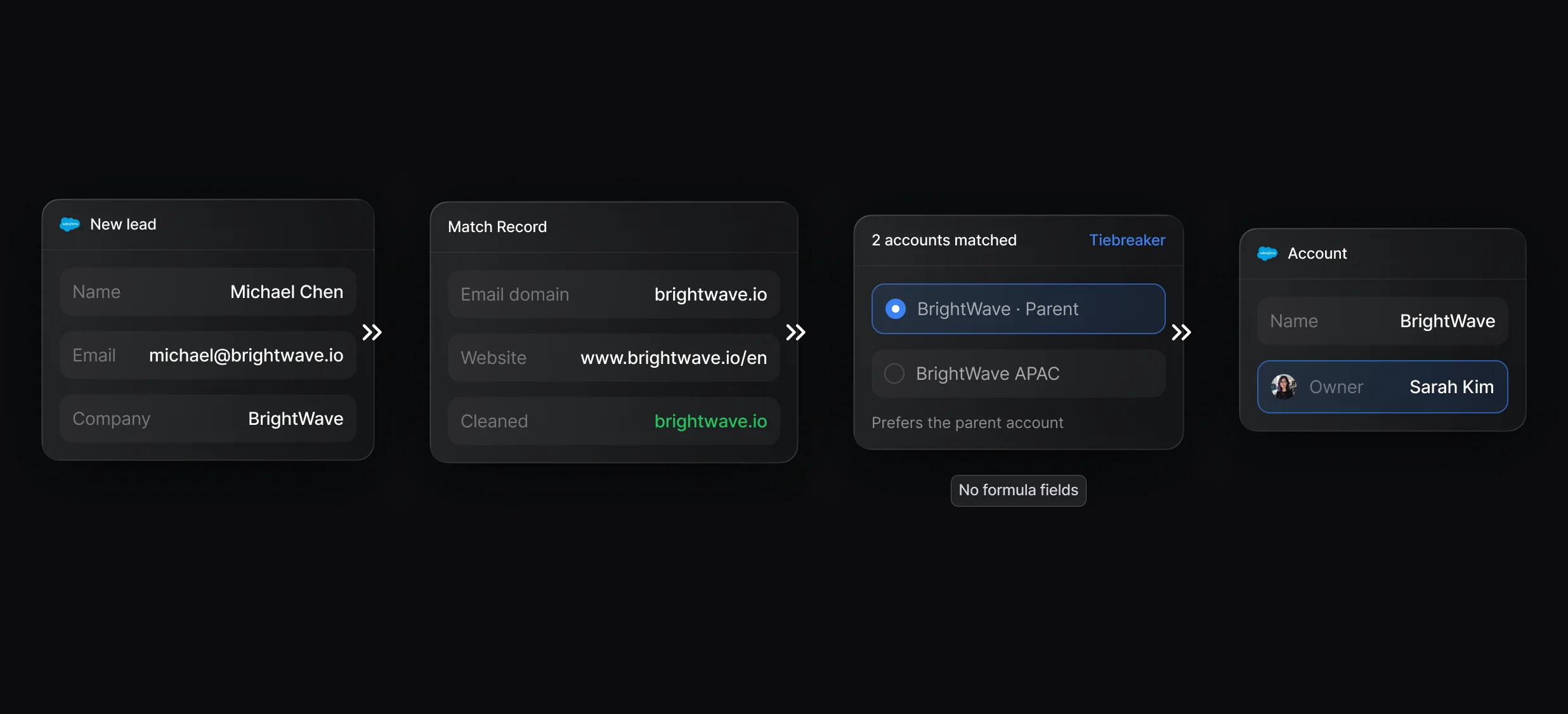
Match Details, tiebreakers, and the No Match branch for Salesforce accounts.
Find 1 Salesforce record by field conditions, then follow Match or No Match.
Company-only signals, such as a website visit, match to accounts by domain the same way.
When the lead matches an account, Display Scheduler books the visitor with that account's owner, with a fallback host for when they're away. Leads with no matching account go to rules or round robin.
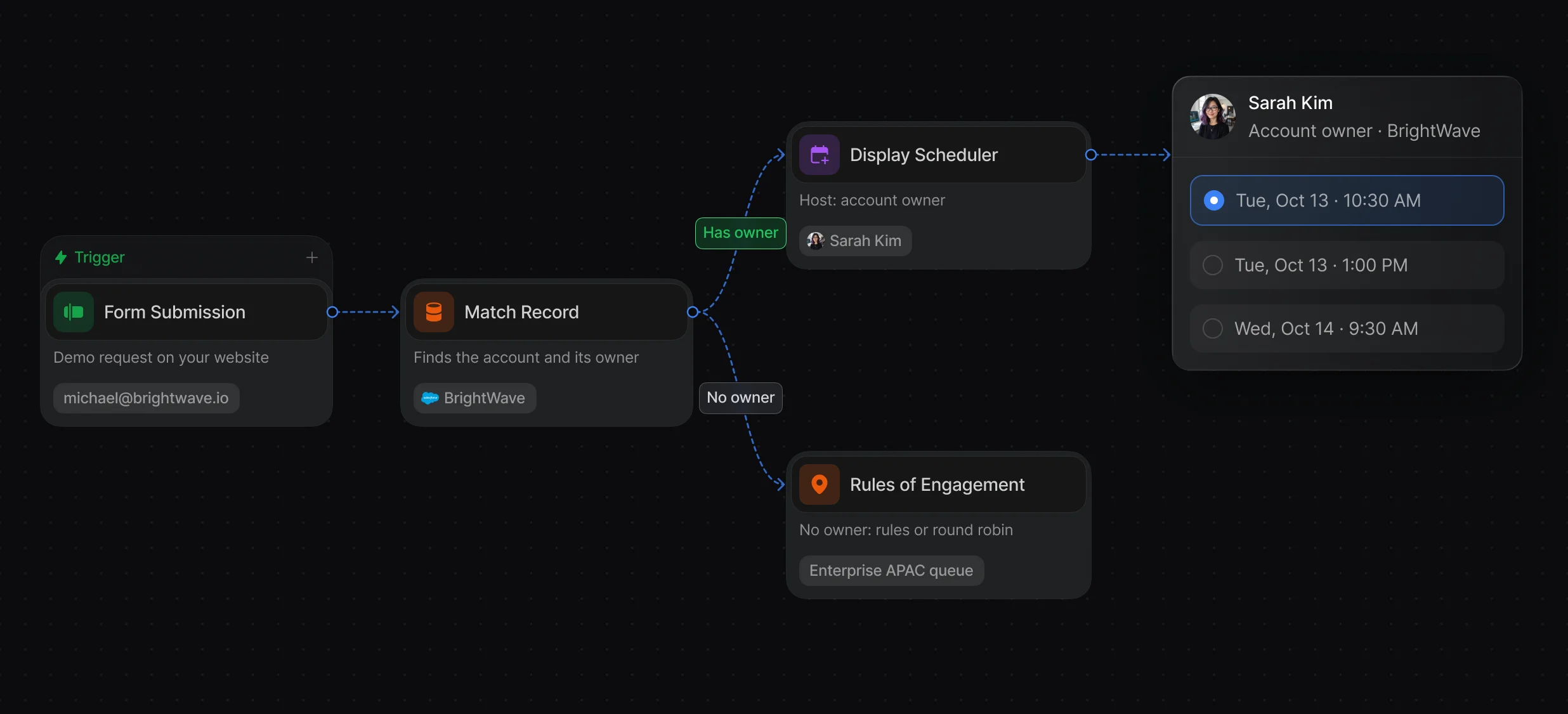
The owner's calendar opens over your page right after the form.
Round-Robin, Rules of Engagement, and Display Scheduler in the same workflow.
Send leads with no matched account to the right team by territory or company size.
Convert Lead merges the new lead into the matched account, or into an existing contact, and can open an opportunity with it.
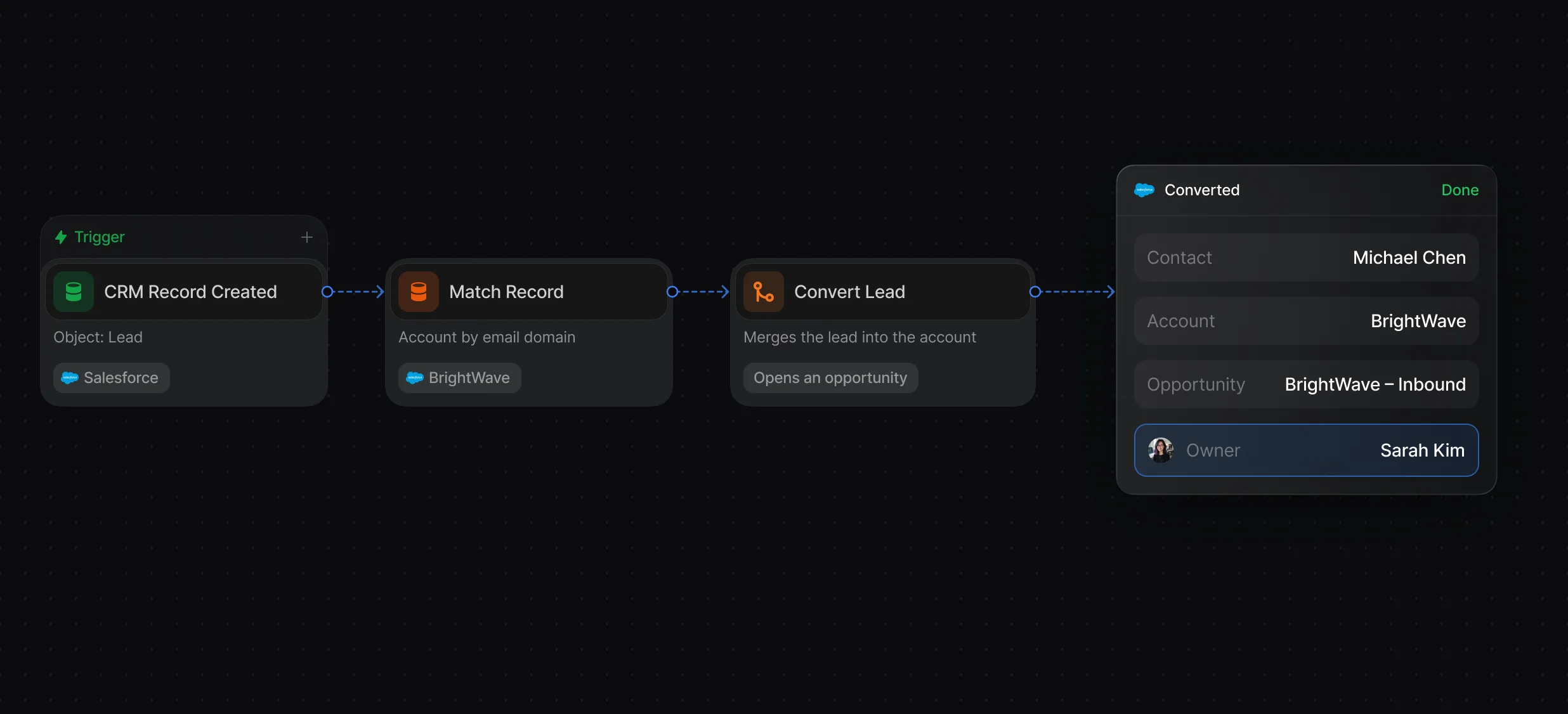
Merge a lead into an existing account or contact, with an optional new opportunity.
Start from a new Salesforce lead, a form submission, the API, or a webhook.
“It’s the control layer we’re using to run GTM from the same brain.”

Default's Match Record node compares the domain of the lead's email with each Account Website using domain matches, which ignores https, www, paths, and subdomains on both sides. On a match, later nodes route the lead to the account owner or convert it into the account. Salesforce's Standard Account Matching Rule is built for spotting duplicate accounts.
Default matches each new lead the moment it arrives, with a Match Record node inside the routing workflow, and the run log shows which account it picked. A chat assistant such as ChatGPT can compare leads and accounts that you paste in or share with it.
Default's Match Record node gives you domain matching that cleans messy Website values, tiebreakers for companies with several accounts, a No Match branch, and a run log of every decision. The same workflow then routes the lead or books it with the account owner.
Default matches at intake: Match Record cleans the email domain and each Account Website at run time and passes the matched account's owner to routing, with no formula field or flow to maintain. Salesforce's matching rules find likely duplicates when someone creates or edits a record.
Default applies the tiebreakers under Prioritize matched records by, in order, for example Largest by employees and then Most recently modified. Tiebreakers never send the lead to No Match, and without any tiebreaker the first account Salesforce returns wins, so add at least 1 whenever several accounts can match.
Routing, enrichment, and scheduling for every inbound lead.
Route every Salesforce lead and book the meeting.
Convert new leads into the accounts they belong to.
Keep every routing rule in 1 ruleset.
Check Salesforce for a match before creating a lead.
Take turns across a team with weights and paused reps.
One platform to manage workflows, enrich records, route leads, and schedule meetings.
