








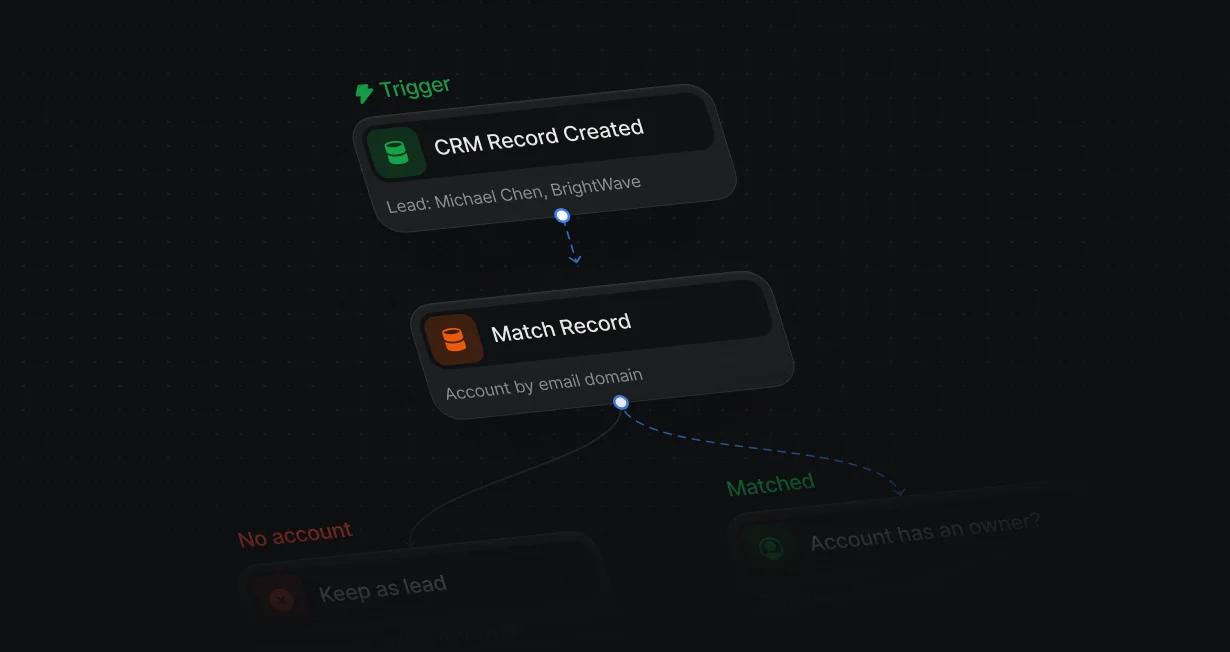
Convert on match
A new lead at an existing account converts when the workflow reaches Convert Lead, with no rep involved.
Convert Salesforce leadsinto the right account
Default converts new leads into the accounts they belong to and books them with the owner.












A new lead at an existing account converts when the workflow reaches Convert Lead, with no rep involved.
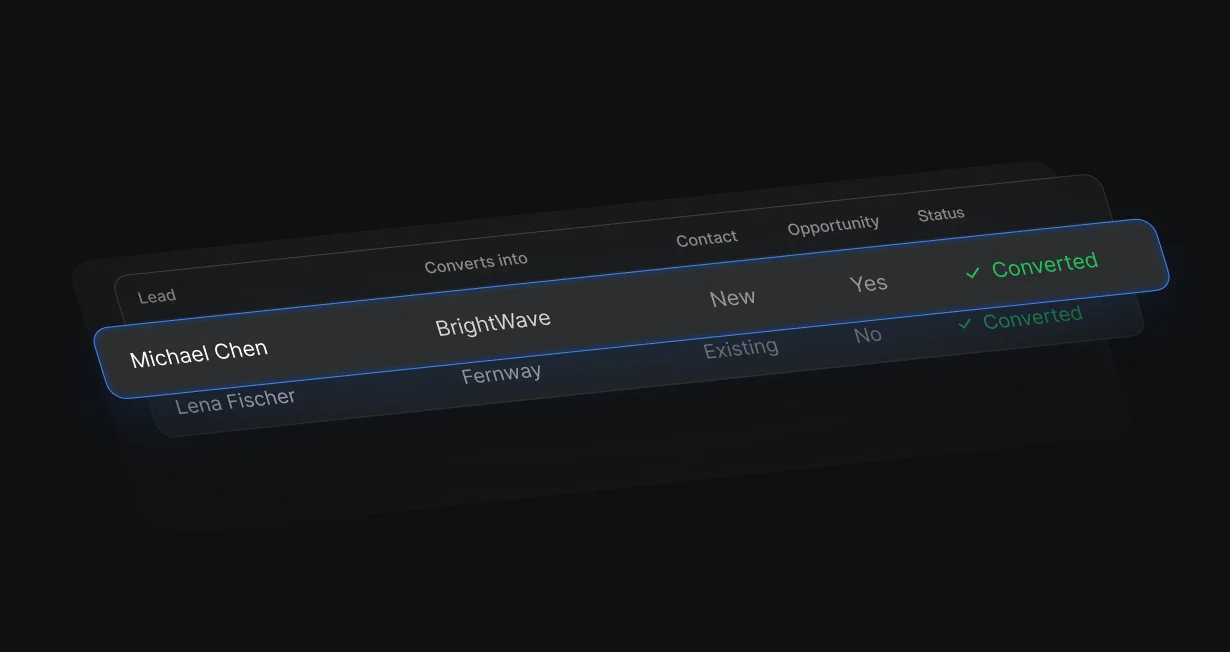
Convert into an existing account, or into an existing contact and its account.
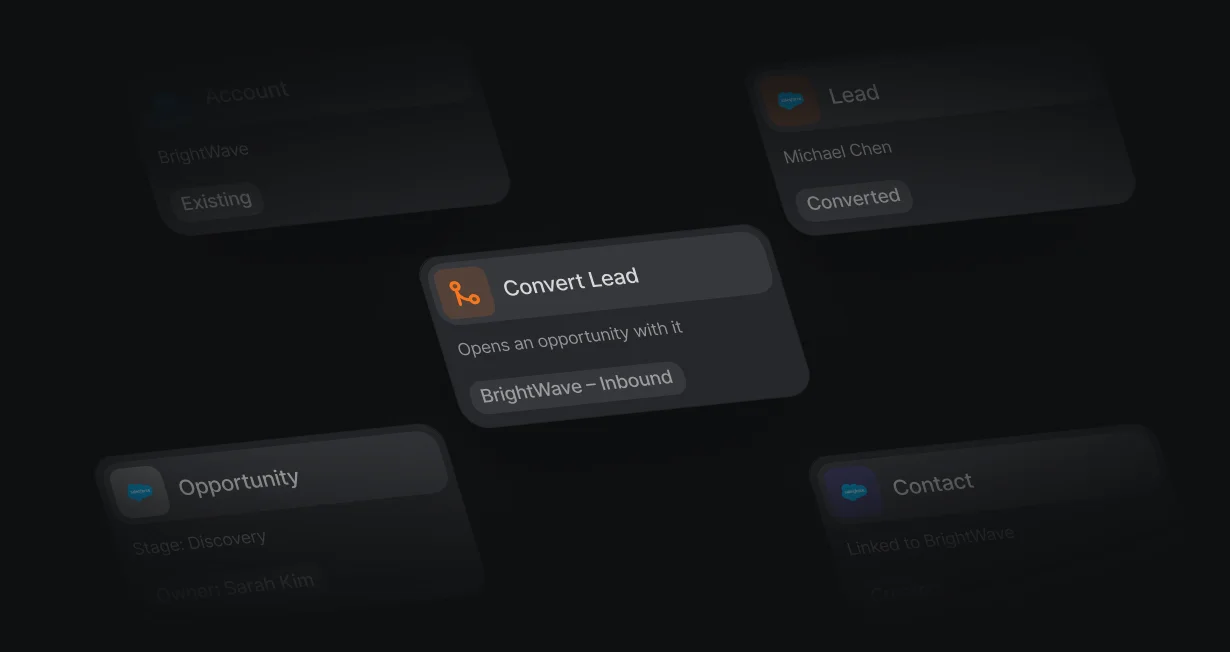
Create 1 with a name you set during the conversion, or choose None and skip it.
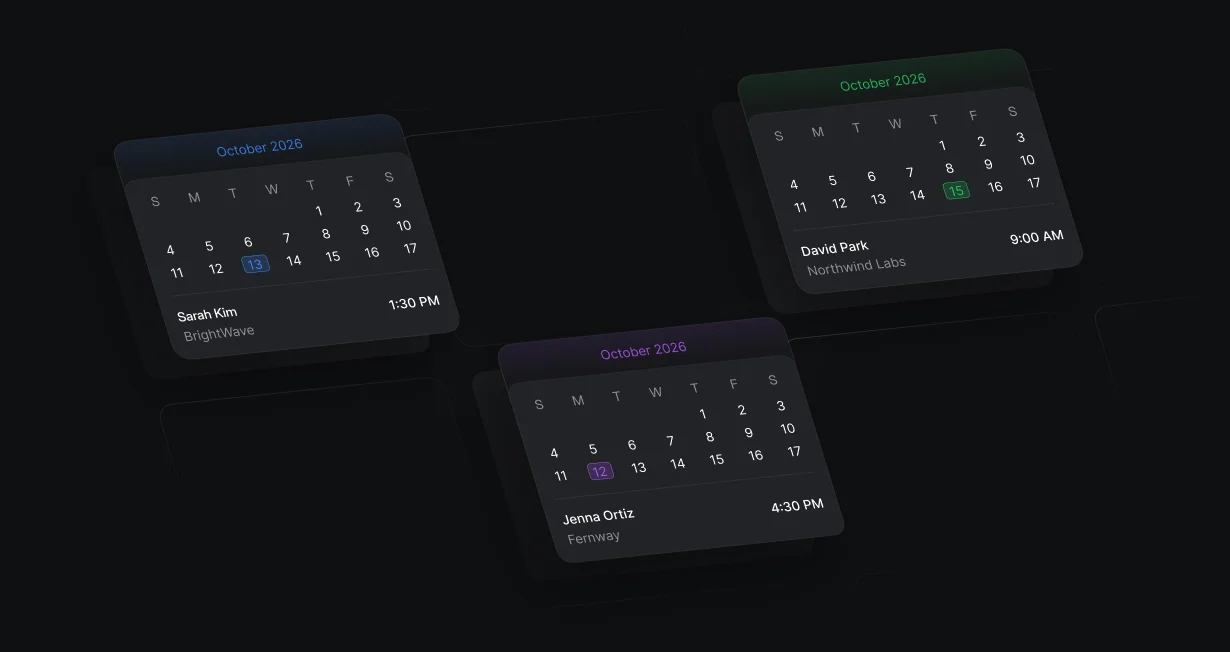
A lead from a form books the meeting on the account owner's calendar.
CRM Record Created on Lead starts the workflow, Match Record finds the account, and Convert Lead merges the lead into it. Optional settings in the same step pick the owner and whether the lead's LeadSource overrides the existing value.
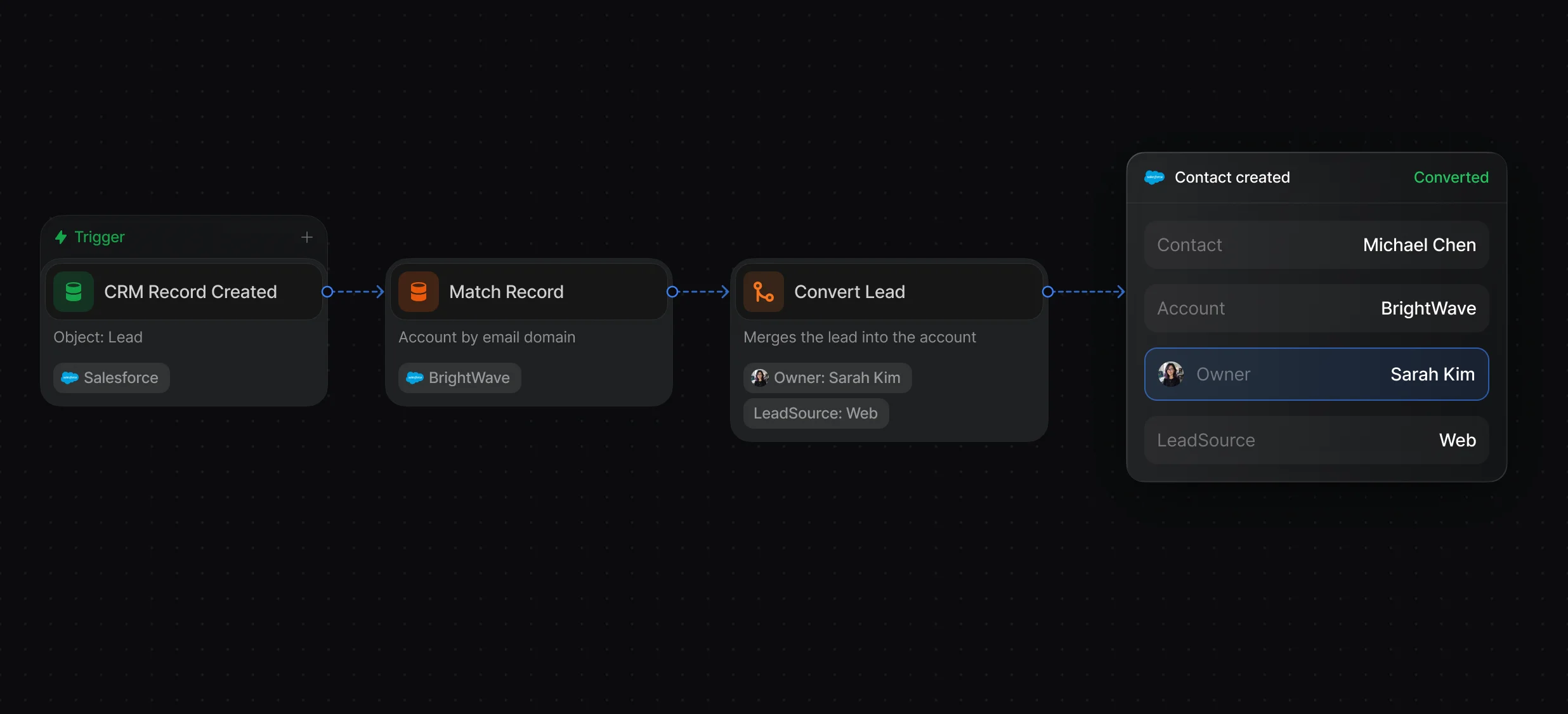
Lead to convert, the account and contact to merge into, and the opportunity choice.
Find the account by email domain, with tiebreakers when several match.
Start when Salesforce creates a lead, or from a form, the API, or a webhook.
Set Connect Converted Lead to Opportunity to New, and Convert Lead creates an opportunity with the name you set. Update Record can then write enrichment data and other workflow values to it.
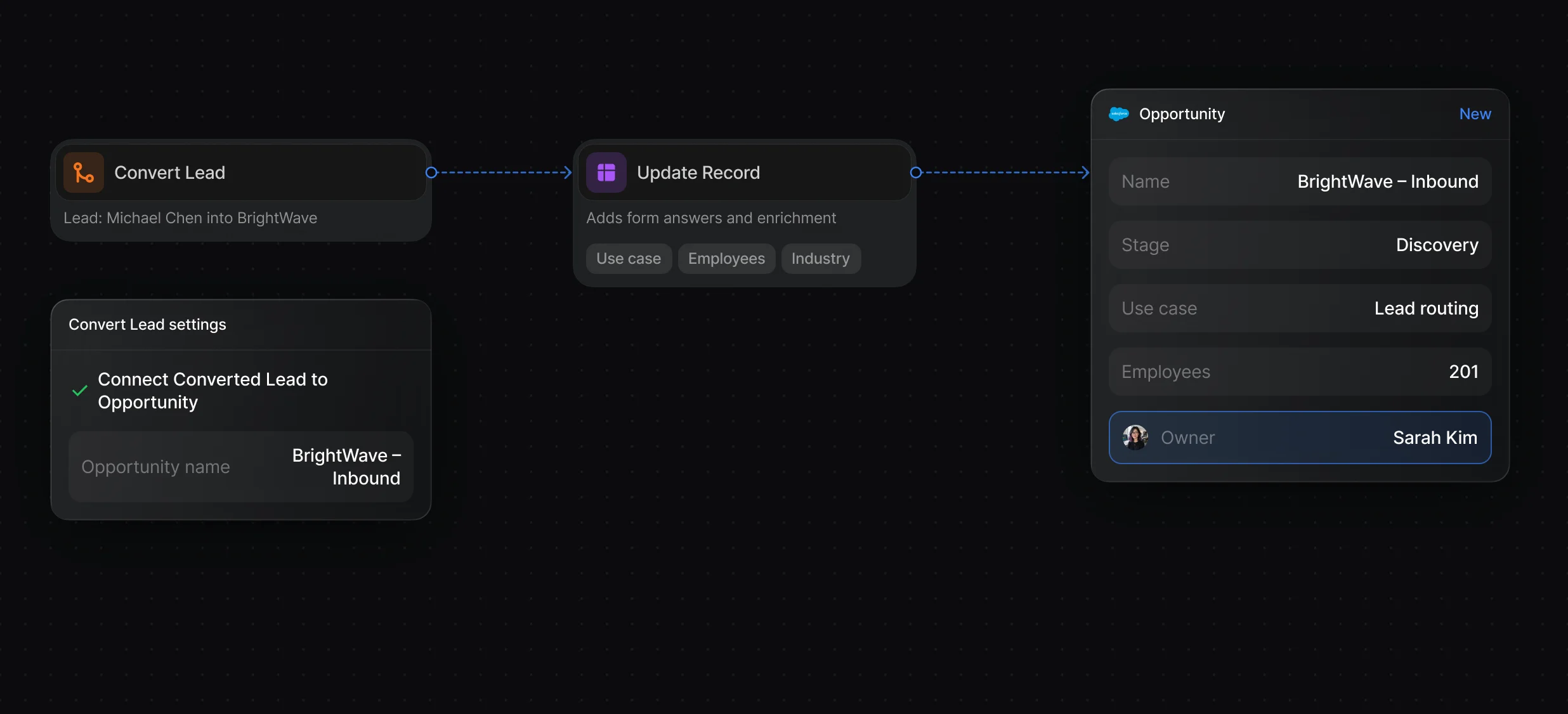
Create, match, update, and convert Salesforce records from a workflow.
Fill in company size, title, and more from 1 provider or a waterfall.
For leads that come from a form, Display Scheduler shows the account owner's calendar before the visitor leaves, with a fallback host for when the owner is away.
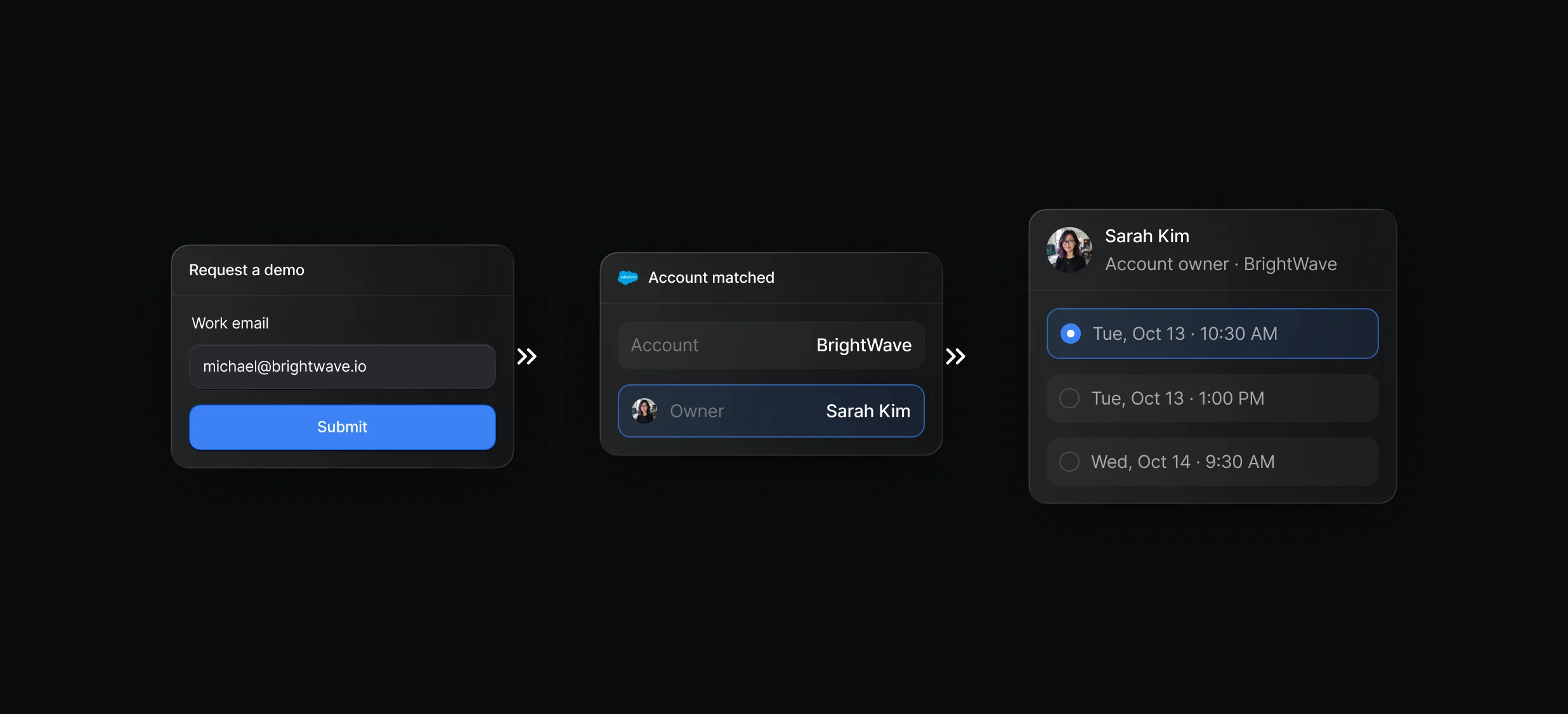
The owner's calendar opens over your page, with no second form to fill in.
Display Scheduler takes the matched account's owner as the host.
“It’s the control layer we’re using to run GTM from the same brain.”

In Default, a Convert Lead node converts the Salesforce Lead into a Contact, and merges it into an existing record when you set Account to merge into (optional) or Contact to merge into (optional). In Salesforce itself, a rep does the same by clicking Convert on the lead.
Yes, with a Default workflow: CRM Record Created on Lead starts it, Match Record finds the account, and Convert Lead converts the lead when the workflow reaches that node. In Salesforce itself, reps convert with the Convert button, and developers can use the Apex LeadConvert class.
Default converts leads through Apex, so the Salesforce user connected to Default needs the Author Apex permission, and Convert Lead is the only node that needs it. Give that user access to every object and field your workflows write. A rep converting by hand in Salesforce needs the Convert Leads permission.
After Convert Lead runs, later nodes in the Default workflow can use the Account, Contact, and Opportunity IDs, for example to update the new opportunity or notify the owner. In Salesforce the converted lead becomes read-only, and the conversion can't be undone.
Routing, enrichment, and scheduling for every inbound lead.
Match each new lead to its Salesforce account by domain.
Route every Salesforce lead and book the meeting.
Keep every routing rule in 1 ruleset.
Check Salesforce for a match before creating a lead.
Turn website form fills into routed Salesforce leads.
One platform to manage workflows, enrich records, route leads, and schedule meetings.
