








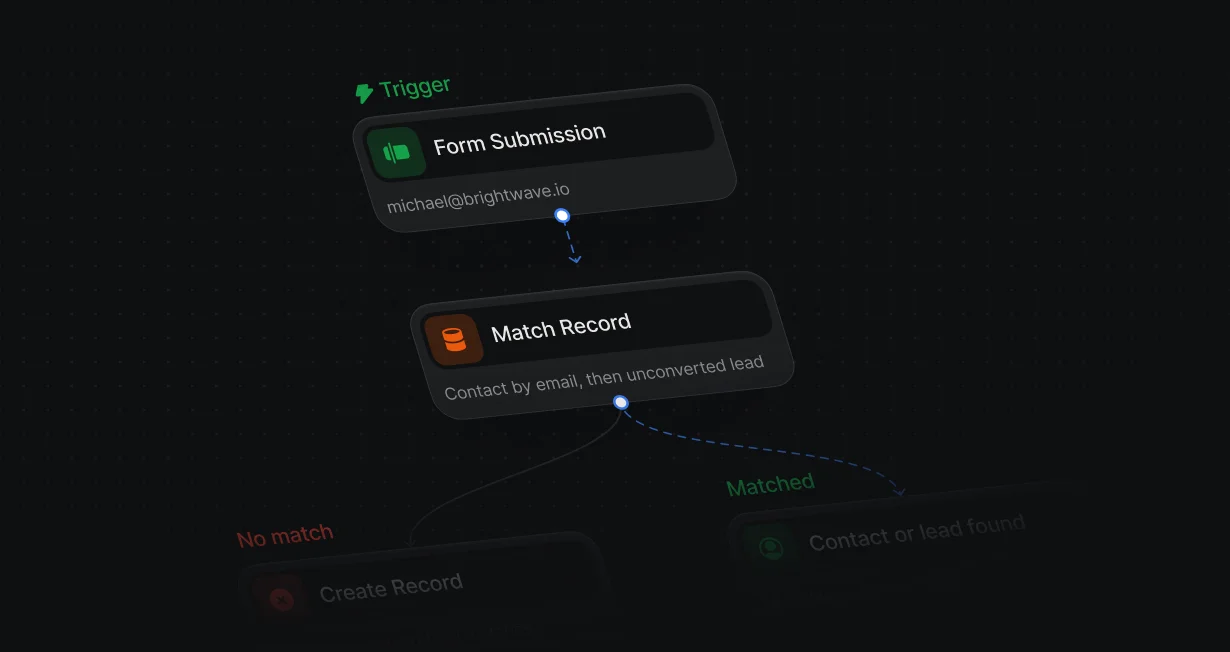
Match before create
Every new lead is checked against your Salesforce contacts and leads before Default creates a record.
Stop duplicate leadsbefore they reach Salesforce
Default checks Salesforce before it creates a lead and updates the record you already have.












Every new lead is checked against your Salesforce contacts and leads before Default creates a record.
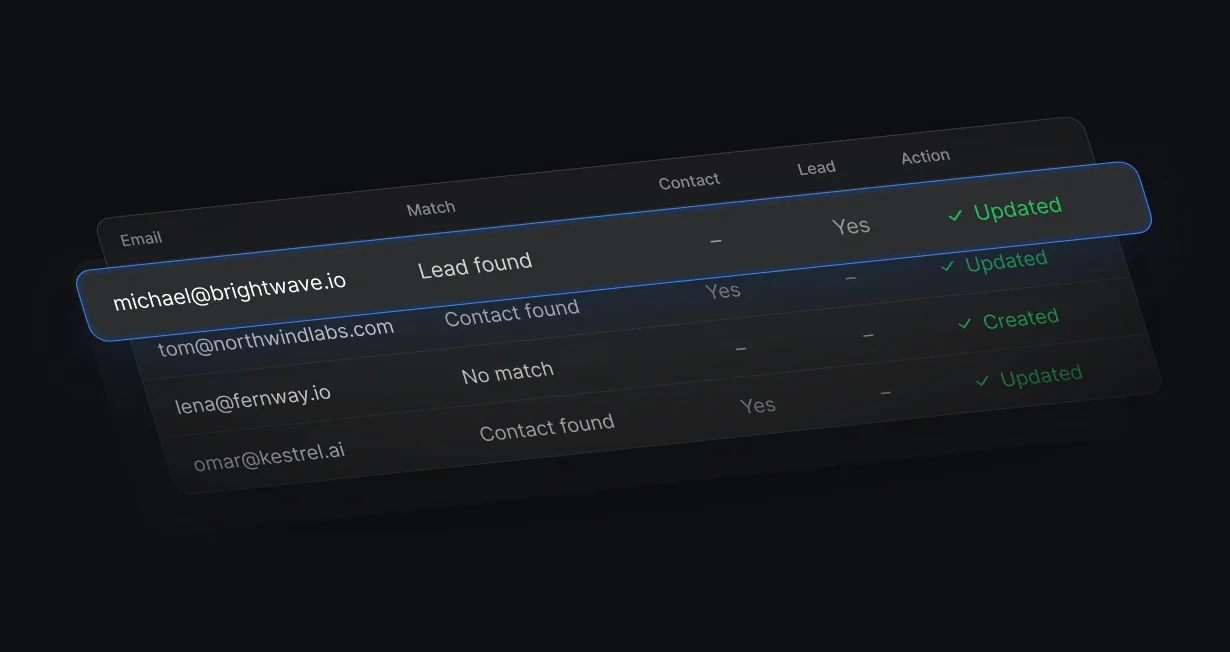
When exactly 1 record has the same email, Default updates that record with the new values.
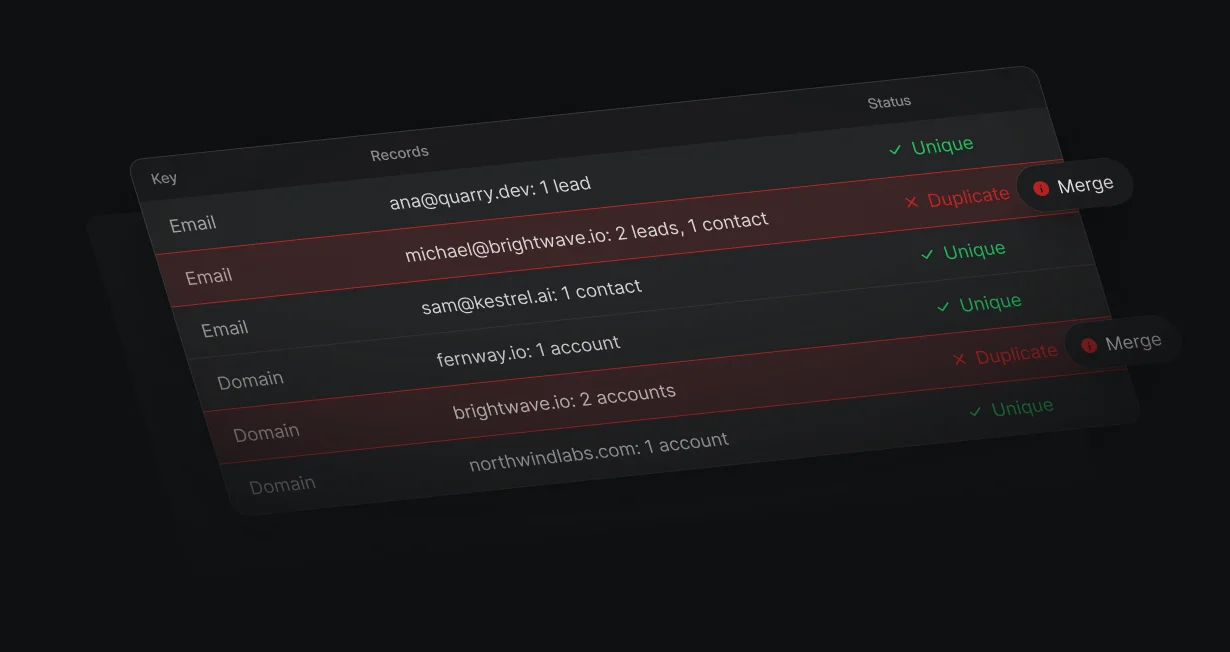
A read-only scan groups leads and contacts by email and accounts by domain.
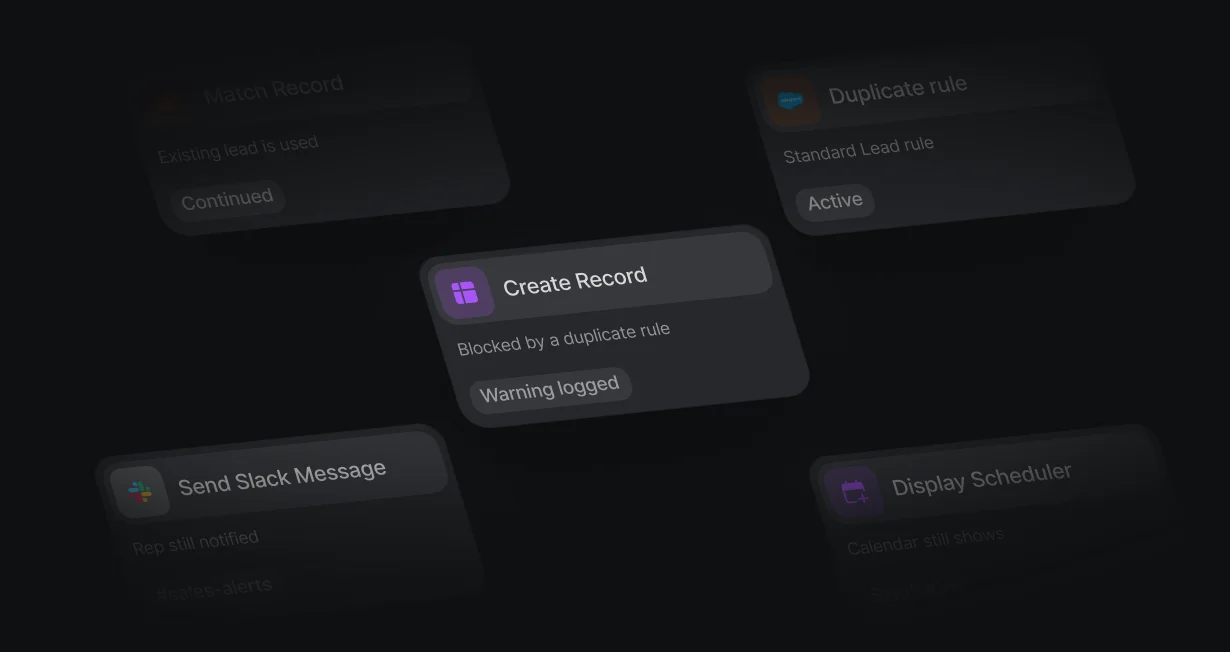
When a Salesforce duplicate rule blocks a create, Default logs a warning and the rest of the workflow runs.
Match Record looks for a contact with the same email, then for an unconverted lead. Create Record only runs when neither exists.
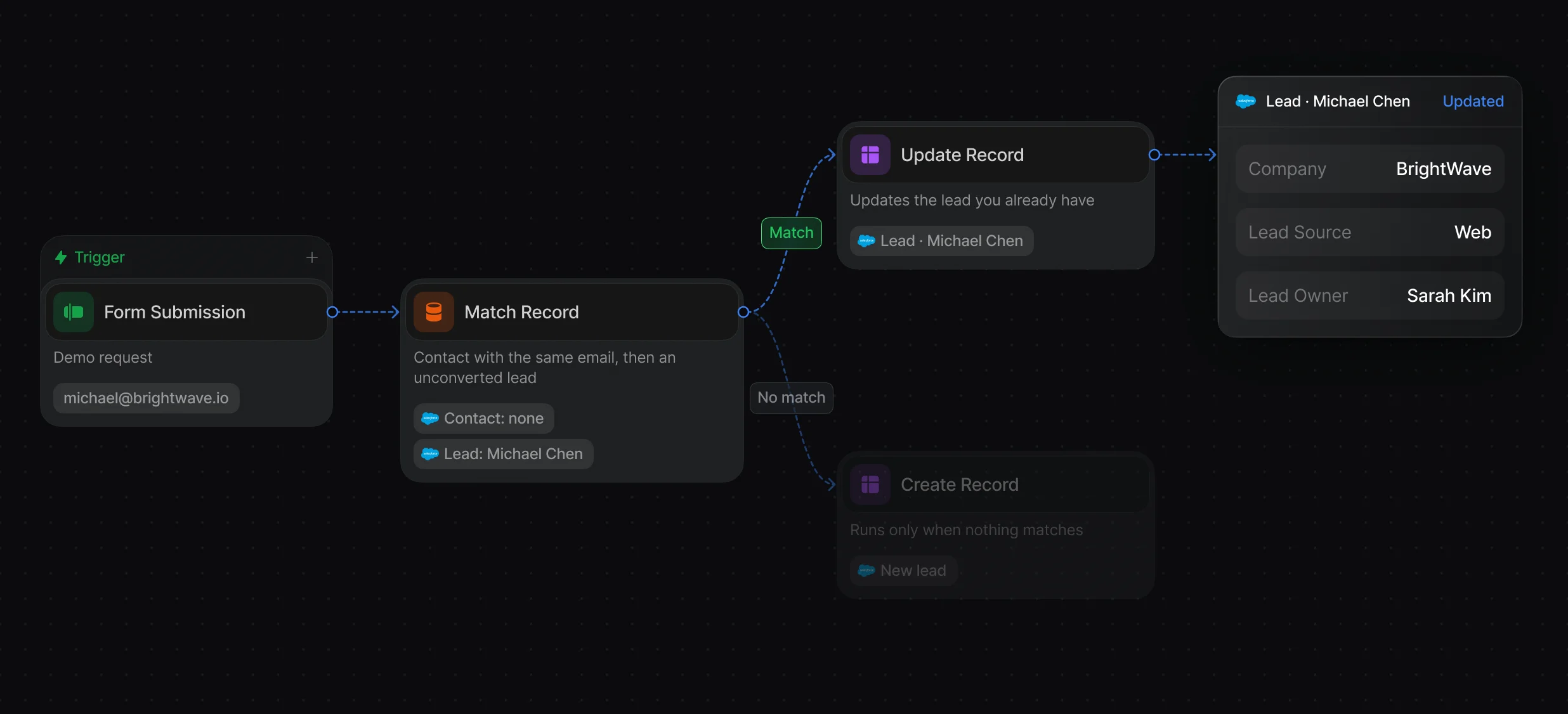
Find the contact by email first, so a known person keeps their owner and gets no new lead.
Search any Salesforce object by its fields, with tiebreakers when several records match.
With Update on conflict on, no match creates a record and 1 match updates it. When a Salesforce duplicate rule blocks a create, Default logs a warning and the workflow keeps going.
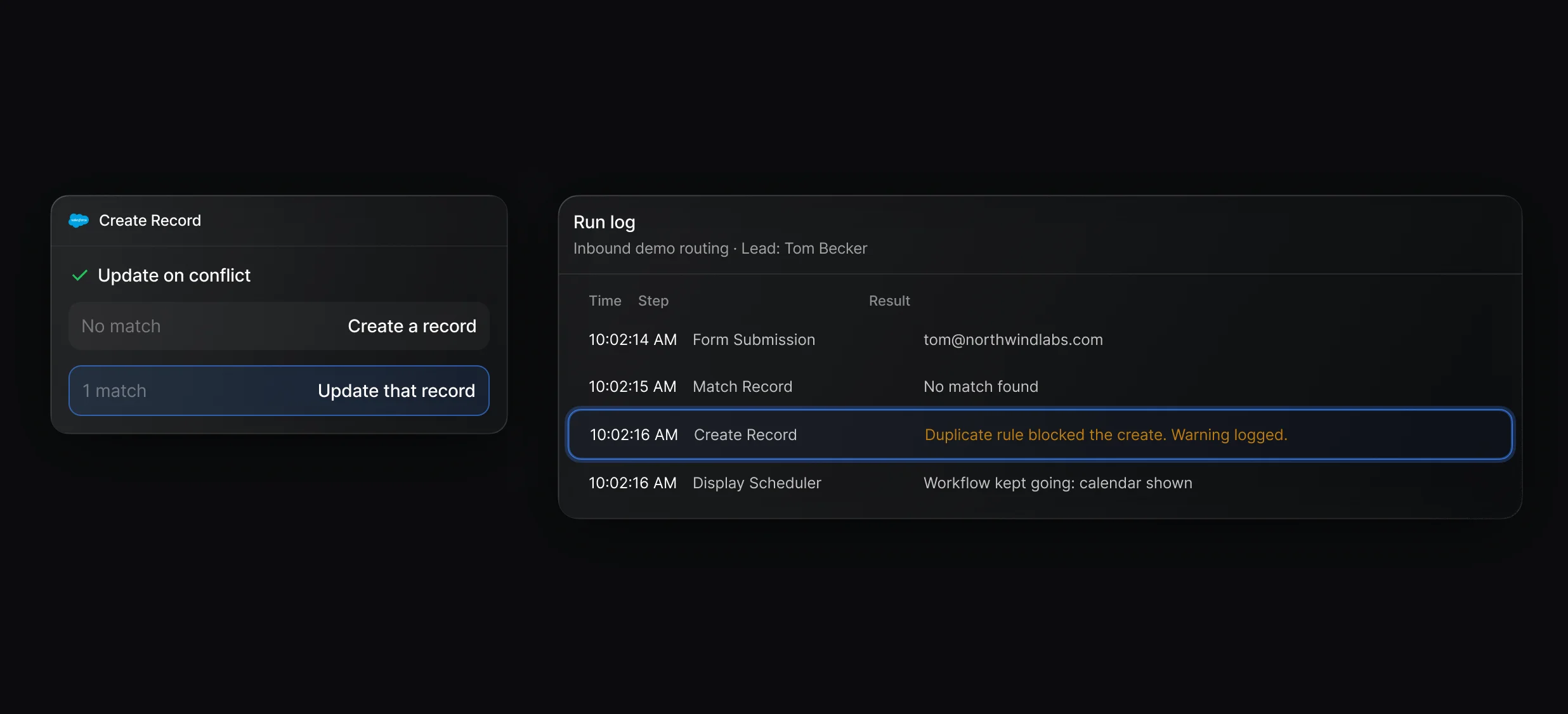
Pick a match field such as Email, and Create Record updates the record that already has that value.
A blocked create writes nothing, logs a warning, and passes the existing record on when Salesforce names it.
A read-only duplicate scan, in beta, groups leads and contacts that share an email and accounts that share a domain. You merge each group in Salesforce with the record IDs it lists.
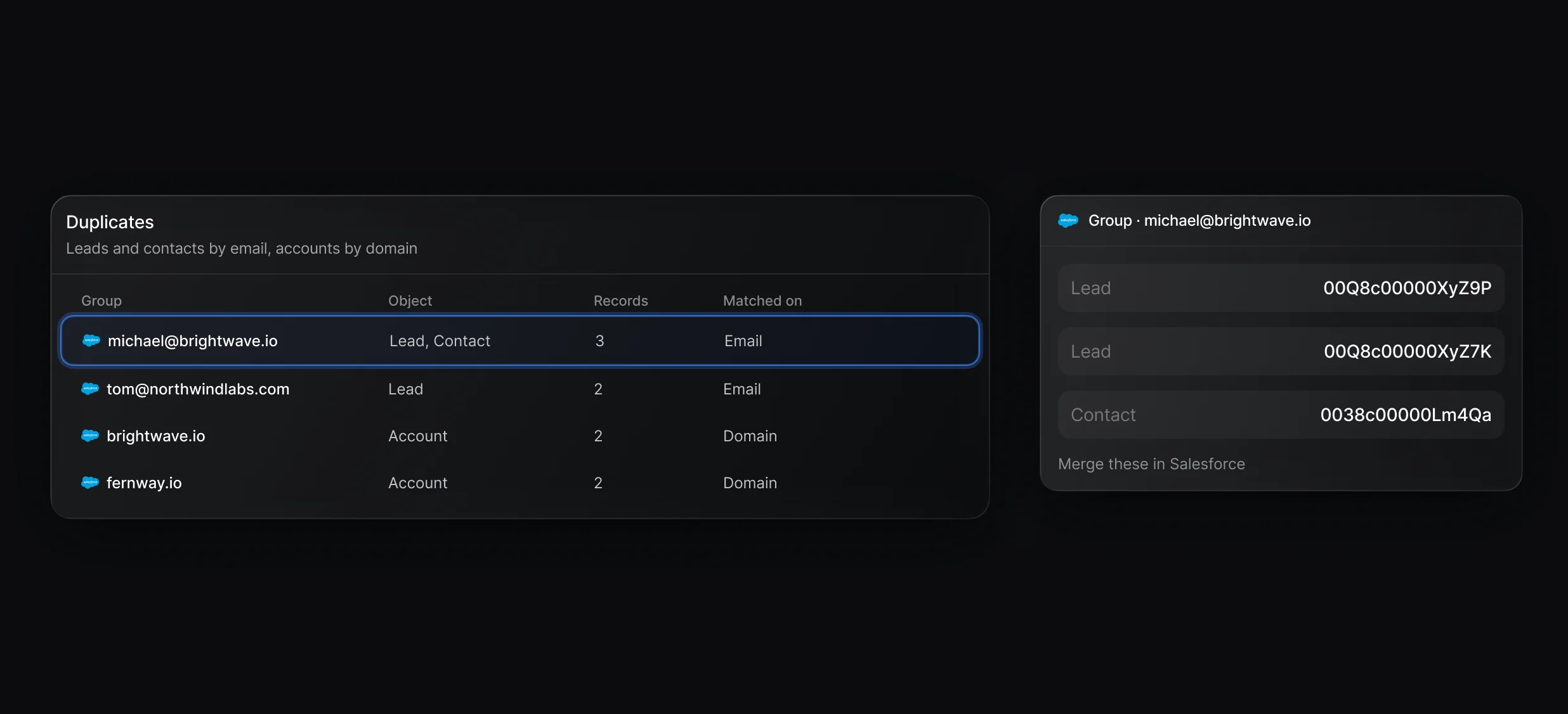
Exact matches only, with groups on personal email domains such as gmail.com flagged for review.
Ask Claude or Cursor, connected to Default's Model Context Protocol server, to scan your CRM for duplicates.
Check an uploaded list against Salesforce before you act on it, up to 250 rows per run, in Tables (beta).
“It’s the control layer we’re using to run GTM from the same brain.”

Default dedupes at the source: a Match Record node checks Salesforce for a contact, then an unconverted lead, with the same email before Create Record runs. Duplicates already in your org show up in a read-only scan, in beta, that groups them for you to merge in Salesforce.
Default gives you the list to merge: the read-only crm_duplicates_scan tool on its Model Context Protocol server groups Salesforce contacts and leads that share an email and lists their record IDs. You then merge each group in Salesforce, up to 3 contacts at a time from View Duplicates.
Default runs Match Record before every Create Record, so a lead is created only when no contact or unconverted lead has that email. With Update on conflict, Create Record updates the 1 record that already has the email, and a create that a Salesforce duplicate rule blocks logs a warning while the workflow keeps going.
Default merges in 1 case: the Convert Lead node converts a duplicate Salesforce lead into the existing contact and account it matched. It does not combine 2 existing contacts or accounts, so you merge those in Salesforce with the record IDs from the duplicate scan.
Keep CRM records matched, filled in, and free of duplicates.
Fill empty Salesforce fields from a provider waterfall.
Check HubSpot for a match before creating a contact.
Match each new lead to its Salesforce account by domain.
Enrich Salesforce records from 4 providers.
Convert new leads into the accounts they belong to.
One platform to manage workflows, enrich records, route leads, and schedule meetings.


