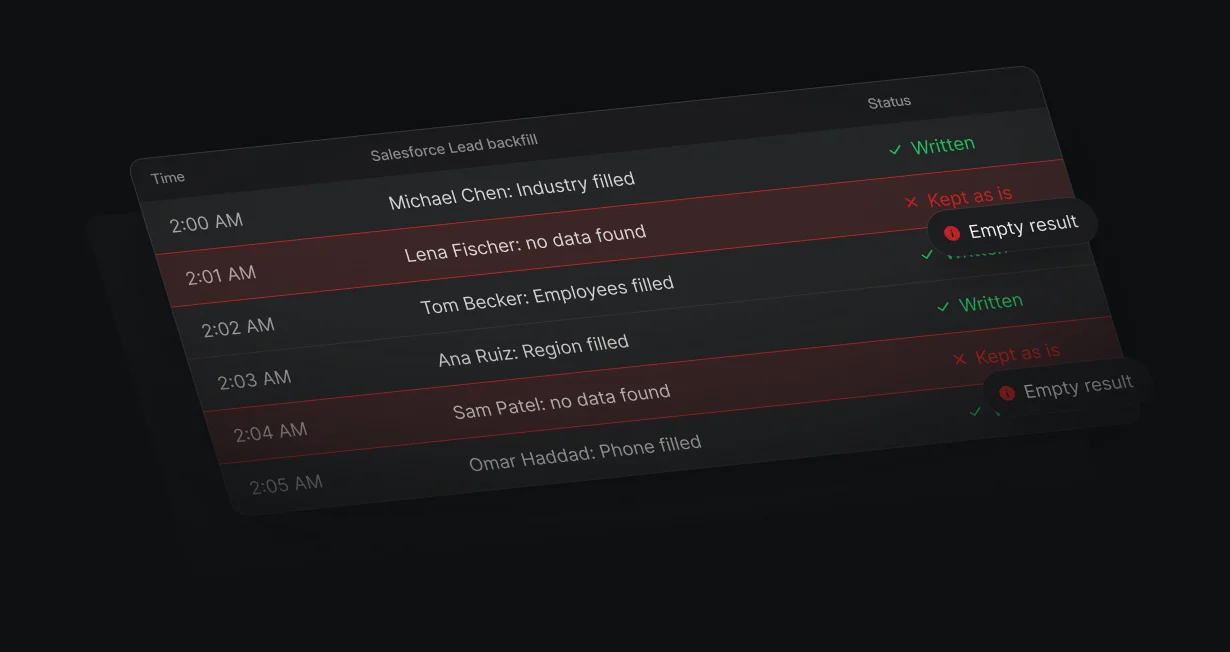
Backfill empty fields
Filter records on an empty field, enrich them, and write the values back to Salesforce.
Fill empty Salesforcefields automatically
Default fills empty Salesforce fields from a waterfall of data providers when records change.












Filter records on an empty field, enrich them, and write the values back to Salesforce.
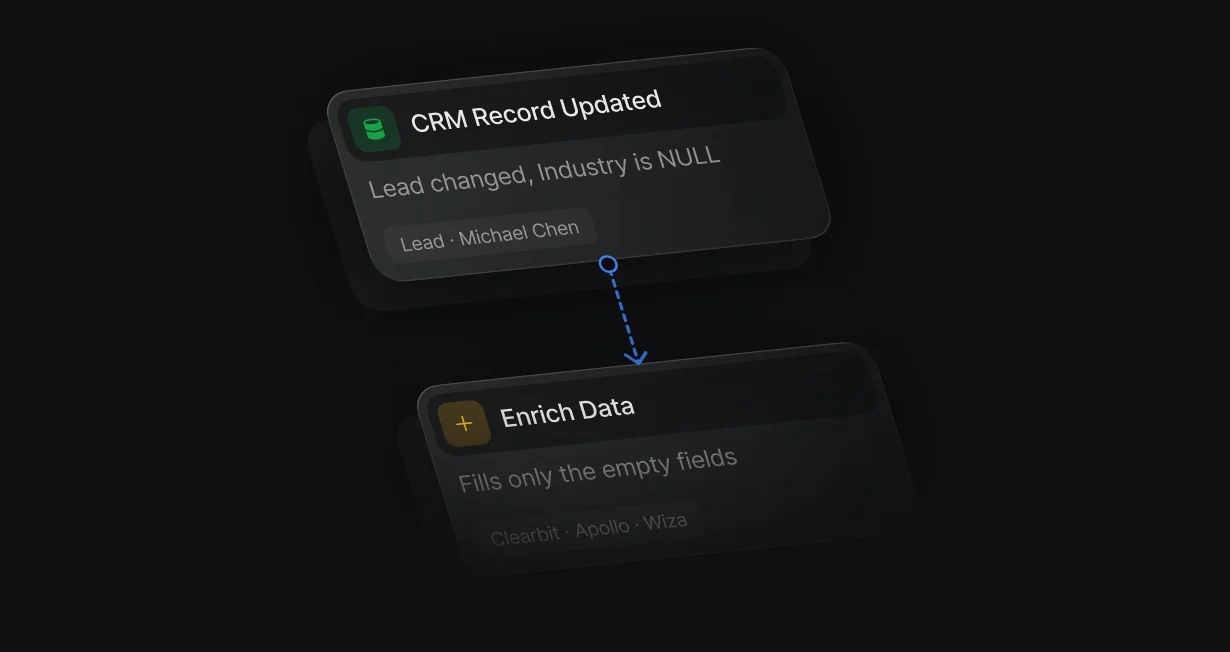
When a record with empty fields changes, a workflow enriches it and fills the gaps.
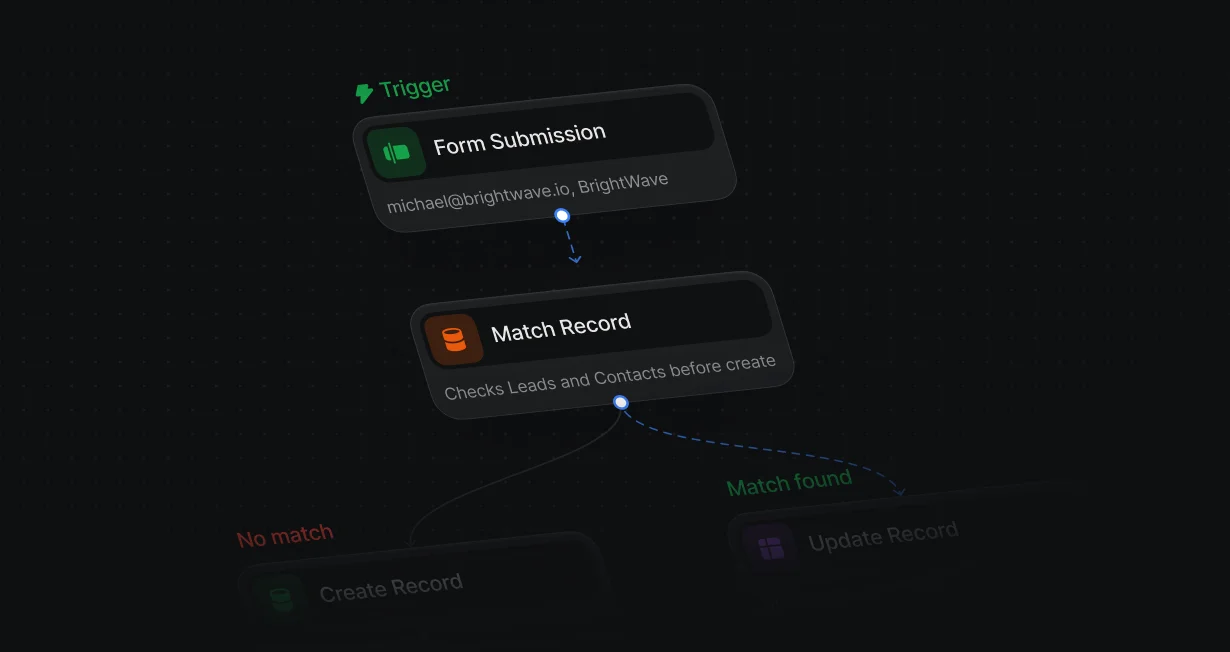
Match Record checks Salesforce for an existing lead or contact before every create.
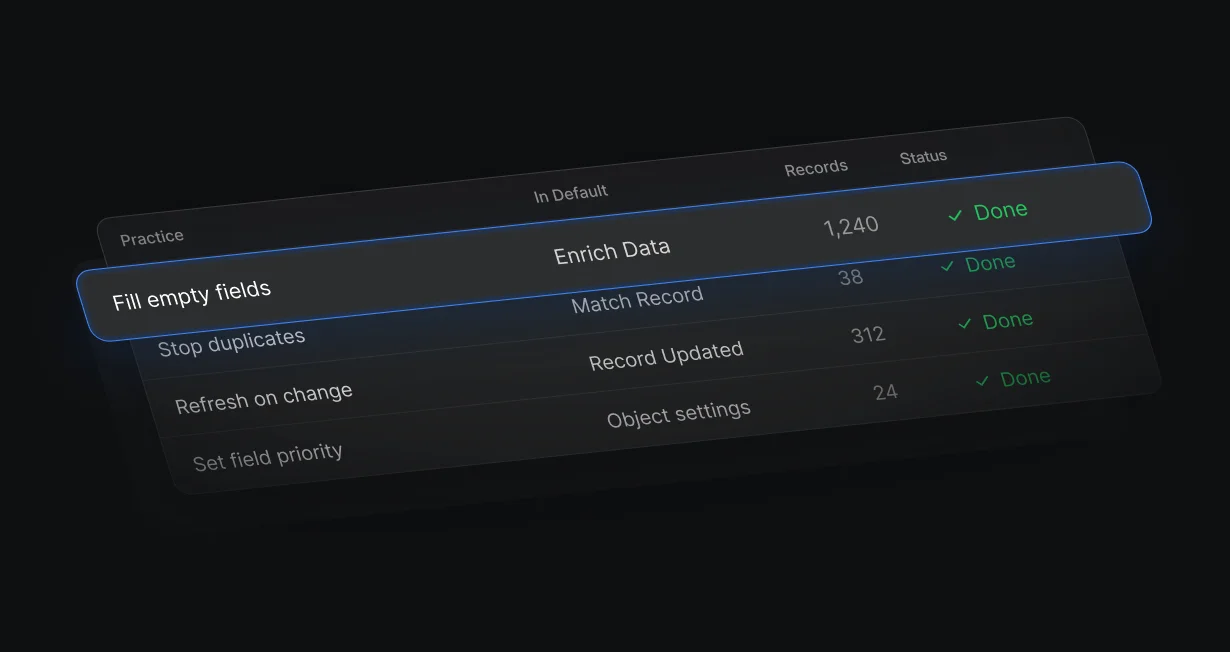
Fill only empty fields, keep enriched data in its own fields, and test on a small batch first.
A CRM Record Updated workflow with an is NULL condition runs Enrich Data and writes the result with Update Record. To pull in older records nobody is editing, check a custom Enrich now box on them.
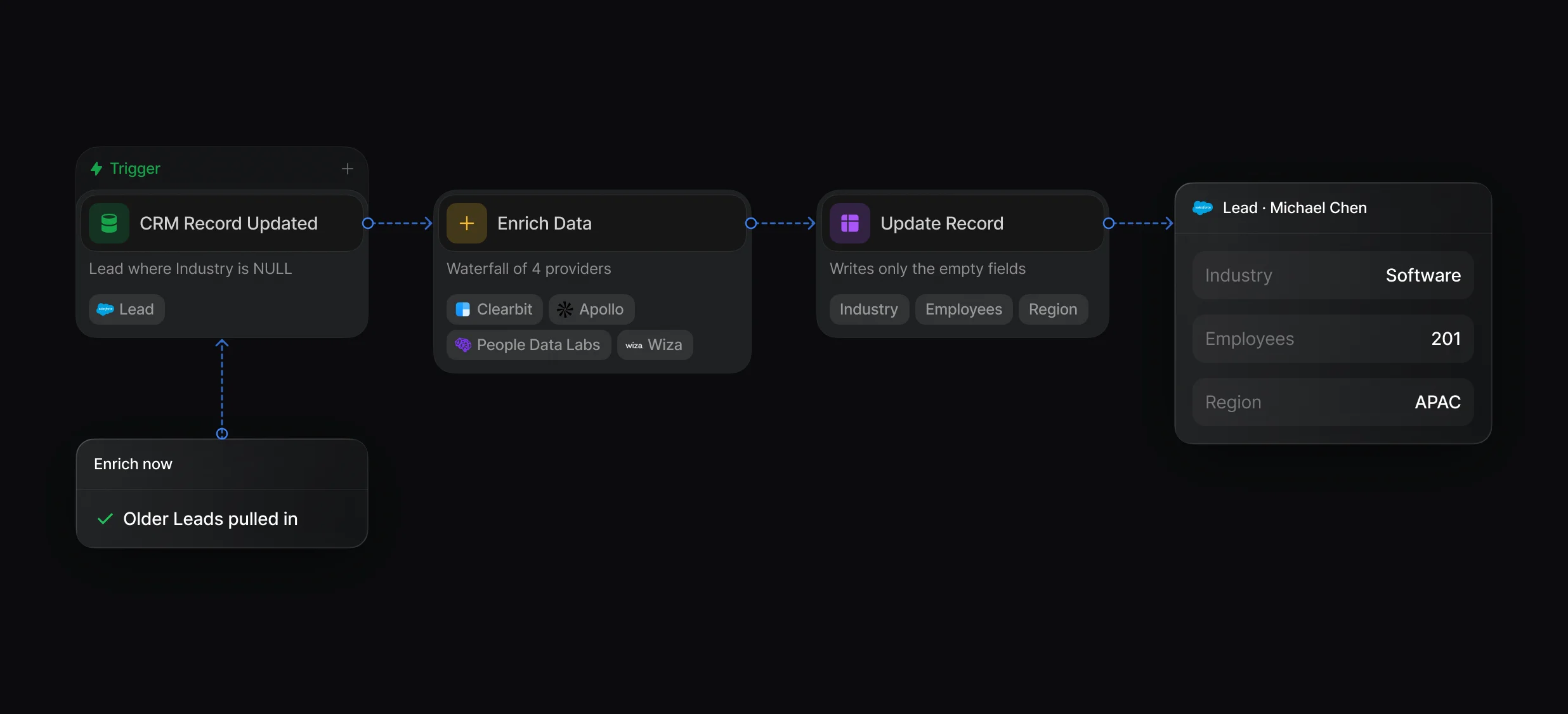
Fill missing fields from Tables, a CRM Record Updated workflow, or your own script through the API.
Enrich Data looks up the person, the company, or both, from 1 provider or a waterfall.
In Tables, in beta, filter a view to records with an empty field, run Enrich, and review the new columns. Update CRM record then writes them to Salesforce, 100 records per run.
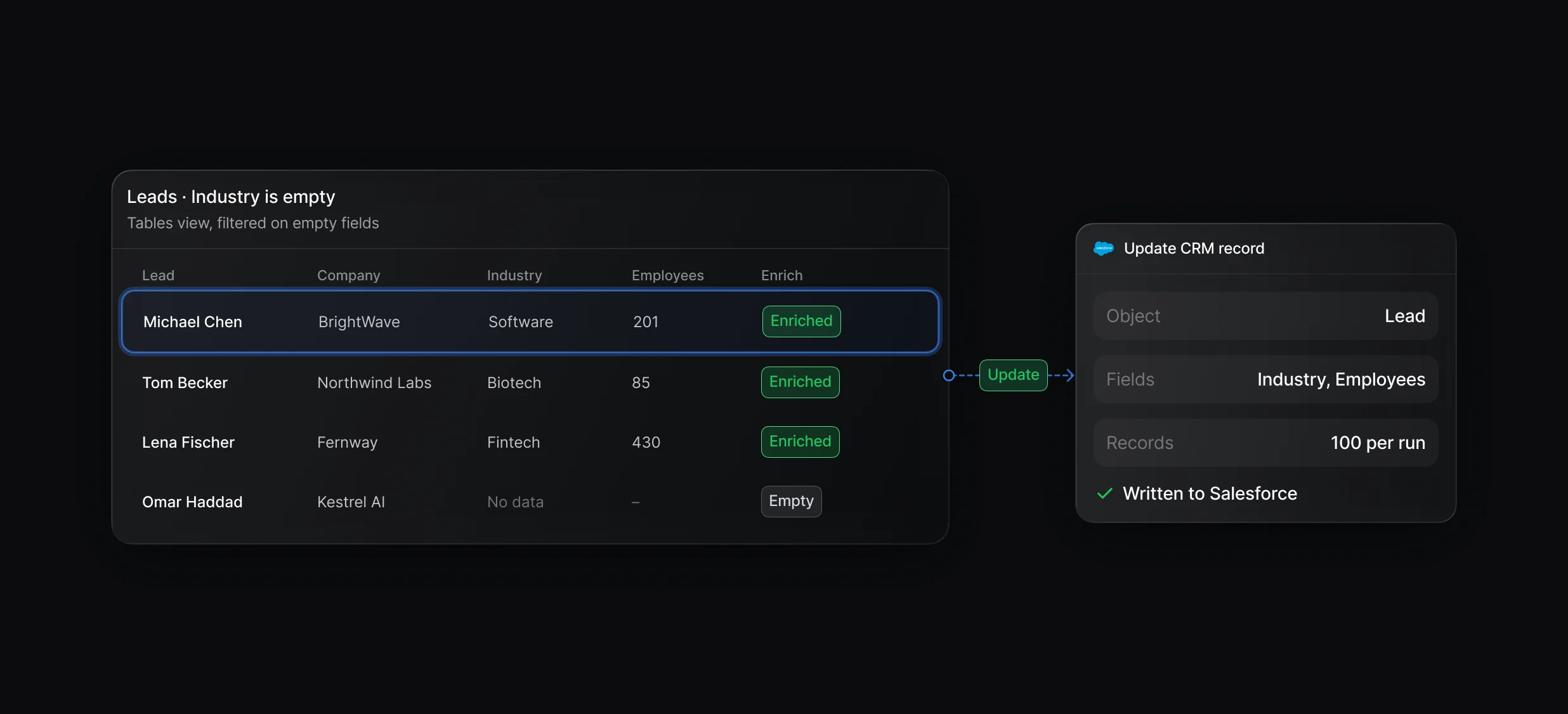
Build a view from Salesforce leads, contacts, or accounts, enrich it, and review the values before they reach Salesforce.
Clearbit, Apollo, People Data Labs, and Wiza in your order, with no provider accounts or API keys.
Match Record checks for an existing record before every create. In Data Model, source priority sets which source, such as a Salesforce contact or a form, fills the fields on Default's own person and company records.
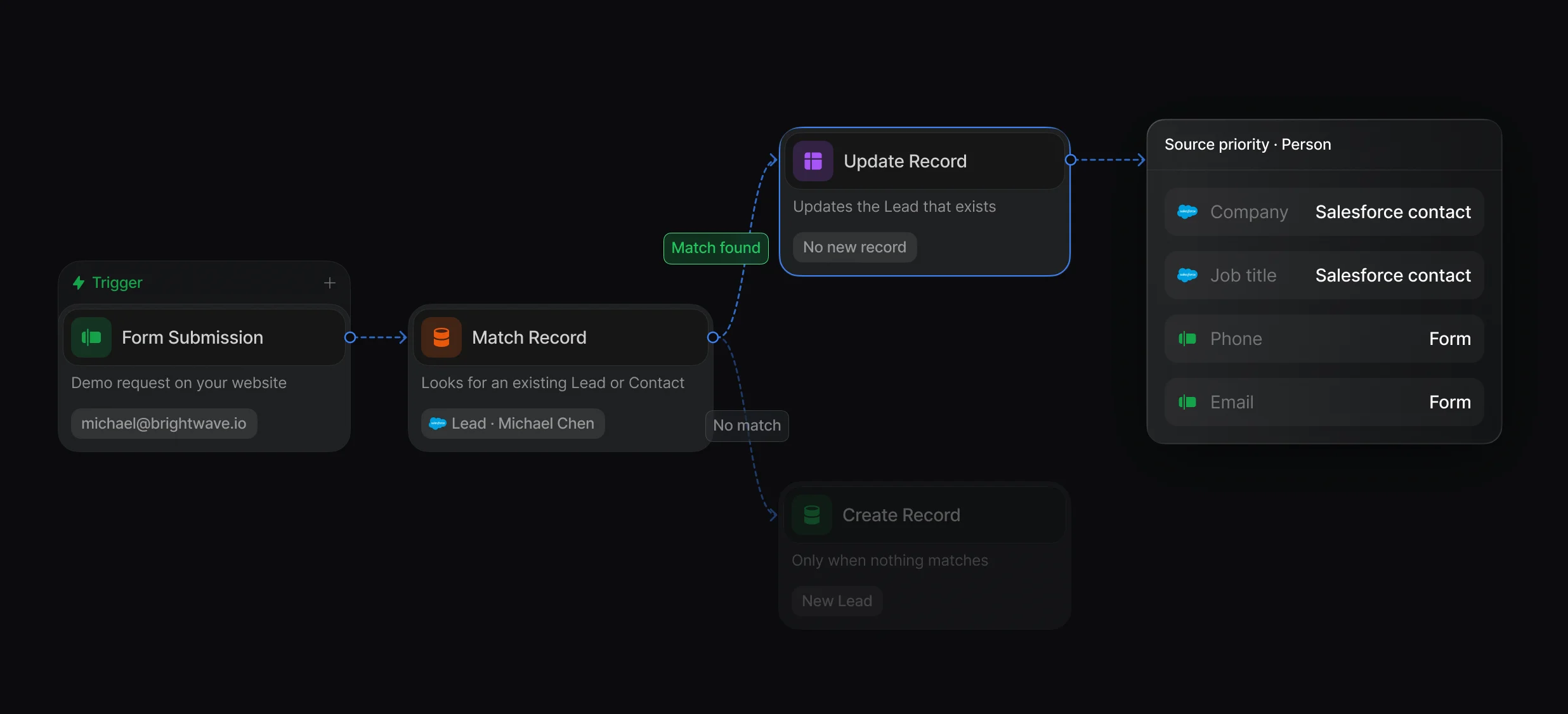
Match before create, Update on conflict in Salesforce, and a read-only scan for the duplicates you already have.
Rank sources such as Salesforce leads, contacts, and form captures, and the highest source with a value wins.
“It’s the control layer we’re using to run GTM from the same brain.”

Default fills gaps and blocks duplicates: a CRM Record Updated workflow enriches records with empty fields from a provider waterfall, and Match Record runs before every create. Salesforce validation rules and duplicate rules add checks when records are saved, and Default handles the records its workflows enrich and create.
In Default, a workflow on the CRM Record Updated trigger with an is NULL condition runs Enrich Data and writes the missing values back with Update Record. To reach older records nobody edits, check a custom Enrich now box on a small batch, and the same workflow picks them up.
Default's backfill guidance: filter to empty fields first, since Update CRM record in Tables overwrites values and can't be undone, write enriched data to separate fields, and test on a small batch before a large run. Then put Match Record before every create so new duplicates stop at the source.
Keep CRM records matched, filled in, and free of duplicates.
Check Salesforce for a match before creating a lead.
Enrich Salesforce records from 4 providers.
Check HubSpot for a match before creating a contact.
Run Apollo in your waterfall with no Apollo account.
Match each new lead to its Salesforce account by domain.
One platform to manage workflows, enrich records, route leads, and schedule meetings.