








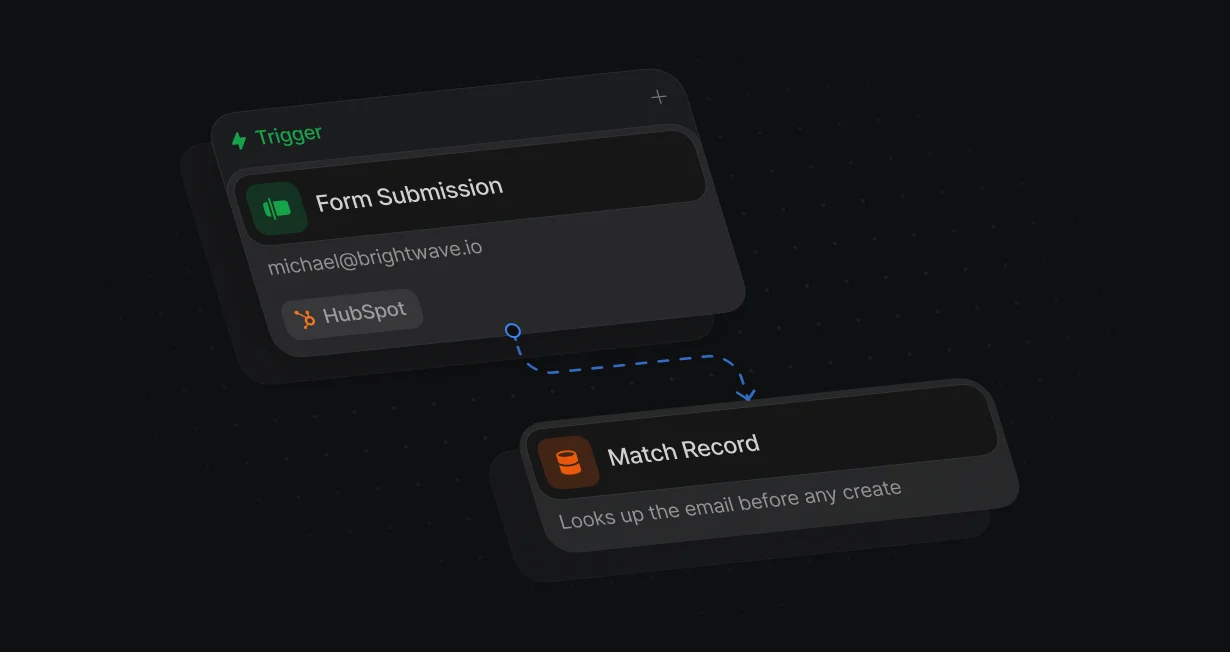
Match before create
Match Record looks up the email before Create Record runs, so a person HubSpot already has is not created again.
Keep duplicate contactsout of HubSpot
Default checks HubSpot before it creates a contact and links new contacts to the right company.












Match Record looks up the email before Create Record runs, so a person HubSpot already has is not created again.
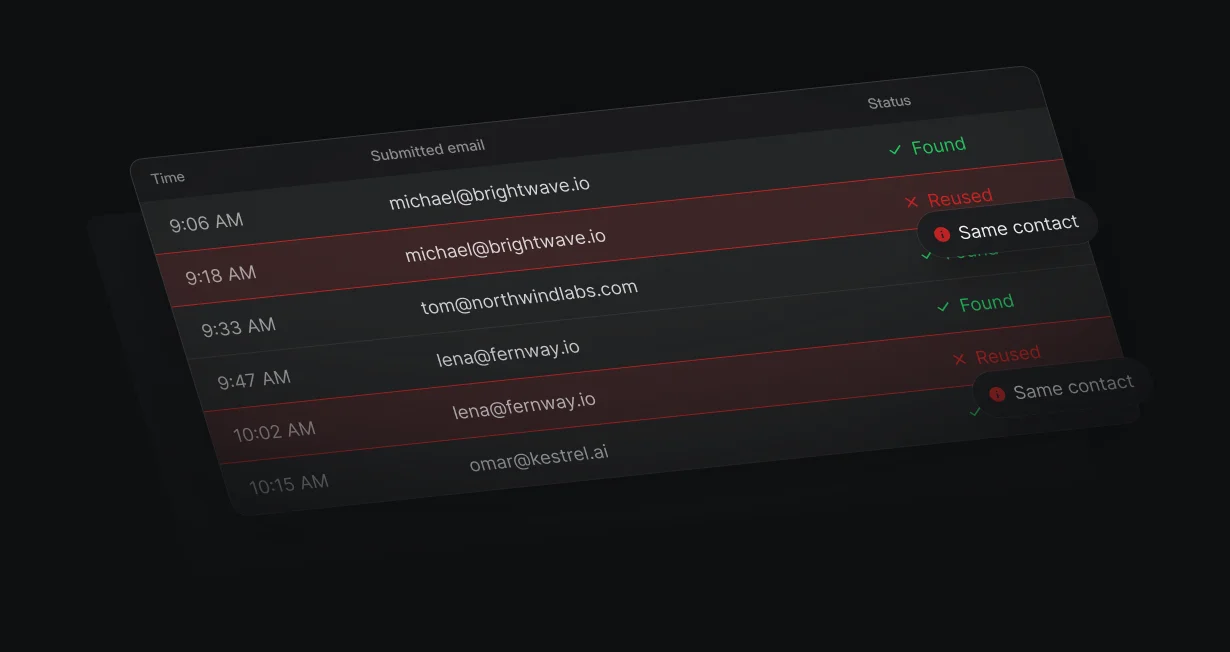
A repeat form fill with the same email reuses the existing contact and keeps its owner.
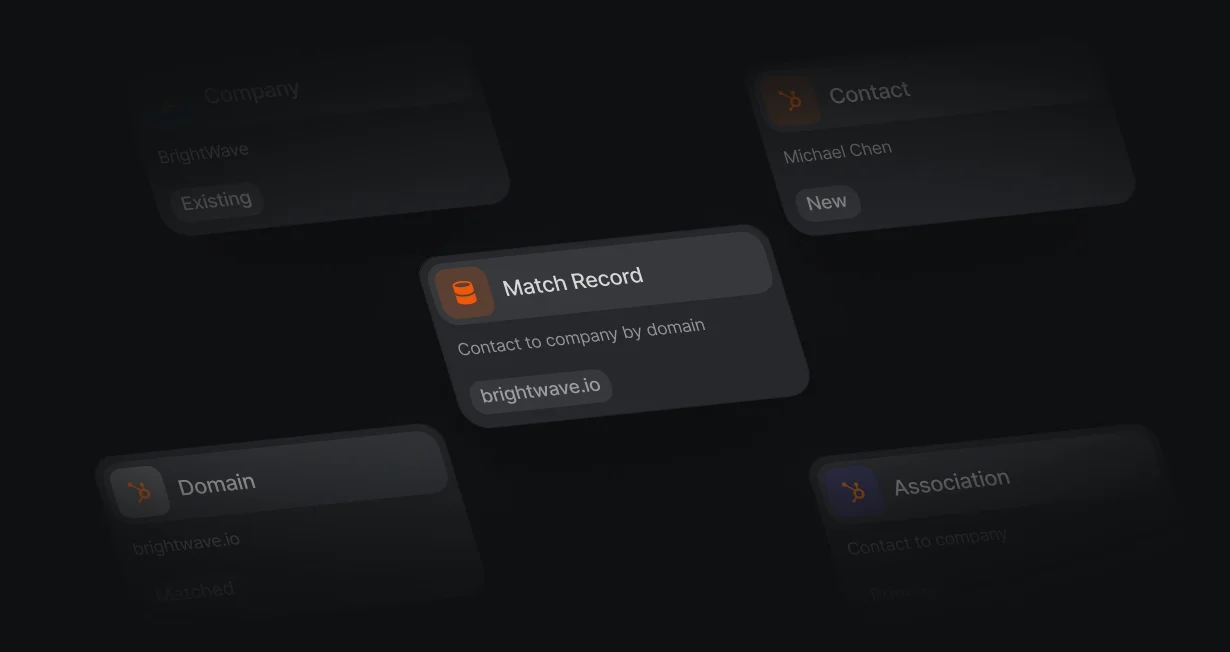
New contacts are linked to the HubSpot company that already has their email domain.
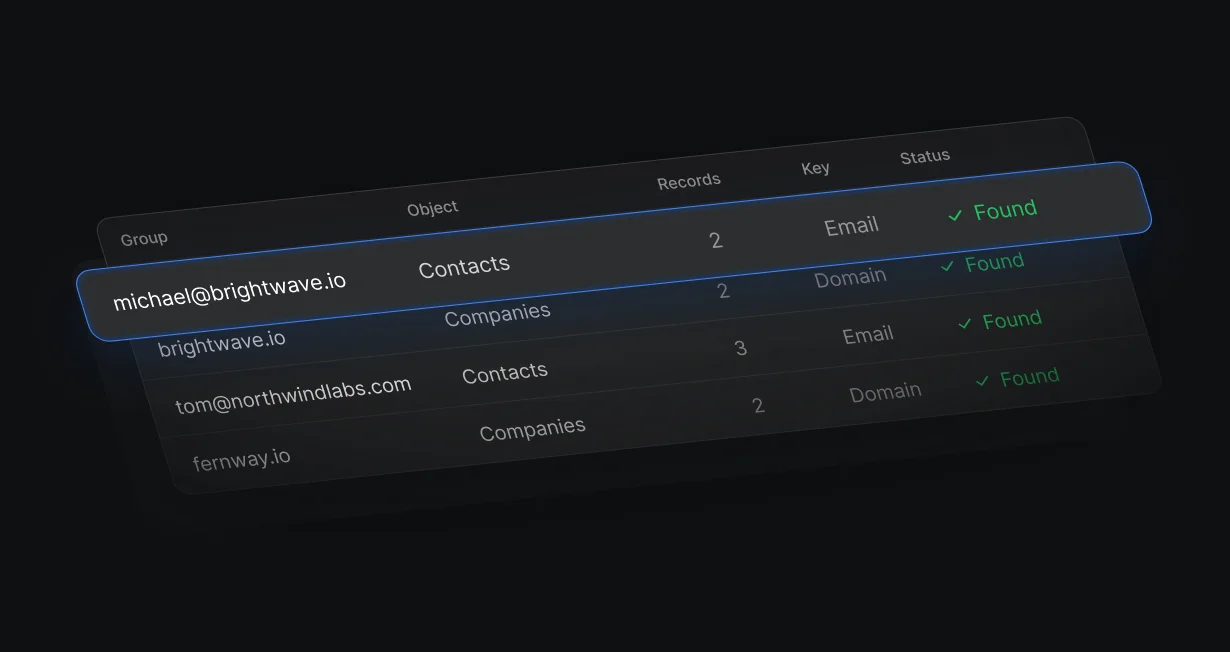
A read-only scan groups contacts by email and companies by domain.
Match Record looks up the email before Create Record runs. If 2 runs for the same email overlap, HubSpot keeps the email unique and rejects the second create, and the existing contact keeps its owner.
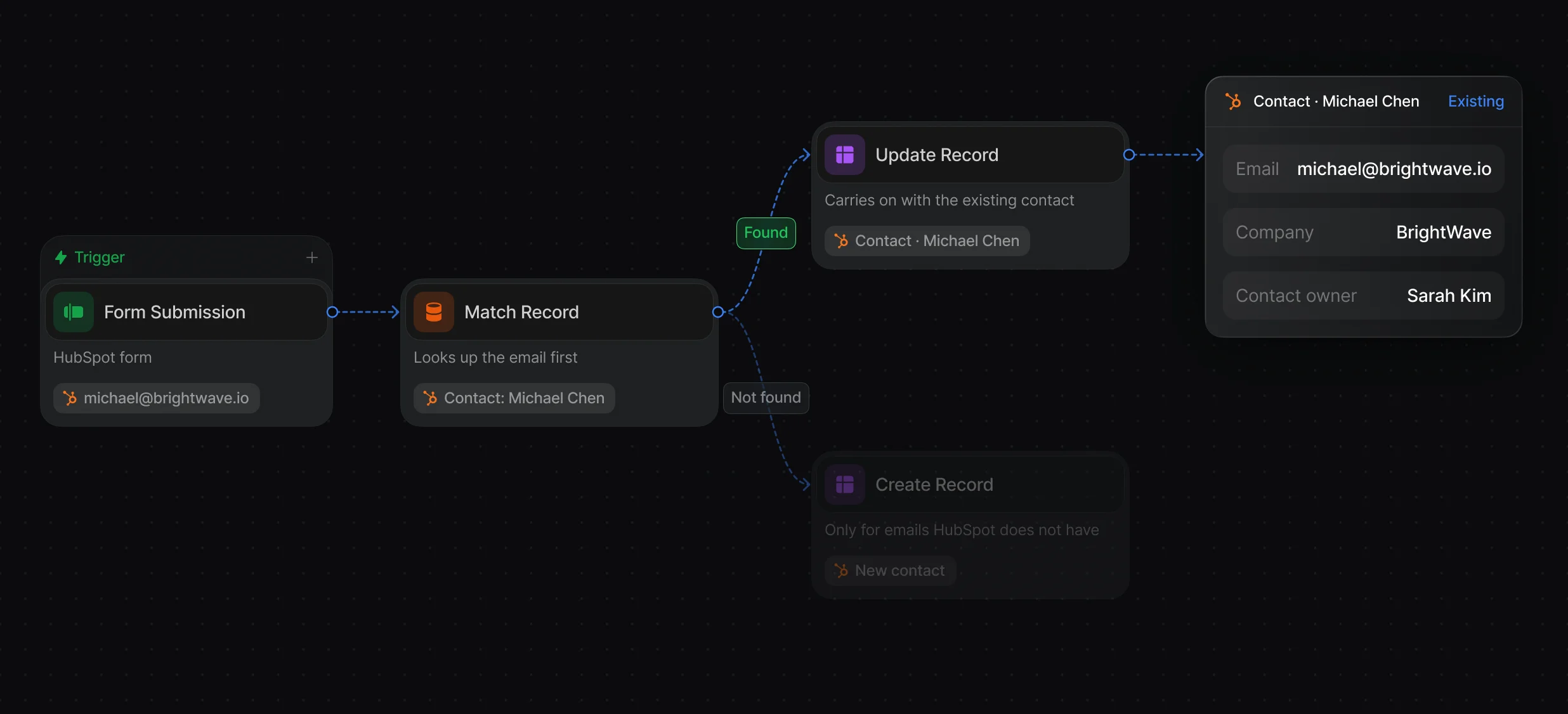
Match by email, create only on No Match, and leave known contacts with their owner.
Find a HubSpot record by its properties, with tiebreakers when several match.
Match Record finds the company by domain, association, or primary company, and Create Association links the new contact to that existing record.
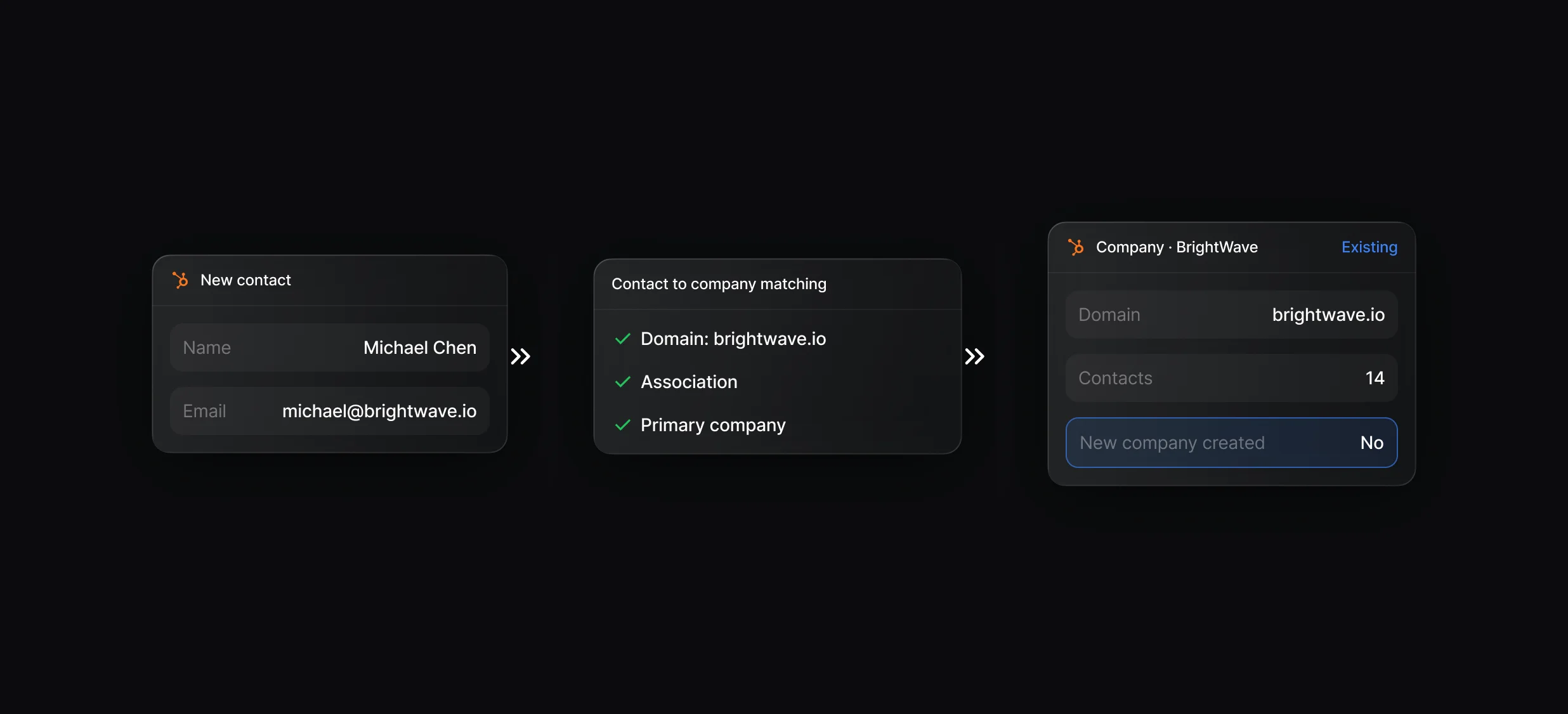
Match by company domain, an existing association, or the primary company, with tiebreakers when a domain has several companies.
Links the new contact to the matched company in the same run.
The duplicate scan on Default's MCP server groups contacts by email and companies by domain, so you know exactly what to merge in HubSpot. The scan only reads, and the merge itself happens in HubSpot.
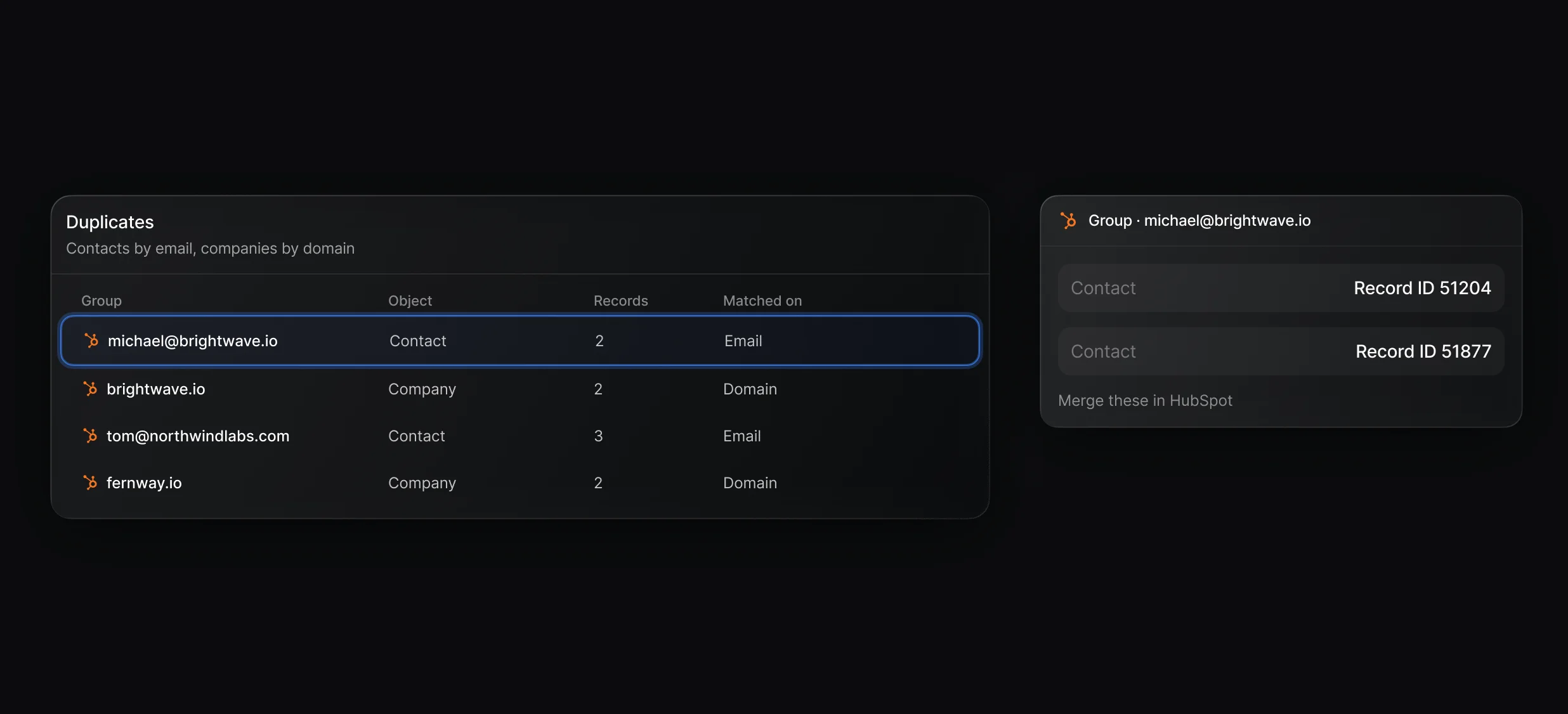
Stop new duplicates with Match Record and list the ones you already have.
Ask Claude or Cursor to scan your CRM for duplicates through the MCP server, now in beta.
“It’s the control layer we’re using to run GTM from the same brain.”

Default's MCP server (beta) has a read-only crm_duplicates_scan tool that lists HubSpot contacts sharing an email and companies sharing a domain, with their record IDs. You then merge each group in HubSpot, and Match Record before every Create Record keeps new duplicates out.
Default keeps its own workflows from adding duplicates by running Match Record on the email before Create Record, so a repeat submission reuses the existing contact. HubSpot deduplicates contacts by email, so a duplicate appears when the same person arrives with a different email or none, such as an import with no email column.
Yes, Default's Match Record node finds the HubSpot company by domain, association, or primary company, and Create Association links the new contact to it. Personal email domains such as gmail.com never match a company, so those contacts stay unlinked or go to enrichment first.
Default's Match Record and Create Record are separate steps, so 2 runs a second apart can both find no contact and both try to create it. HubSpot keeps the email unique and rejects the second create, Default writes none of its properties, and that run's owner pick does not count as an assignment.
Keep CRM records matched, filled in, and free of duplicates.
Check Salesforce for a match before creating a lead.
Enrich HubSpot contacts while the visitor fills in the form.
Send each HubSpot lead to the right owner.
Fill empty Salesforce fields from a provider waterfall.
Route leads across both CRMs from 1 workflow.
One platform to manage workflows, enrich records, route leads, and schedule meetings.

