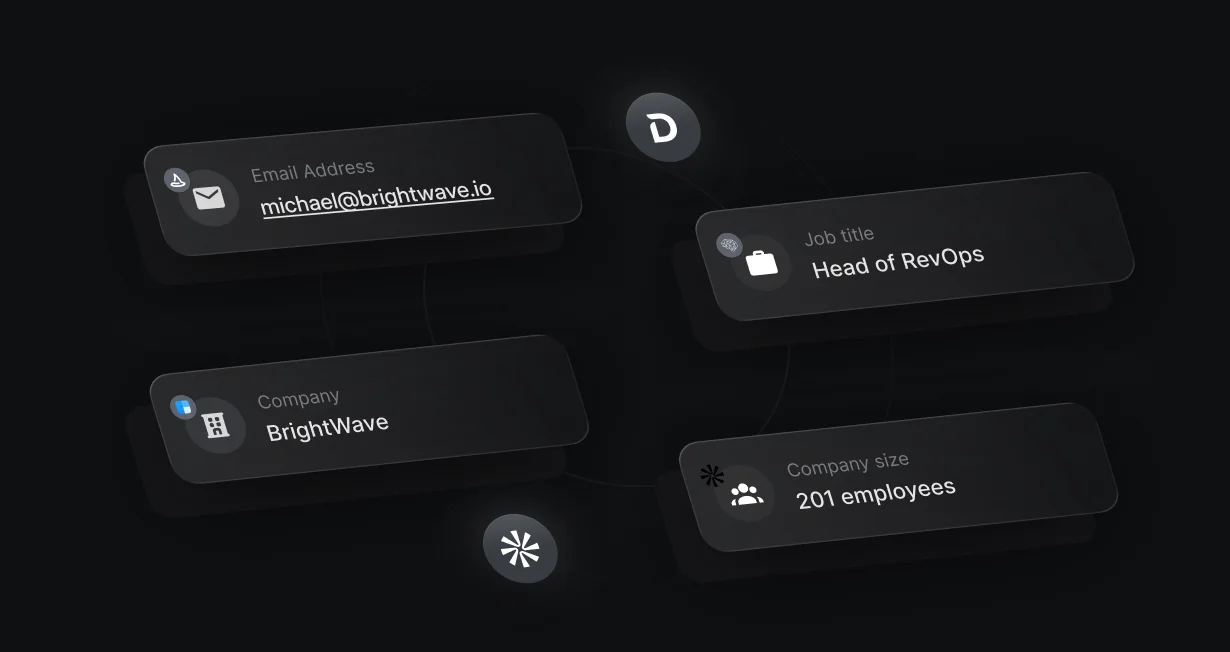
Email-only forms
Ask only for an email and let the waterfall fill in name, company, size, and title when providers have them.
Enrich HubSpot contactsbefore they submit
Default enriches HubSpot contacts from 4 providers while the visitor is still filling in the form.












Ask only for an email and let the waterfall fill in name, company, size, and title when providers have them.
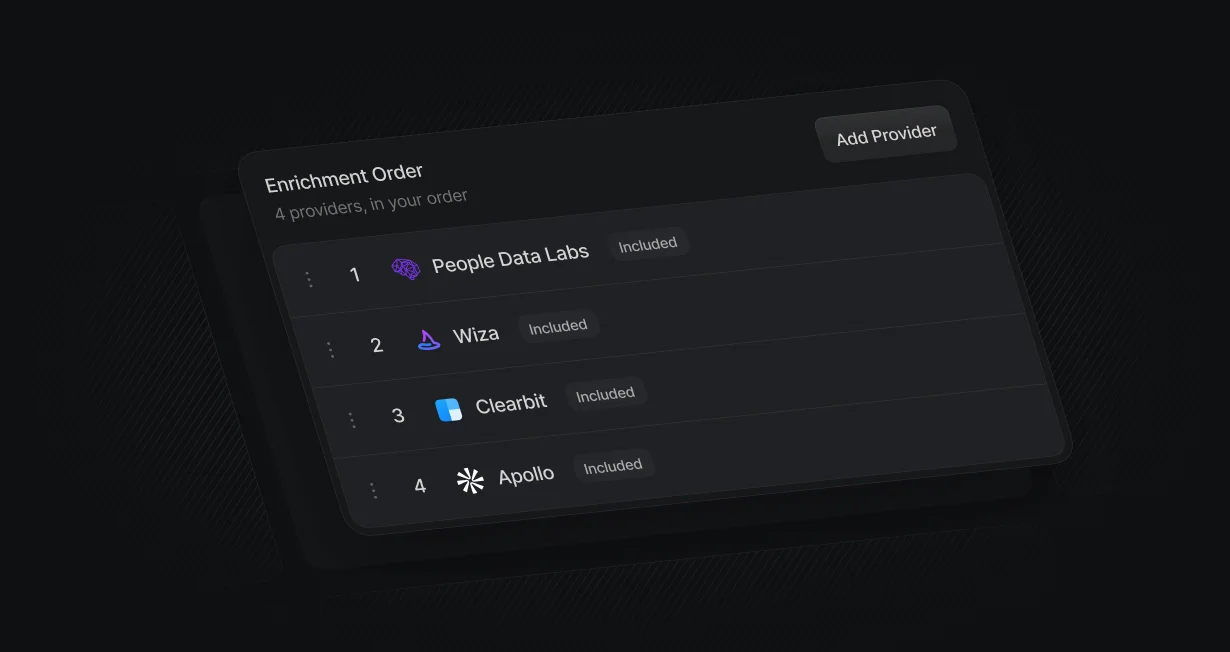
Clearbit, Apollo, People Data Labs, and Wiza run in the order you set, and the higher provider wins each field.

Default supplies the provider accounts and bills lookups in credits, so there are no provider accounts or API keys to manage.
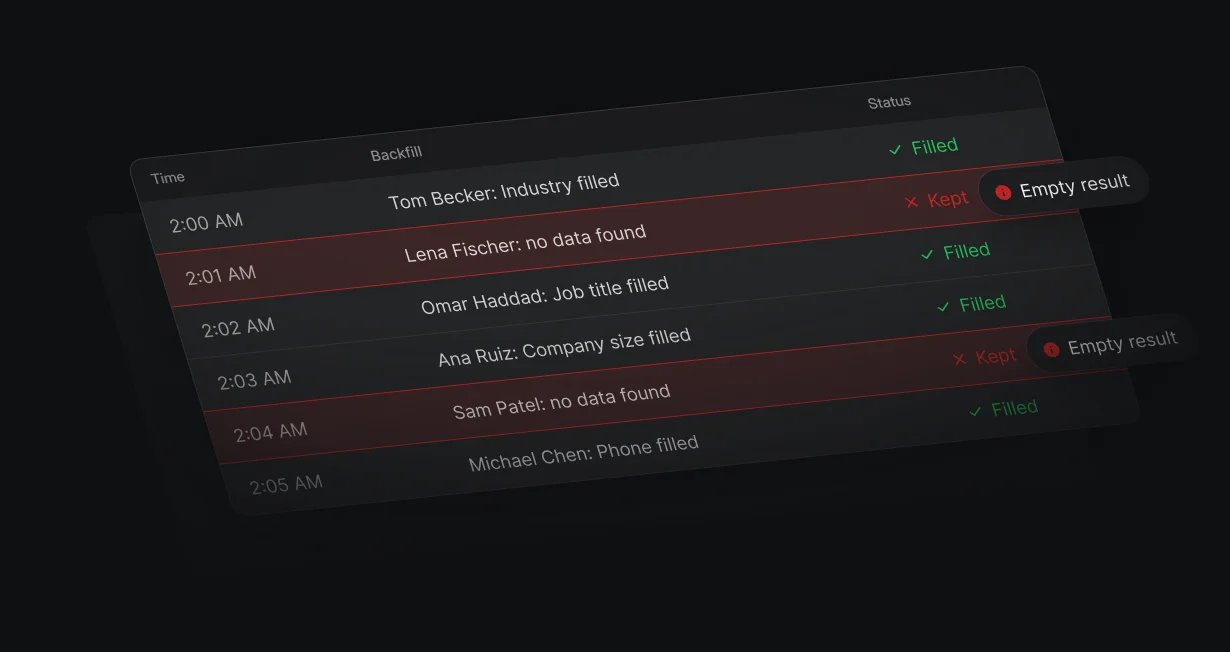
Fill empty properties on HubSpot contacts and companies you already have.
On HubSpot forms in your page, the primary waterfall runs when the visitor leaves the email field. When the workflow runs after submit, company size, industry, and title are already waiting for routing and for HubSpot.
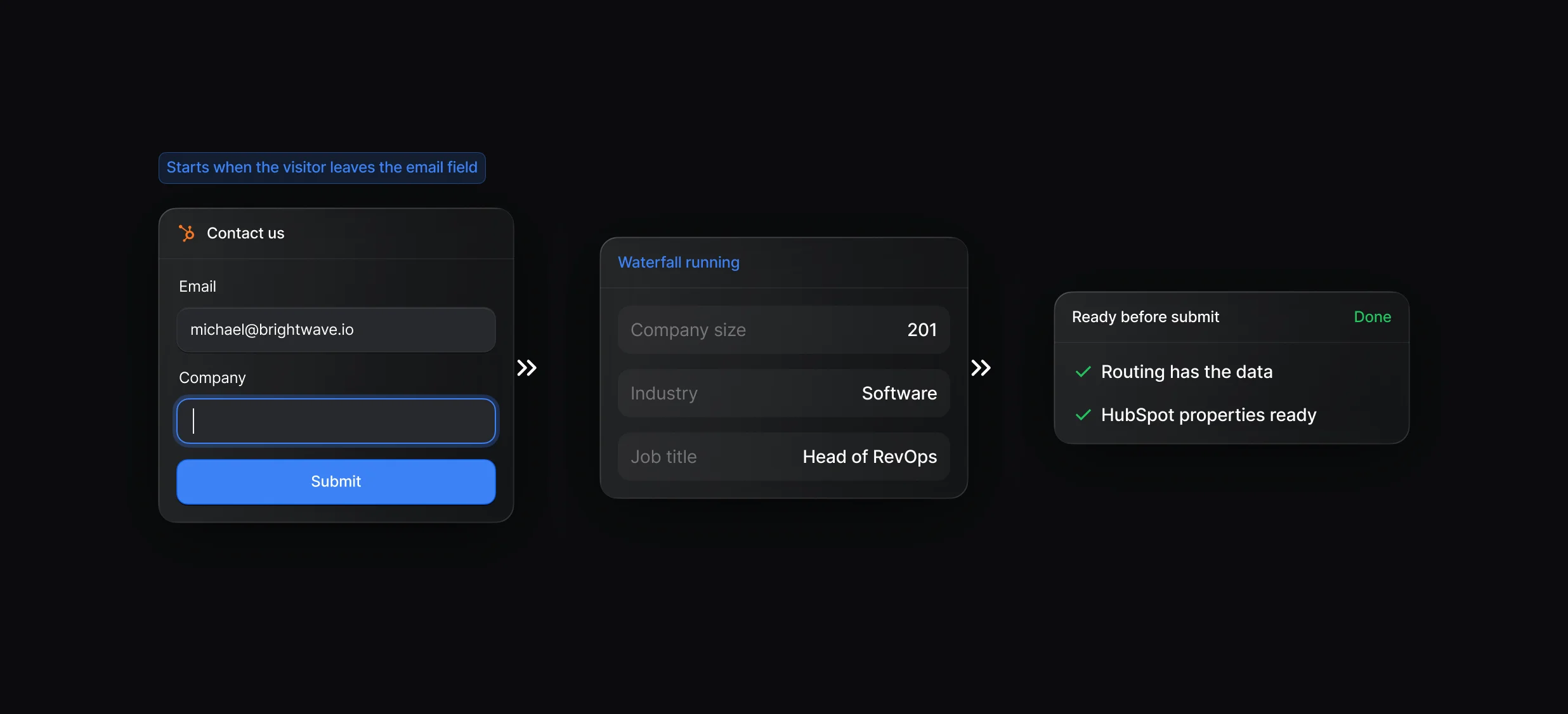
The Pixel reads your embedded HubSpot form and sends the email as soon as the visitor leaves the field.
Every provider runs at once and merges by your order. Early lookups use credits whether or not the visitor submits.
Default holds the accounts for every provider in the waterfall and bills lookups in credits. Set the order, and results merge field by field with the higher provider winning.
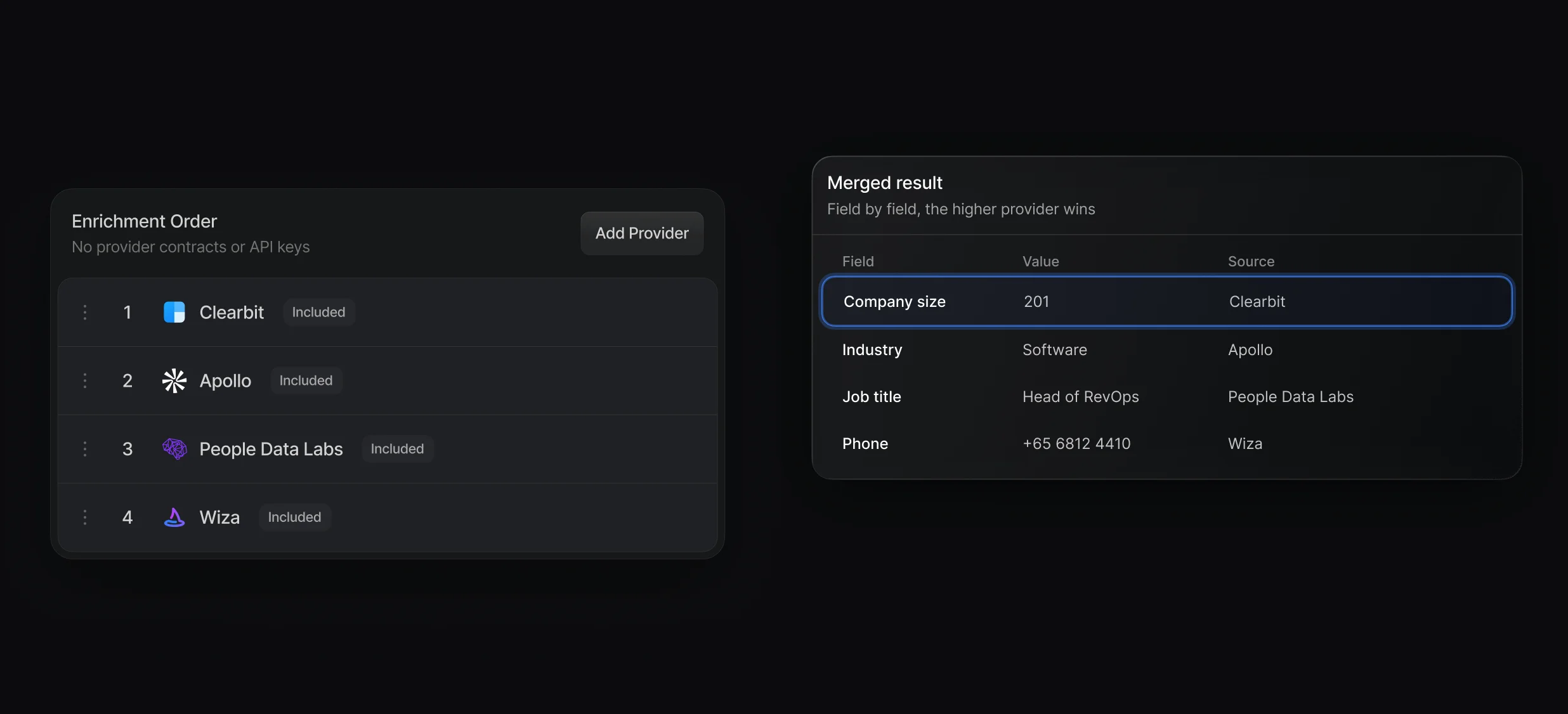
Turn on Clearbit, Apollo, People Data Labs, and Wiza without a provider account or API key.
Drag providers into priority order and see the most credits a lookup can use.
Update Record writes the enriched fields to HubSpot properties, and an empty result never clears a value that's there. Rules of Engagement or a Multi-Branch node can use the same fields to decide whether the visitor sees a calendar and whose.
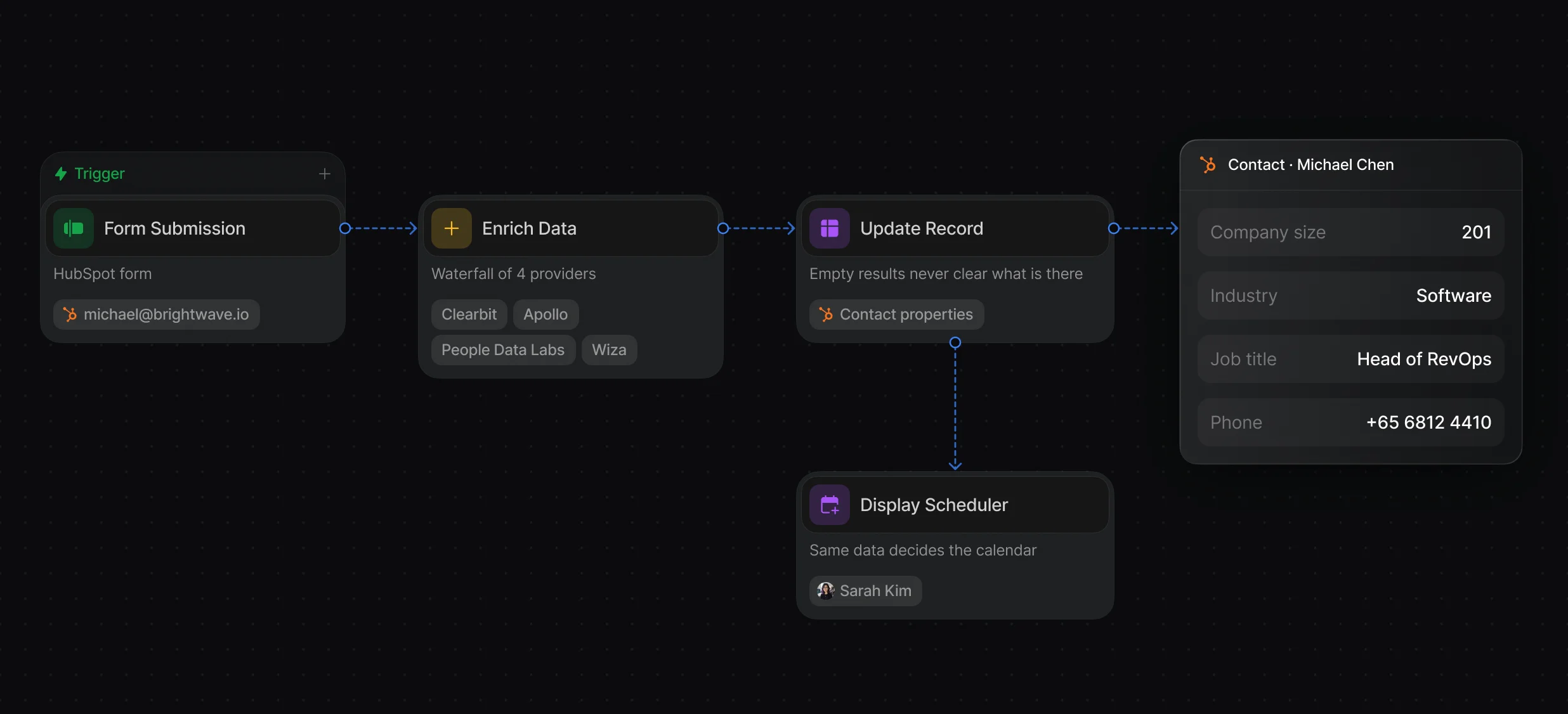
Enrich on a form or a new HubSpot record and write the fields back to HubSpot properties.
Qualified visitors see the routed rep's calendar on the same page.
Fill empty properties on existing HubSpot contacts and companies from Tables or a workflow.
“It’s the control layer we’re using to run GTM from the same brain.”

Default enriches HubSpot contacts with a waterfall of Clearbit, Apollo, People Data Labs, and Wiza that starts before the form is submitted, then uses the results to route and book the meeting. Default supplies the provider accounts and bills lookups in credits, so there are no contracts or API keys.
In Default, add an Enrich Data node to a workflow that starts from a form submission or a new HubSpot contact or company. Then map its Person and Company results to HubSpot properties with Create Record or Update Record.
Default enriches from a waterfall of Clearbit, Apollo, People Data Labs, and Wiza when the visitor leaves the email field, and the same workflow routes and books the meeting on the results. Breeze Intelligence, now called data enrichment in HubSpot's help pages, fills contact and company properties inside HubSpot.
Yes, with Default: when a visitor leaves the email field on a HubSpot form in your page, Default runs your primary waterfall before they submit. After submit, the workflow reads the waiting results to route the lead and write HubSpot properties.
In Default, yes, when the workflow uses Update Record: it replaces the property's current value with the enriched value. Empty results never clear a property. To keep values your reps entered, write enriched data to separate properties or update only new contacts.
Fill in every lead and account from a waterfall of providers.
Run Apollo in your waterfall with no Apollo account.
Run Clearbit in your waterfall with no Clearbit account.
Enrich Salesforce records from 4 providers.
Check HubSpot for a match before creating a contact.
Send each HubSpot lead to the right owner.
One platform to manage workflows, enrich records, route leads, and schedule meetings.