








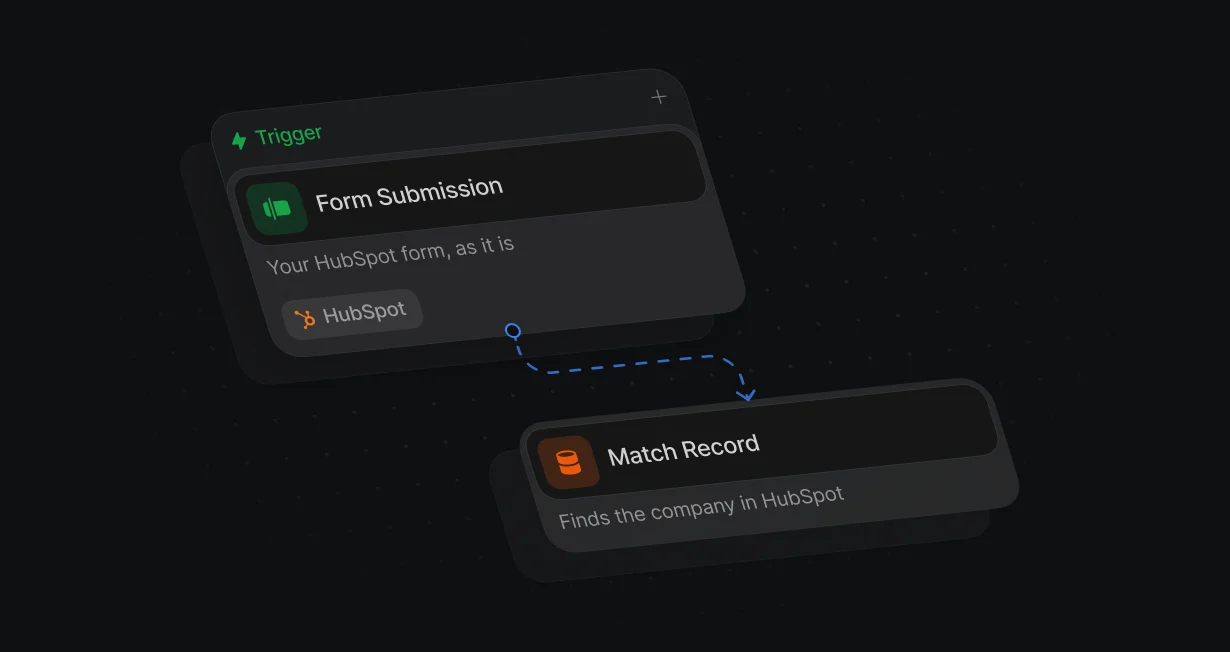
Works with your HubSpot forms
The Default Pixel picks up your embedded HubSpot forms through HubSpot's own submit events, with no webhooks or Zapier steps to build.
Route HubSpot leadsto the right owner's calendar
Default sends each HubSpot lead to the right owner and opens their calendar on the same page.












The Default Pixel picks up your embedded HubSpot forms through HubSpot's own submit events, with no webhooks or Zapier steps to build.
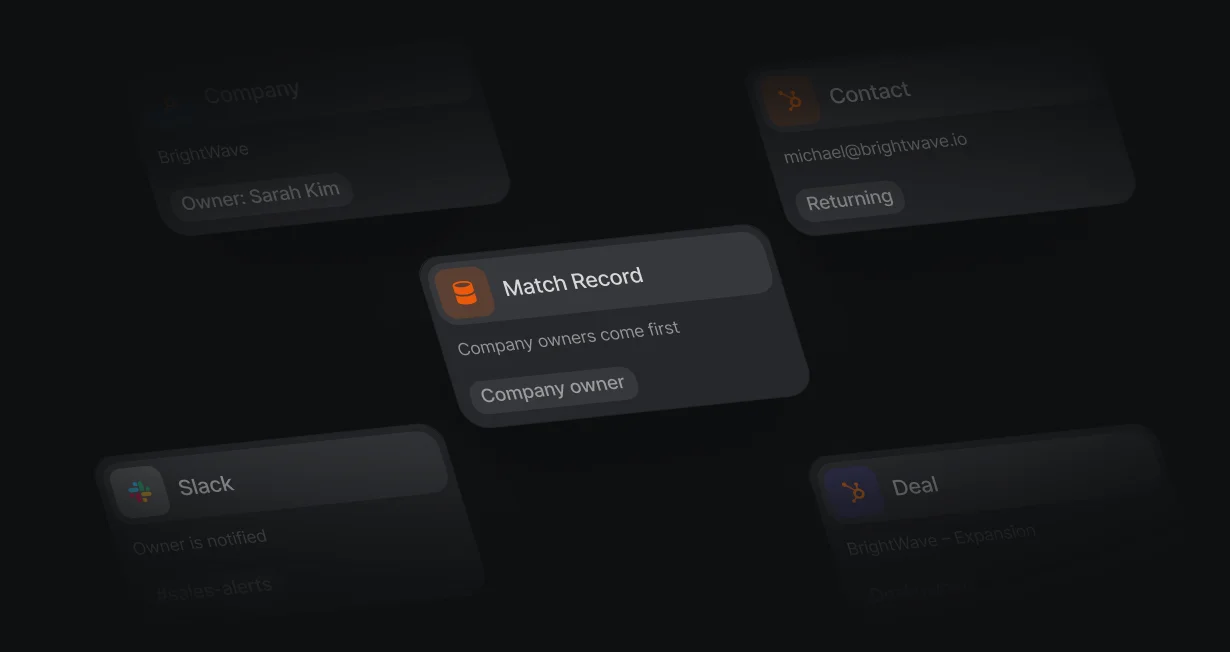
Contacts from a company your team already owns go back to the company owner, the rep they know.
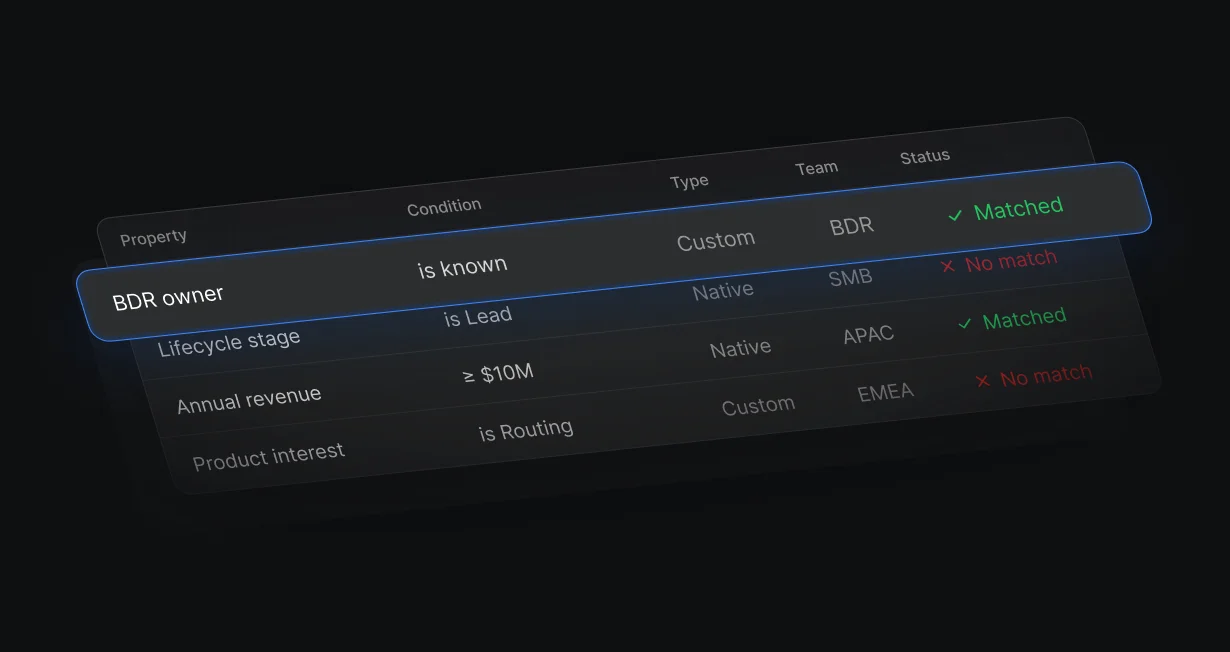
Route on HubSpot contact and company properties, or straight to the rep named in an owner field.
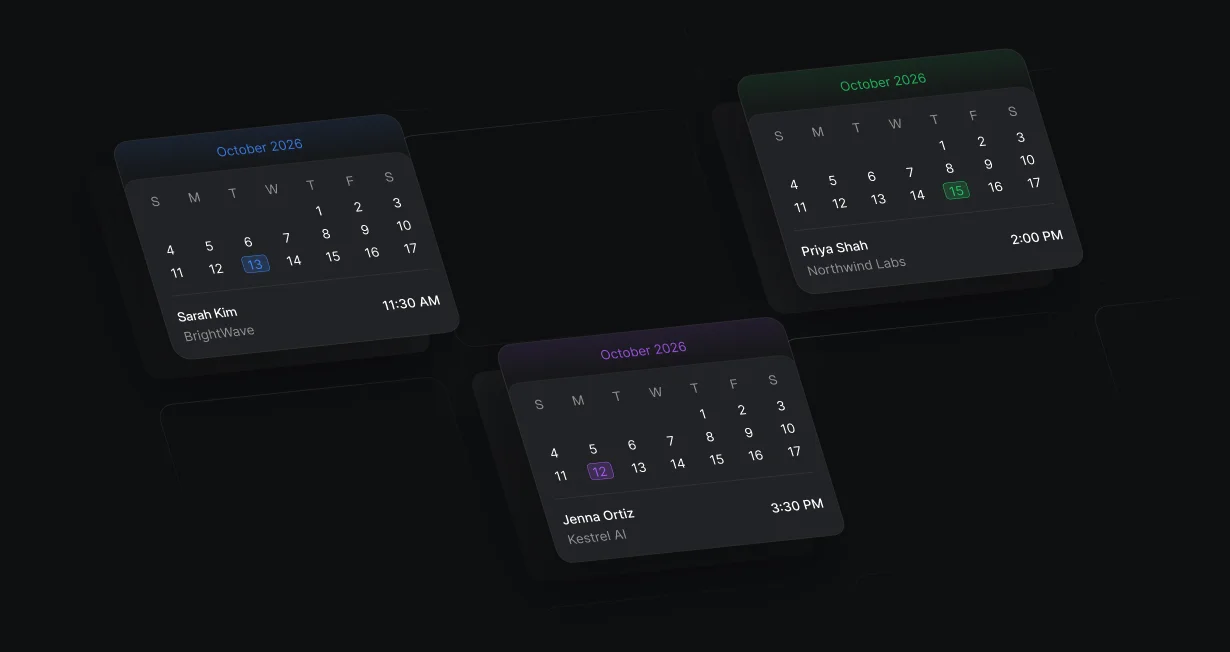
The routed rep's calendar opens on the same page right after the HubSpot form is submitted.
Match Record finds the contact's company by domain, association, or primary company. If that company has an owner, Update Record makes them the contact owner and Display Scheduler shows their calendar.
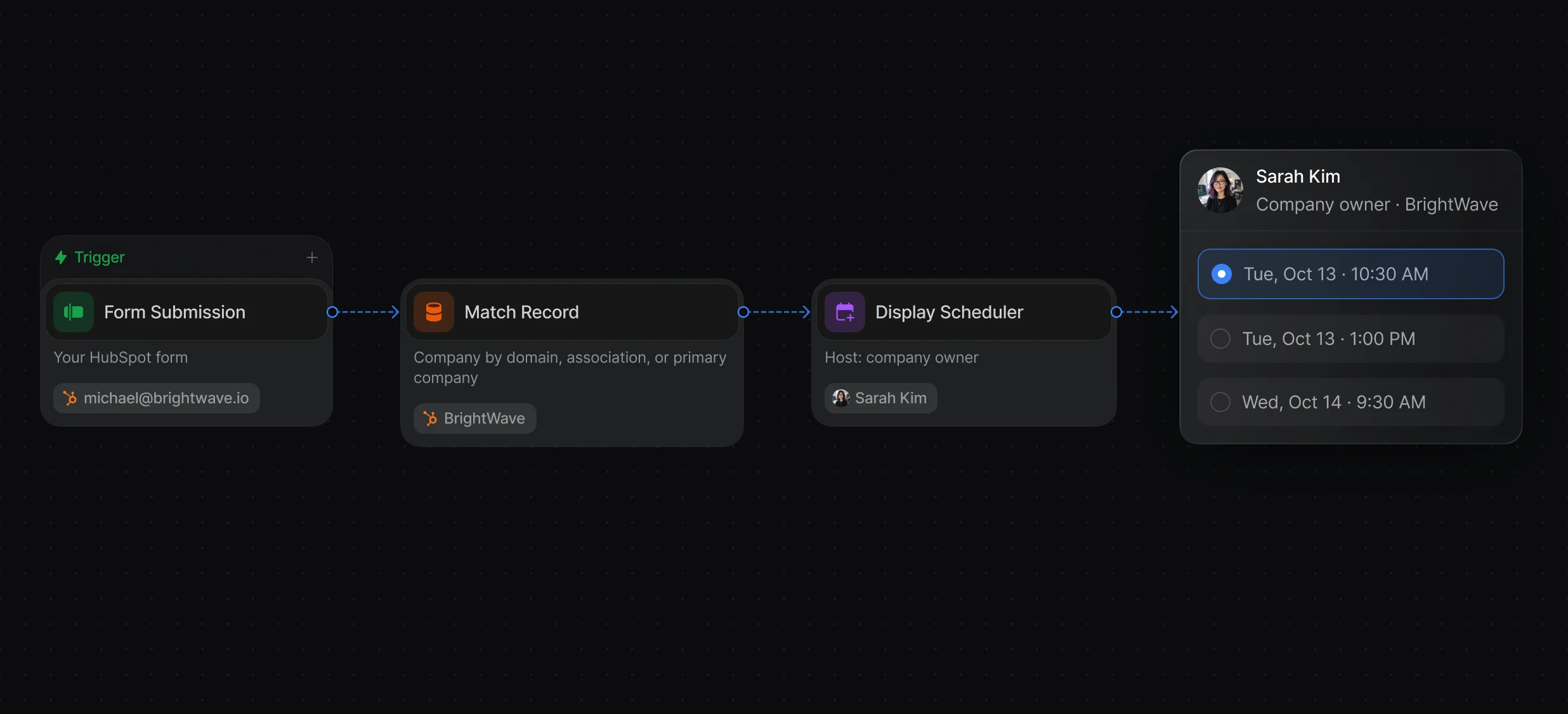
Match by company domain, an existing association, or the primary company, with tiebreakers when several match.
Connect HubSpot, map each rep to their HubSpot owner, and write the owner back.
Start from a form, or from a HubSpot contact, company, or deal that is created or updated.
Rules of Engagement routes on HubSpot contact and company properties, then a weighted round robin picks the rep inside each team. Update Record sets the Contact owner, Company owner, or Deal owner.
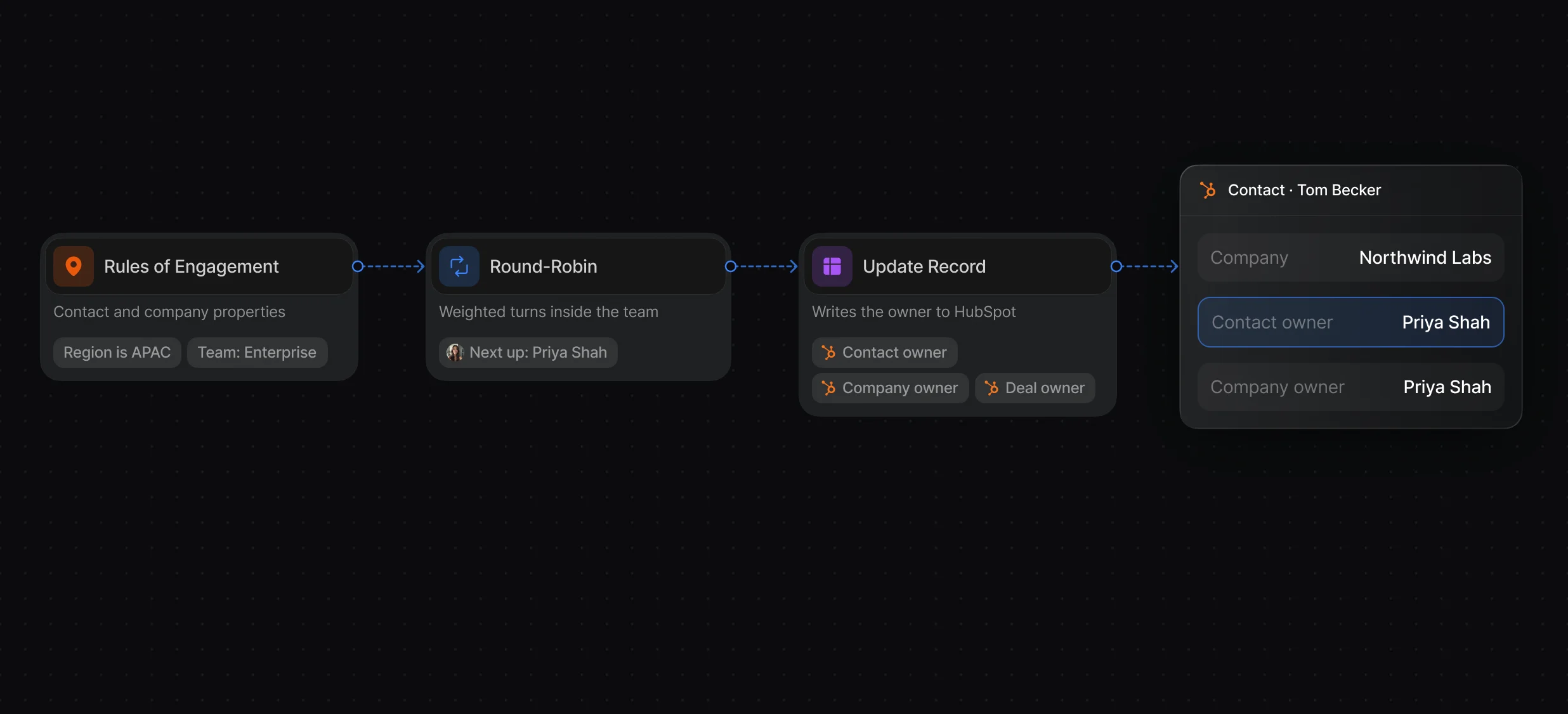
Change a ruleset once and every workflow that uses it follows.
Give some reps a larger share, skip reps who are out of office, and pick a tiebreaker.
Pause a rep, calibrate a new hire, and see who is next in line.
Display Scheduler shows the assigned rep's calendar the moment the HubSpot form is submitted. A Create Engagement step logs the meeting in HubSpot.
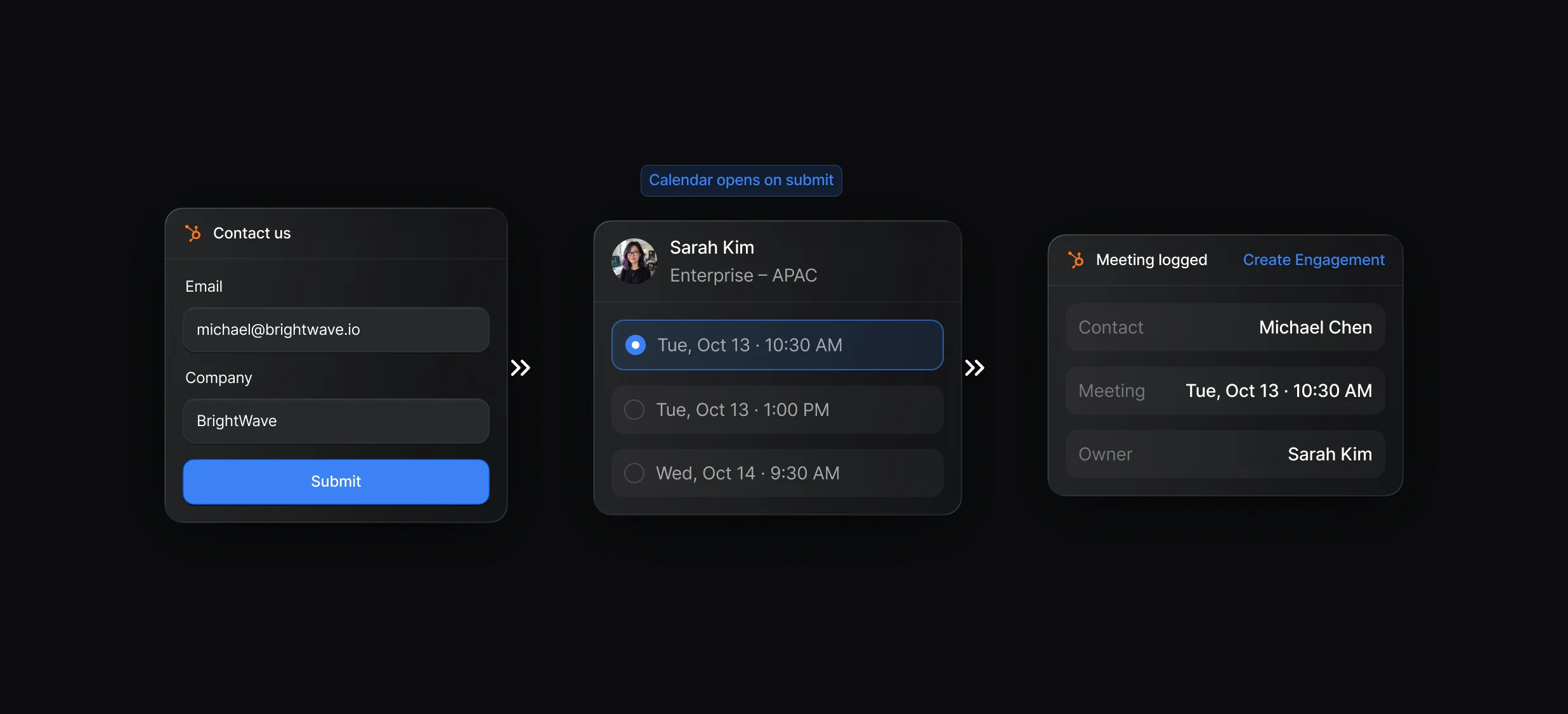
The calendar opens over your page, with no second form to fill in.
Keep your embedded HubSpot form and set it to show a thank-you message instead of redirecting.
Match, create, and update HubSpot records, and log the meeting with Create Engagement.
“It’s the control layer we’re using to run GTM from the same brain.”

Default routes HubSpot contacts, companies, and deals in 1 workflow: Match Record finds the company owner, Rules of Engagement or a Round-Robin node picks a rep for everyone else, and Display Scheduler books the meeting on the form. Update Record then writes the owner back to HubSpot.
In Default, an Update Record node sets the Contact owner to the rep a Round-Robin or Rules of Engagement node picked, converting that rep to their HubSpot owner ID through their user mapping. In HubSpot itself, you edit the Contact owner property by hand or use Assign on the index page.
Default captures the embedded HubSpot form with its Pixel and starts a workflow from the Form Submission trigger. Match Record checks for an existing contact and its company owner, Rules of Engagement or a queue picks a rep for everyone else, and Display Scheduler opens that rep's calendar on the page.
Teams use Default to match contacts to companies, route on contact and company properties with Rules of Engagement, run weighted round robin queues, and book the routed rep, all in 1 workflow. HubSpot stays the system of record, and Update Record writes each owner back.
Yes, Default's Match Record node finds the existing HubSpot contact by email, the workflow leaves its Contact owner in place, and Display Scheduler shows that owner's calendar. Only contacts that are new to HubSpot go through the round robin.
Yes, Default starts a workflow from a CRM Record Created or CRM Record Updated trigger on the Deal, a Round-Robin node picks the rep from a queue, and Update Record sets the Deal owner, which counts as a queue assignment.
Routing, enrichment, and scheduling for every inbound lead.
Rotate HubSpot leads and meetings through 1 queue.
Book meetings straight from your HubSpot forms.
Route leads across both CRMs from 1 workflow.
Route every Salesforce lead and book the meeting.
Check HubSpot for a match before creating a contact.
One platform to manage workflows, enrich records, route leads, and schedule meetings.


