








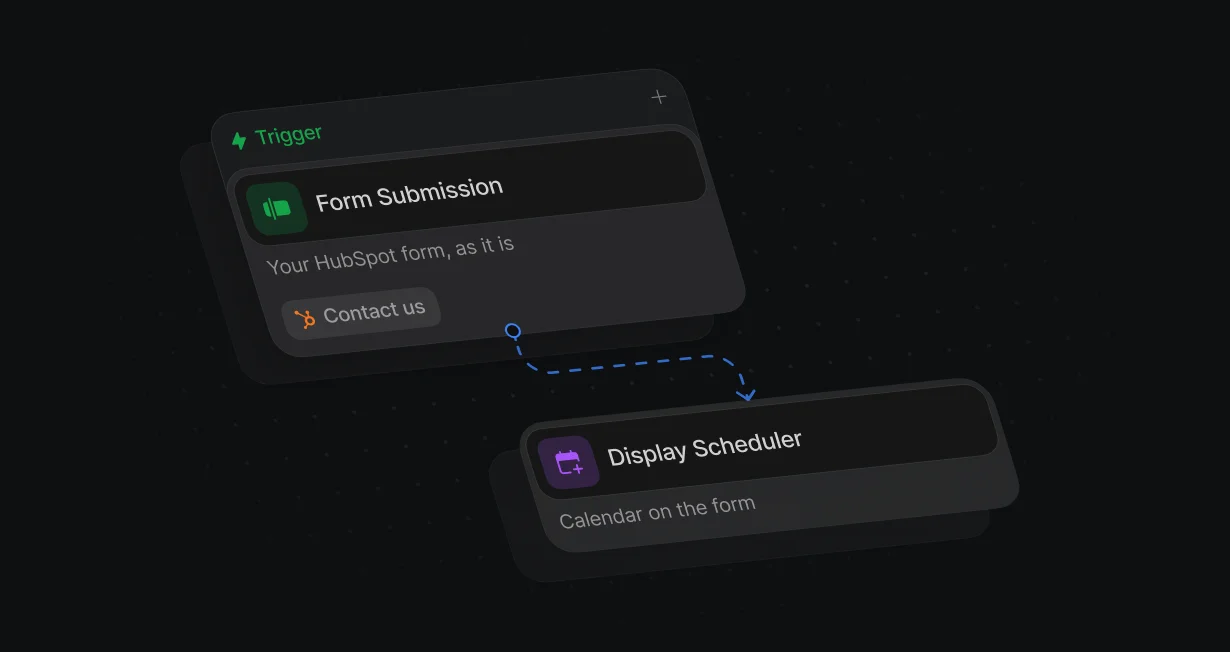
Keep your HubSpot form
Default listens for HubSpot's own submit event, so the form on your page stays as it is.
Book meetings straight fromyour HubSpot forms
Default opens the right rep's calendar the moment a HubSpot form is submitted.












Default listens for HubSpot's own submit event, so the form on your page stays as it is.
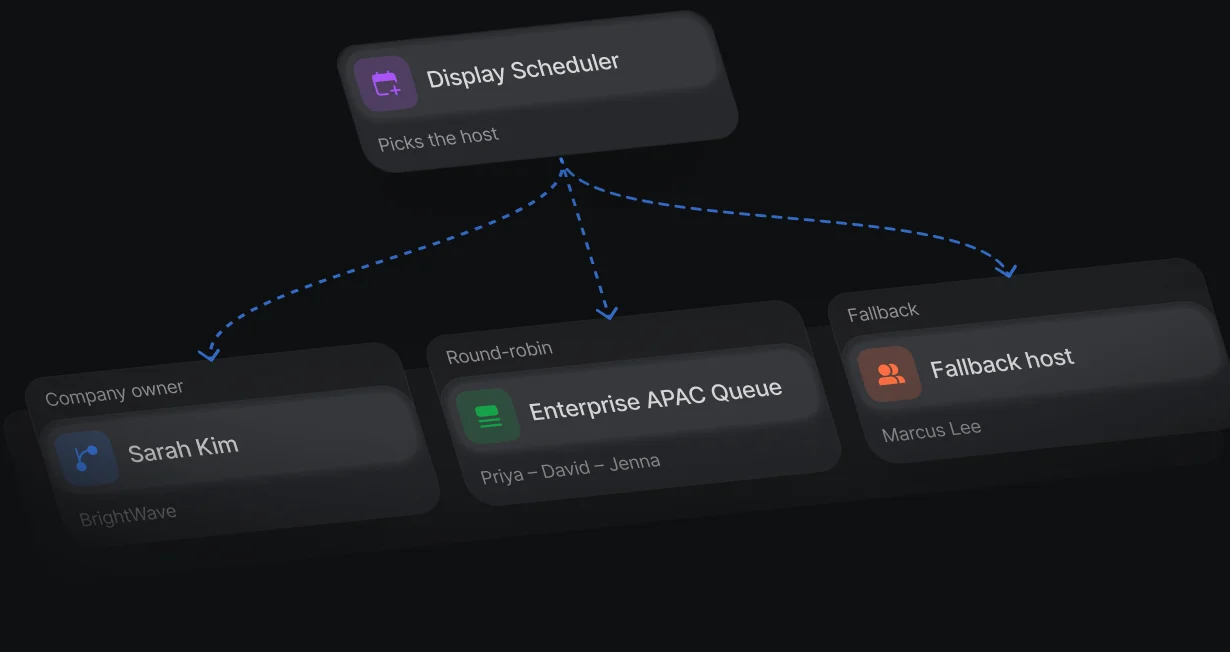
The company owner hosts first, and a queue picks the rep for everyone else.
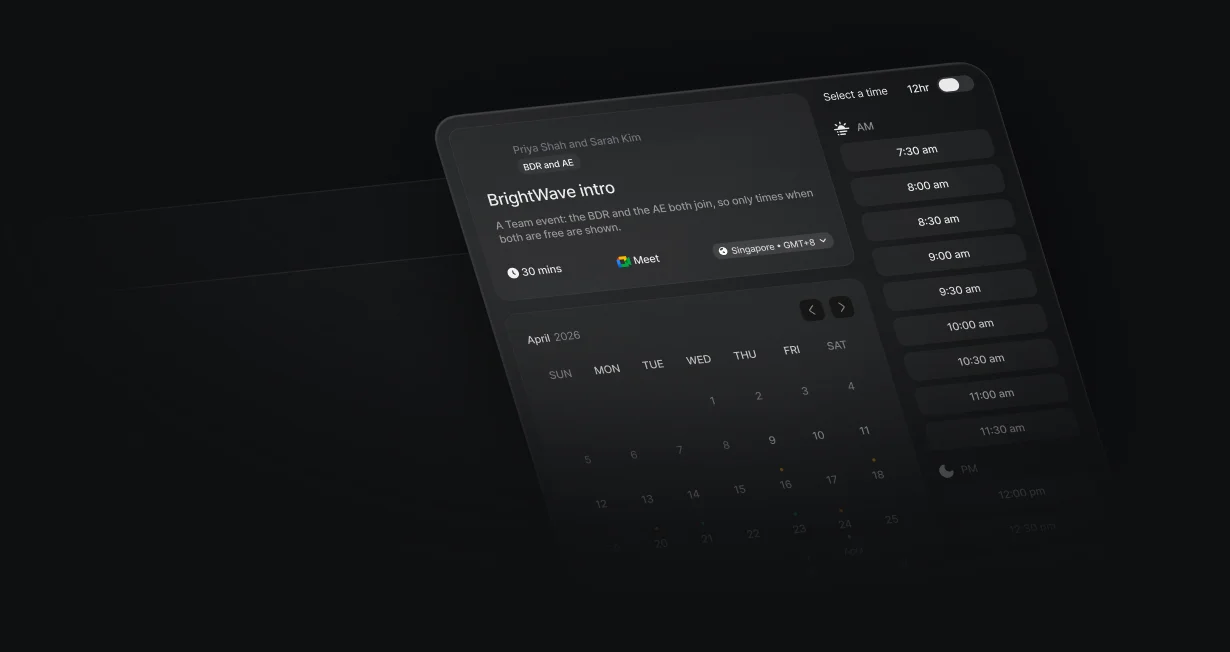
A Team event can require a business development rep and an account executive on the same meeting.
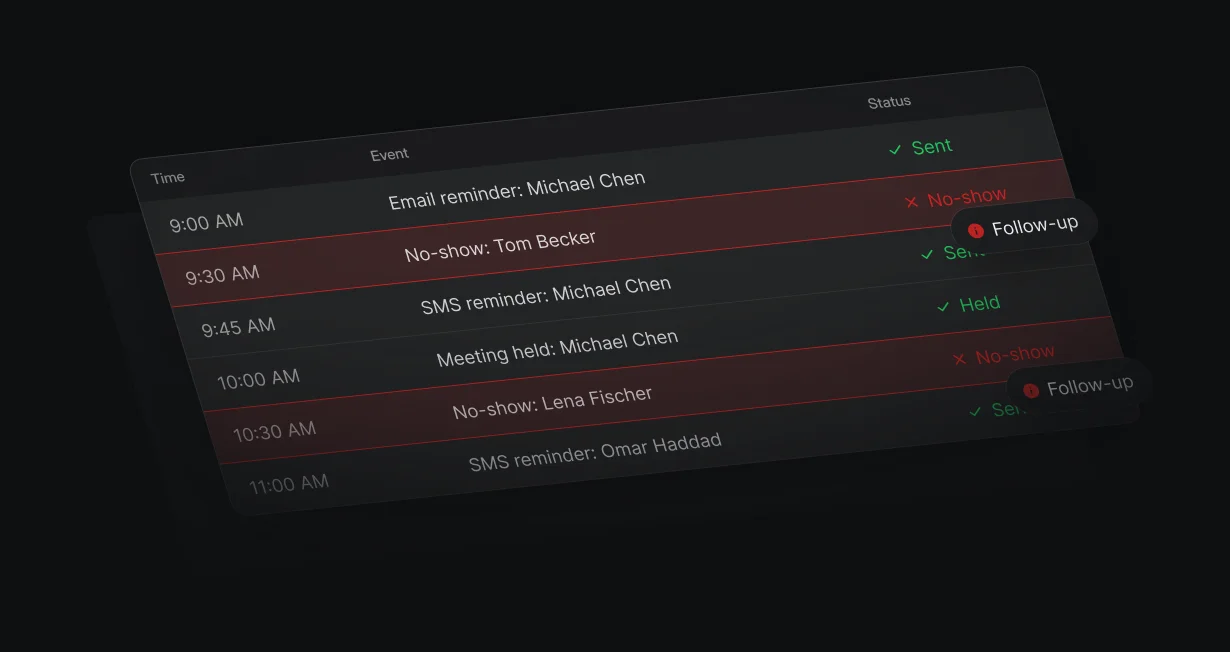
Email and SMS reminders go out before the meeting, and a no-show can start a follow-up workflow.
Embedded HubSpot forms are captured through HubSpot's own submit events, so nothing changes on the page. The workflow decides who hosts before the calendar appears.
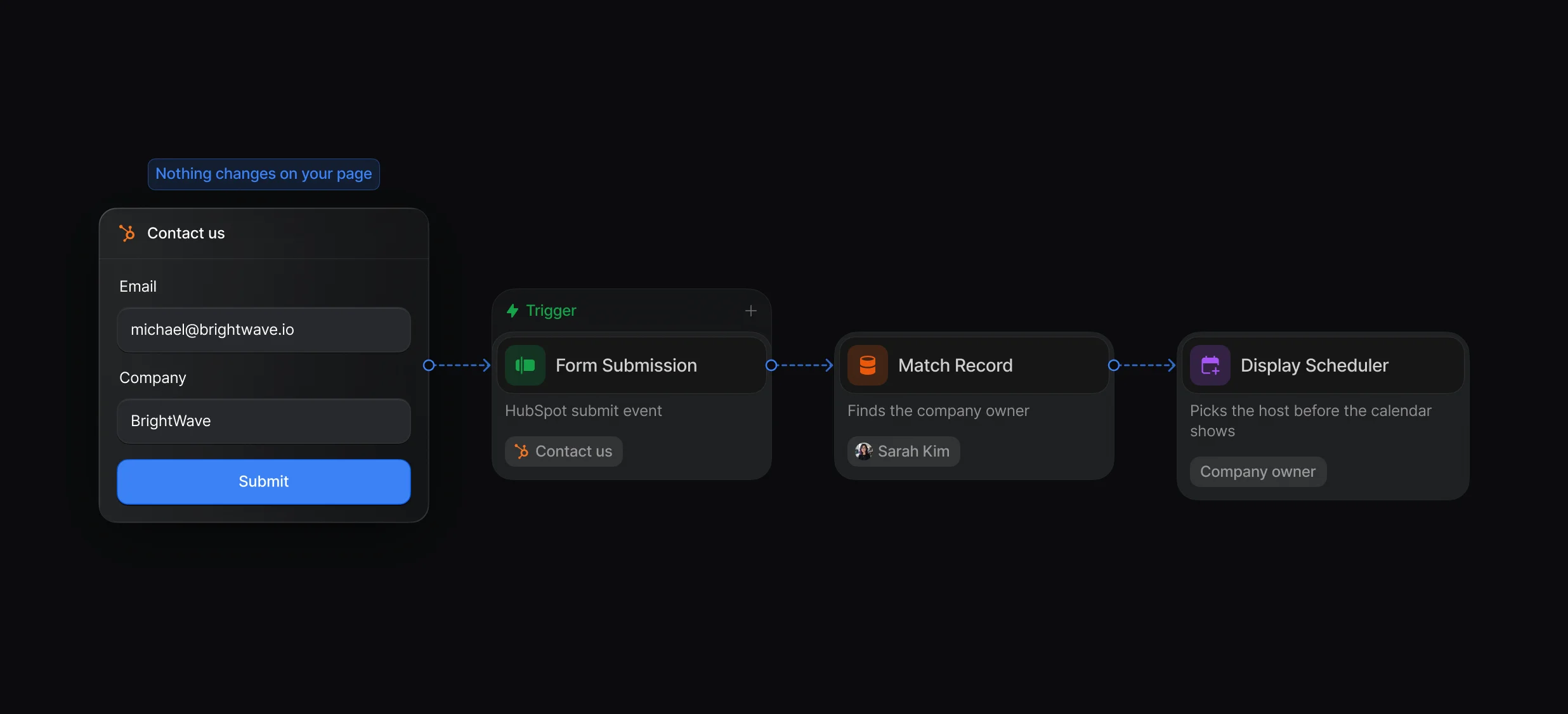
Set the form to show a thank-you message, and the calendar opens over the page.
The visitor books without filling in a second form.
Display Scheduler uses the company owner, the rep a rule picked, or the next rep in a queue, with a fallback host when those hosts have no open times. A Team event can require a business development rep and an account executive on the same meeting.
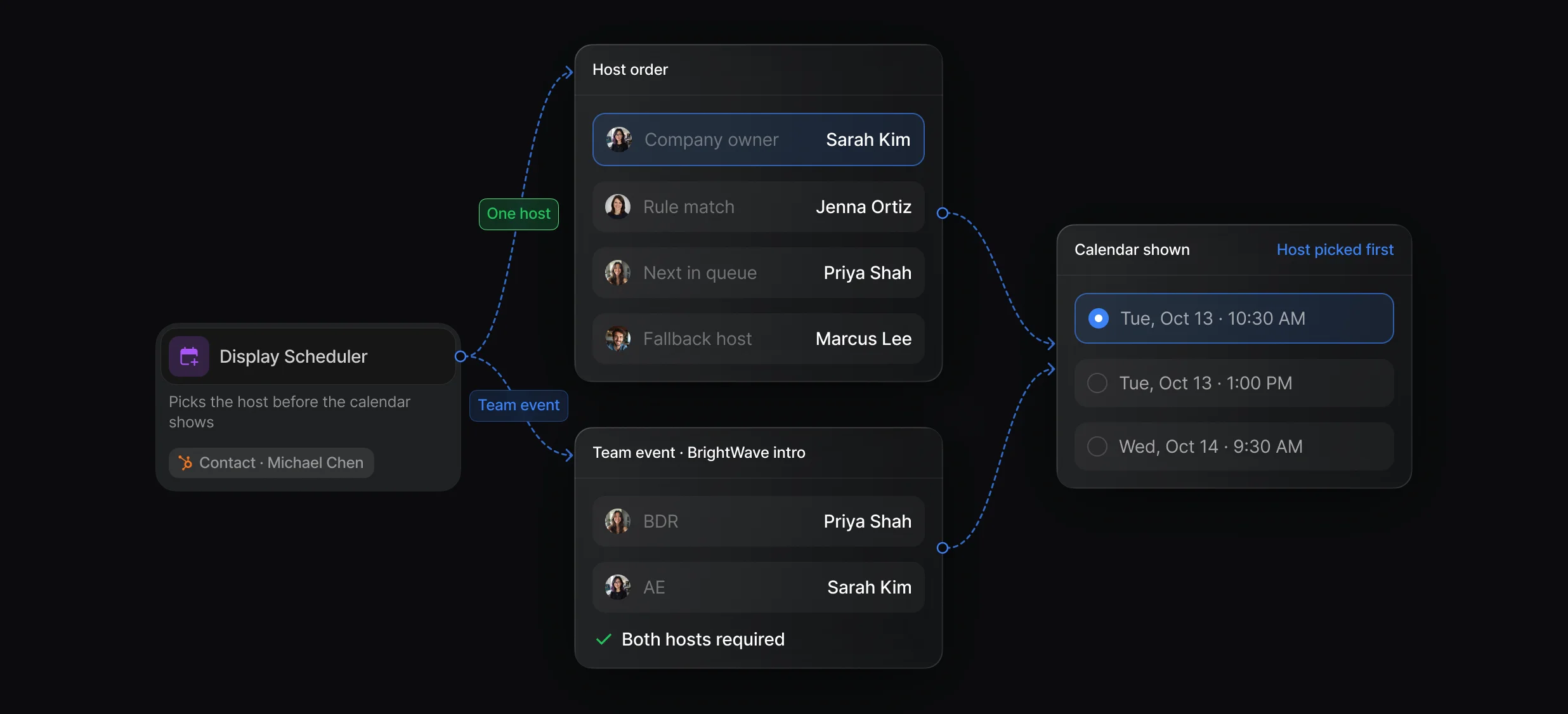
Round-Robin, Rules of Engagement, and Display Scheduler work together in 1 workflow.
Queue hosts, required and optional hosts, and up to 10 guests on a booking.
Set the duration, availability, booking questions, and messages once per event.
Create Engagement logs the meeting in HubSpot, and reminders go out by email and SMS. The Not booked branch follows up with anyone who left.
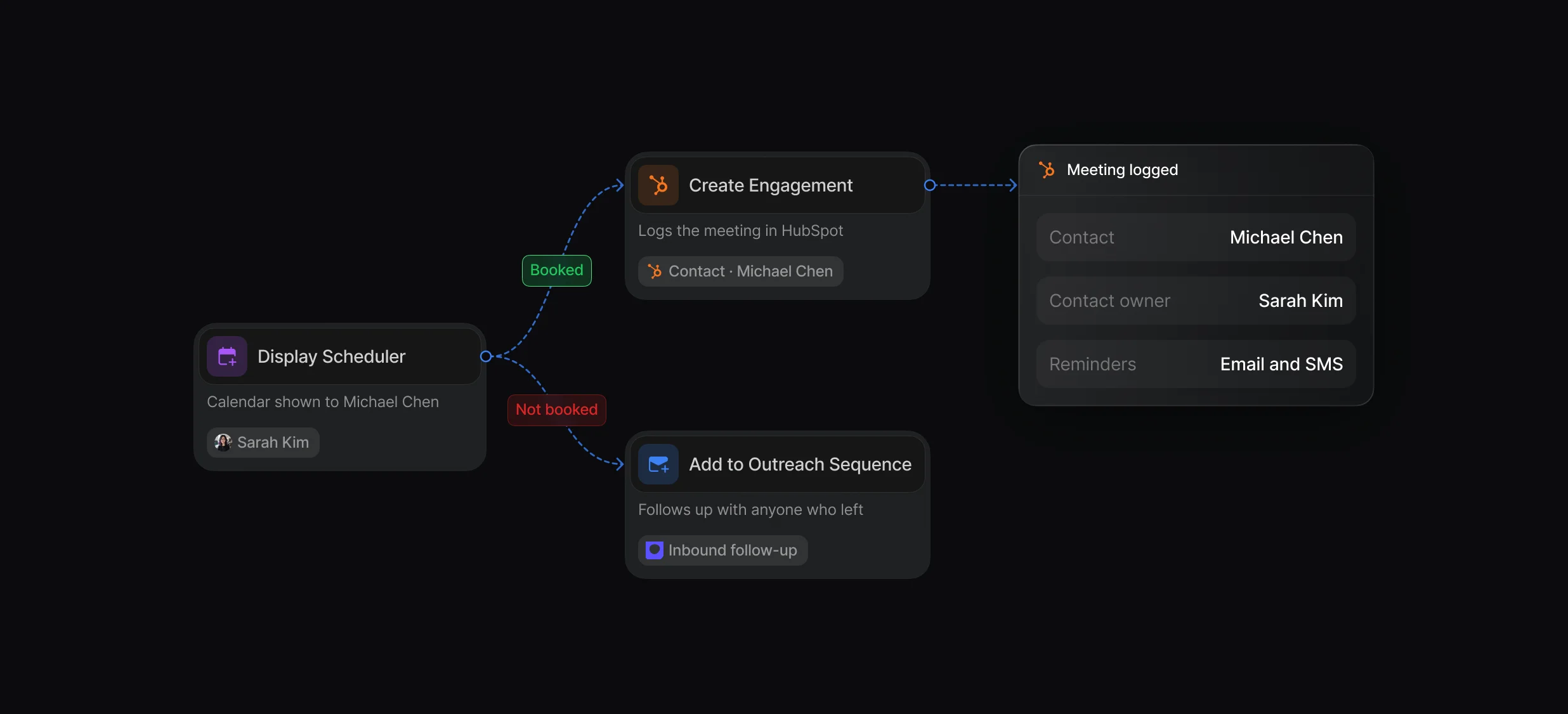
Send email and SMS reminders, and give the rep their turn back after a no-show.
Alert the owner in Slack, create a HubSpot task, or enroll the lead in a sequence.
Write confirmation, reminder, and no-show templates once and reuse them.
“It’s the control layer we’re using to run GTM from the same brain.”

Default adds a scheduler to your HubSpot forms: Display Scheduler opens the routed rep's calendar on the same page after submit, and Create Engagement logs the meeting in HubSpot. HubSpot's own meetings tool offers scheduling pages, with a free One-on-One page and paid team pages.
In Default, each HubSpot scheduling page becomes an event: a One-on-One page is a Quick event, a round robin page is a Team event with a queue as host, and a group page is a Team event with several required hosts. Default has no importer for them, so plan to rebuild each page.
Default books meetings from the HubSpot forms you already have: Display Scheduler picks the company owner, a rule's rep, or the next rep in a queue, and Create Engagement logs the meeting in HubSpot. The Not booked branch follows up with visitors who leave without booking.
Yes, the Default Pixel captures embedded HubSpot forms through HubSpot's own submit events, with no per-form code, and HubSpot still receives every submission. Set the form to show a thank-you message instead of redirecting, so the calendar can open on the page.
Yes, Default's Display Scheduler opens the routed rep's calendar over the same page once the embedded HubSpot form is submitted, as long as the form shows a thank-you message. HubSpot's native option redirects the form to a scheduling page and needs Sales Hub or Service Hub Enterprise.
Book every qualified lead with the right rep.
Send each HubSpot lead to the right owner.
Rotate HubSpot leads and meetings through 1 queue.
Book meetings with the account owner or the next rep.
Add a Zoom link to every booked meeting.
Add a Teams link to every booked meeting.
One platform to manage workflows, enrich records, route leads, and schedule meetings.


