








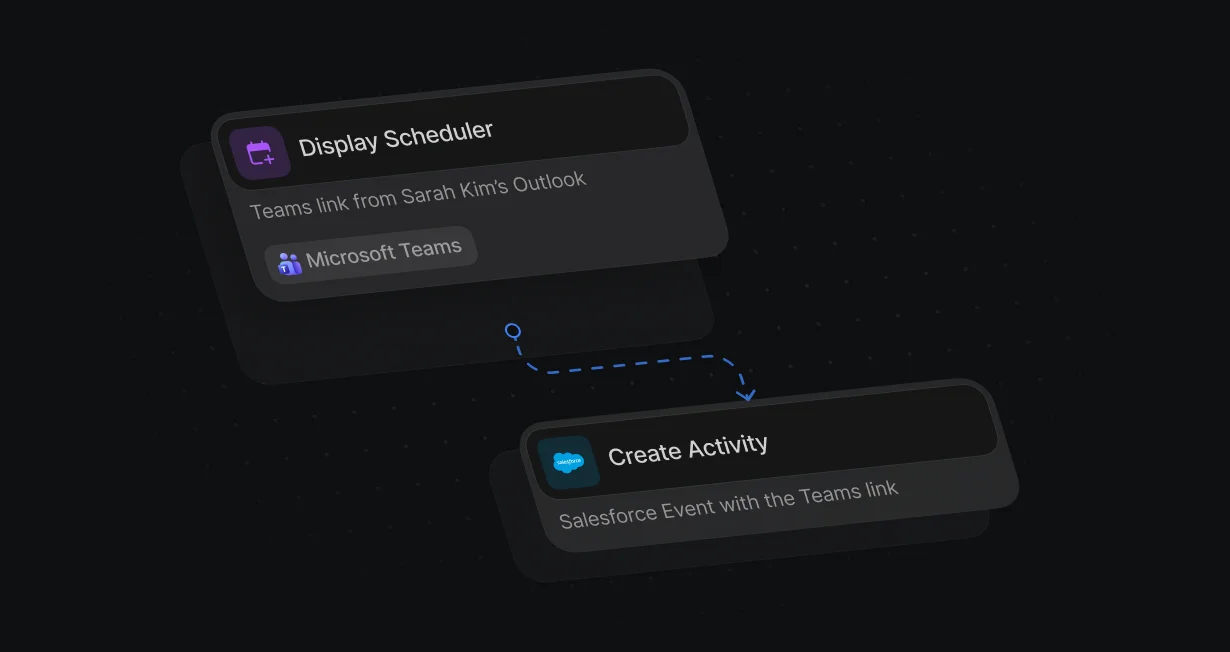
Teams on every booking
With Calendar Default as the event location, reps on Outlook get a Teams link on every booking.
Add a Teams linkto every booked meeting
Default adds a Microsoft Teams link to every meeting it books with the routed rep.












With Calendar Default as the event location, reps on Outlook get a Teams link on every booking.
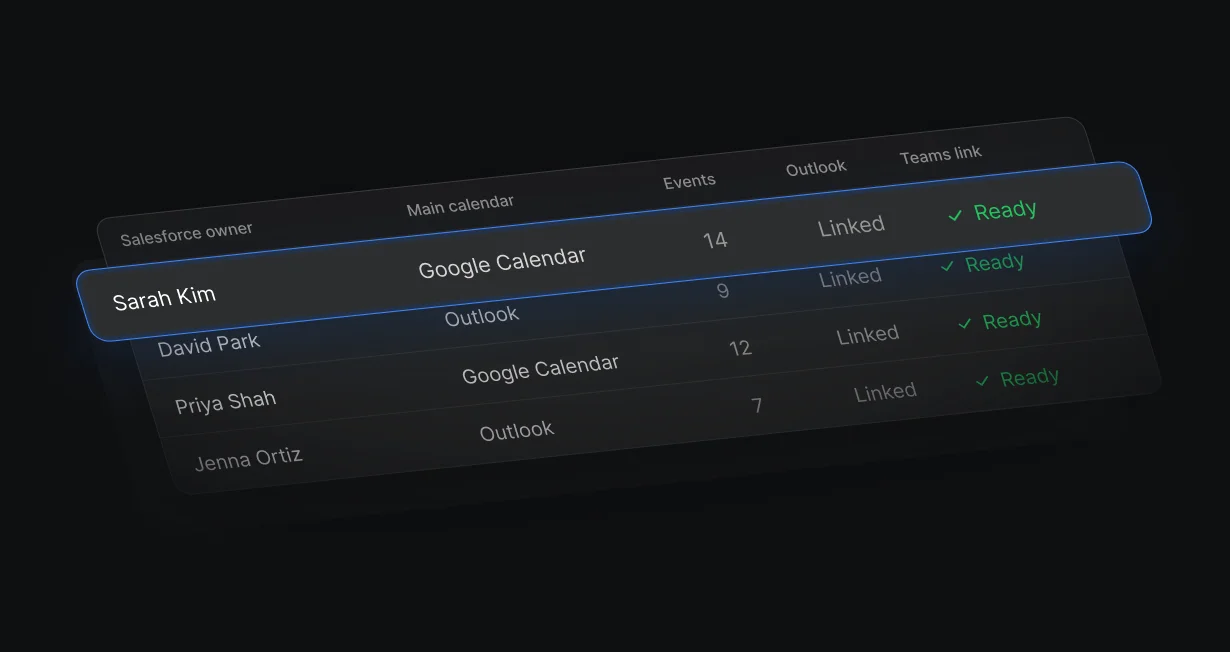
Reps whose main calendar is Google get Teams links once they connect Outlook and set Conferencing Setup to Microsoft Teams.
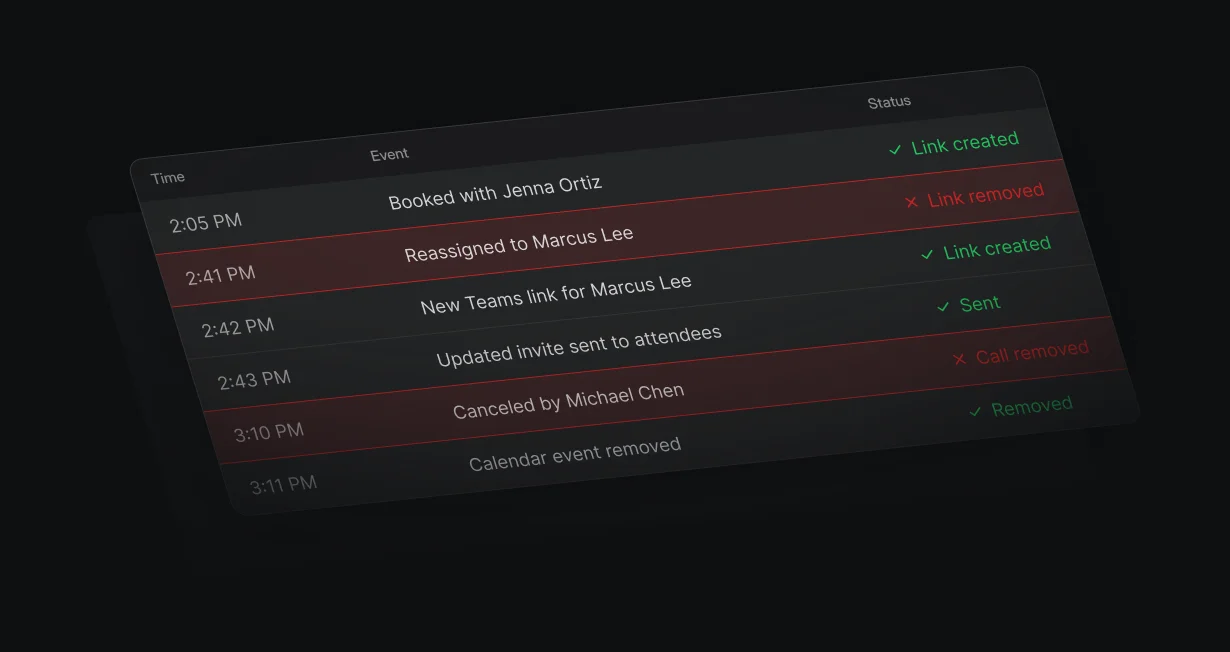
When a meeting moves to another rep, Default creates a new video link for the new host.
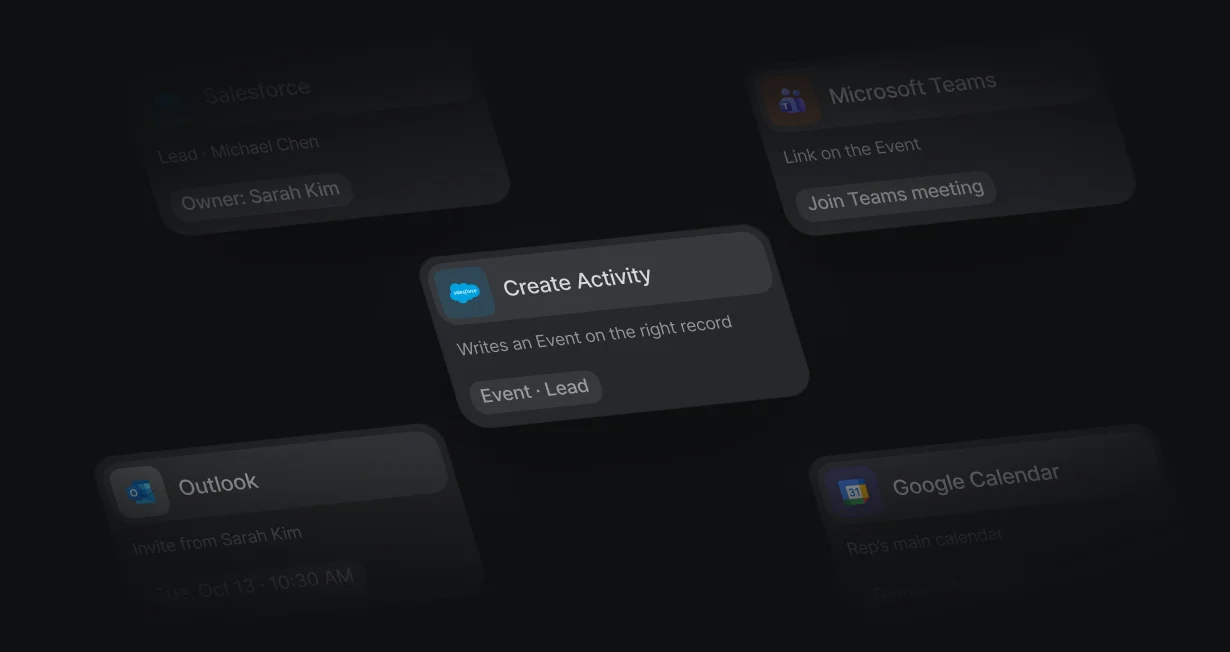
Create Activity writes the meeting as a Salesforce Event on the matching Lead or Contact.
Calendar Default as the location creates a Teams link for reps on Outlook. Conferencing Setup set to Microsoft Teams adds a Teams link for reps on Google who have Outlook connected.
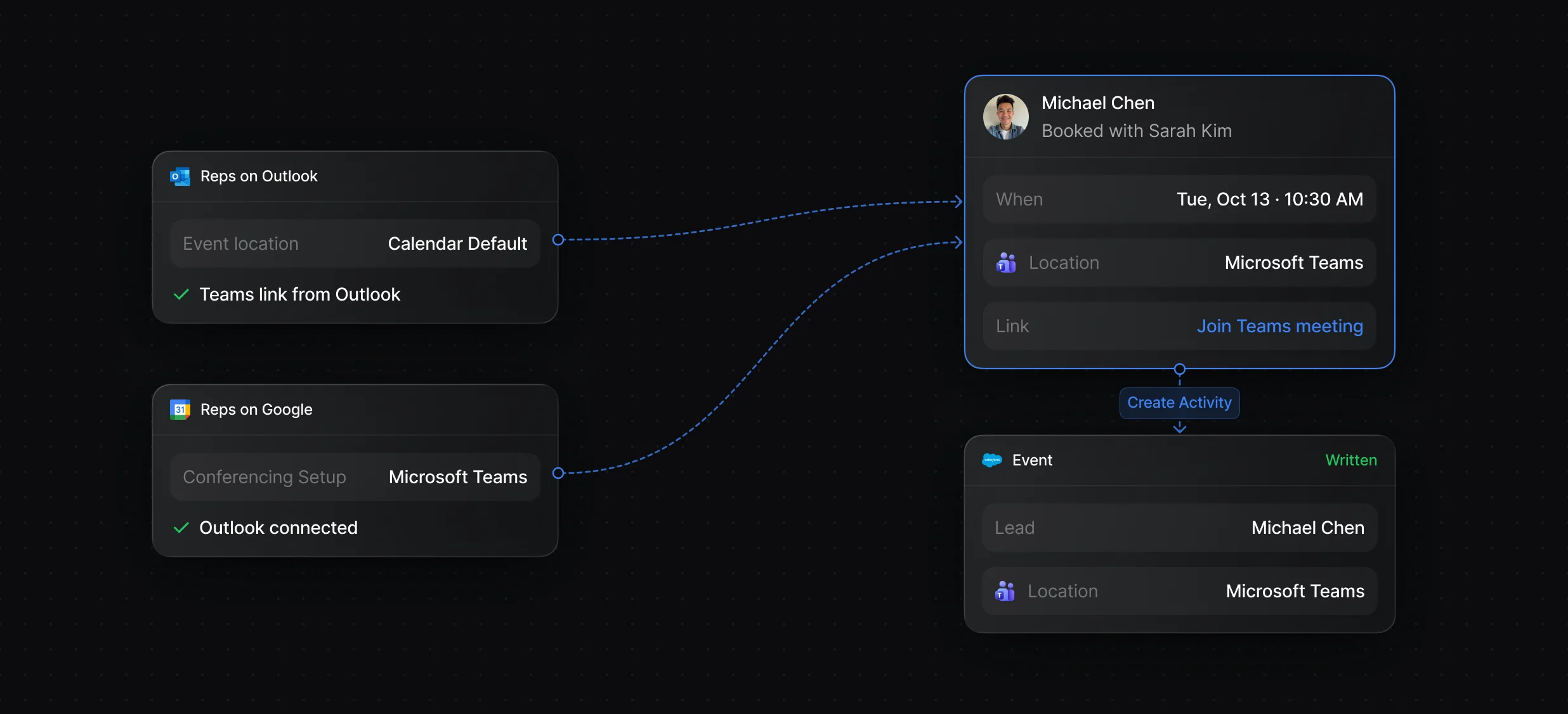
Teams connects through each rep's Outlook Calendar, so a rep with Outlook connected is already set up.
Set the location, hosts, duration, and booking questions once per event.
Reassigning a meeting creates a new video link for the new host, and canceling removes the calendar event and the call.
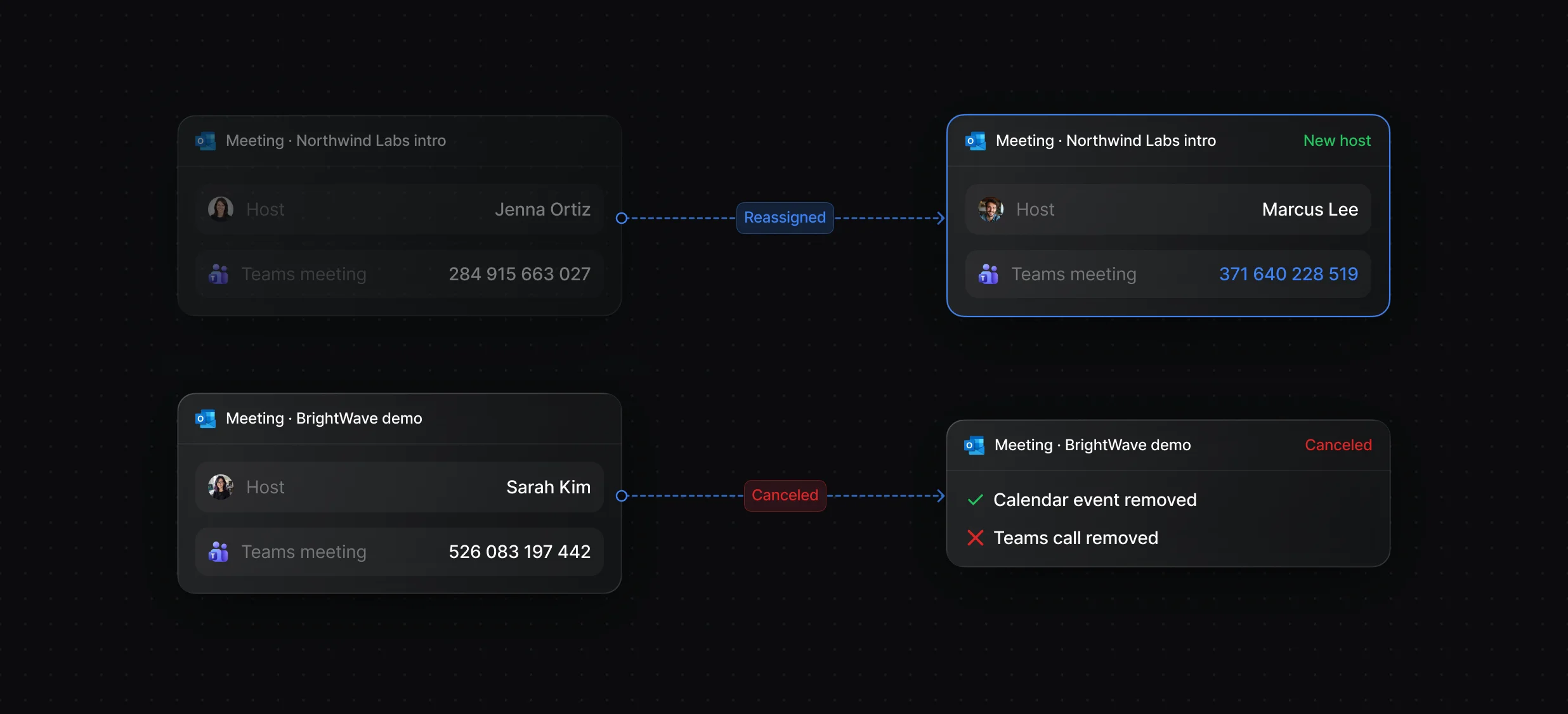
Reassign or cancel a meeting from its details, and attendees get the updated invite.
Each rep picks the primary calendar their booked meetings write to.
Display Scheduler books the meeting with the routed rep, and Create Activity writes it to Salesforce as an Event on the matching Lead or Contact.
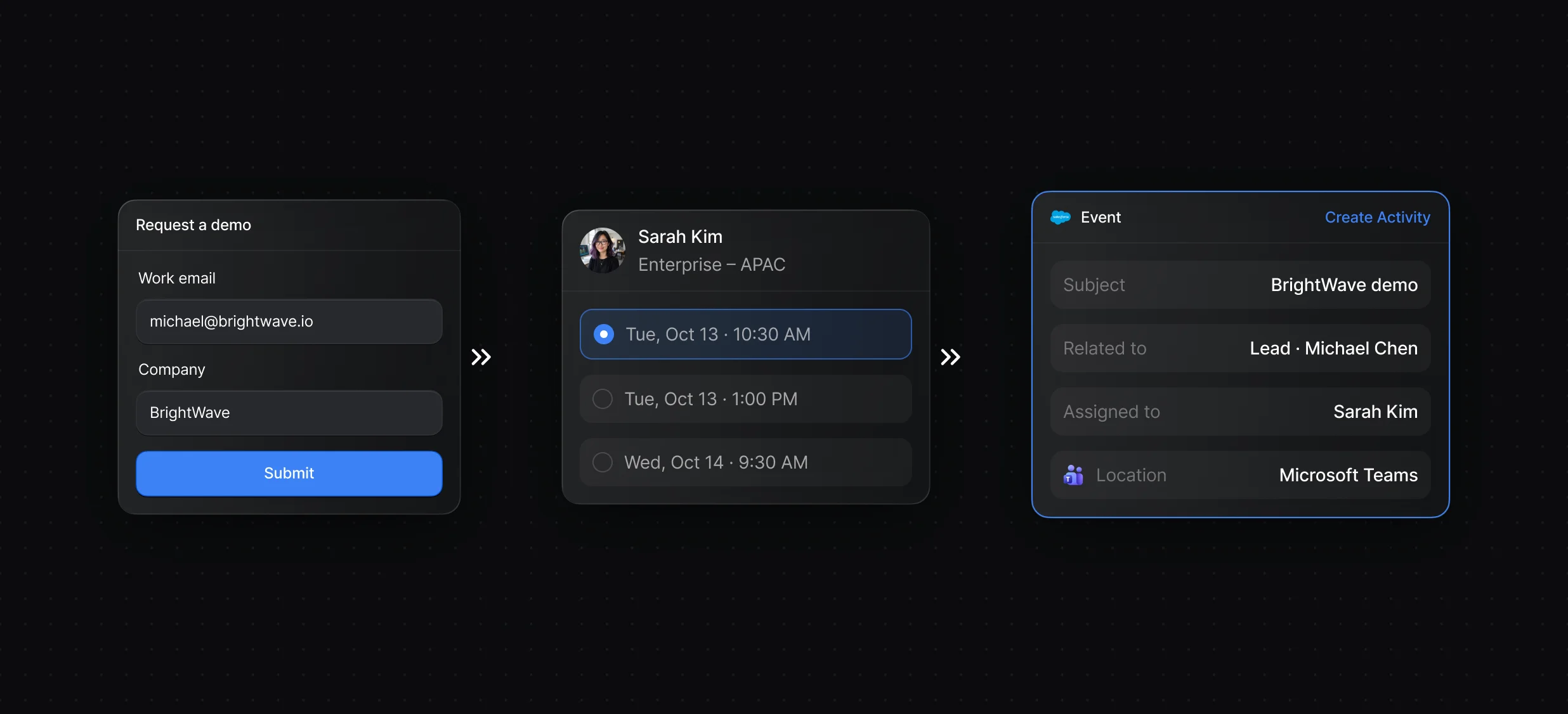
The routed rep's calendar opens over your page right after the form.
Create Activity writes Salesforce Tasks and Events, tied to the record you pick.
“It’s the control layer we’re using to run GTM from the same brain.”

Default supports Microsoft Teams through each rep's Outlook Calendar connection: with Calendar Default as the event location, meetings booked with a routed rep on Outlook get a Teams link, and a Create Activity node writes each meeting to Salesforce as an Event. Salesforce's own Teams integration lets people mention and pin Salesforce records in Teams.
Default adds Teams links for reps on Google Calendar once they also connect Outlook Calendar and set Conferencing Setup to Microsoft Teams. Without that setting, Calendar Default gives them a Google Meet link.
Book every qualified lead with the right rep.
Add a Zoom link to every booked meeting.
Book meetings with the account owner or the next rep.
Book meetings straight from your HubSpot forms.
Take turns across a team with weights and paused reps.
Rotate HubSpot leads and meetings through 1 queue.
One platform to manage workflows, enrich records, route leads, and schedule meetings.


