








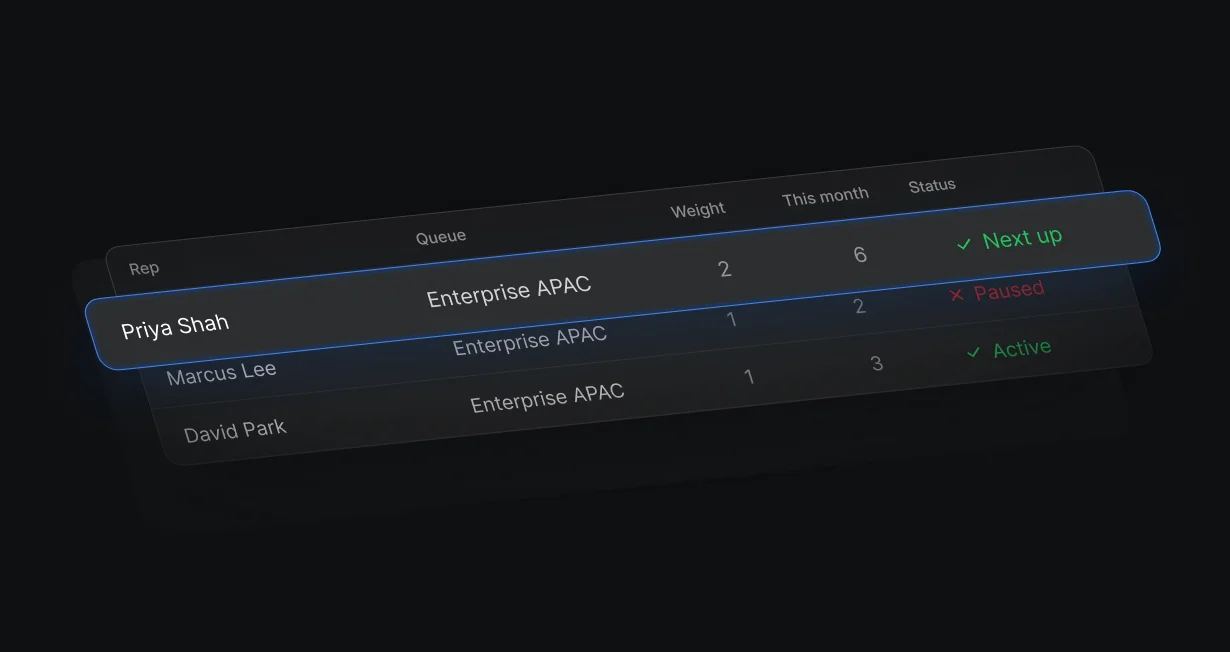
Weighted turns
Turn on weighted distribution and a rep with weight 2 gets 2 leads for every 1 that a weight 1 rep gets.
Round robin Salesforce leadsacross your team
Default takes turns across your Salesforce team with weights, out-of-office skips, and 1 booking link.












Turn on weighted distribution and a rep with weight 2 gets 2 leads for every 1 that a weight 1 rep gets.
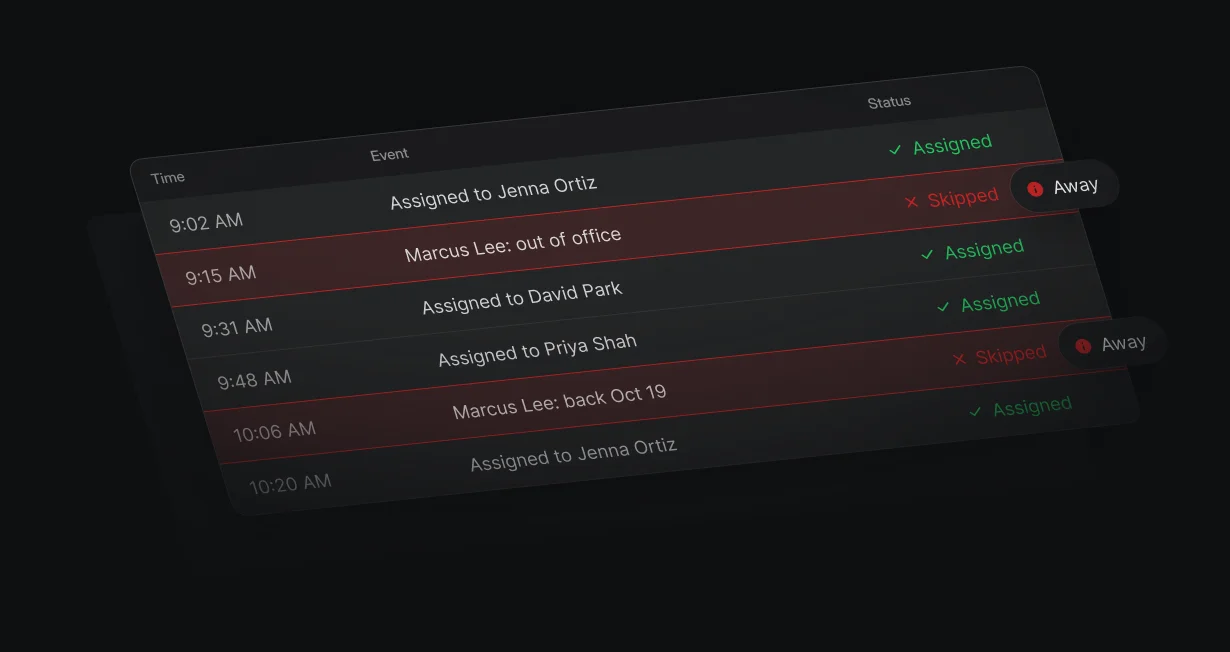
Reps marked out of office in Default or on their calendar are skipped until they're back.
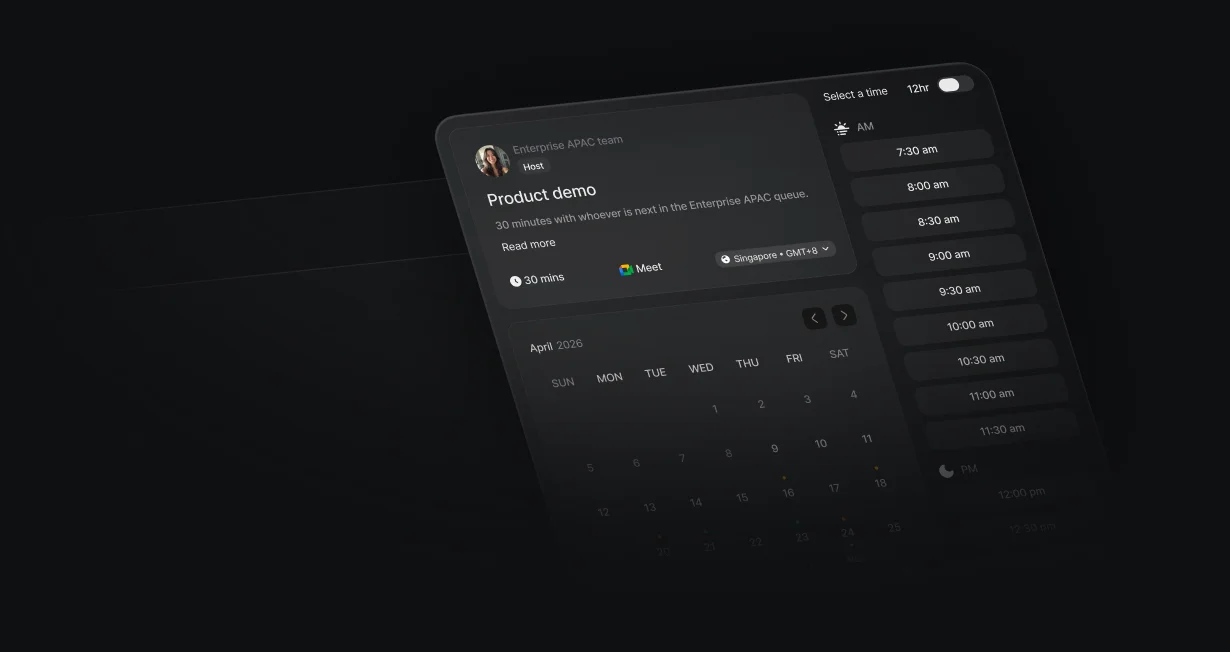
A Team event hosted by the queue gives the whole team 1 booking link, and the policy picks who hosts each meeting.
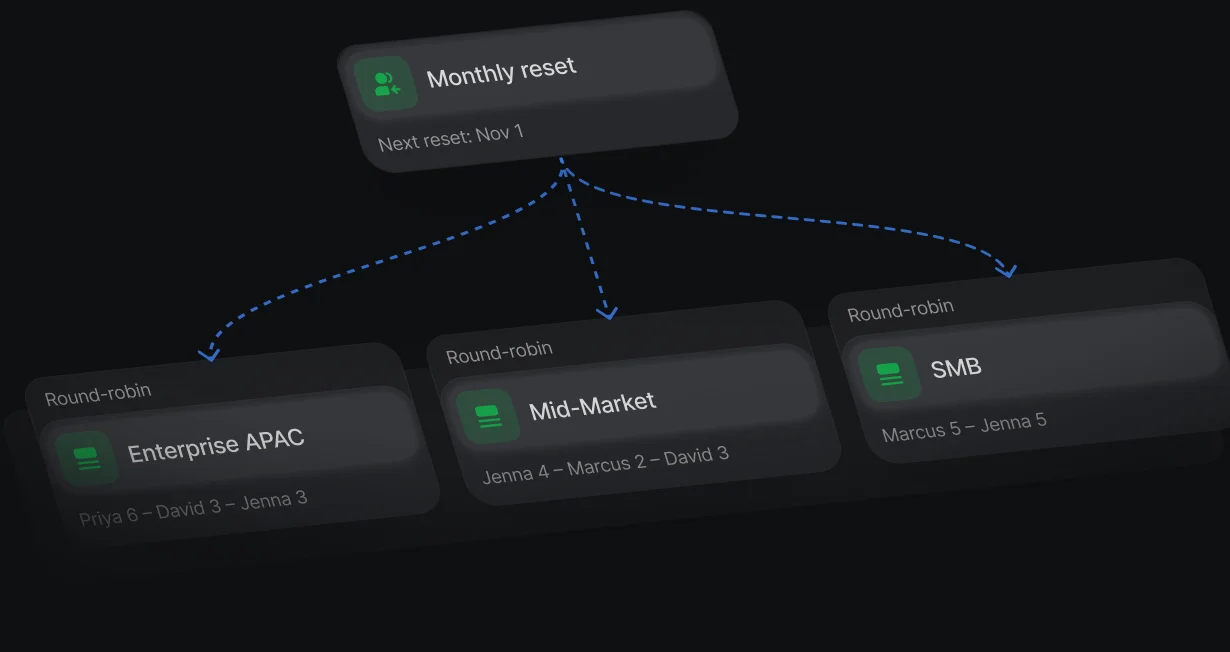
Assignment counts start over every month or every quarter, on the schedule you pick.
Add reps to a queue, set weights, and pause anyone who's away. The policy takes turns equally or picks the least recent assignment, and Update Record writes the pick to the Salesforce Owner ID.
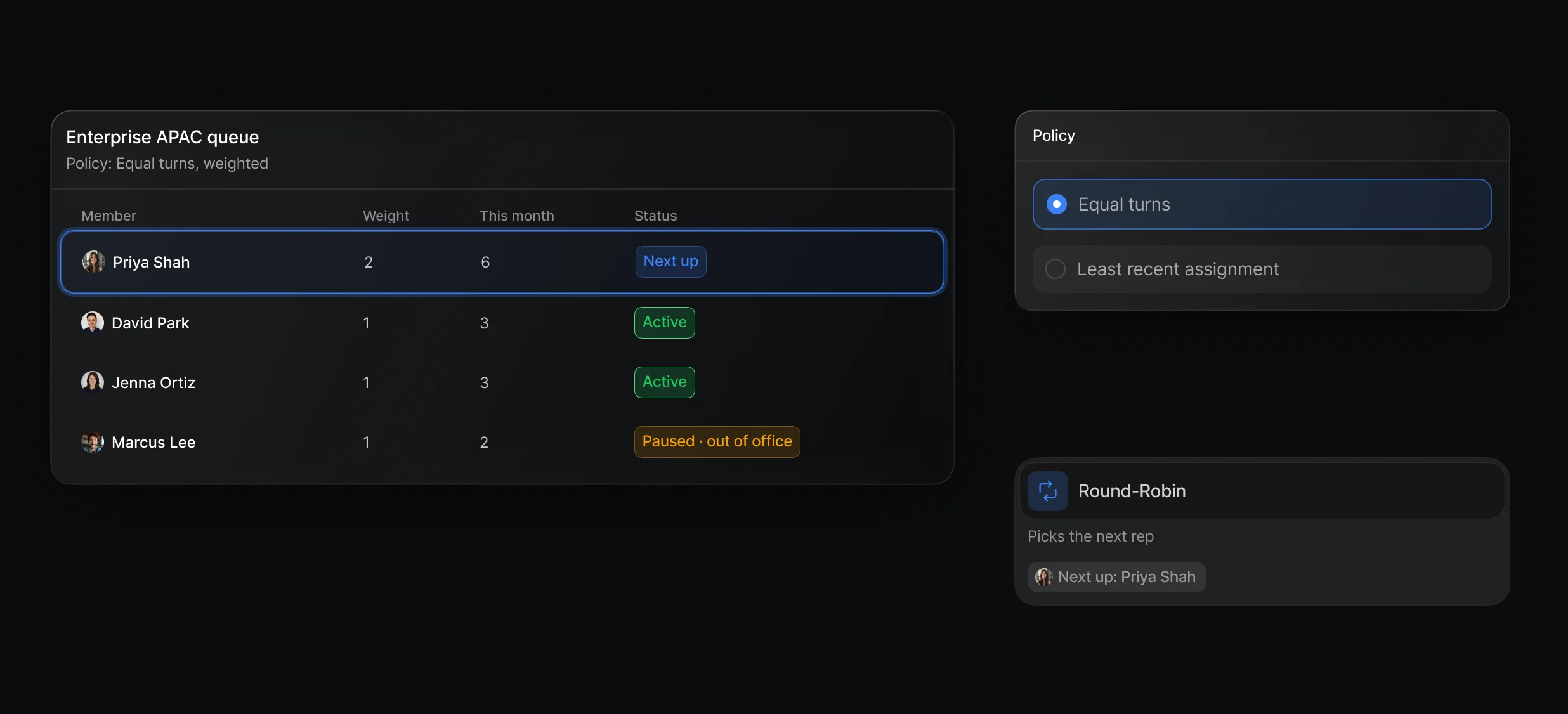
Pause and resume reps, and calibrate new hires so they don't absorb every lead.
Distribution rule, tiebreaker, weights, reset schedule, and out-of-office exclusions.
Out-of-office time set in Default or on the rep's calendar.
A Team event with the queue as host turns the round robin into a booking link. The lead books with the rep the policy picks, and the meeting counts as that rep's turn.
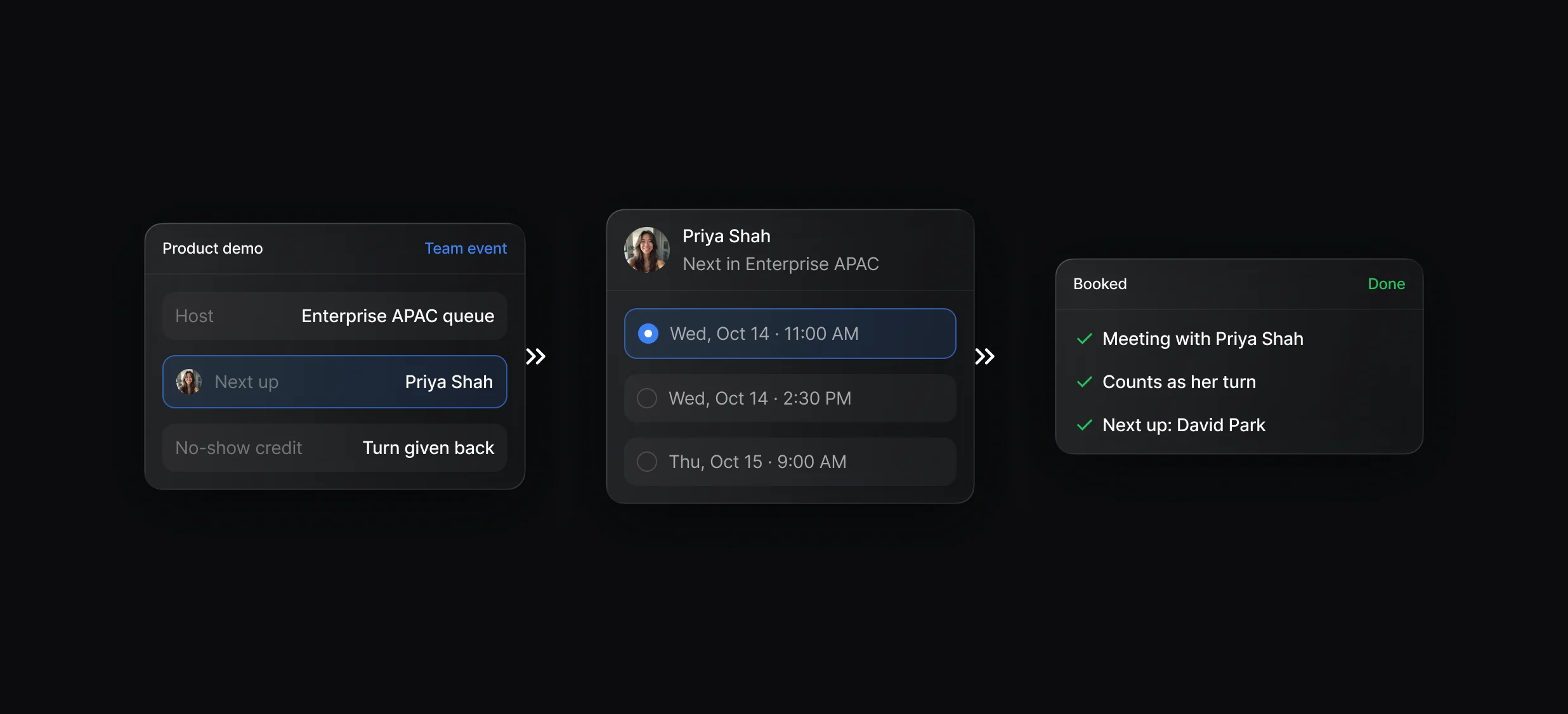
Team events hosted by a queue, plus extra hosts and optional teammates.
The next rep's calendar opens over your page right after the form.
Choose whether canceled, reassigned, or no-show meetings give the rep their turn back.
Assignments shows each pick with every member's score and the tiebreaker that applied. Activity records every change to queues, weights, and policies.
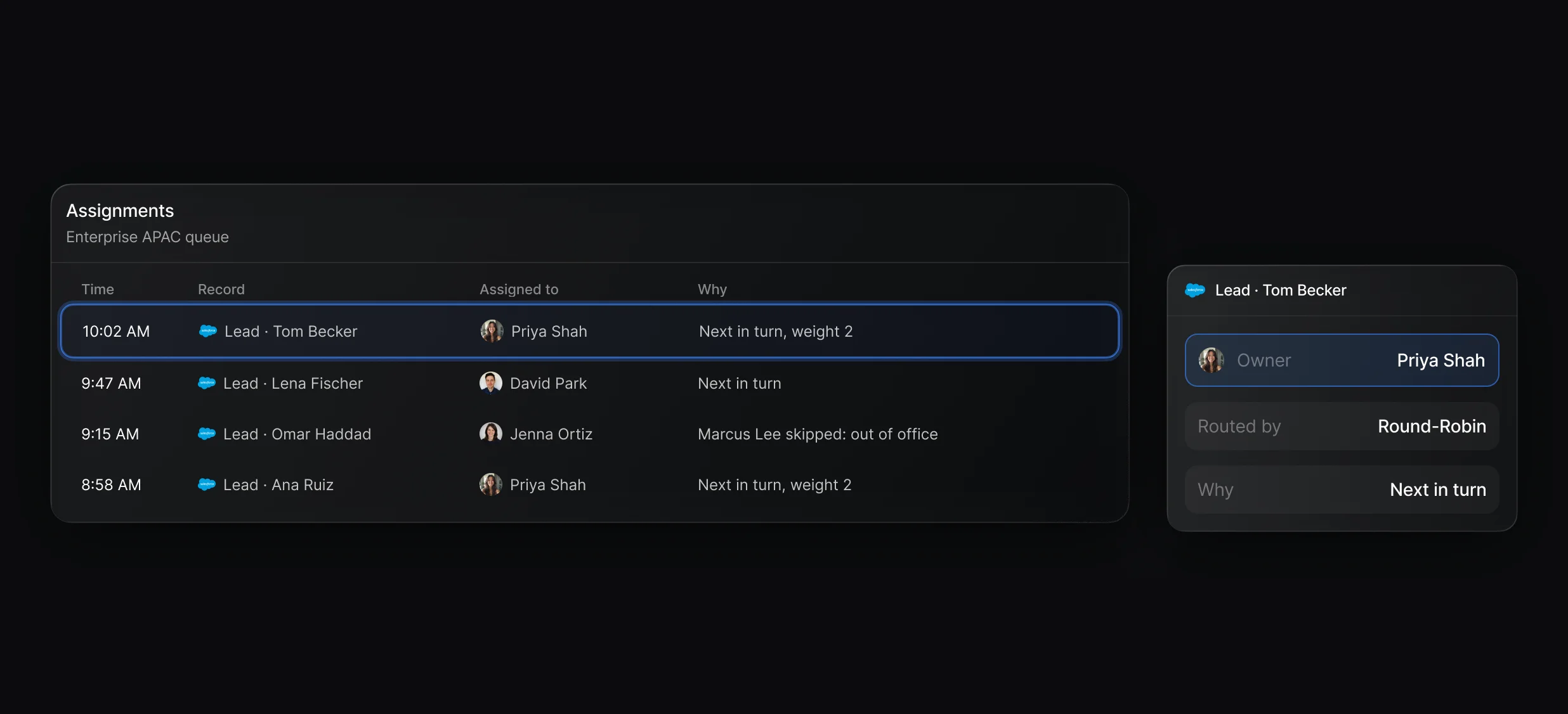
Trace any lead from the trigger to the rep who got the turn.
Round-Robin picks the rep, and later nodes write the owner or book the meeting.
“It’s the control layer we’re using to run GTM from the same brain.”

Default runs round robin from queues: a Round-Robin node picks the next member under the queue's policy, with weights and out-of-office skips, and Update Record writes them as the Salesforce Owner ID. The same queue can host a Team event, so the lead books with the rep who got the turn.
In Default, add reps to a queue that uses a policy set to Take turns equally, then add a Round-Robin node and an Update Record node that sets Owner ID to Latest assigned user. Salesforce's own method needs a formula field and 1 assignment rule entry per rep.
Yes, with Default. The policy setting Exclude members currently out of office, on by default, skips reps marked out of office in Default or on their calendar until they're back, and Exclude members with upcoming out-of-office can skip them 1 to 3 days ahead.
Yes, in Default you turn on Enable weighted distribution in the queue's policy and give that rep a higher weight, so under Take turns equally a rep with weight 2 gets 2 leads for every 1 a weight 1 rep gets. Calibrate member gives a new rep a starting count so they don't absorb every lead.
Routing, enrichment, and scheduling for every inbound lead.
Keep every routing rule in 1 ruleset.
Route every Salesforce lead and book the meeting.
Rotate HubSpot leads and meetings through 1 queue.
Match each new lead to its Salesforce account by domain.
Book meetings with the account owner or the next rep.
One platform to manage workflows, enrich records, route leads, and schedule meetings.


