








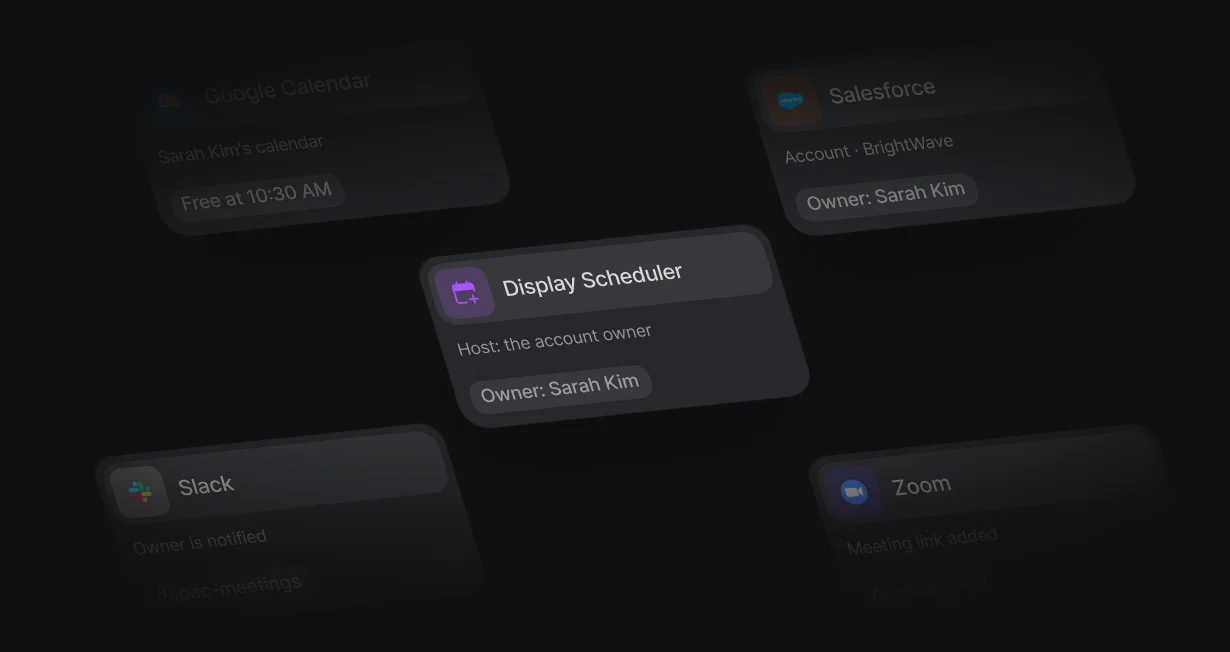
Account owner as host
Leads from target accounts book with the account executive who owns the account.
Book meetings withthe right Salesforce owner
Default books meetings with the account owner or the next rep in the queue.












Leads from target accounts book with the account executive who owns the account.
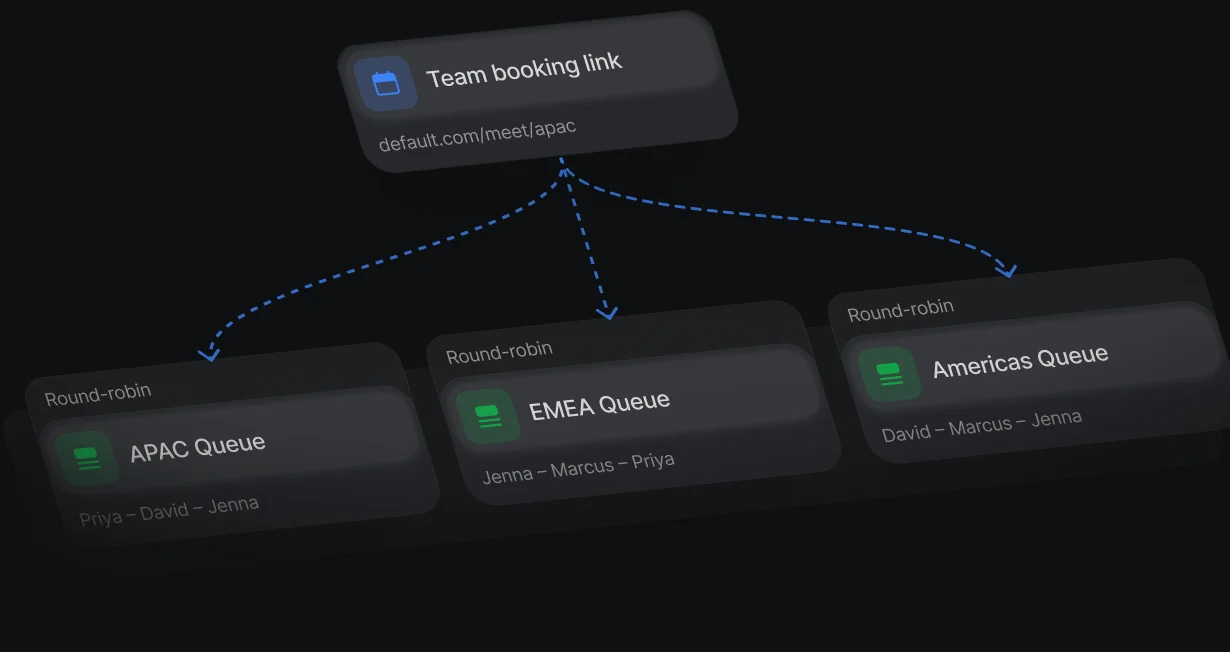
SDRs send 1 booking link, and the lead books with whoever the queue picks next.
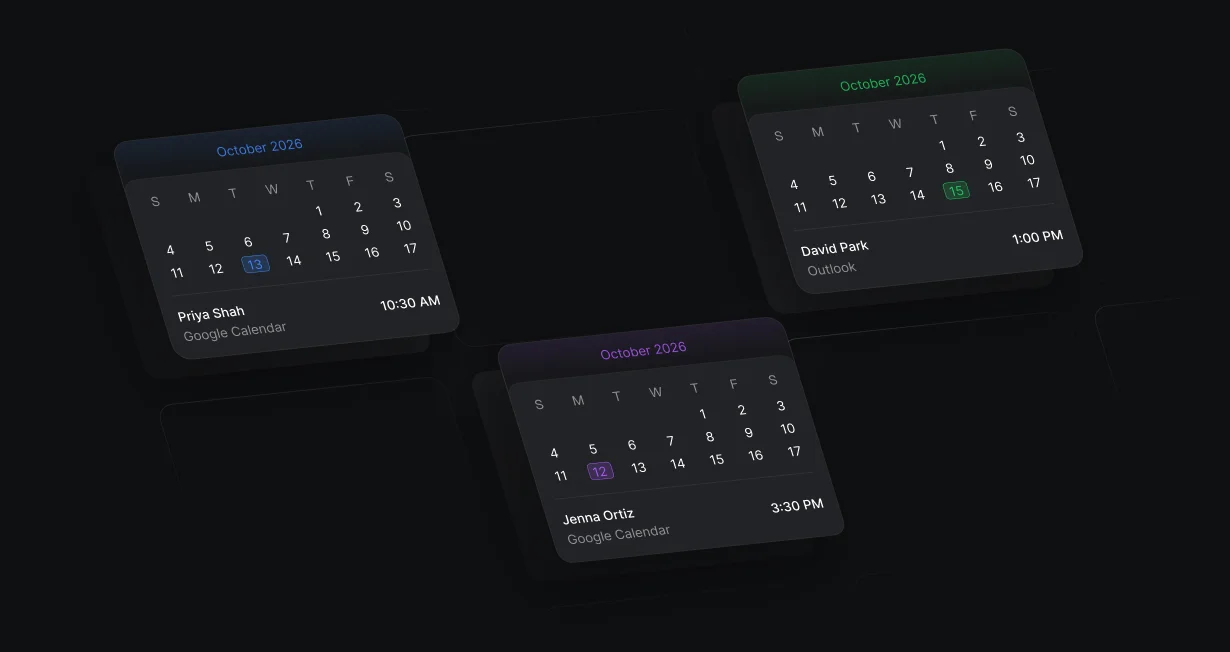
Each rep connects their own calendar, so Default books on their real availability.
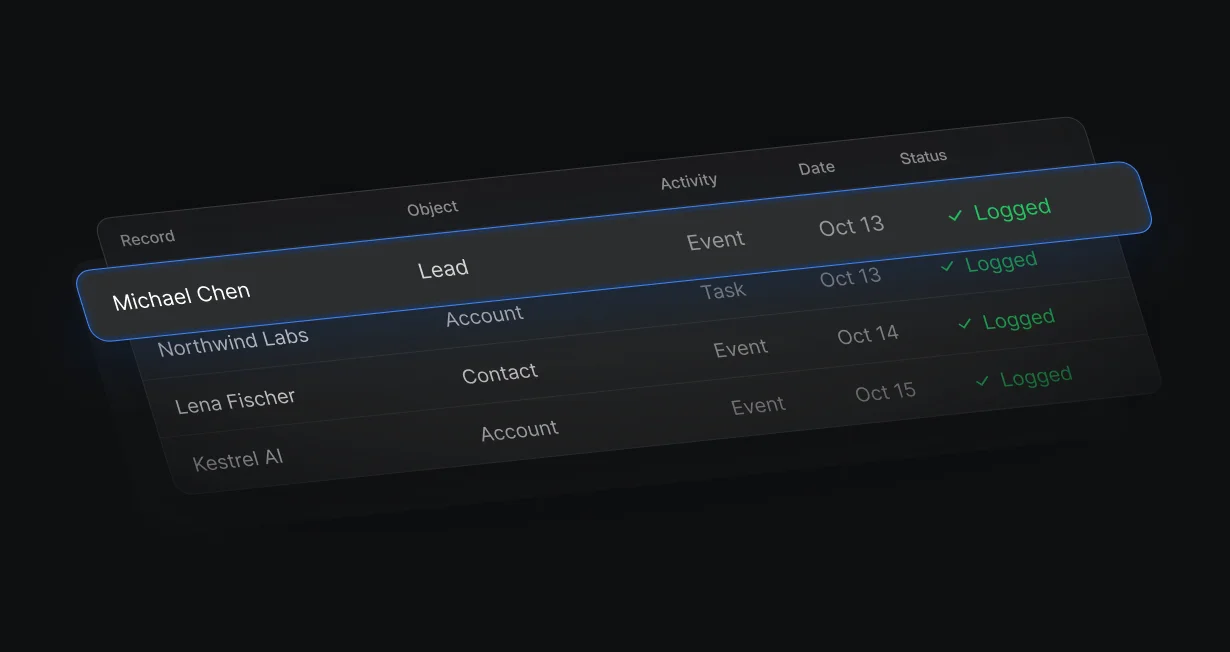
A Create Activity step writes an Event or Task to the right lead, contact, or account.
Match Record finds the account by domain, and Display Scheduler uses its owner as host. Leads with no matching account go to a queue.
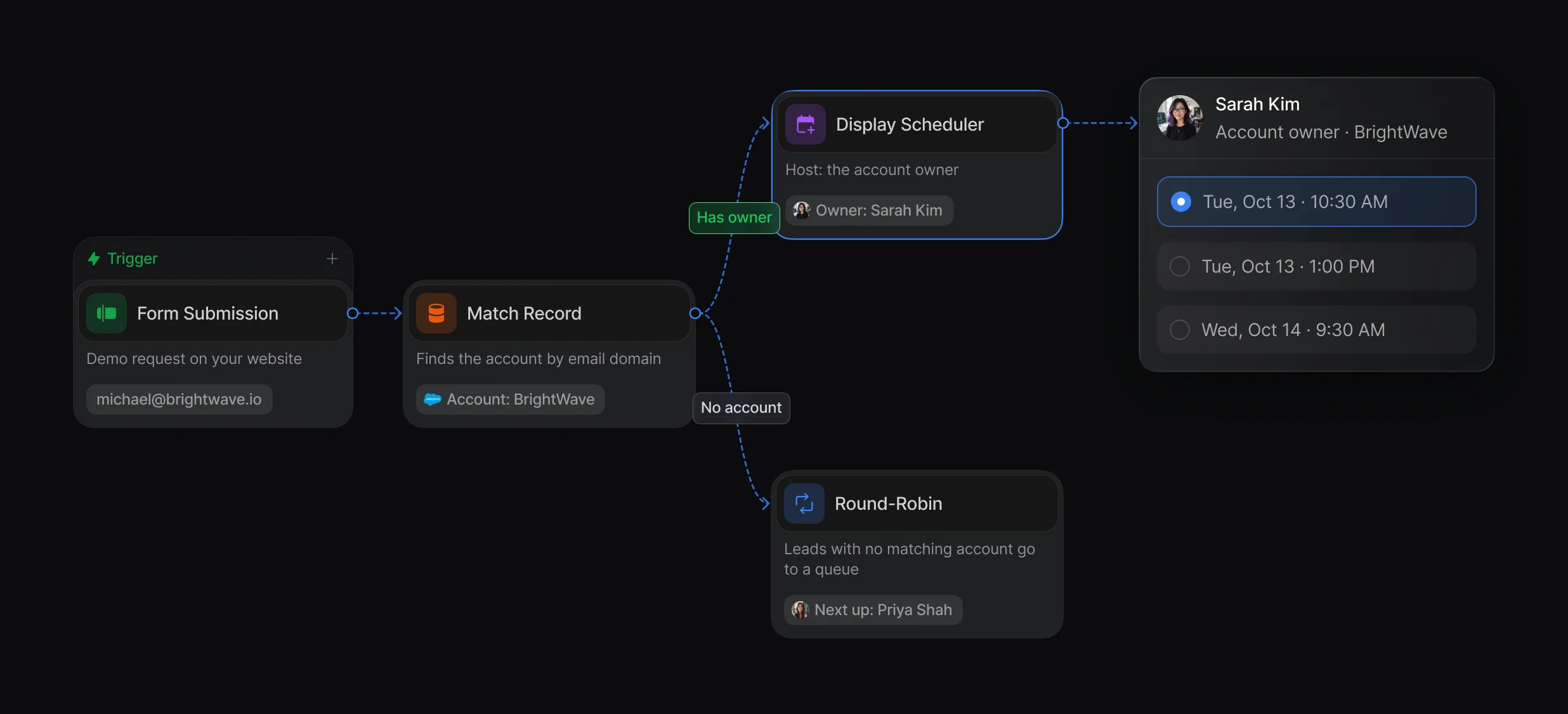
Match by company domain, with tiebreakers for parents, subsidiaries, and duplicate accounts.
Display Scheduler takes its host from a CRM owner, a queue, or a ruleset, with a fallback host.
A Team event with a queue as host gives SDRs 1 link to send. The lead books with whoever the queue picks, on that rep's real availability.
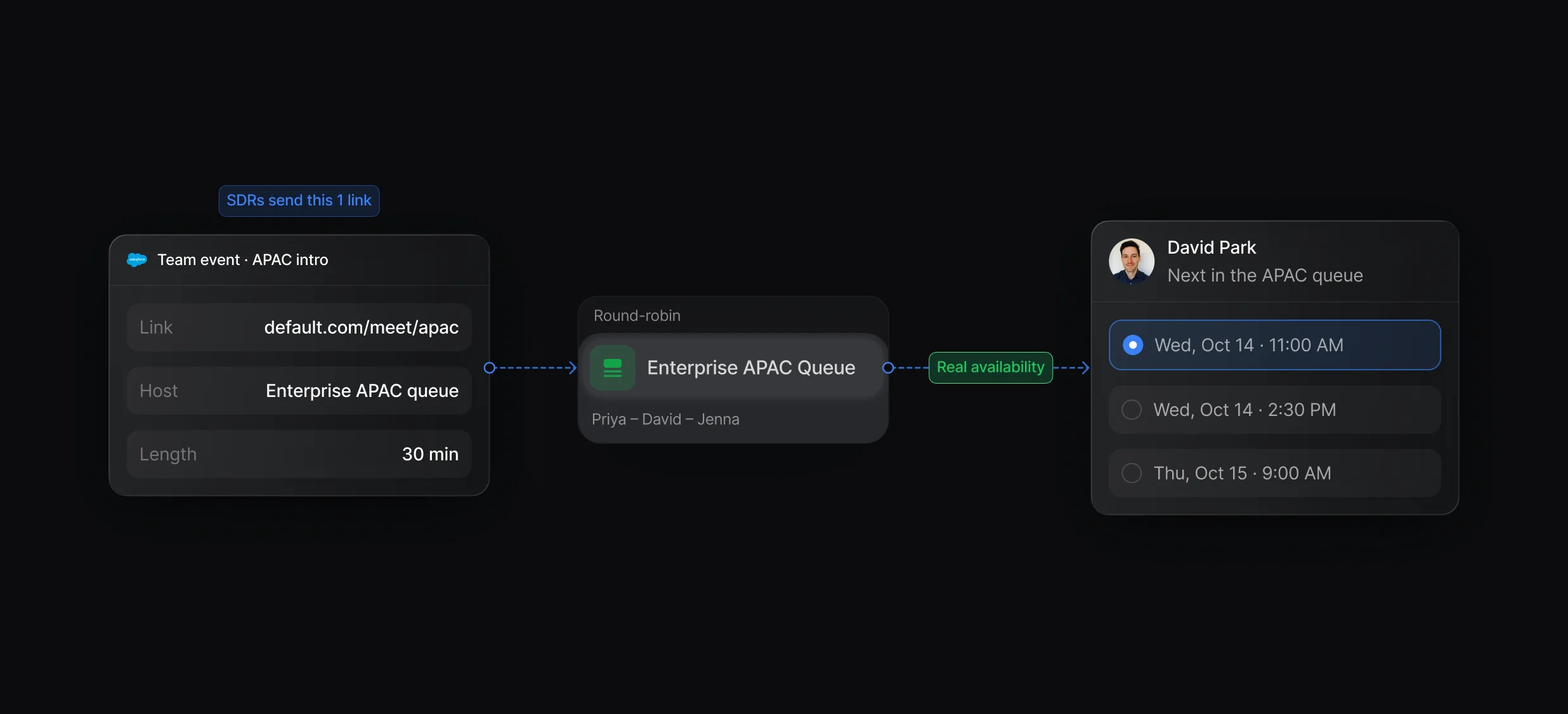
Team events hosted by a queue, with extra hosts or optional teammates when you need them.
Match the booking page to your brand with colors, fonts, and your logo.
On the Booked branch, Create Activity writes an Event or Task to the lead, contact, or account. When a rep marks a no-show or a meeting is canceled, the Meeting Status trigger can update the record and start a follow-up.
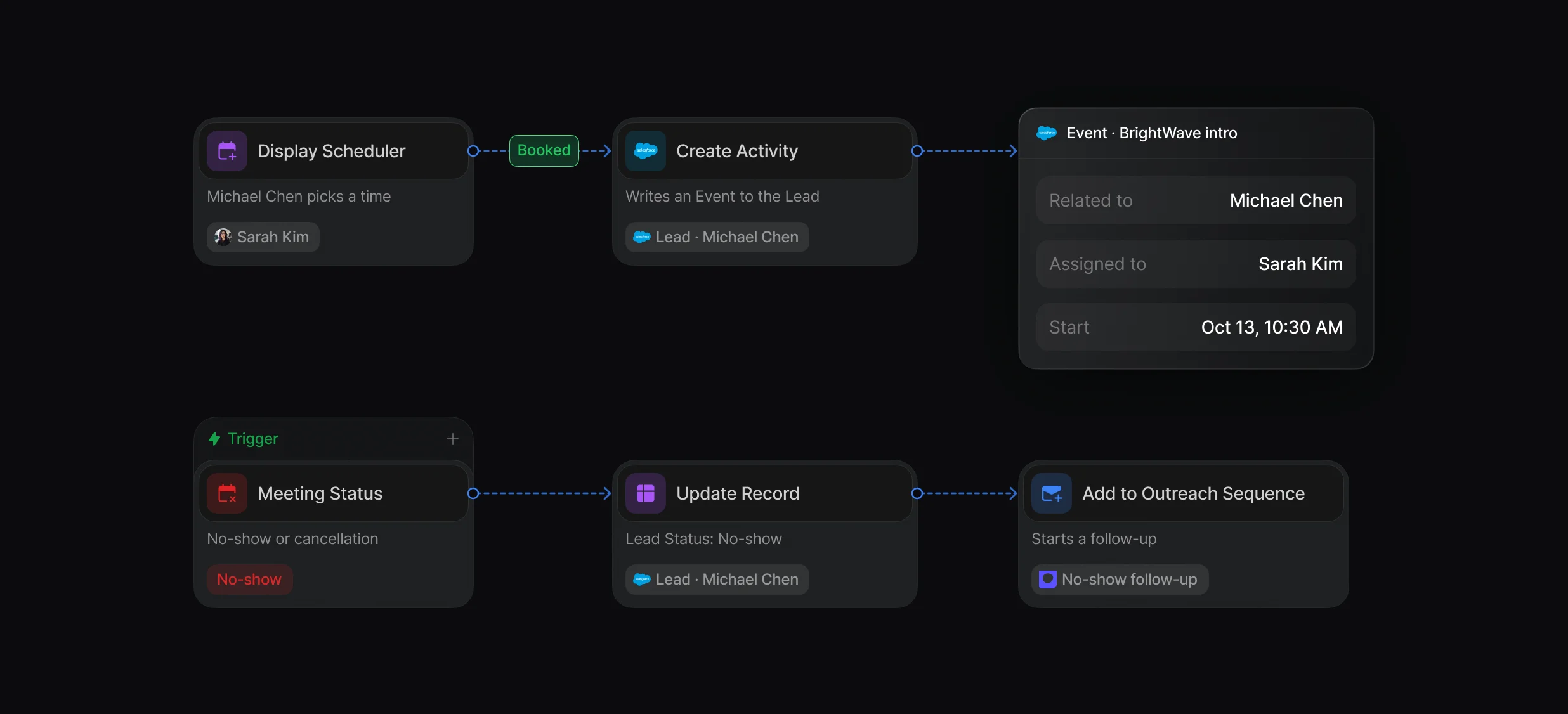
Create Activity, Match Activity, and Update Activity write Salesforce Tasks and Events.
Email and SMS reminders, and a no-show action that gives a queue rep their turn back.
An SDR books the account executive's meeting, or a rep reassigns a booked meeting to a teammate.
“It’s the control layer we’re using to run GTM from the same brain.”

Default books inbound sales meetings from your forms: a Display Scheduler node opens the Salesforce account owner's or the next queue member's calendar right after the form, and Create Activity logs the meeting on the record. Salesforce Scheduler is an add-on license for booking customer appointments inside Salesforce.
Default covers the 3 jobs a Salesforce scheduler needs in 1 workflow: Match Record and Display Scheduler book with the account owner, a queue on a Team event round robins everyone else, and Create Activity logs the meeting on the right record. Reps book on their own Google or Outlook calendar.
Default connects each rep's Google Calendar directly, books meetings on their real availability, and writes each meeting to Salesforce with a Create Activity node. Reps on Outlook connect Outlook Calendar the same way. On the Salesforce side, Einstein Activity Capture syncs Google Calendar events to Salesforce records.
Default writes them with a Create Activity node on the Display Scheduler node's Booked branch, or in a Meeting Status workflow, as an Event or Task with its WhoId set to the lead or contact. Default writes to Salesforce only from the nodes you add, and those calls count toward your org's API request limits.
Book every qualified lead with the right rep.
Book meetings straight from your HubSpot forms.
Match each new lead to its Salesforce account by domain.
Take turns across a team with weights and paused reps.
Add a Zoom link to every booked meeting.
Add a Teams link to every booked meeting.
One platform to manage workflows, enrich records, route leads, and schedule meetings.


