








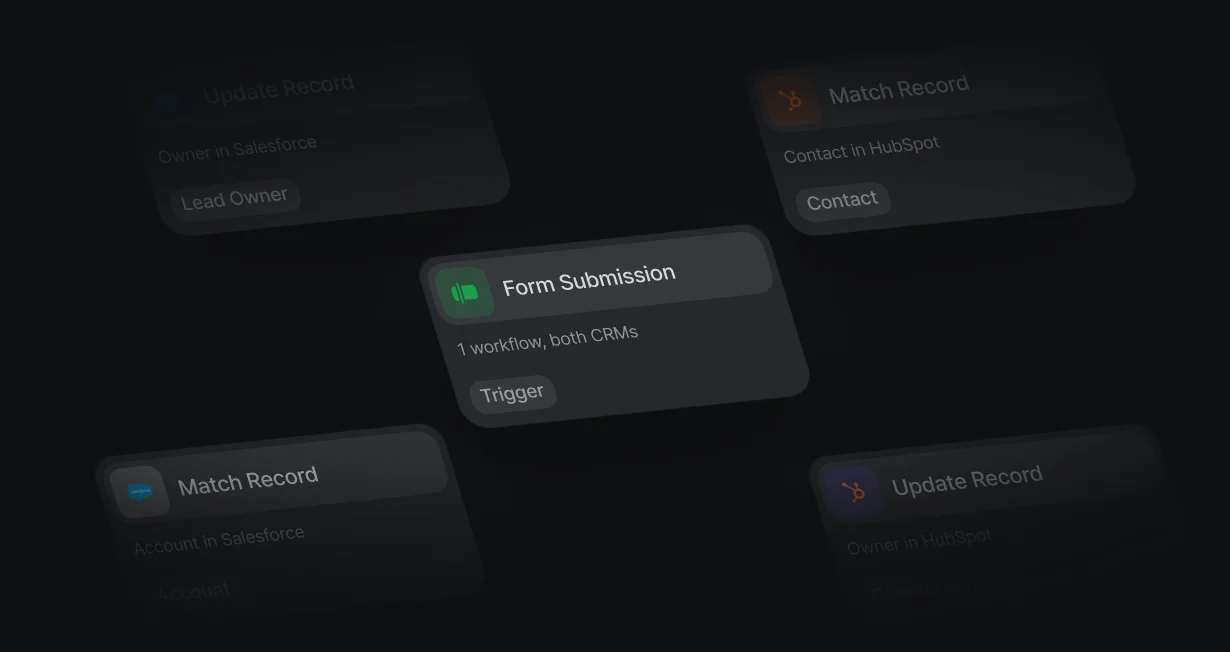
Both CRMs in 1 workflow
Match in HubSpot and write to Salesforce, or the other way around, because every node names its CRM.
Route leads across HubSpotand Salesforce together
Default routes leads across HubSpot and Salesforce from 1 workflow and 1 queue.












Match in HubSpot and write to Salesforce, or the other way around, because every node names its CRM.
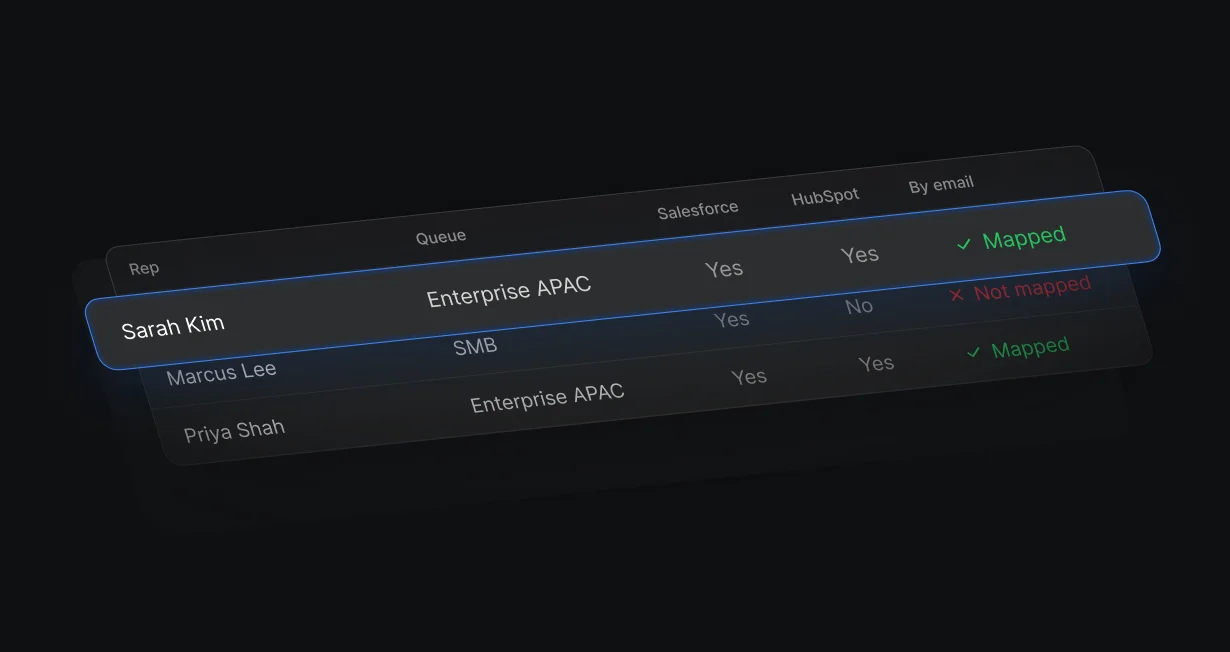
Each rep is mapped by email to their Salesforce user and their HubSpot owner when each CRM connects.
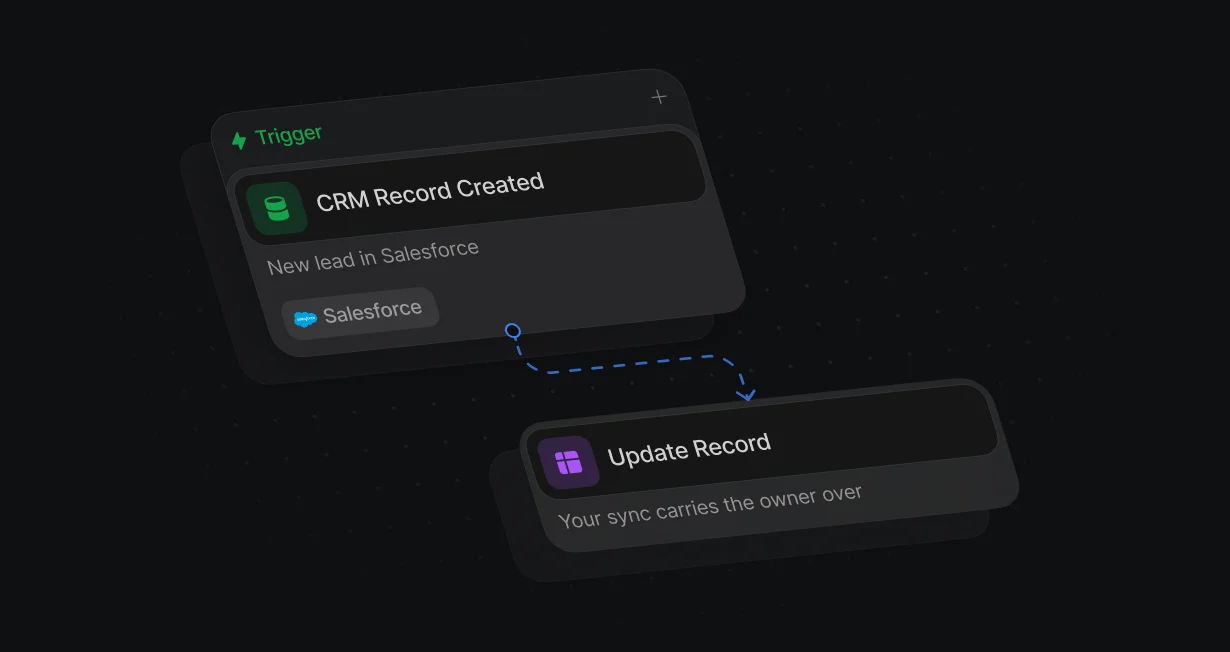
Route each segment in 1 CRM and let the sync you already run carry the owner across.
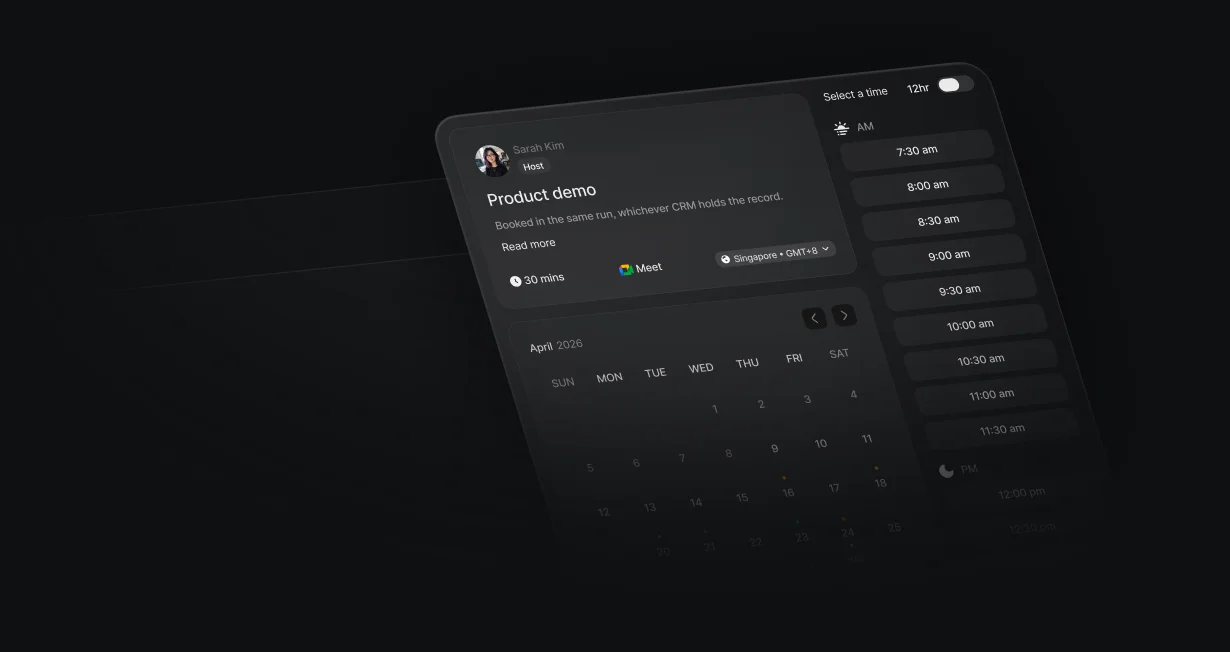
The assigned rep's calendar opens on the form in the same workflow run.
Each trigger and node names its CRM, so a workflow can find a contact in HubSpot and an account in Salesforce, then write the owner to either. Record nodes work with standard and custom objects in both.
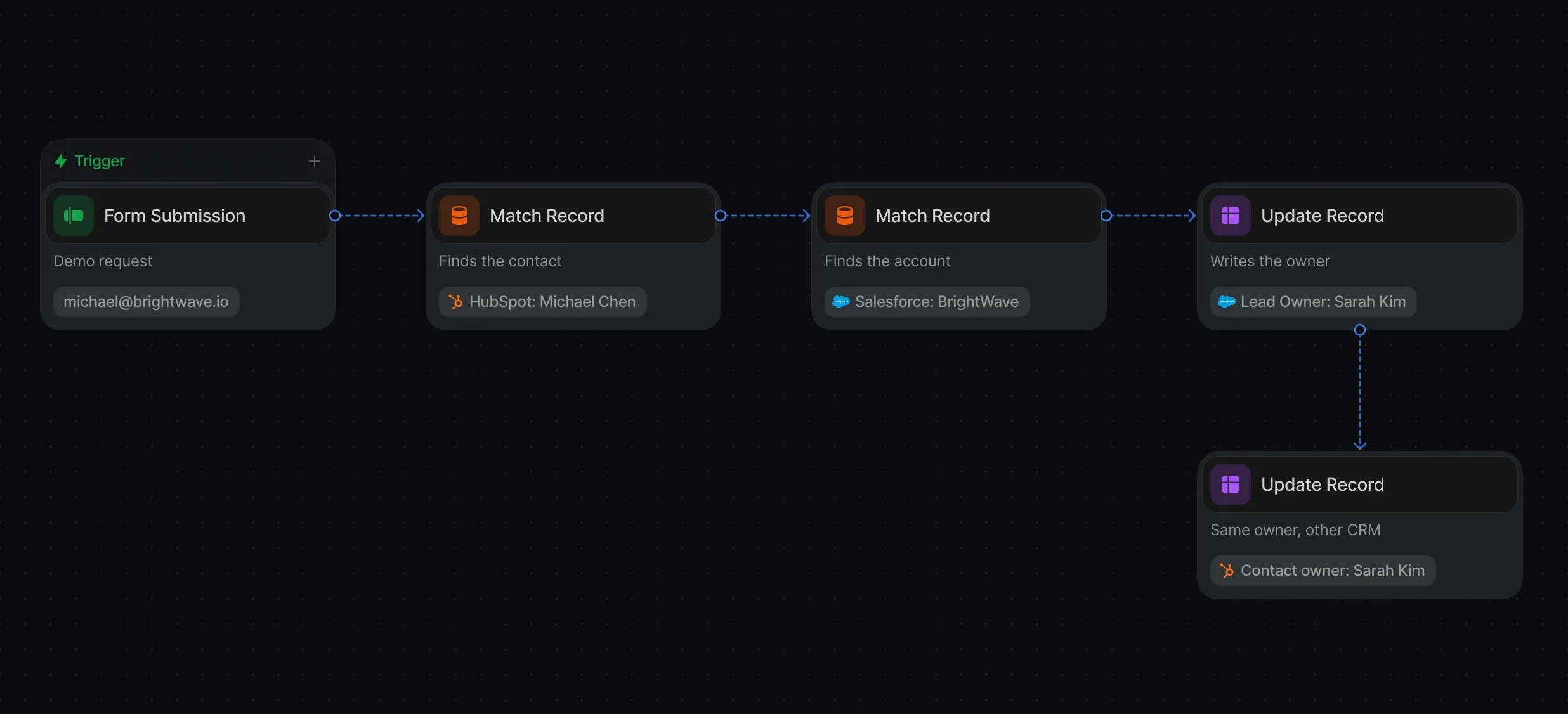
Connect both CRMs, pick the CRM on each node, and keep each segment in 1 place.
Create, match, and update records in Salesforce or HubSpot from the same workflow.
Each rep can have a Salesforce User ID and a HubSpot Owner ID, mapped by email, so the same round robin works whichever CRM the lead lands in. Object assignments lists owner changes from both.
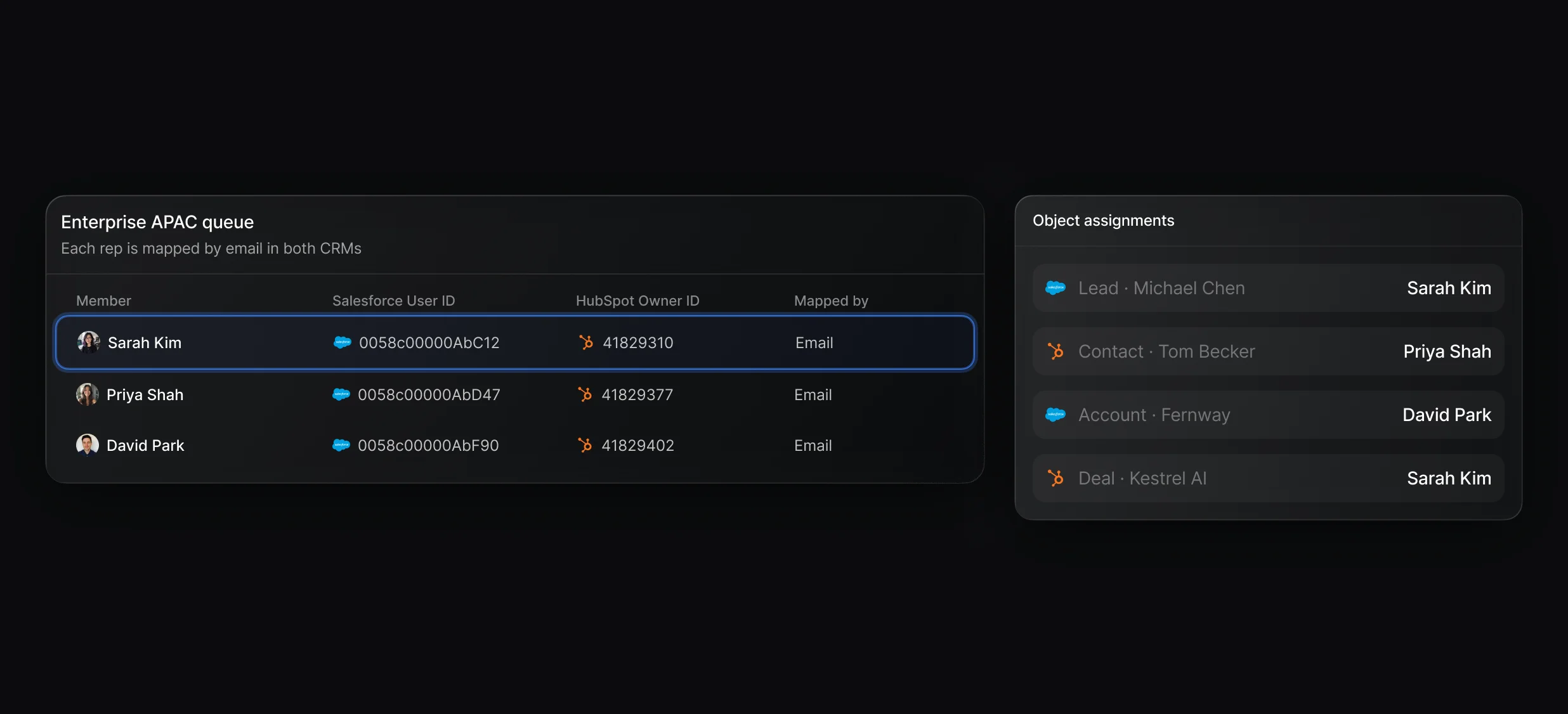
1 rotation, with weights and paused reps, for teams that own records in both CRMs.
Trace any assignment, in either CRM, back to the rule and the rep.
Display Scheduler shows the assigned rep's calendar on the form, whichever CRM holds the record.
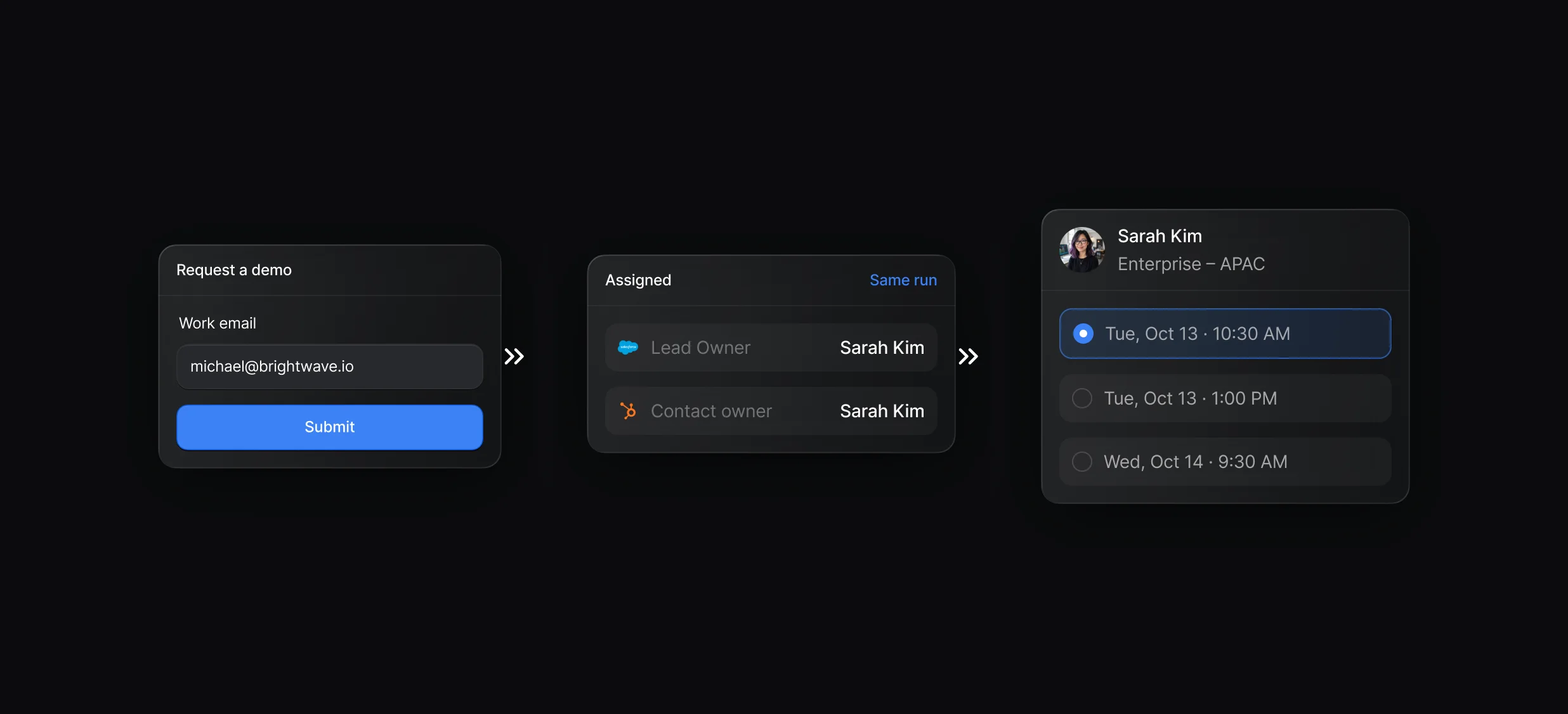
The calendar opens over your page, with no second form to fill in.
Quick and Team events with queue hosts, booking questions, and reminders.
“It’s the control layer we’re using to run GTM from the same brain.”

Default connects to HubSpot and Salesforce at the same time, and each trigger and CRM node names the CRM it uses, so 1 workflow can match in HubSpot and write the owner to Salesforce. HubSpot's own Salesforce integration handles record sync between the 2.
In Default, connect each CRM under Settings, then Integrations, and Default maps your reps to their Salesforce users and HubSpot owners by email. Your workflows can then route and book across both, while HubSpot's Salesforce integration keeps records in sync.
In Default's Data Model, the Person record can draw from Salesforce: Lead, Salesforce: Contact, and HubSpot: Contact, and the Company record from Salesforce: Account and HubSpot: Company. Map fields on each source and drag the sources into Priority order to choose which CRM fills each field.
With Default, route each segment in 1 CRM and give each workflow trigger a Condition, so a record qualifies in only 1 place. Routing the same person in both can give them 2 owners, so if your CRMs already sync, route in 1 and let the sync carry the owner across.
Default works on top of both CRMs: it routes, enriches, and books meetings, and writes owners back while each CRM stays your system of record. It does not sync records between the 2, so keep HubSpot's Salesforce integration for that.
Default connects Salesforce and HubSpot to the same workspace, assigns owners in either from 1 queue, and books the routed rep on the forms you already have. Teams moving from Chili Piper rebuild their routers as Default workflows, queues, and events.
Routing, enrichment, and scheduling for every inbound lead.
Route every Salesforce lead and book the meeting.
Send each HubSpot lead to the right owner.
Route Marketo form fills to the right Salesforce rep.
Take turns across a team with weights and paused reps.
Rotate HubSpot leads and meetings through 1 queue.
One platform to manage workflows, enrich records, route leads, and schedule meetings.


