








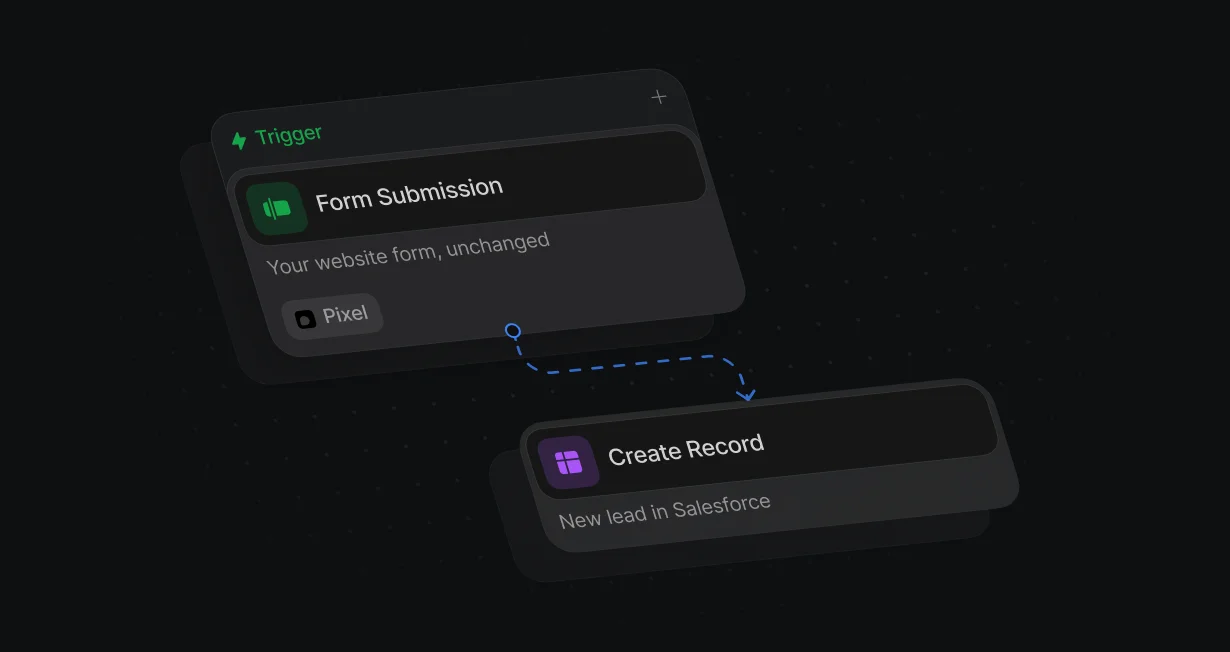
Keep your form
The Pixel picks up the submit on the form already on your site, and a workflow creates the Salesforce lead.
Turn form fills into routed,booked Salesforce leads
Default turns your website form fills into routed Salesforce leads that book before they leave.












The Pixel picks up the submit on the form already on your site, and a workflow creates the Salesforce lead.
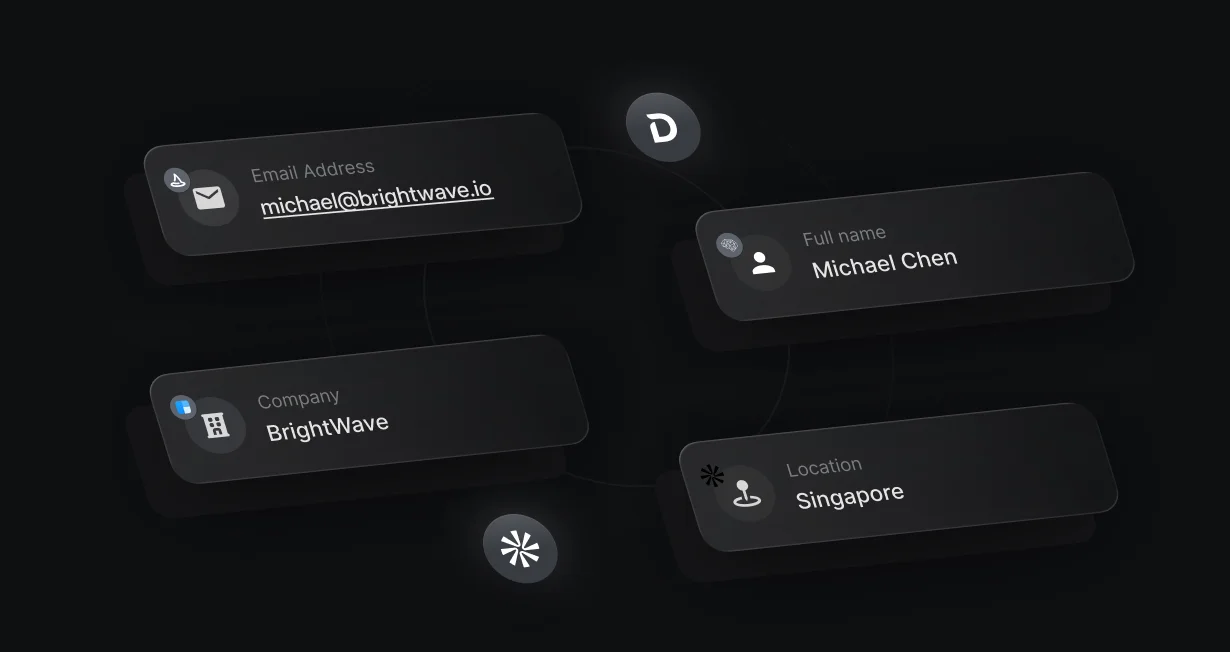
Enrichment fills in company, size, and title, so the form can ask for just an email.
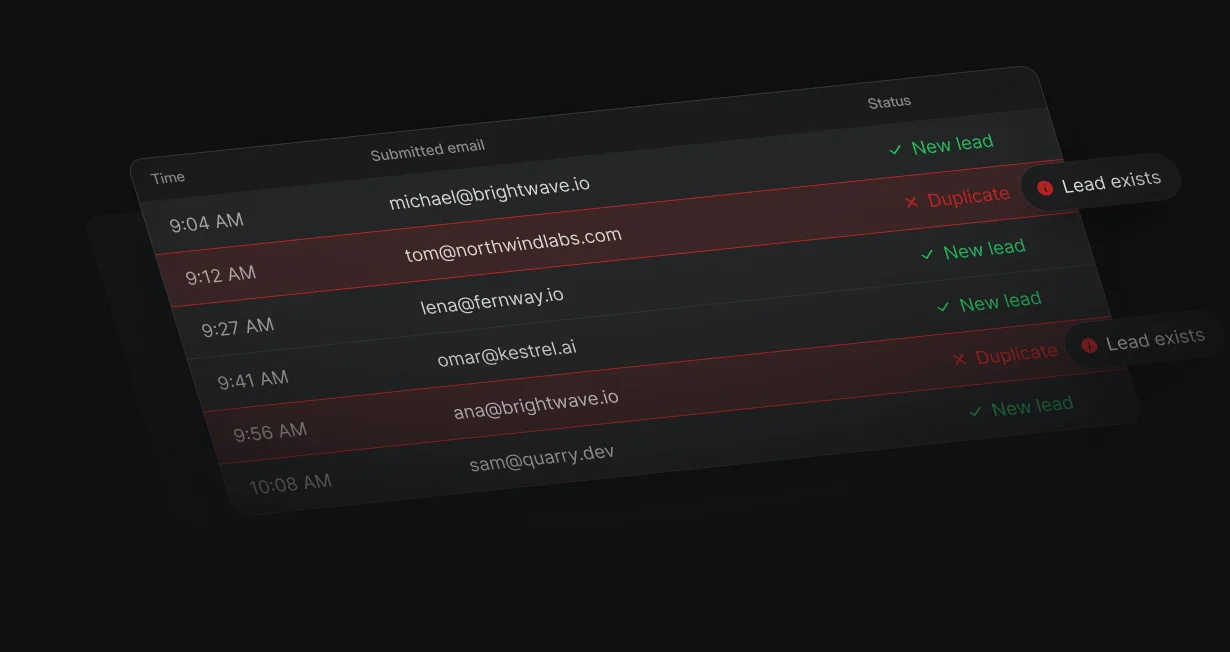
Match Record looks for an existing lead or contact before Create Record runs, so a repeat form fill keeps its owner.
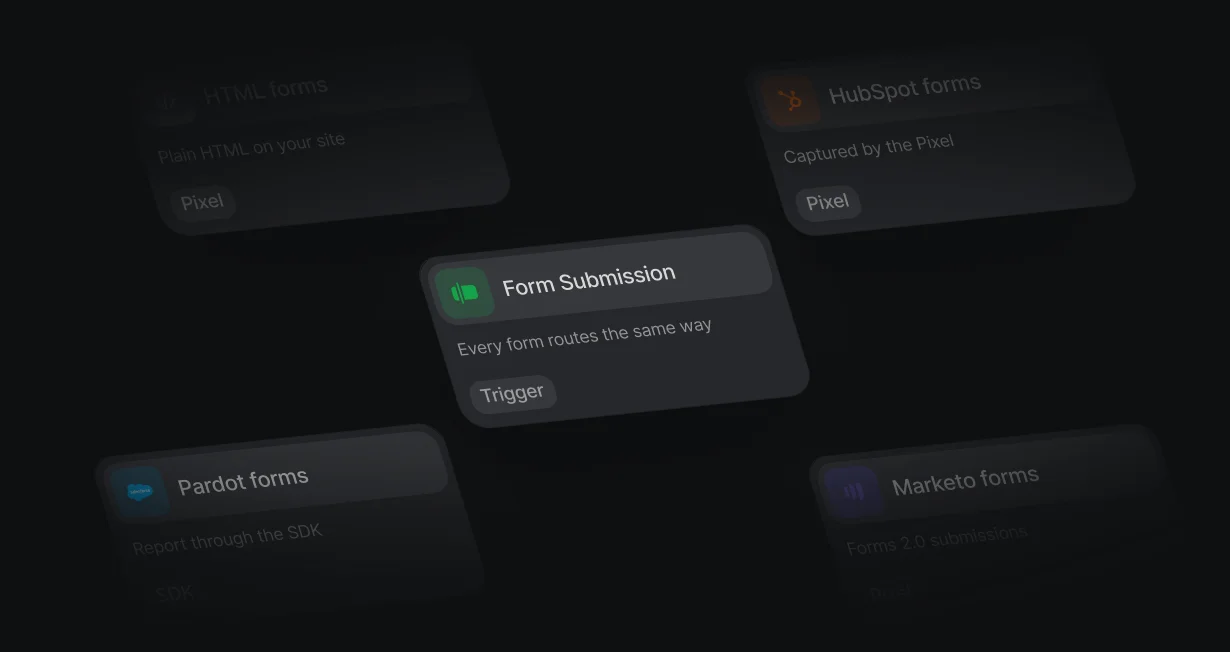
Pardot submissions sent through the Forms SDK route and book the same way.
The Pixel picks up plain HTML, HubSpot, and Marketo forms on your site, and Pardot forms report through the Forms SDK. Map the fields once, and the Form Submission trigger starts a workflow on every submit.
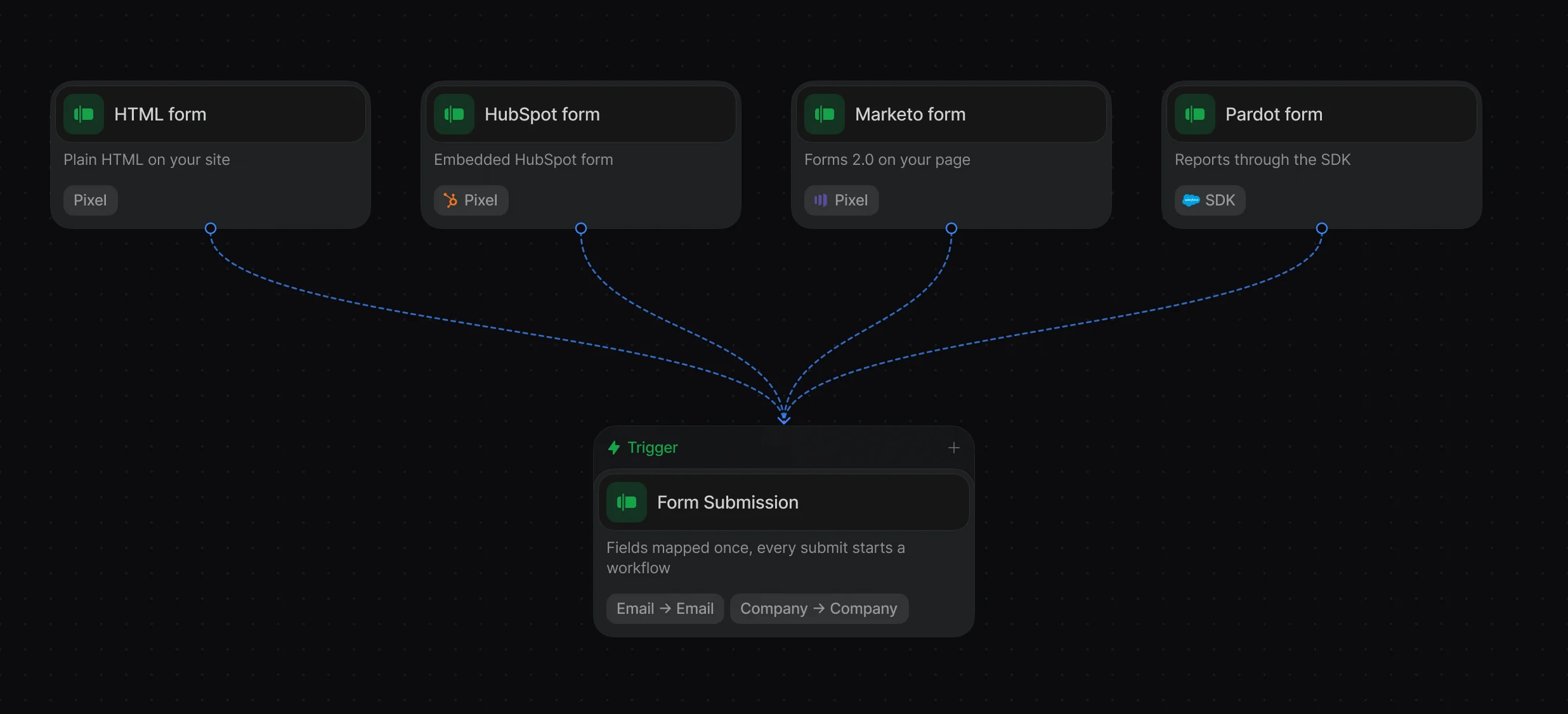
Add forms with Catalog forms and map their fields to person and company records.
Report Pardot submissions with submitForm() and open the calendar after submit.
Start a workflow on every submission, with the answers, page URL, and referrer.
Match Record checks Salesforce for an existing lead or contact first. When there's no match, a rule or round robin picks the rep, and Create Record makes the lead with that Owner ID.
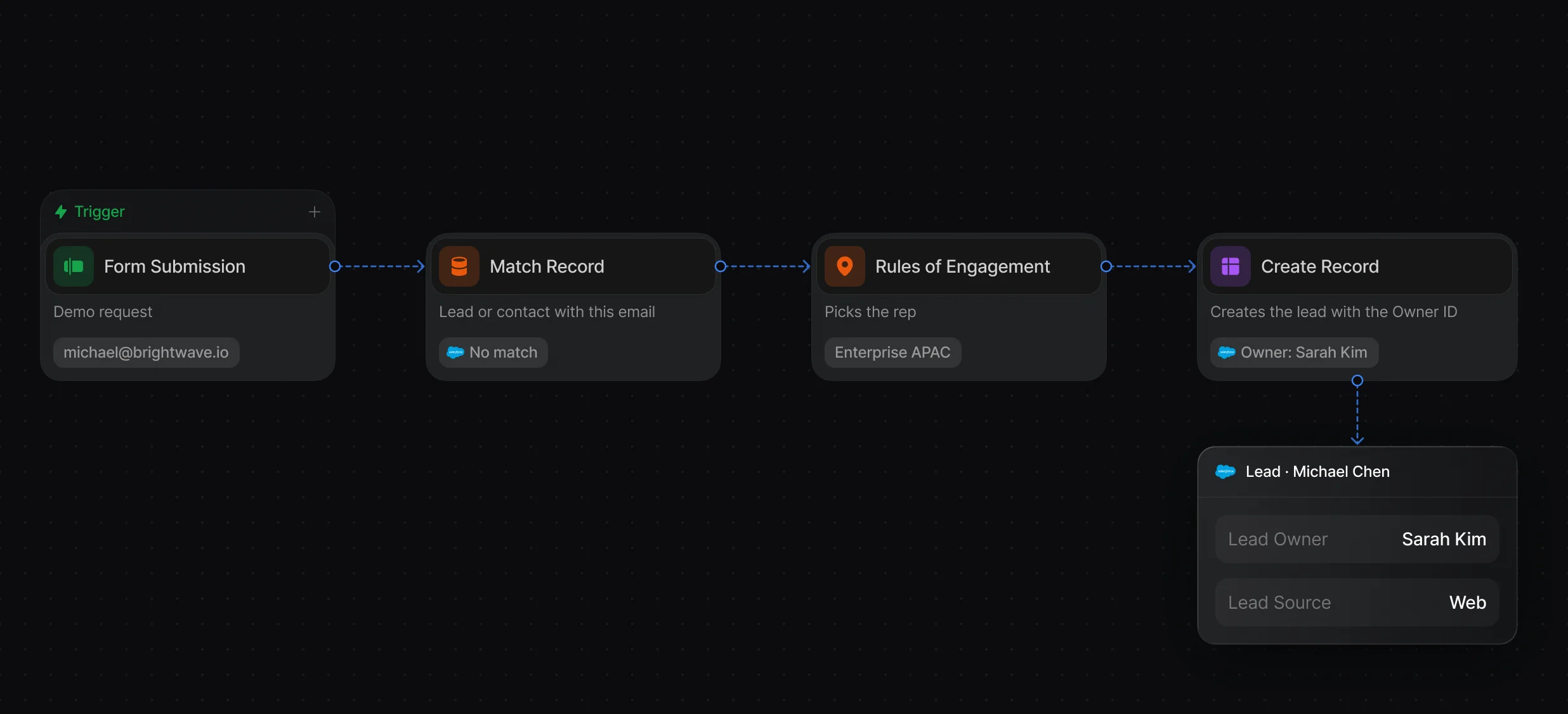
Map Email, Last Name, Company, and Owner ID onto the new lead.
Pick the owner by territory, company size, or a form answer.
Take turns across a team with weights and paused reps.
Default can start the Salesforce lookup and enrichment when the visitor leaves the email field, so the assigned rep's calendar opens right after submit. If the visitor leaves without booking, Default still has their email and can follow up.
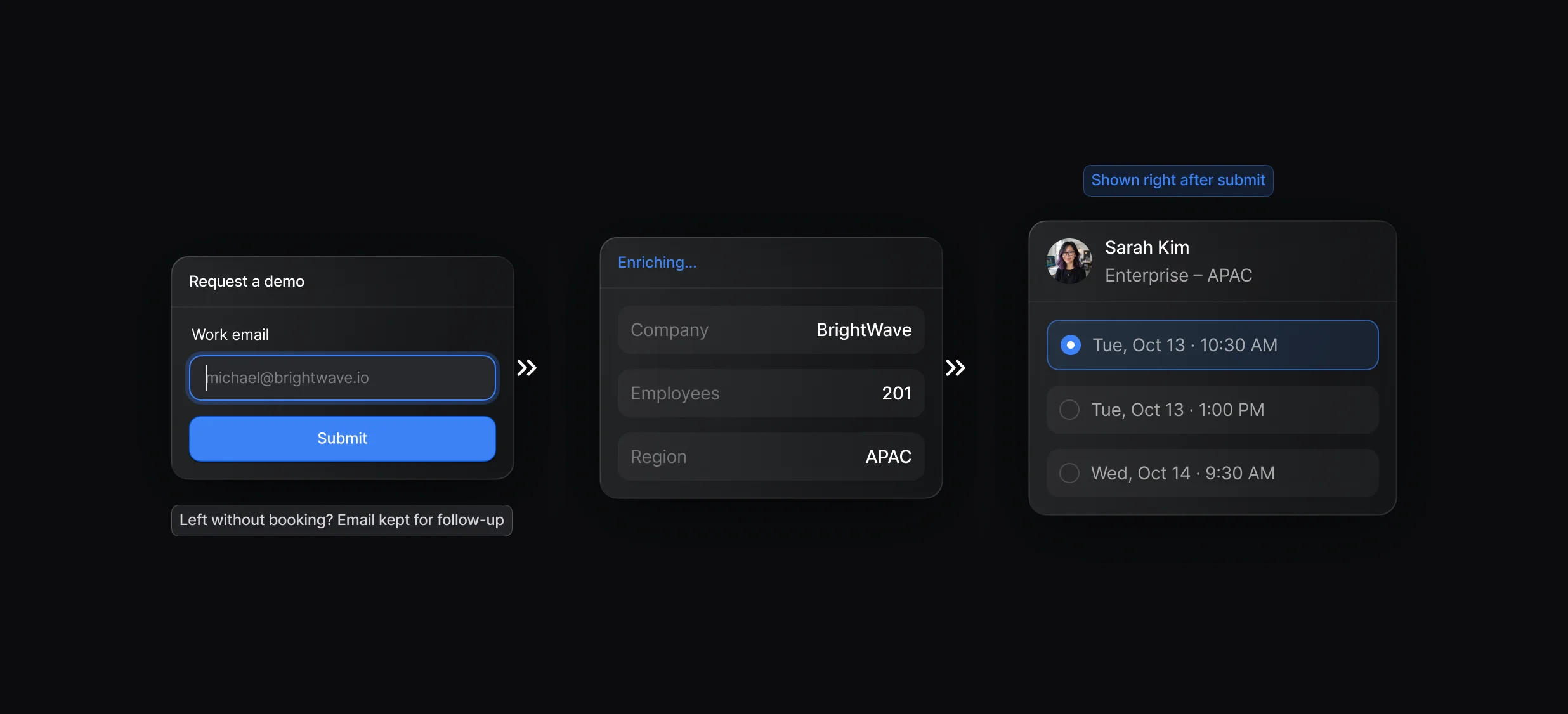
The calendar opens over your page, with no second form to fill in.
Alert the owner in Slack or add the lead to a sequence when nobody books.
“It’s the control layer we’re using to run GTM from the same brain.”

With Default, you keep the form already on your site: add it with Catalog forms, map its fields, and a Form Submission trigger starts a workflow whose Create Record node makes the Salesforce lead. Salesforce's own Web-to-Lead setup generates an HTML form that posts each submission to Salesforce.
Web-to-lead turns website form fills into Salesforce leads, and Default does it with a workflow: the Pixel captures the submit, Match Record checks for an existing lead or contact, and Create Record makes the lead with an owner. Salesforce's built-in Web-to-Lead feature creates a lead from each submission of a form it generates.
Default creates form leads with a workflow's Create Record node, which calls the Salesforce REST API, so those calls count toward your org's API request limits. Salesforce's own Web-to-Lead accepts up to 500 requests in 24 hours and holds the overflow in a pending queue.
In a Default workflow, a Rules of Engagement or Round-Robin node picks the owner and Create Record writes it as the Owner ID on the new lead. On leads from Salesforce's own Web-to-Lead forms, the active lead assignment rule picks the owner.
Add the Pardot form in Default with Catalog forms, and have your page send each submission with the Forms SDK's submitForm(), since the Pixel skips Pardot submissions. The workflow then routes the lead and can open the rep's calendar, and your submit handler keeps sending the submission to Pardot, because Default doesn't forward it.
The Default Pixel sends the email when the visitor leaves the email field, so Default can start the Salesforce lookup and enrichment early. Workflows start only on submit, so an unfinished form creates no lead and shows no calendar.
Routing, enrichment, and scheduling for every inbound lead.
Keep every routing rule in 1 ruleset.
Route Marketo form fills to the right Salesforce rep.
Route every Salesforce lead and book the meeting.
Check Salesforce for a match before creating a lead.
Book meetings with the account owner or the next rep.
One platform to manage workflows, enrich records, route leads, and schedule meetings.

