








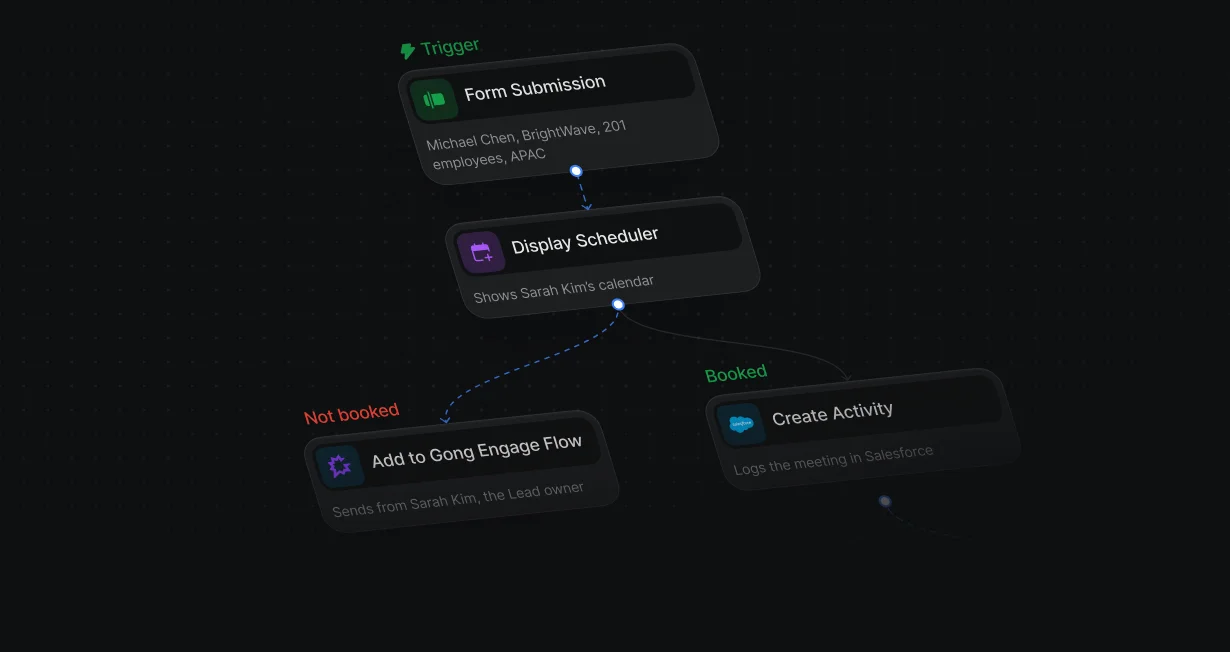
Not booked, then into a flow
A lead who closes the calendar without booking goes into a flow that runs under their assigned rep.
Add routed leadsto Gong Engage flows
Default adds routed leads who don't book to a Gong Engage flow from their assigned rep.












A lead who closes the calendar without booking goes into a flow that runs under their assigned rep.
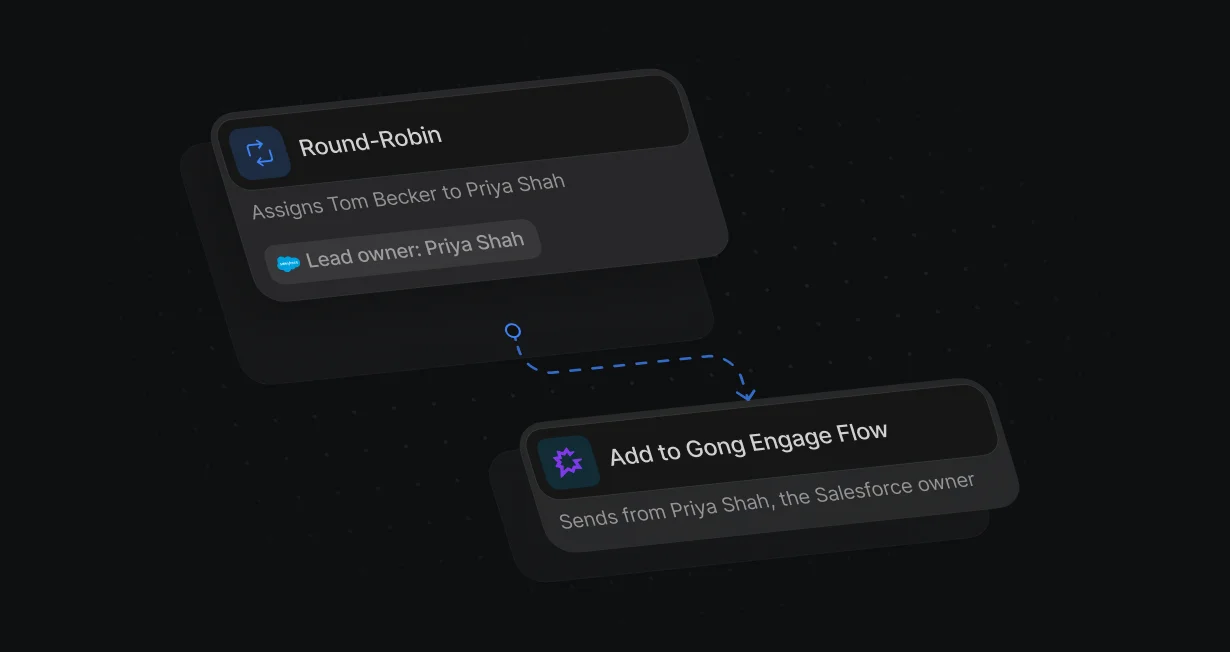
Set Sending user to the assigned rep, and the flow runs as their Gong user.
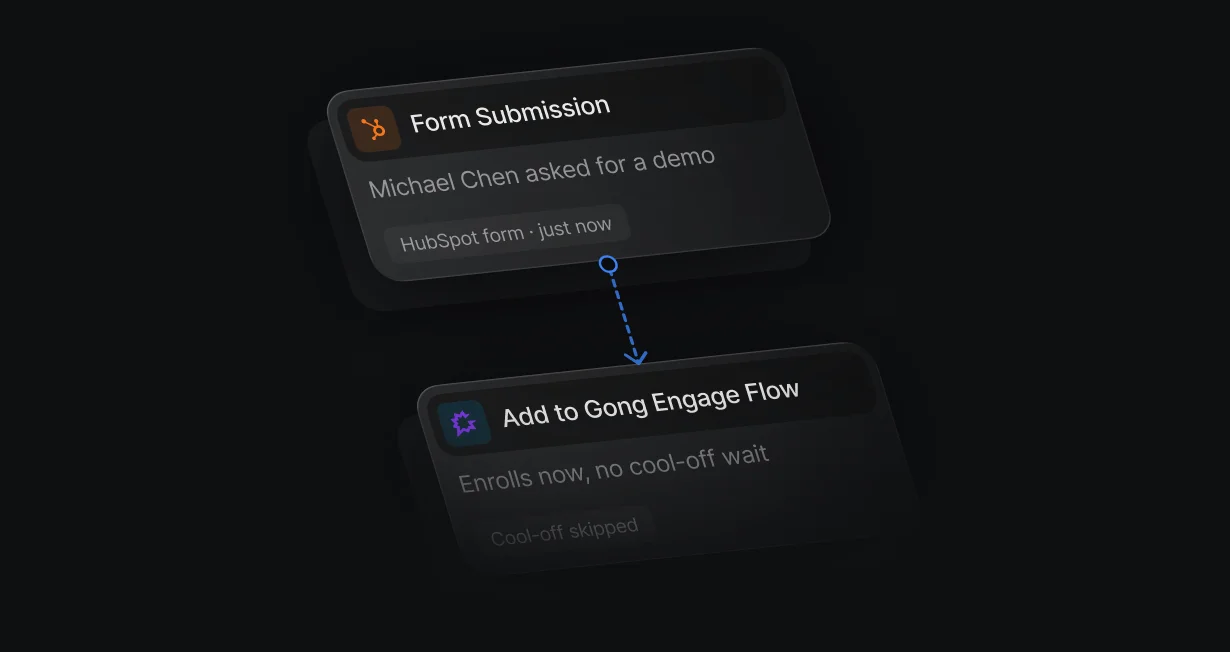
Turn on Ignore cool-off period, so someone who just asked for a demo joins a flow even if Gong would skip them as recently contacted.
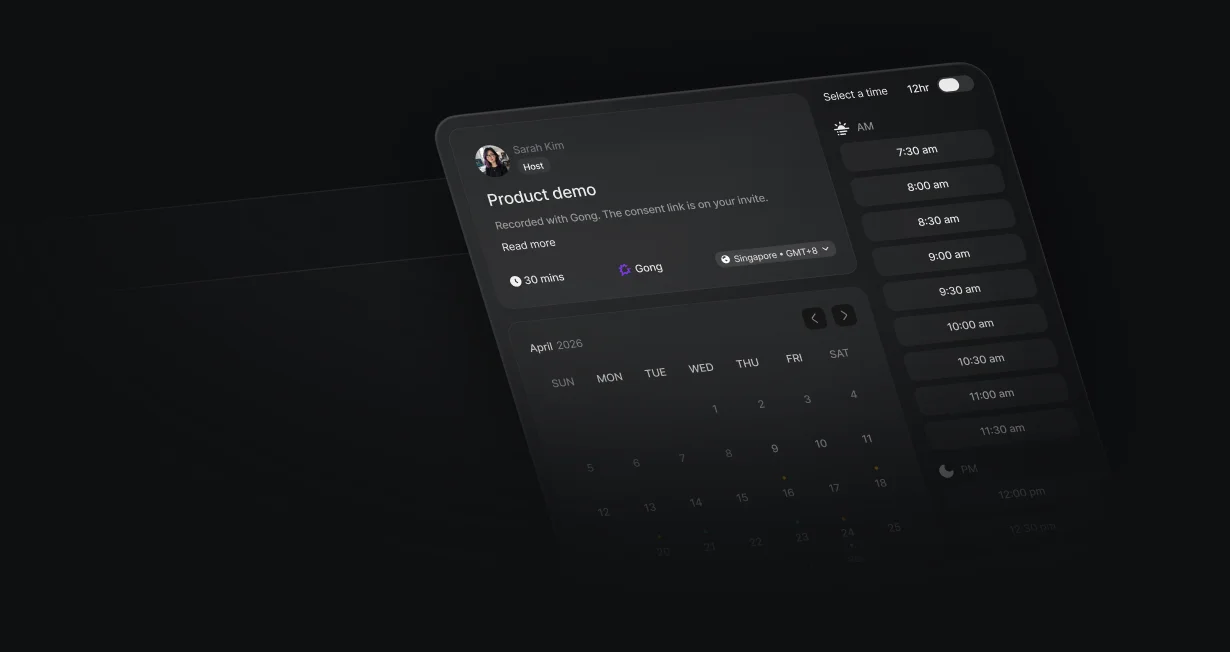
With Gong as the event location, Gong's consent link goes on the Google Calendar or Outlook invite.
On the Not booked branch, Add to Gong Engage Flow enrolls the person from the assigned rep, using their Salesforce or HubSpot record ID.
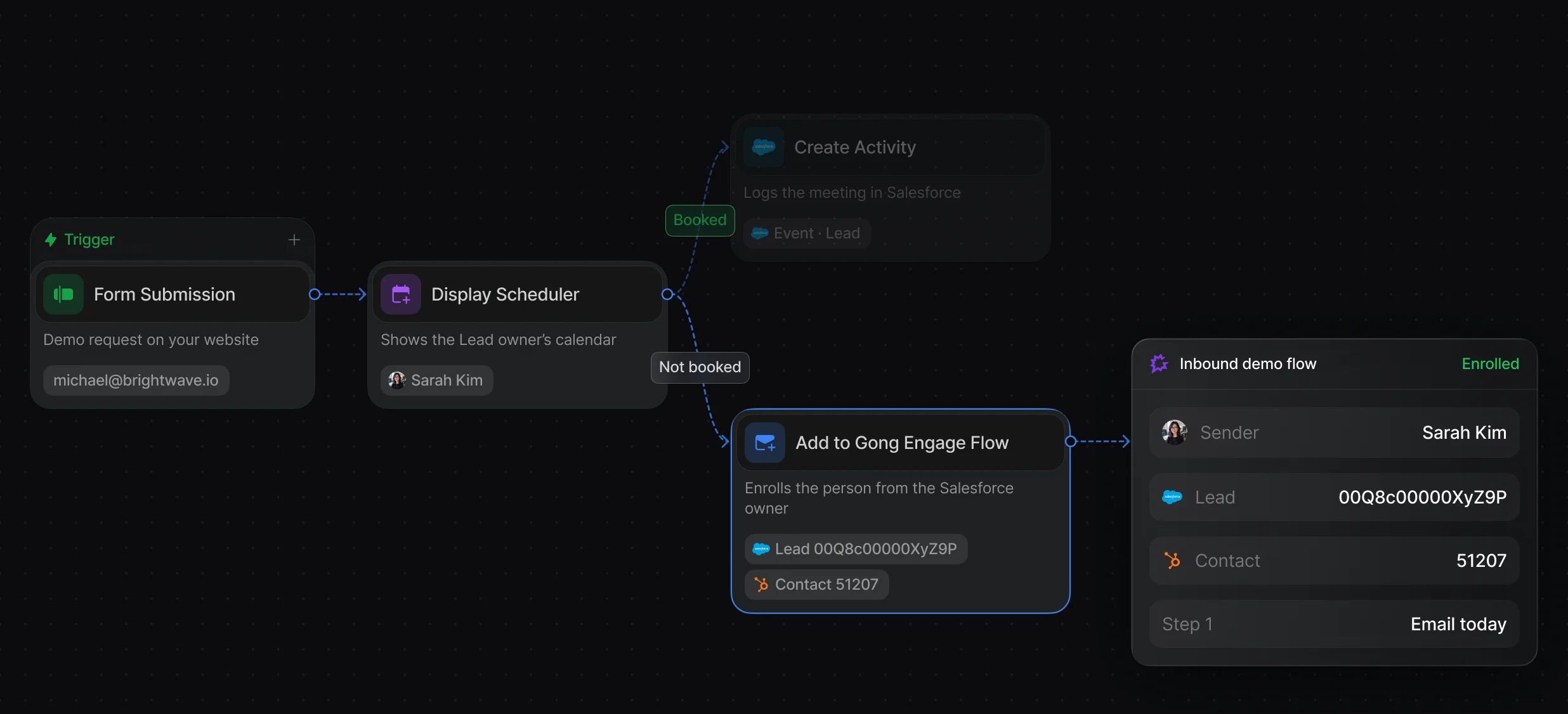
Pick the flow, the sending user, and the CRM record ID, with an optional cool-off override.
The branch runs when the visitor closes the calendar or the timeout passes.
Set the event location to Gong (Consent-enabled recording), and each booking creates a Gong meeting with the consent link on Google Calendar and Outlook invites.
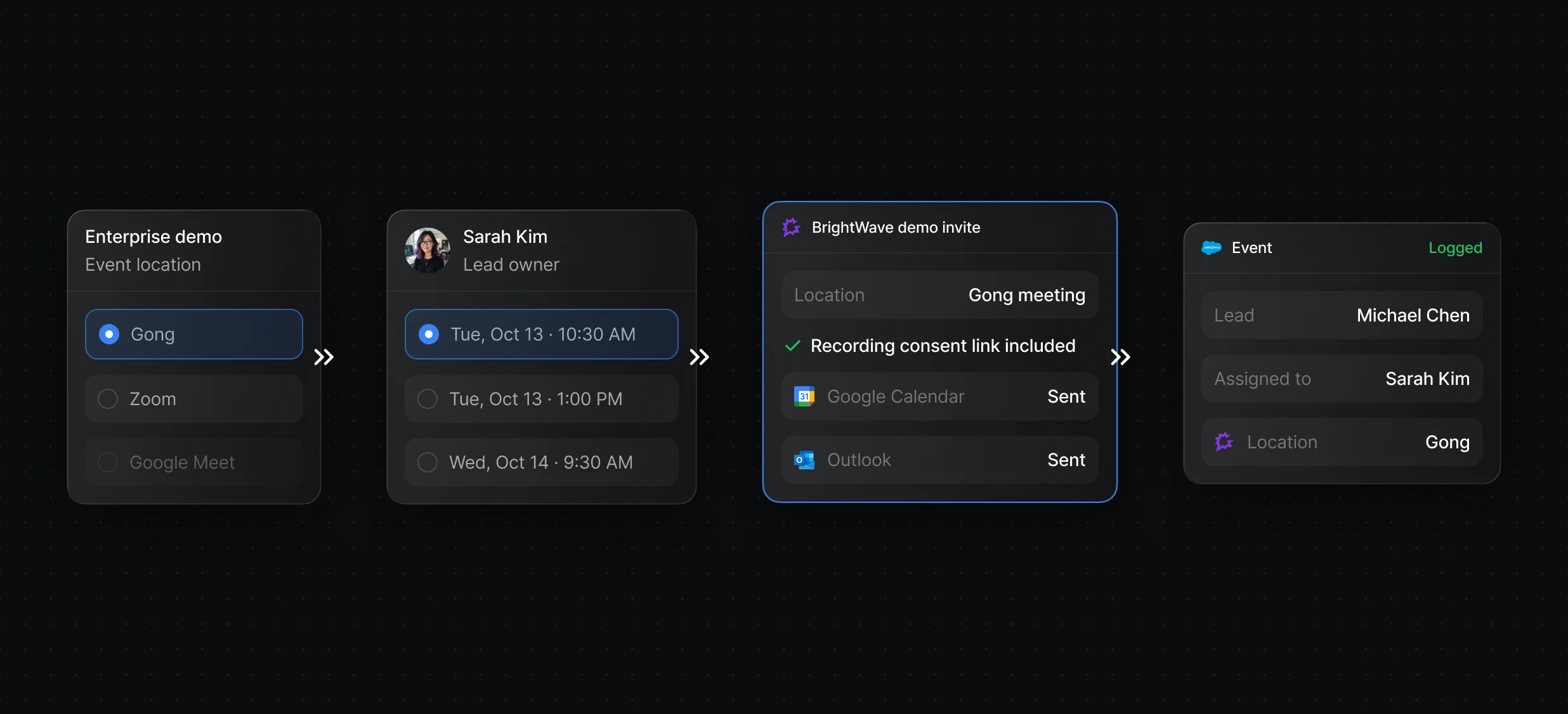
An admin connects Gong Engage once, and a Gong admin turns on the Recording Consent Page.
The routed rep's calendar opens over your page right after the form.
“It’s the control layer we’re using to run GTM from the same brain.”

Default adds routed leads to Gong Engage flows with the Add to Gong Engage Flow node, running each flow under the assigned rep, and creates consent-enabled Gong meetings when an event's location is Gong. Gong Engage is Gong's sales engagement product, where reps run flows of emails, calls, LinkedIn steps, and tasks.
Default enrolls them with the Add to Gong Engage Flow node, after a Round-Robin node picks the rep and Match Record or Create Record supplies the Salesforce or HubSpot record ID. Set Sending user to the assigned rep, and turn on Ignore cool-off period for demo requests Gong would otherwise skip as recently contacted.
Default's Add to Gong Engage Flow node identifies each prospect by their Salesforce or HubSpot record ID, so the workflow matches or creates the CRM record first and passes its ID to Gong. Gong Engage itself is available for Salesforce, HubSpot, and Microsoft Dynamics.
Default uses Gong Engage only: the Add to Gong Engage Flow node adds people to flows, and events with Gong as the location create consent-enabled Gong meetings. Default does not read Gong calls or transcripts.
Routing, scheduling, and follow-up for every inbound lead.
Send leads who don't book into Outreach sequences.
Send leads who don't book into Salesloft cadences.
Route every Salesforce lead and book the meeting.
Send each HubSpot lead to the right owner.
Tell the routed rep in Slack as soon as a lead lands.
One platform to manage workflows, enrich records, route leads, and schedule meetings.


