








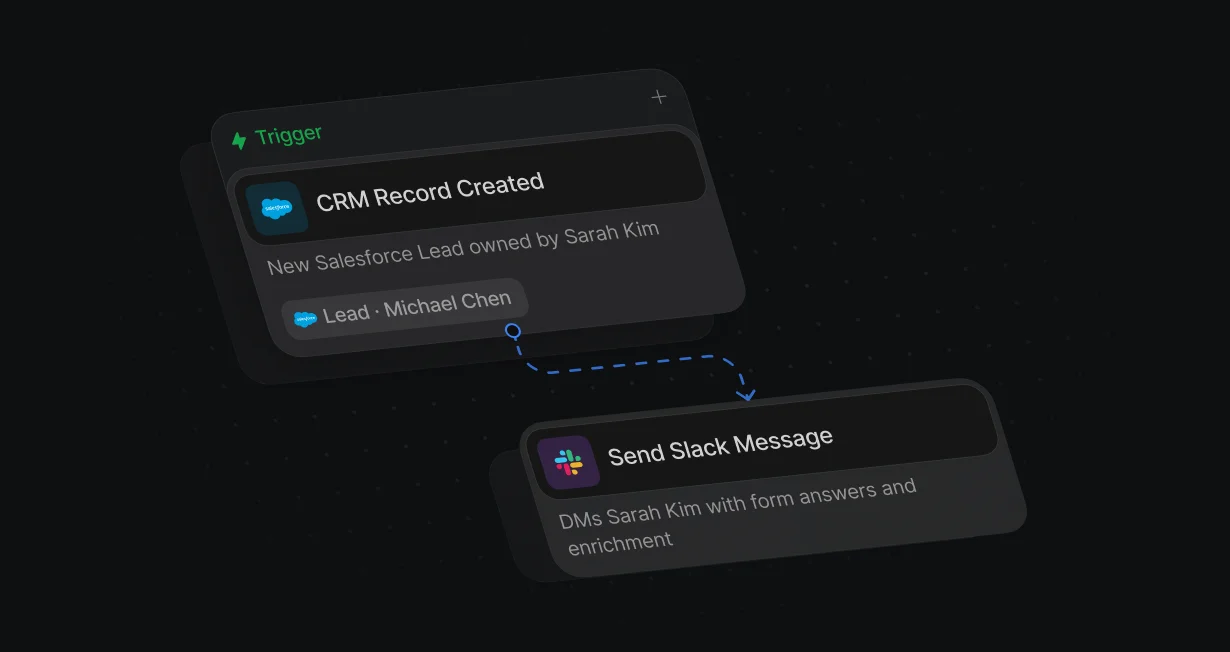
Alerts to the assigned rep
The routed rep gets a direct message with the form answers, enrichment, and any other workflow data.
Tell the routed repin Slack right away
Default tells the routed rep in Slack the moment a lead is assigned or a meeting changes.












The routed rep gets a direct message with the form answers, enrichment, and any other workflow data.
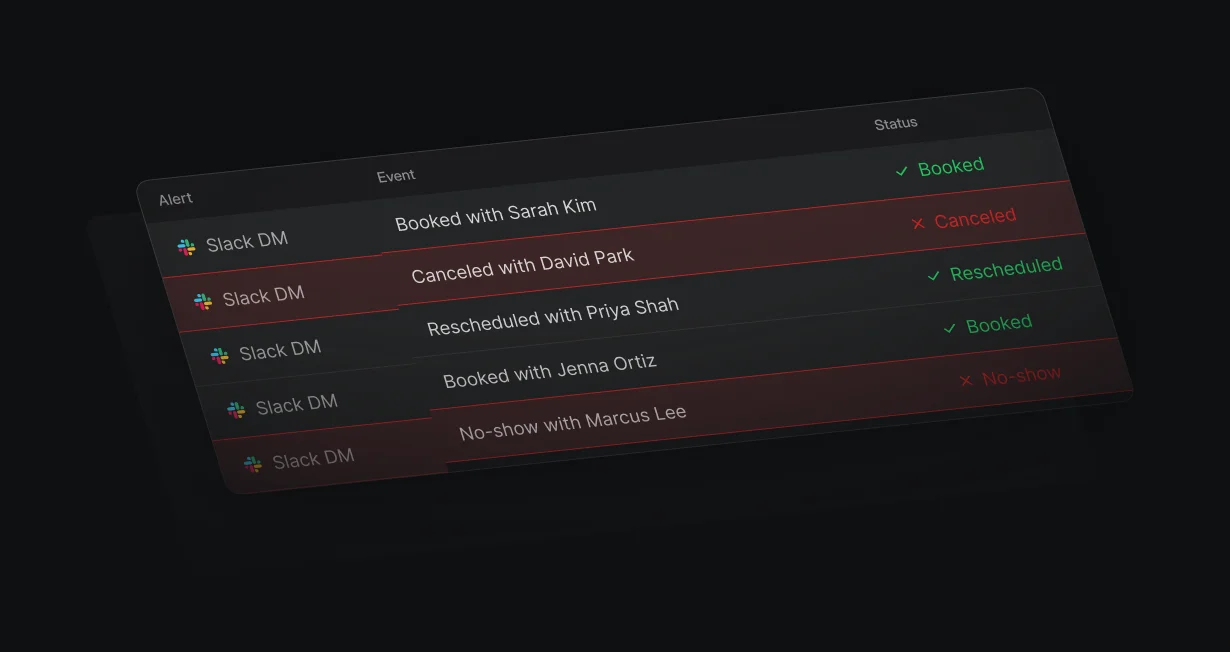
Hosts hear in Slack when a meeting is booked, rescheduled, canceled, or marked as a no-show.
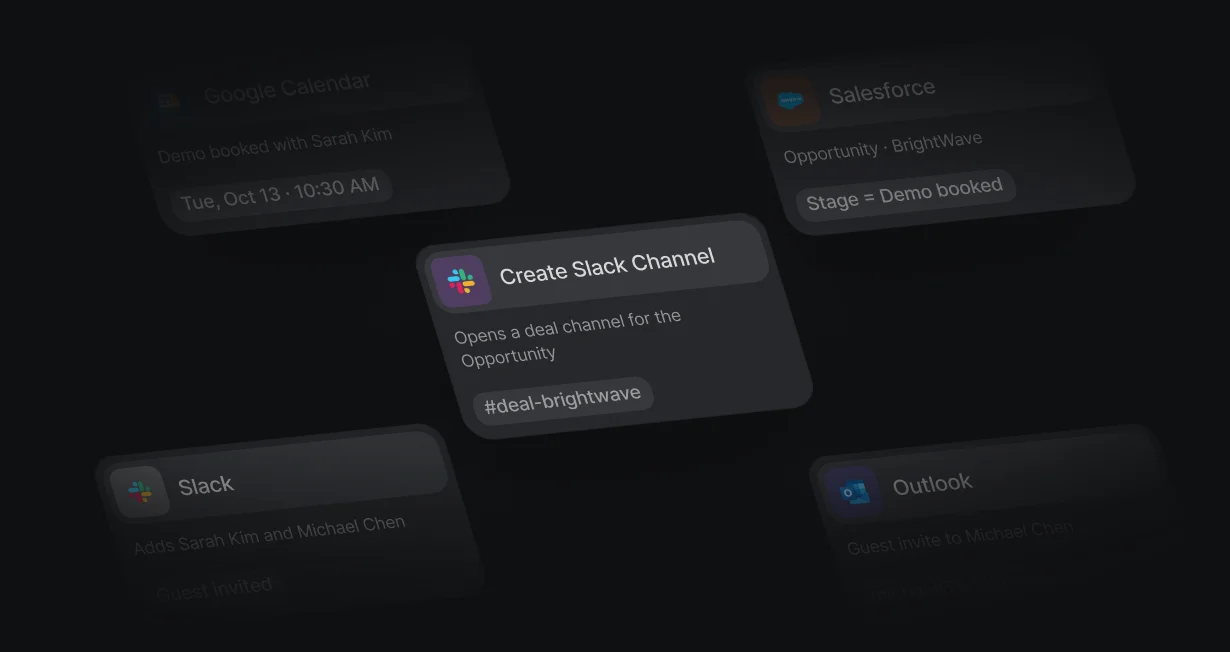
A workflow opens a channel named for the account, adds the owner, and invites the customer by email.
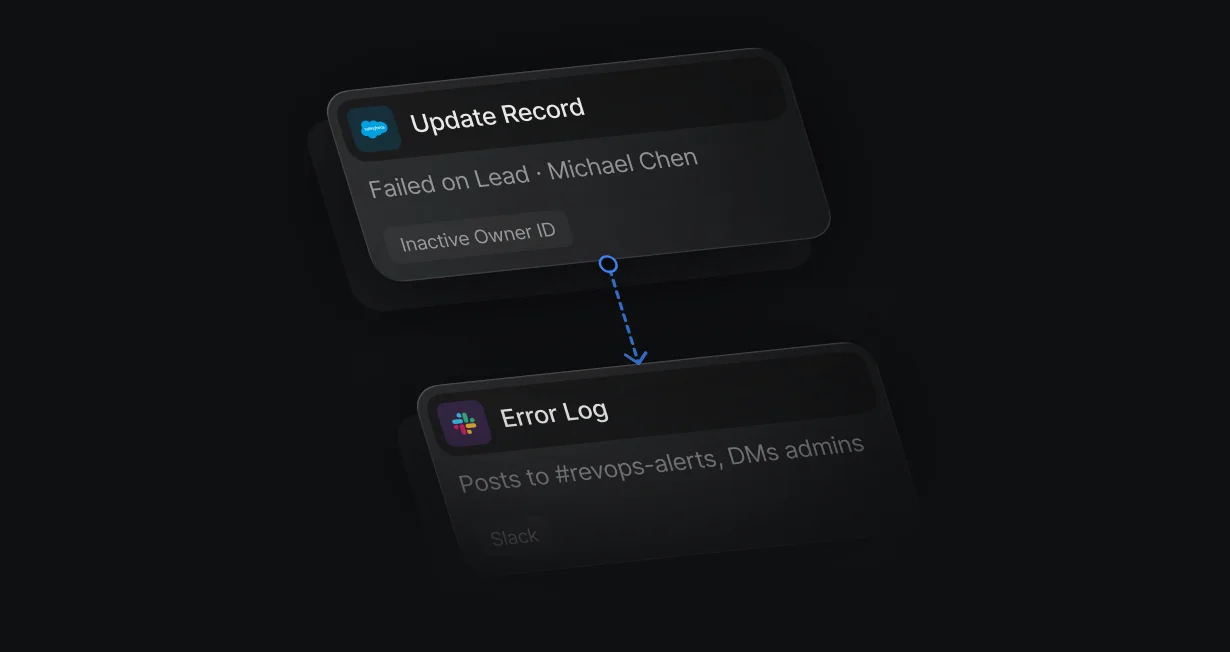
Workflow and form errors post to the Slack channel you pick, and can go to every admin as a direct message too.
Send Slack Message goes to a channel or straight to the routed rep, with @ mentions and any workflow data, like enrichment and form answers.
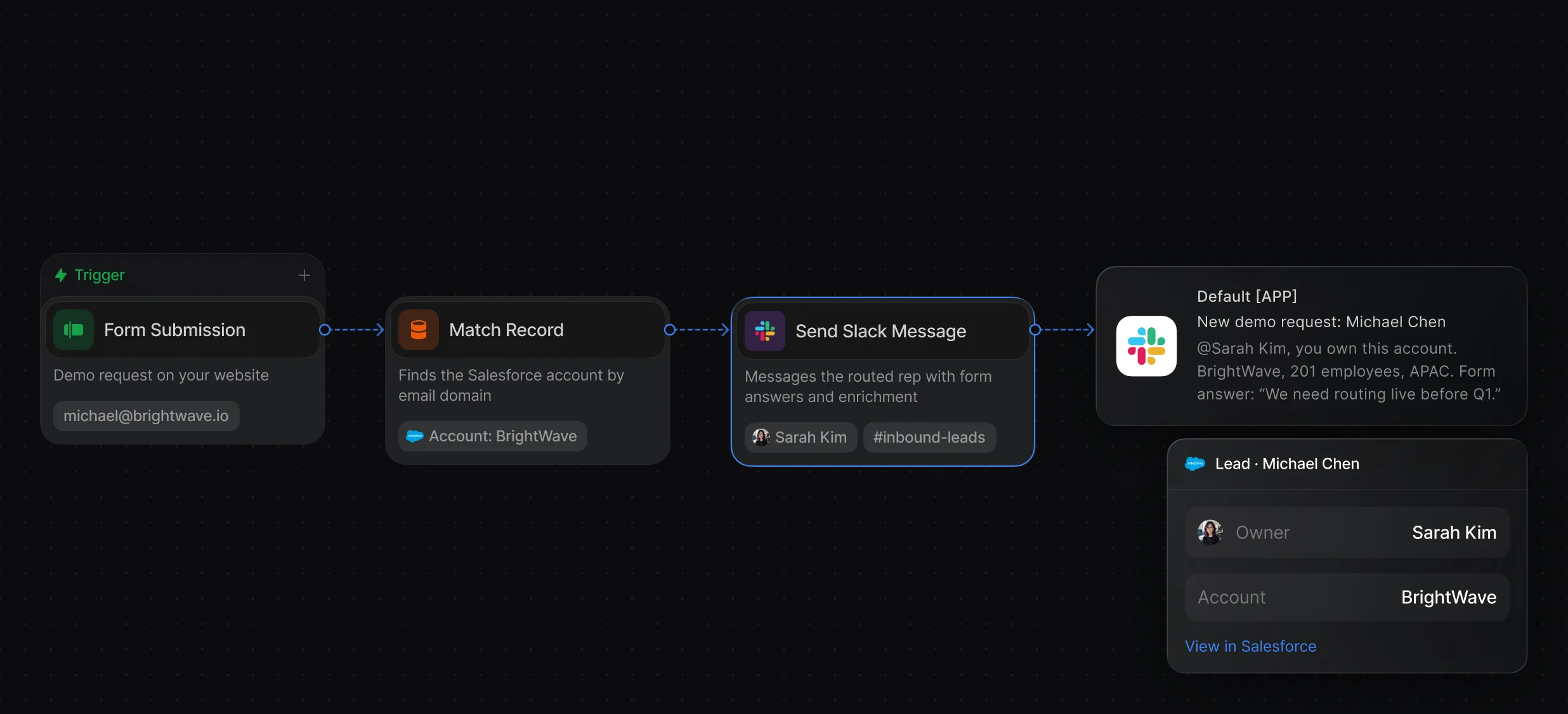
Post to channels, message reps directly, or both, with mentions and data from earlier nodes.
Start from a form, a new CRM record, or a meeting status change, then route and alert in 1 workflow.
Create Slack Channel names the channel after the account, and Add Member to Slack Channel adds the account owner and invites the customer as a guest.
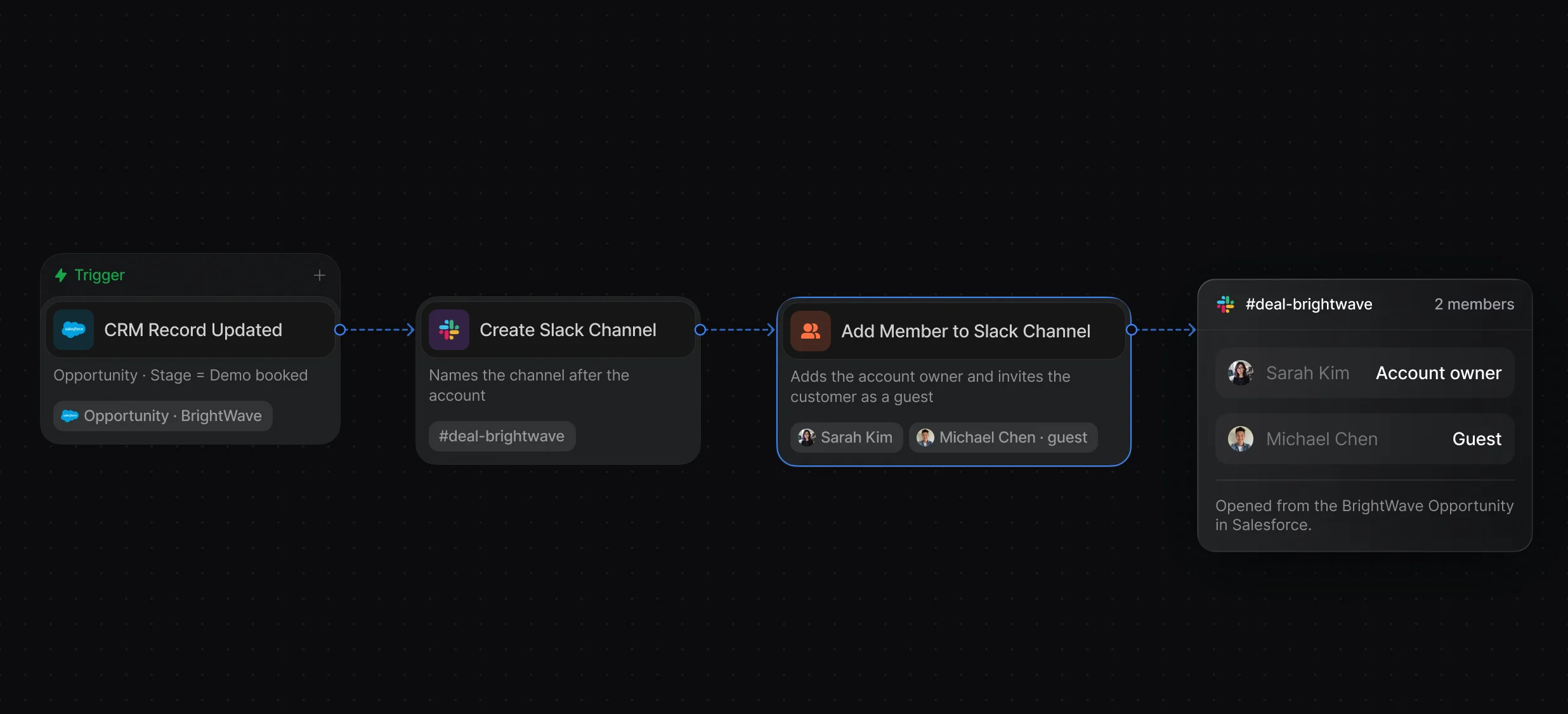
An admin connects Slack once, and each rep is mapped to their Slack user.
Create Slack Channel and Add Member to Slack Channel run as workflow steps.
The Error Log notification posts workflow and form errors to a Slack channel and can message every admin directly too.
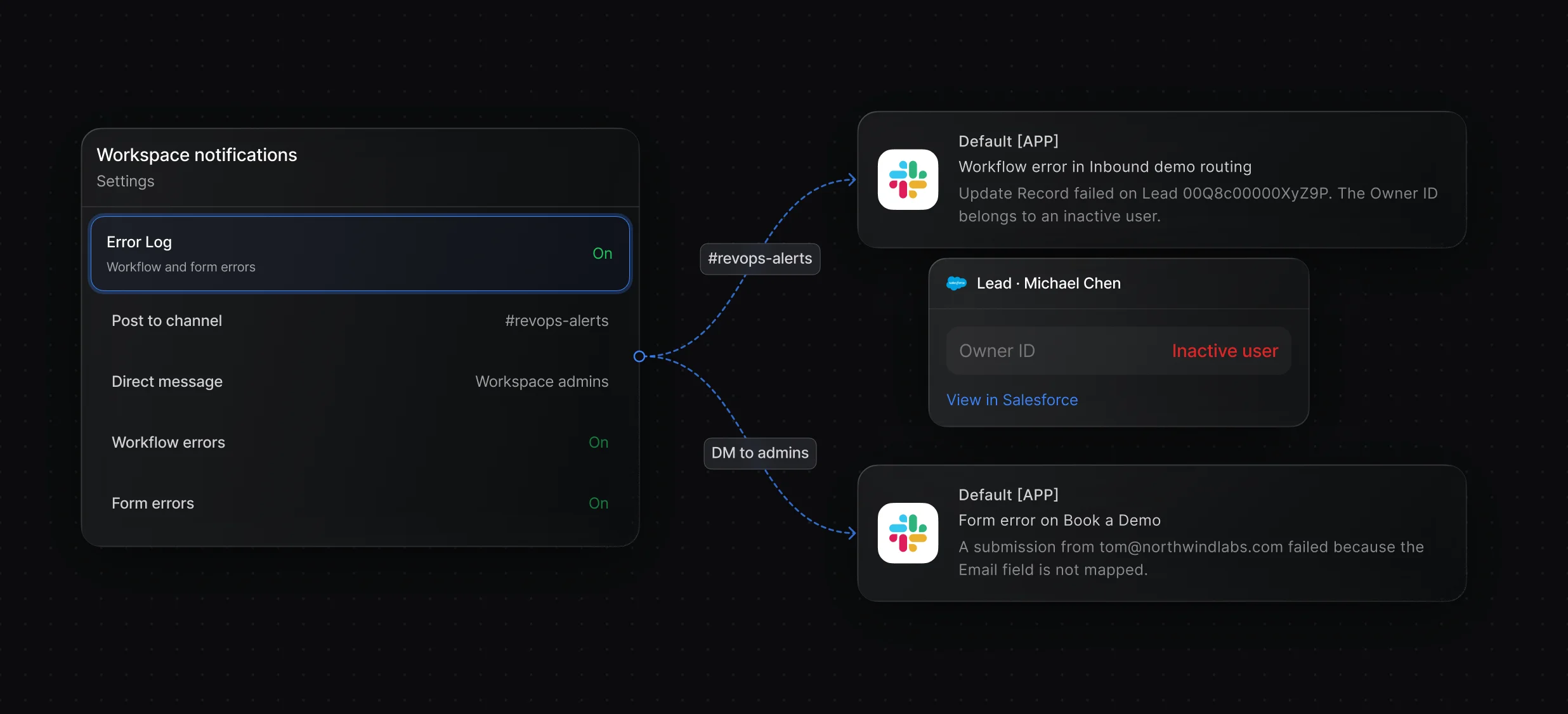
Pick a Slack channel for each notification type, and turn on Also DM admins for errors.
Each failed run shows which node errored and why.
“It’s the control layer we’re using to run GTM from the same brain.”

Default works with both: after a workflow routes a Salesforce or HubSpot lead, Send Slack Message gives the assigned rep the form answers and enrichment, and Default notifies the host in Slack whenever a meeting is booked, rescheduled, canceled, or marked as a no-show. Salesforce and HubSpot also have their own Slack apps for record alerts.
Default sends them from a workflow that starts on a form submission or a new HubSpot contact: after routing, Send Slack Message posts to a channel or messages the assigned rep with the form answers and enrichment. HubSpot's own Send a Slack notification workflow action needs a Professional or Enterprise plan.
Default creates it with the Create Slack Channel node, named from the account, such as deal- plus the account name, in a workflow that starts when a meeting is booked or a Salesforce opportunity is created. Add Member to Slack Channel then adds the account owner and invites the customer by email.
Routing, enrichment, and scheduling for every inbound lead.
Route every Salesforce lead and book the meeting.
Send each HubSpot lead to the right owner.
Send leads who don't book into Outreach sequences.
Book meetings with the account owner or the next rep.
Take turns across a team with weights and paused reps.
One platform to manage workflows, enrich records, route leads, and schedule meetings.


