








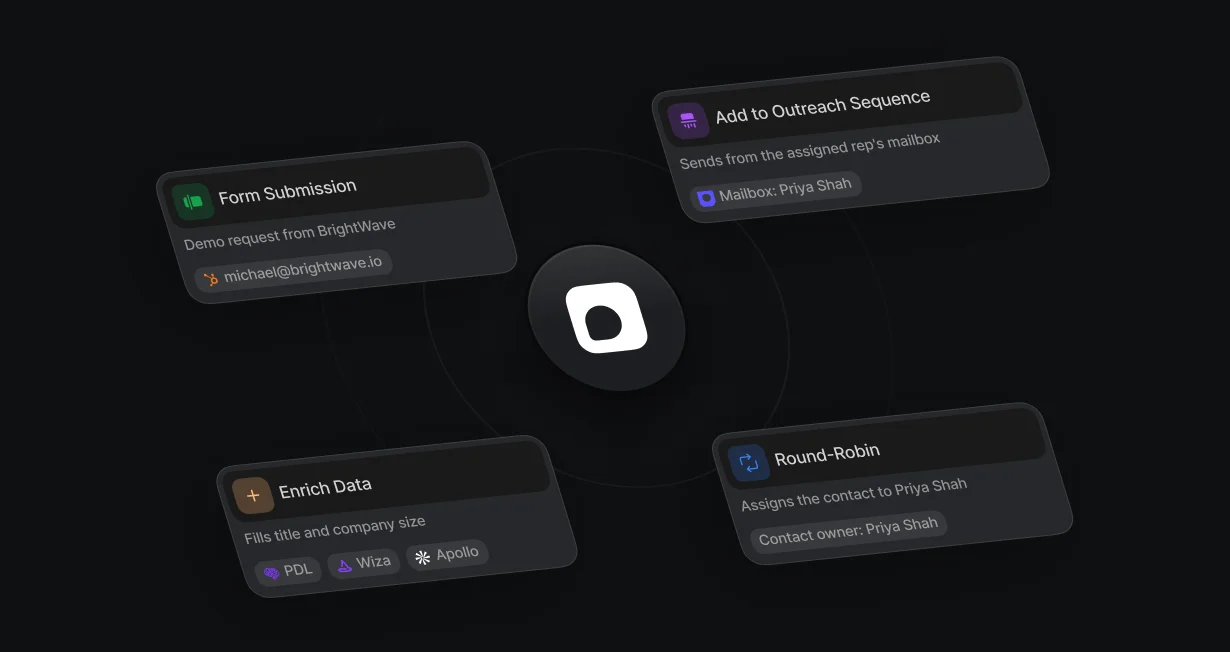
Sender follows routing
Set Sending mailbox to Latest assigned user, and the sequence sends from the routed rep's Outreach mailbox.
Send routed leadsinto Outreach sequences
Default adds routed leads who don't book to an Outreach sequence from their rep's mailbox.












Set Sending mailbox to Latest assigned user, and the sequence sends from the routed rep's Outreach mailbox.
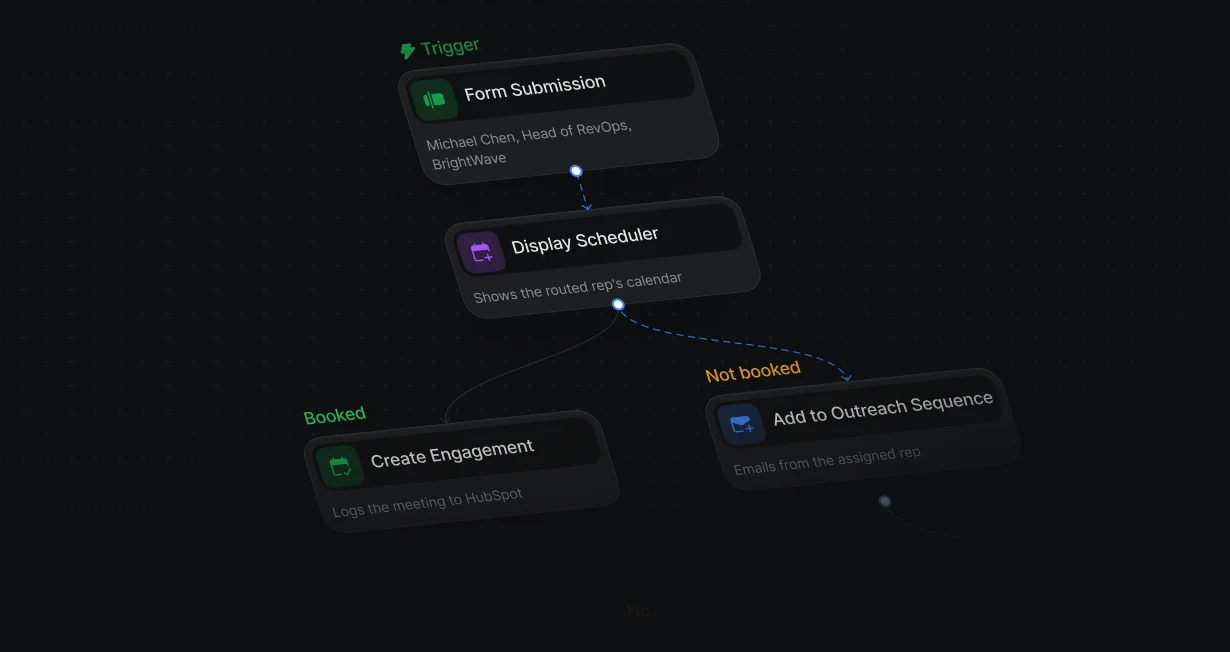
A lead who submits the form but closes the calendar without booking goes into an Outreach sequence.
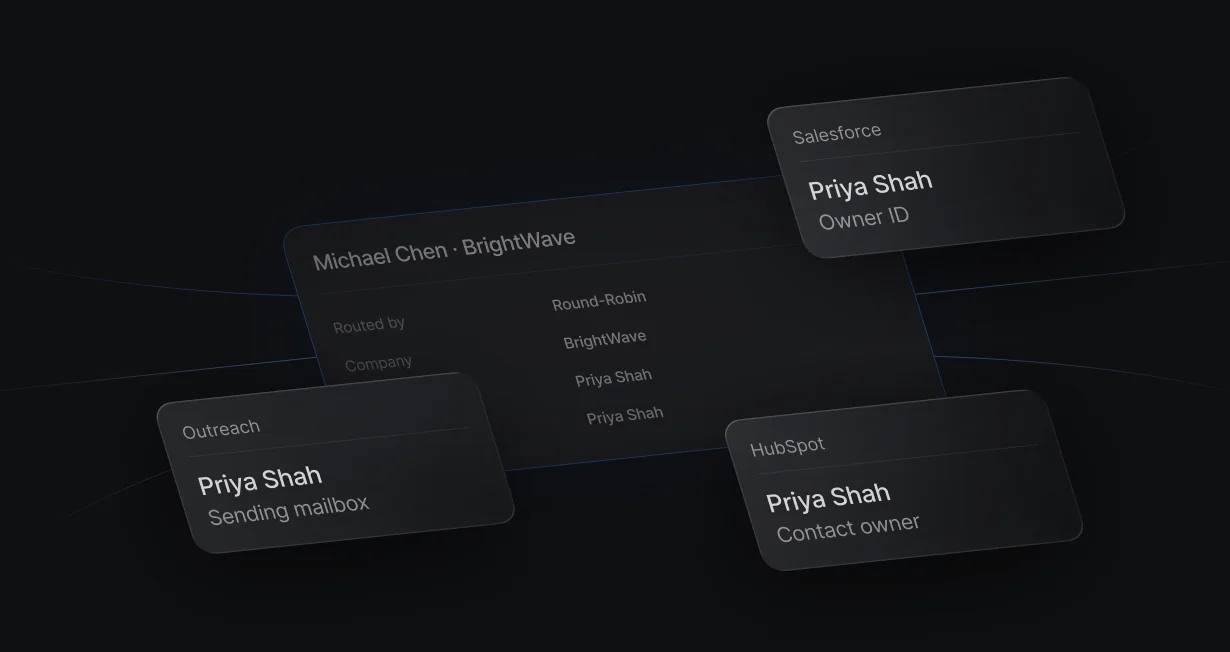
The same run writes the rep as the HubSpot or Salesforce owner, so the CRM and Outreach name the same person.
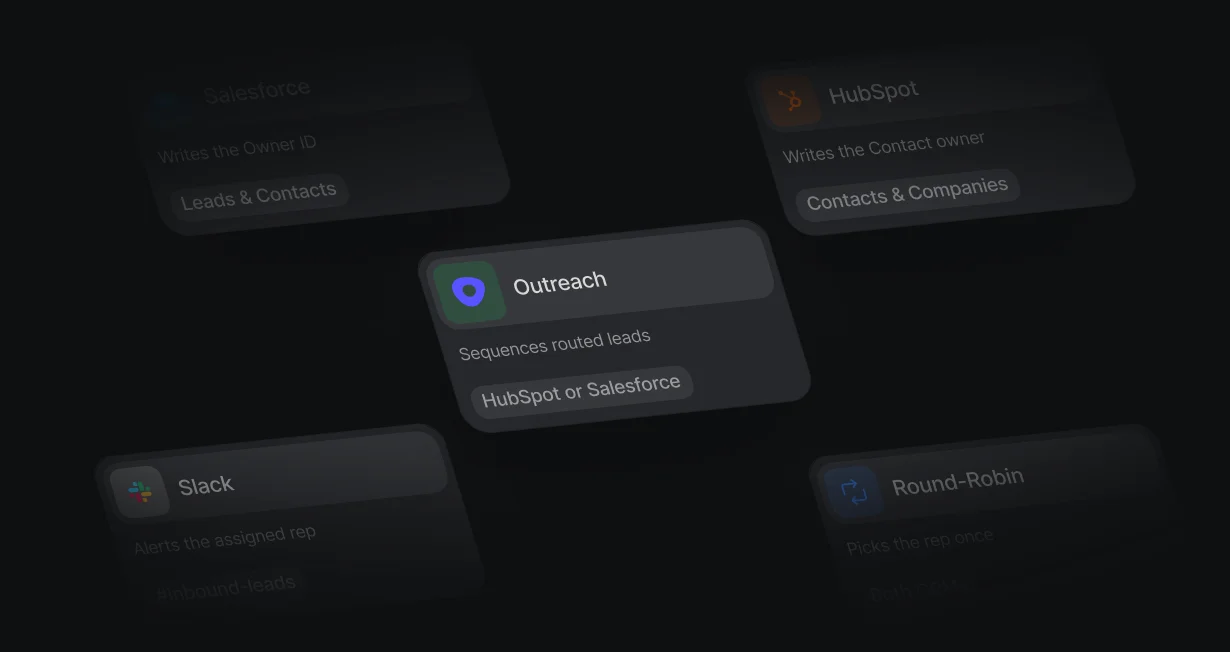
Match and create records in HubSpot or Salesforce before the lead goes into Outreach.
On the Not booked branch, Add to Outreach Sequence enrolls the person, so a lead who drops off still hears from their rep. Outreach finds the prospect by email or creates one.
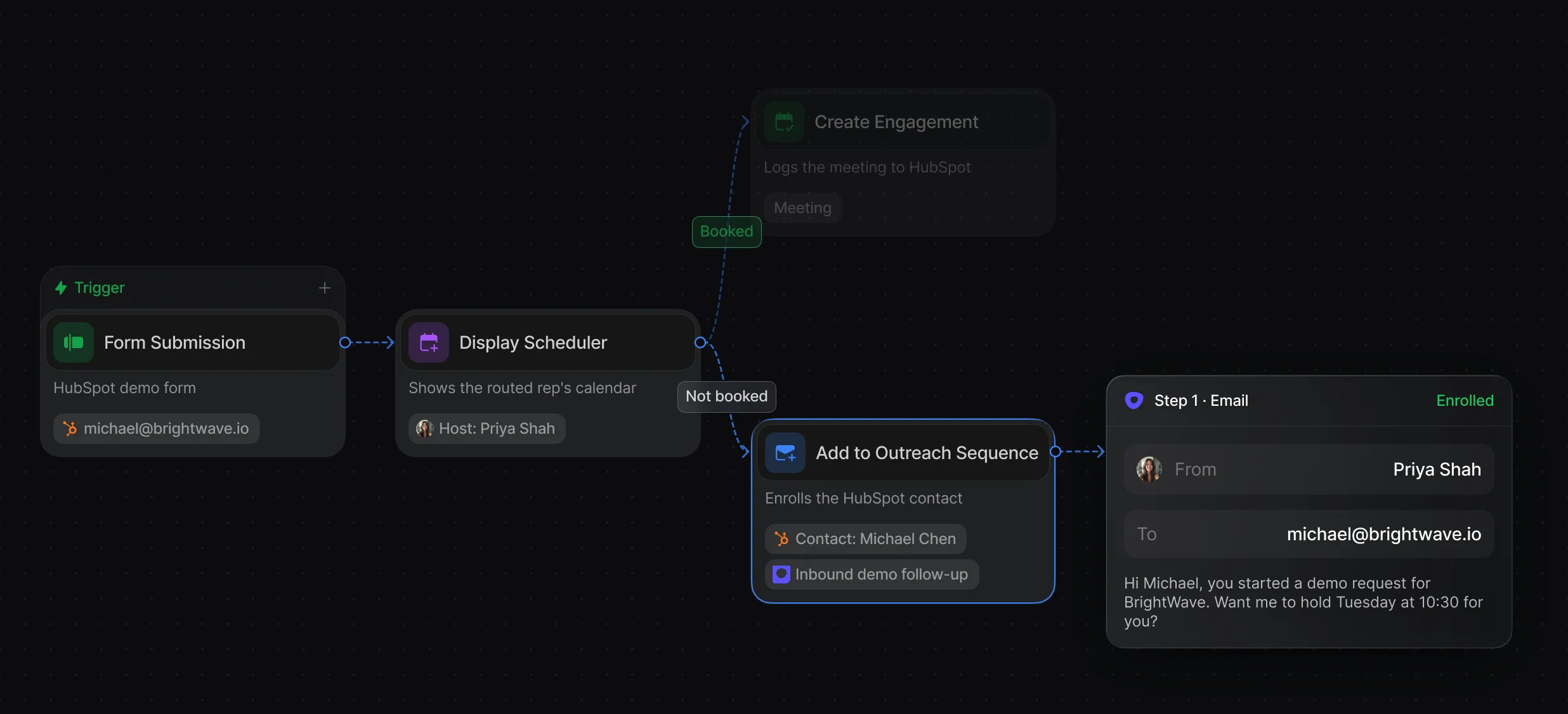
Pick the sequence, the sending mailbox, and the lead's email, 1 person per run.
The branch runs when the visitor closes the calendar or the timeout passes.
Set Sending mailbox to Latest assigned user, and Default maps the rep to their Outreach mailbox. Write the owner to the CRM in the same run, so every system names the same person.
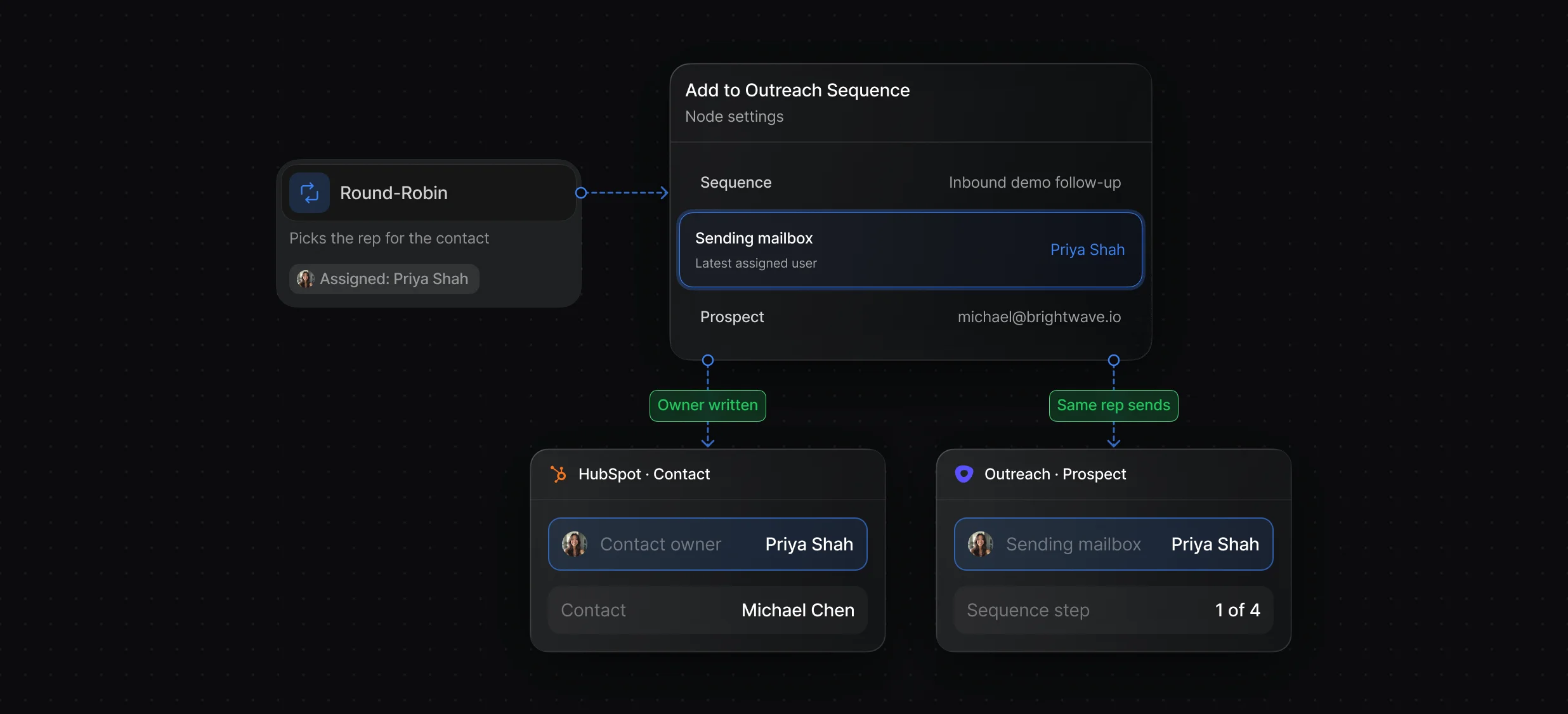
Route the lead, write the owner, and enroll the person in 1 workflow.
Members, weights, and calendar checks decide which rep is next.
“It’s the control layer we’re using to run GTM from the same brain.”

Default works with Outreach and either CRM in 1 workflow: Match Record finds the person in HubSpot or Salesforce, Create Record or Update Record writes the routed rep as owner, and Add to Outreach Sequence enrolls them from that rep's mailbox. Natively, Outreach syncs with Salesforce, and HubSpot's data sync app connects HubSpot contacts to Outreach.
Default enrolls them with the Add to Outreach Sequence node, after a Round-Robin node picks the rep and Create Record or Update Record writes that rep as the CRM owner. Set Sending mailbox to Latest assigned user, and map each rep's Outreach Mailbox ID in Default so the sequence sends from them.
Default keeps the workflow running when Outreach rejects the enrollment: the Add to Outreach Sequence node's success output is false and its error says why, so a Multi-Branch node can send the lead to another step, such as a Slack alert to the owner. A Match Record node before routing also catches repeat submissions once the record exists.
Routing, scheduling, and follow-up for every inbound lead.
Send leads who don't book into Salesloft cadences.
Add leads who don't book to Gong Engage flows.
Send each HubSpot lead to the right owner.
Route every Salesforce lead and book the meeting.
Tell the routed rep in Slack as soon as a lead lands.
One platform to manage workflows, enrich records, route leads, and schedule meetings.


