








Key Takeaways
- 1.Chili Piper Salesforce integration enables instant lead routing and scheduling, reducing speed-to-lead from hours to seconds. According to Harvard Business Review, responding within 5 minutes makes you up to 9x more likely to convert a lead.
- 2.The integration ensures real-time ownership assignment and activity sync, improving pipeline visibility and reducing manual errors.
- 3.Setup success depends on clean CRM data, defined routing logic, and correct permissions. Without these, routing breaks and scheduling fails.
- 4.Chili Piper handles scheduling and routing, but it executes on whatever data Salesforce already has. Default sits upstream, enriching, deduplicating, and qualifying leads before they even reach Chili Piper so your reps only see opportunities worth their time.
Most Chili Piper - Salesforce integrations don’t fail during setup. They fail after go-live.
Leads get routed incorrectly. Meetings don’t log. Ownership conflicts appear. And suddenly, your “automated” funnel creates more manual work than before.
The Chili Piper Salesforce integration is designed to route, assign, and schedule leads instantly. But if your routing rules are stale, your CRM fields are inconsistent, or duplicates aren't being caught upstream, Chili Piper will automate the problem at scale; not fix it.
In this guide, you’ll learn how to set up the integration step by step, where teams typically run into issues, and how to turn it into a dependable part of your GTM engine.
Why integrate Chili Piper with Salesforce?
Salesforce manages your data, but it doesn’t execute real-time lead routing or sales scheduling. Chili Piper adds that execution layer, helping teams respond faster and with greater accuracy.
- Route leads instantly, reducing response time and capturing intent
- Assign the right owner automatically based on territory or account
- Book meetings in real time, eliminating back-and-forth
- Sync all activity to Salesforce for accurate reporting
What you need before you start
Most integration issues don’t come from Chili Piper; they come from missing access, unclear lead routing, or poor data.
Before setting up the integration, confirm the following:
- Salesforce admin access
Required to authorize the integration, configure objects (Leads, Contacts, Accounts), and control field mappings. - Chili Piper admin access
Needed to define routing rules, scheduling logic, and calendar settings. - API access enabled in Salesforce
Chili Piper uses API access to read and write data. Without it, routing and meeting sync will fail. - Connected calendars (Google or Outlook)
Scheduling depends on real-time availability. Without calendar sync, meetings can’t be booked reliably. - Defined routing logic
Territories, ownership rules, and round-robin logic should already be established to avoid misrouting. - Clean CRM data and standardized fields
Fields like country, industry, and company size must be consistent. Poor data breaks routing conditions. - Clear ownership and lifecycle stages
Your CRM should reflect how leads move through the funnel. Otherwise, automation scales incorrect logic.
Poor CRM data isn’t just an operational issue. Gartner estimates bad data costs companies an average of $12.9 million annually, making data hygiene critical before automation.
How to set up Chili Piper - Salesforce integration (step-by-step)
This is the practical setup process for configuring Chili Piper with Salesforce. Each step ensures routing, ownership, and scheduling work reliably — so leads are assigned correctly, meetings are booked instantly, and pipeline data stays accurate.
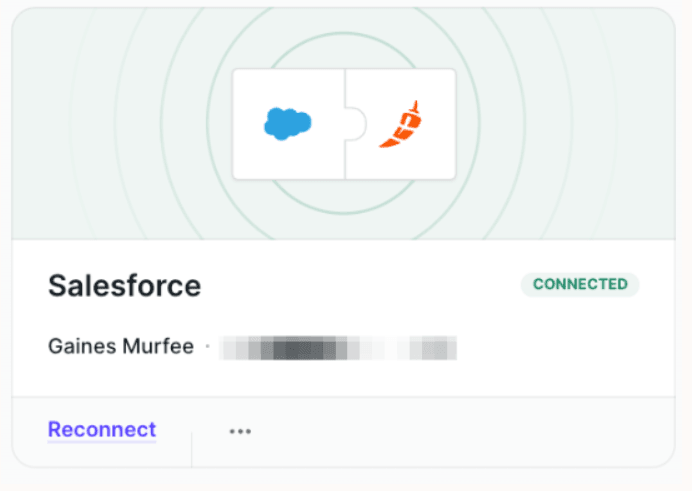
Step 1: Connect Chili Piper to Salesforce (authentication)
Authenticate Chili Piper with your Salesforce instance using an admin account.
This step allows Chili Piper to access Leads, Contacts, and Accounts, assign ownership, and write meeting activity back into Salesforce. Without full permissions, routing and scheduling may fail without clear errors.
Purpose: Ensure Chili Piper can reliably read and write Salesforce data so routing, ownership, and scheduling execute instantly without sync failures.
Step 2: Configure Salesforce object mapping
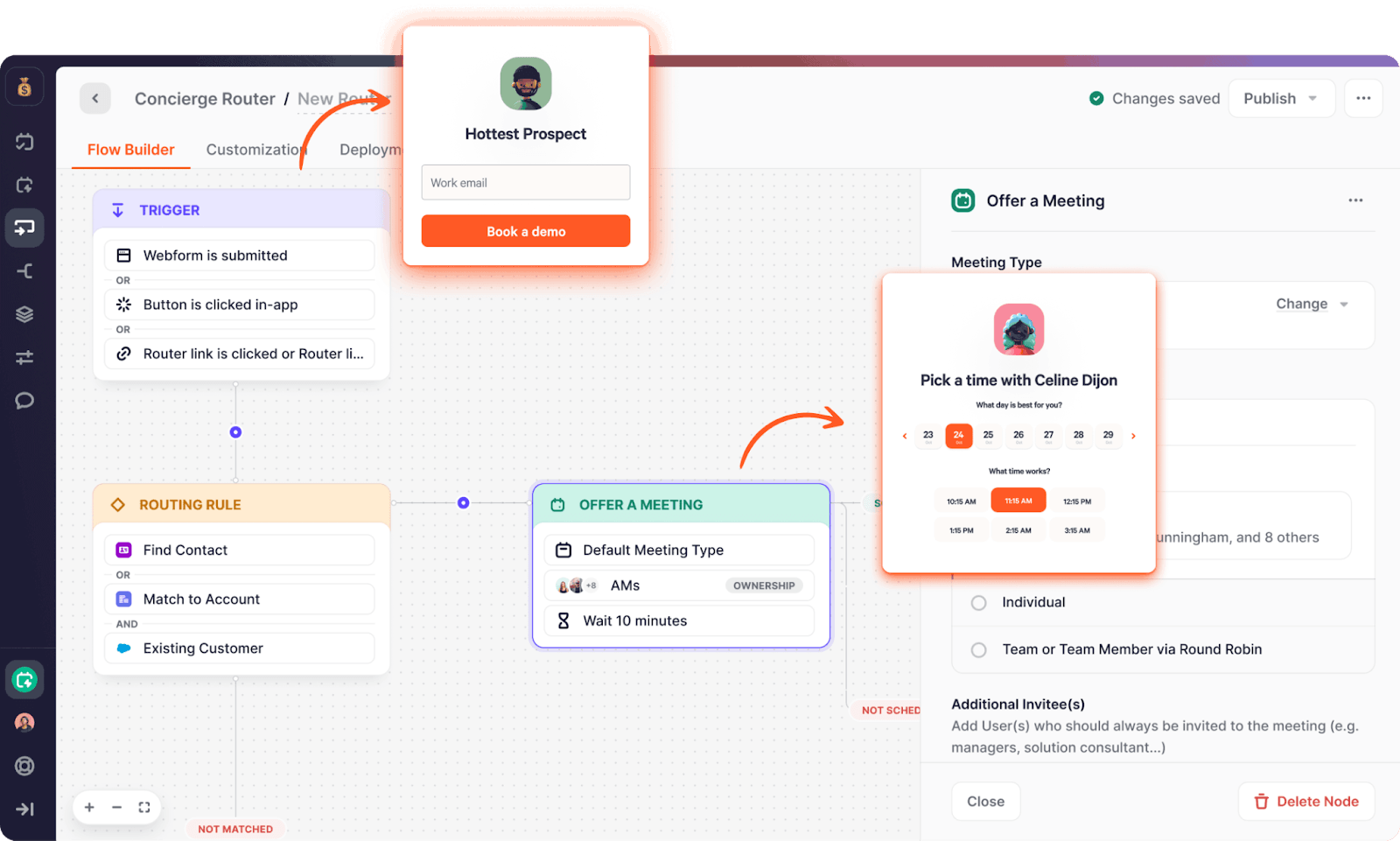
Define how Chili Piper reads and writes data across Salesforce objects.
Map:
- Leads for inbound submissions
- Contacts for existing records
- Accounts for ownership and account-based routing
Also, validate required fields (email, company, country), custom routing fields, and duplicate rules.
Purpose: Ensure data flows accurately across objects so routing logic, ownership assignment, and reporting remain consistent and reliable.
Step 3: Set up routing rules and ownership logic
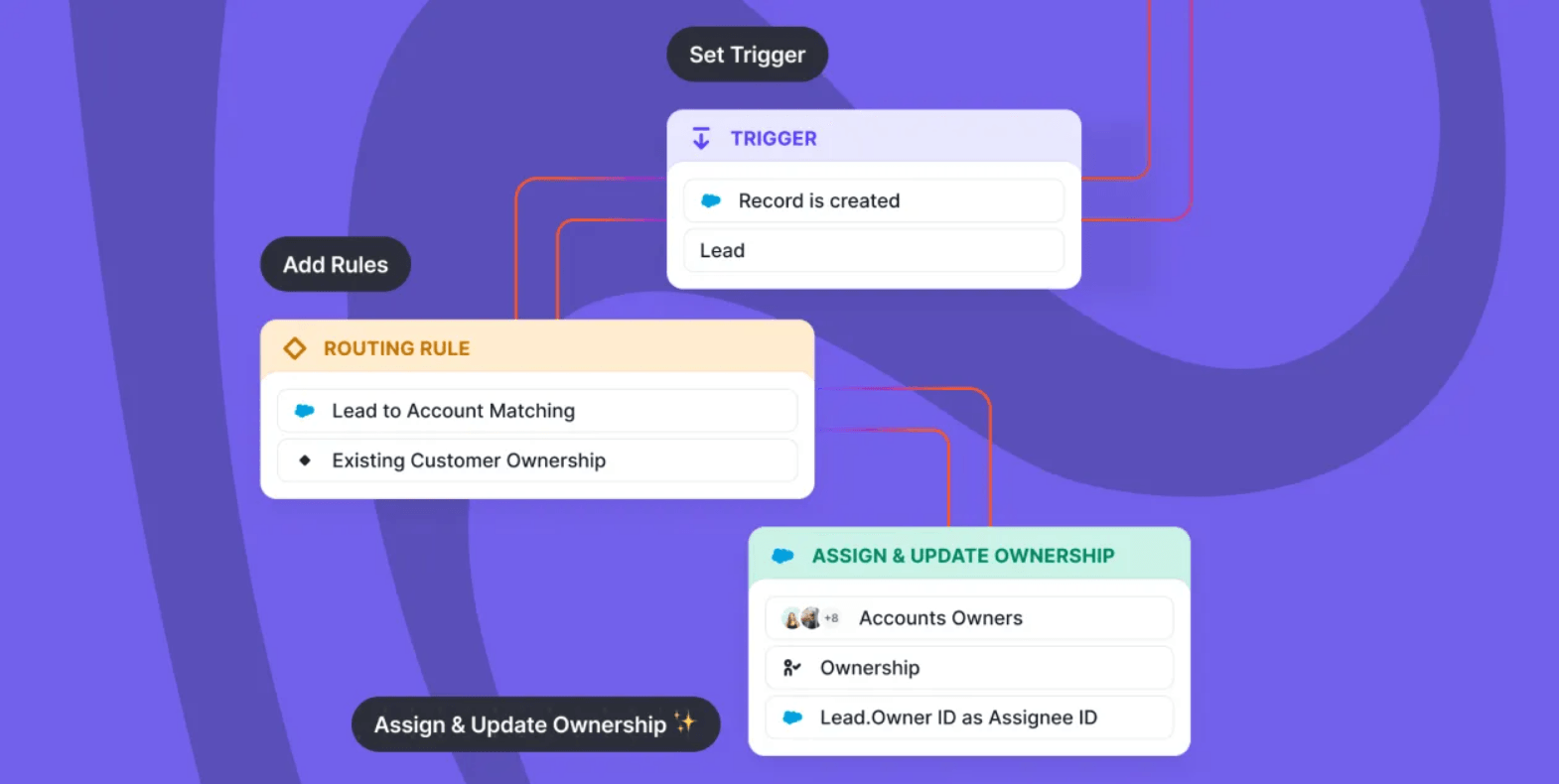
Define how leads are assigned across your team.
Use criteria such as:
- Territory (region, country)
- Account ownership (existing customers)
- Round-robin distribution
- Qualification signals (company size, industry, ICP fit)
Chili Piper uses Salesforce data to assign leads instantly based on these rules.
Purpose: Ensure every lead is assigned to the correct rep instantly, eliminating delays, conflicts, and missed opportunities.
Step 4: Configure scheduling and calendar sync
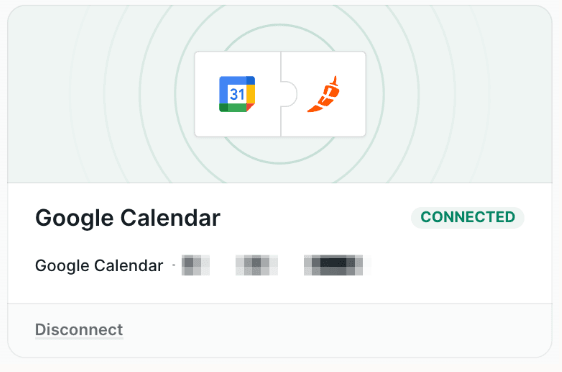
Connect rep calendars (Google or Outlook) and define availability.
Set:
- Meeting types (demo, qualification call)
- Duration and buffers
- Availability windows
Chili Piper uses this to display live availability and book meetings instantly.
Purpose: Convert inbound intent into booked meetings immediately, removing delays between lead capture and sales engagement.
Step 5: Validate and test the integration
Test your setup across real scenarios before going live.
Check:
- New leads vs existing accounts
- Different routing paths
- Calendar edge cases
Confirm that:
- Ownership is assigned correctly
- Meetings are logged in Salesforce
- Routing behaves as expected
Purpose: Identify and resolve routing, ownership, and scheduling issues before they impact pipeline, reporting, and conversion rates.
This is also where Default acts as the orchestration layer. It ensures your routing logic runs on accurate, up-to-date data so ownership is assigned correctly, duplicates don’t interfere with assignment, and scheduling reflects real pipeline quality instead of raw inbound volume.
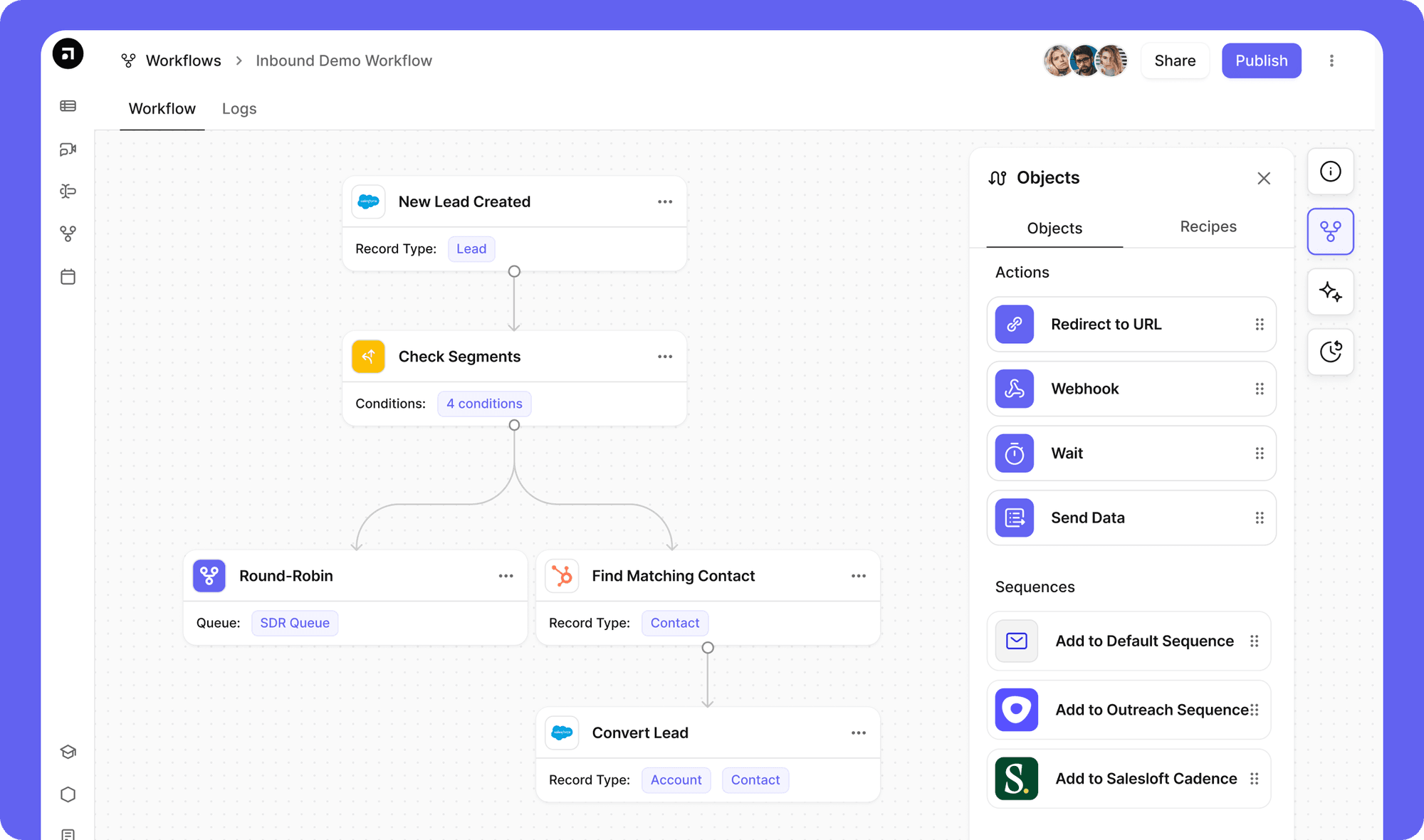
Integration in action: how GTM teams use Chili Piper with Salesforce
Once configured, this integration turns inbound demand and campaign responses into scheduled pipeline automatically, helping teams reduce response time, improve routing accuracy, and convert more leads without manual coordination.
1. Inbound demo routing
High-intent website leads are routed instantly based on territory, segment, or company size, then booked directly with the right AE. This removes SDR follow-up delays, reduces speed-to-lead, and ensures prospects speak to a relevant rep while intent is still high.
2. Account-based routing
When an existing account submits a form, Chili Piper matches it to the correct owner in Salesforce and schedules instantly. This avoids ownership conflicts, prevents duplicate outreach, and ensures a consistent experience across the sales cycle for both prospects and account teams.
3. Qualification-first routing with Default
Teams use Default to enrich, score, and qualify leads before routing them through Chili Piper. This ensures only ICP-fit, sales-ready leads are booked with reps, improving conversion rates, reducing wasted time, and keeping sales focused on high-value opportunities.
A large percentage of leads never convert due to poor follow-up or qualification. Ensuring leads are enriched and routed correctly before scheduling helps prevent this drop-off.
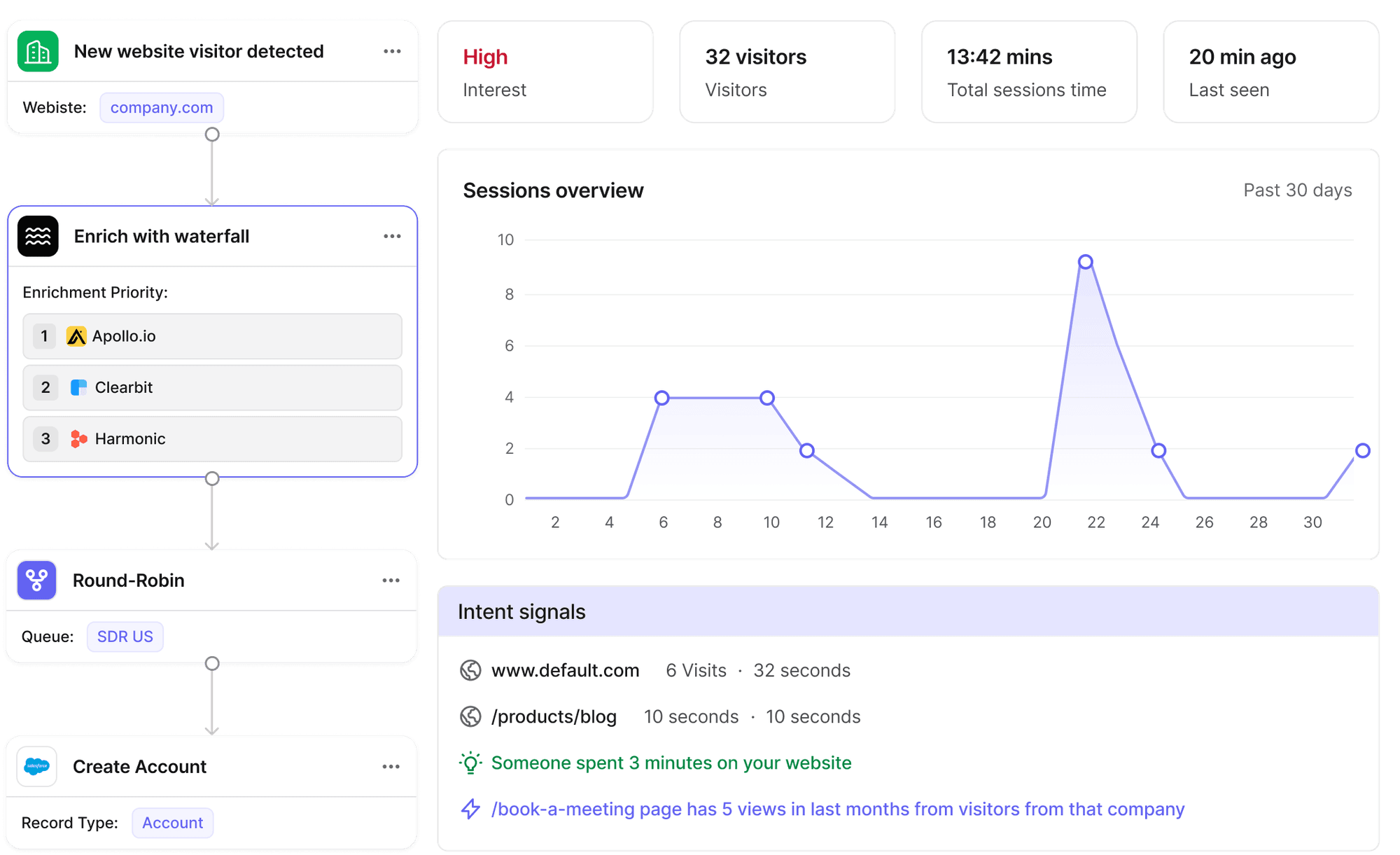
4. Event and outbound scheduling
Leads from webinars, events, or outbound campaigns are routed dynamically based on territory and rep availability. Meetings are booked instantly, eliminating back-and-forth emails, reducing friction, and helping teams convert campaign engagement into pipeline faster.
Turn scheduling into a complete, automated workflow.
Make sure every lead is assigned correctly before it ever reaches scheduling. Explore how lead routing software from Default ensures clean data, accurate ownership, and consistent pipeline execution.
What can go wrong when an integration isn’t set up properly
When this integration is misconfigured, the impact isn’t isolated; it compounds across your entire funnel.
Small gaps in data, routing logic, or permissions quickly turn into lost meetings, misattributed pipeline, and wasted sales capacity.
- Leads routed to the wrong owner
Missing or inconsistent fields (e.g., country, segment) break routing rules, sending leads to the wrong rep. This creates delays, internal confusion, and missed SLAs at the highest-intent stage. - Duplicate records and fragmented data
Weak deduplication or incorrect object mapping creates multiple records for the same lead or account. Reps end up working the same opportunity twice, and attribution becomes unreliable. - Meetings not logged or synced correctly
If activity write-back is misconfigured, booked meetings don’t appear in Salesforce. This breaks pipeline visibility, impacts forecasting, and disconnects marketing from revenue outcomes. - Broken scheduling flows due to calendar issues
Missing or misconfigured calendar connections result in unavailable time slots, double bookings, or failed scheduling experiences—directly reducing conversion rates. - Routing logic doesn’t reflect real GTM motion
If lifecycle stages, ownership rules, or territories are outdated, Chili Piper will execute flawed logic at scale—amplifying inefficiencies instead of fixing them. - Unqualified leads hitting sales reps
Without proper enrichment and qualification upstream, reps spend time on low-fit leads. This reduces pipeline efficiency and lowers overall conversion rates.
These issues rarely happen in isolation. They stack. Getting the integration right isn’t just about connecting tools. It’s about making sure your data, routing logic, and processes are solid before you automate them at scale.
Best practices for Chili Piper Salesforce integration
To keep routing and scheduling reliable at scale, focus on clean inputs, clear ownership, and consistent monitoring. Use these practices to prevent errors and improve conversion performance.
Align routing with real GTM ownership
Build routing rules around how your team actually sells. Use accurate territory definitions, account ownership, and segmentation logic. If your routing model doesn’t reflect reality, leads will be assigned incorrectly, creating delays, confusion, and missed opportunities across your pipeline.
Standardize critical CRM fields
Ensure fields like region, company size, and industry are consistently populated and formatted. Routing logic depends on these inputs. Inconsistent or missing data leads to unpredictable assignments, broken workflows, and reduced trust in your CRM as a reliable source of truth.
Test edge cases before launch
Validate scenarios that commonly break routing, including duplicate records, existing accounts, and overlapping territories. These edge cases expose gaps in logic that don’t appear in simple tests. Fixing them early prevents issues from scaling once the integration is live.
Monitor speed-to-lead and routing accuracy
Track how quickly leads are routed and whether they reach the correct owner. Delays or misassignments directly impact conversion rates. Regular monitoring helps identify gaps in routing logic and ensures your system continues to perform as expected over time.
Control data quality upstream with Default
Routing and scheduling only as good as the data they run on. Default sits upstream of Chili Piper by enriching records, resolving duplicates, and qualifying leads before they enter the routing flow.
The result: ownership assignments that hold, schedules that reflect real intent, and reps who spend their time on opportunities that are actually worth pursuing.
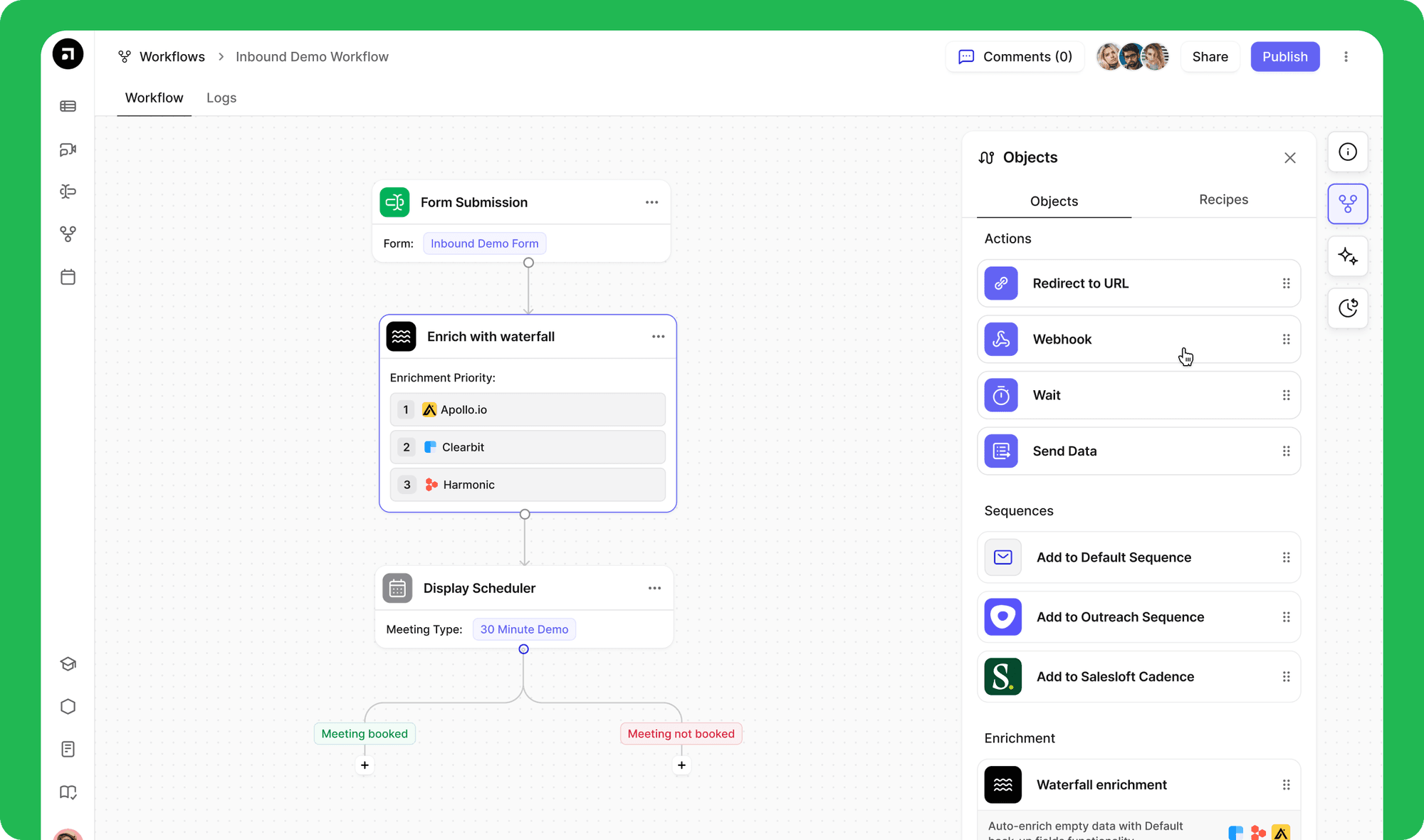
Without these practices in place, small gaps surface later as missed handoffs, messy data, and harder-to-explain conversion drops.
Get the inputs right, and the rest of the system works the way it's supposed to.
Improve your Chili Piper Salesforce workflow with Default
Once your Chili Piper Salesforce integration is live, the real work is controlling what happens before a lead ever reaches scheduling.
Chili Piper executes the routing. Default determines whether that routing is worth executing.
With Default, you can:
- Ensure leads are enriched and complete before routing
- Maintain accurate ownership and prevent assignment errors
- Reduce duplicates that interfere with routing logic
- Keep your CRM data consistent across every stage of the funnel
Instead of fixing issues after they happen, you prevent them entirely. So your routing stays accurate, your scheduling runs smoothly, and your pipeline reflects real opportunities.
Book a demo to see how Default keeps your routing clean from the first touchpoint forward.