








Key Takeaways
- 1.HubSpot round robin distributes leads, deals, or tasks across reps using workflows, meeting links, or task assignment, each handling a different part of the routing process.
- 2.Native round robin requires Sales Hub or Service Hub Professional+ and relies on a fixed rotation that doesn't account for availability, lead quality, or rep capacity.
- 3.Setup is done through workflows (“Rotate record to owner”) or meeting rotation links, but logic remains static and limited. As volume grows, static rotation leads to delays and uneven distribution; teams that don't address this start seeing it in missed SLAs, slower follow-up, and pipeline that leaks before anyone notices.
If your HubSpot round robin isn’t working, chances are the issue isn’t set up; it’s the model itself.
HubSpot round robin distributes leads evenly, but it doesn’t account for availability, context, or lead quality.
In this guide, you’ll learn how it works, how to set it up, where it breaks down, and what a smarter routing layer looks like when static rotation stops being enough.
What is HubSpot round robin?
HubSpot round robin is a workflow-based lead-assignment system that distributes contacts, deals, or tasks among reps in a rotating sequence.
Its primary goal is to ensure:
- Even lead distribution across your team
- Faster speed-to-lead for inbound requests
- Consistent follow-up based on defined SLAs
In practice, this is handled through:
- The “Rotate record to owner” action in workflows (for contacts and deals)
- Meeting rotation links (for inbound scheduling, based on real-time calendar availability)
Each method applies the same core logic (assigning ownership in a fixed order) with no awareness of rep capacity, lead quality, or enrichment signals. That gap is manageable at low volume. It isn’t at scale.
What types of round robin exist in HubSpot
HubSpot supports several types of round robin, each designed for a specific part of the lead distribution process.
Because these methods operate independently, teams end up stitching together workflows, meeting links, and manual assignments instead of running routing from one place.
The result is the same pattern: inconsistent ownership, slower lead follow-up, and routing logic that's hard to audit when something breaks.
What HubSpot plan is required for round robin features
HubSpot round robin features depend on access to workflow automation, which is only available in higher-tier plans.
- Sales Hub or Service Hub Professional (or Enterprise) is required for native round robin, including workflow-based rotation.
- Lower tiers rely on manual assignment or limited automation, without true rotation logic.
- Marketing Hub can support basic workarounds, but does not provide native round robin functionality.
In practice, this limits you to static assignment rather than dynamic, rule-based routing.
How to set up round robin lead assignment in HubSpot
Setting up round robin in HubSpot relies on workflows to rotate ownership as new records enter your pipeline. It’s fairly straightforward to get live, but small misconfigurations can quietly create routing gaps and delayed follow-up.
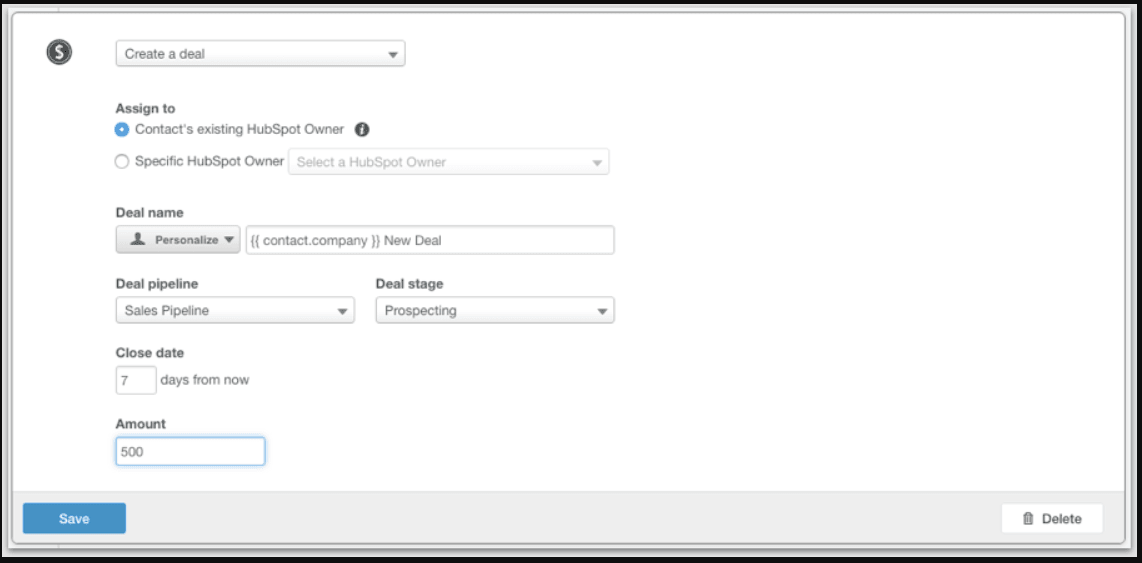
Step #1: Create a new workflow
Go to Automation → Workflows and create a contact-based or deal-based workflow, depending on your use case (e.g., inbound leads vs. pipeline deals).
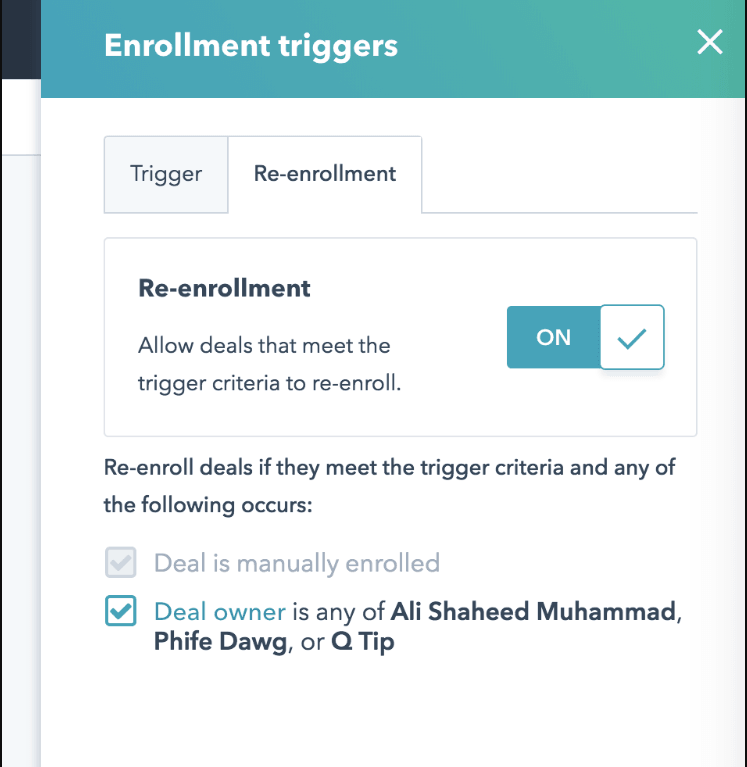
Step #2: Define enrollment triggers
Set clear, controlled triggers so only qualified records enter the rotation. Common examples include:
- Form submissions (demo request, contact us)
- Lifecycle stage = lead
- Specific campaigns or sources
Poor trigger setup often leads to unqualified records entering rotation (or qualified leads being missed entirely).
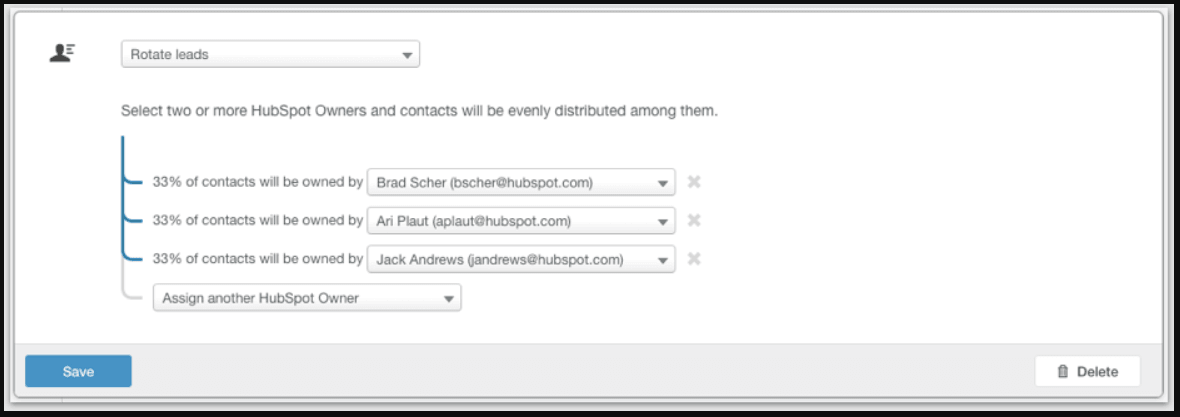
Step #3: Add the “Rotate record to owner” action
Insert the “Rotate record to owner” action and select the reps included in the rotation pool.
This is where HubSpot assigns ownership sequentially across users.
Step #4: Configure fallback and ownership rules
Define how the workflow handles edge cases, such as:
- Records that already have an owner
- Reps who are inactive or temporarily unavailable
Without this, leads can be skipped, overwritten, or left unassigned.
Step #5: Test and validate the workflow
Before activating:
- Enroll test records
- Verify distribution across reps
- Check edge cases (Hubspot duplicates, existing ownership conflicts)
Skipping this step often results in silent routing errors that directly impact speed-to-lead and SLA compliance.
This setup handles core distribution needs and keeps your routing process consistent.
How to create round robin meeting links in HubSpot
HubSpot’s round robin meeting links distribute bookings across reps based on real-time calendar availability. It’s a common setup for demo requests and inbound scheduling, and it works well out of the box. But unlike workflows, assignment happens at the moment of booking, based purely on who’s available.
Step #1: Navigate to the meetings tool
Go to Sales → Meetings in your HubSpot account. This is where you create and manage both individual and team scheduling links.
Step #2: Create a team meeting link
Click “Create scheduling page,” then select “Team.” Choose the round robin option to enable rotation across multiple reps instead of assigning meetings to a single owner.
Step #3: Add team members
Select the reps you want included in the rotation. HubSpot uses their connected calendars to determine availability at the time of booking.
Step #4: Configure availability and scheduling rules
Define how meetings are scheduled:
- Duration and time windows
- Buffer time between meetings
- Minimum notice required
These settings influence how meetings are distributed and help prevent overbooking.
Step #5: Publish and share the link
Once set up, publish your scheduling page and use it across demo request forms, landing pages, and email CTAs. This allows leads to self-book while HubSpot assigns meetings automatically based on availability.
Want more control over how meetings get assigned (not just who’s available)? Explore Default’s sales scheduling software to route meetings based on rules, capacity, and lead priority.
Common round robin limitations and fixes
HubSpot’s round robin works fine when your routing needs are simple. But once you’re dealing with real pipeline volume, multiple segments, or ownership rules, it starts to show its limits.
Leads get assigned without enough context. Some reps end up overloaded while others don’t get enough coverage. Follow-up times stretch, and you start to see the impact in missed SLAs and slower conversion.
If you’ve run inbound before, you know how quickly this compounds. Speed-to-lead isn’t just a nice-to-have. Research from MIT shows that the odds of contacting a lead drop by up to 100x when response times go from 5 minutes to 30 minutes.
For a RevOps team running any real inbound volume, that's qualified pipeline going cold while the rotation queue catches up.
Limited routing logic (no conditional assignment)
HubSpot relies on static rotation, with no native support for:
- Territory-based routing
- Account ownership alignment
- Firmographic or enrichment-based assignment
This leads to misrouted leads, manual reassignment, and slower follow-up.
Fix: Layering filters into workflows can improve targeting at low complexity, but the logic becomes brittle as GTM conditions change. There's no centralized place to manage it, which means routing errors tend to compound silently rather than surface cleanly.
Availability bias in meeting rotation
Meetings are assigned based on calendar availability at booking time, not fairness or workload balance.
This often results in:
- Certain reps getting overloaded with meetings
- Others being underutilized
- Inconsistent pipeline distribution across the team
Fix: Adjusting availability settings or narrowing rotation groups can help balance distribution, though it requires ongoing manual oversight.
No real-time rep status awareness
HubSpot doesn’t account for:
- PTO or sick leave (unless manually blocked)
- Capacity limits (e.g., max meetings or leads per day)
This creates routing errors where leads are assigned to unavailable or overloaded reps.
Fix: Teams typically manage this through calendar hygiene or by updating rotation groups manually, which works but depends on consistent upkeep.
Plan and tooling limitations
Even with Professional-tier workflows, HubSpot does not support:
- Weighted distribution across reps
- Dynamic prioritization based on lead quality
- Cross-object routing logic (e.g., contacts + accounts + deals together)
This limits your ability to build routing that reflects real GTM priorities.
Fix: Multiple workflows can patch individual gaps, but each one adds another point of failure.
There's no unified log, no centralized routing logic, and no clean way to audit what's actually happening across all of them — which is exactly what breaks at scale.
These limitations aren't configuration issues; they're structural constraints of static rotation.
How to set up advanced round robin routing with Default
Once you’ve worked with HubSpot round robin at scale, the pattern becomes clear: delays, misroutes, and uneven distribution aren’t edge cases; they’re expected. At that point, adding more workflows doesn’t fix the problem. You need a smarter routing layer.
Default sits on top of your CRM and replaces static rotation with real-time, data-driven routing, so every lead is assigned based on fit, context, and availability.
Step #1: Connect HubSpot to Default
Connect your HubSpot account to sync:
- Contacts, companies, and deals
- Ownership fields and lifecycle stages
This allows Default to control routing decisions without disrupting your existing CRM structure.
Step #2: Define your routing logic
Instead of assigning leads in sequence, you define rules based on how your GTM actually operates:
- Territory or region
- Account ownership
- Firmographic data (company size, industry)
- Lead source or intent signals
This ensures leads are routed to the right rep; not just the next one in line.
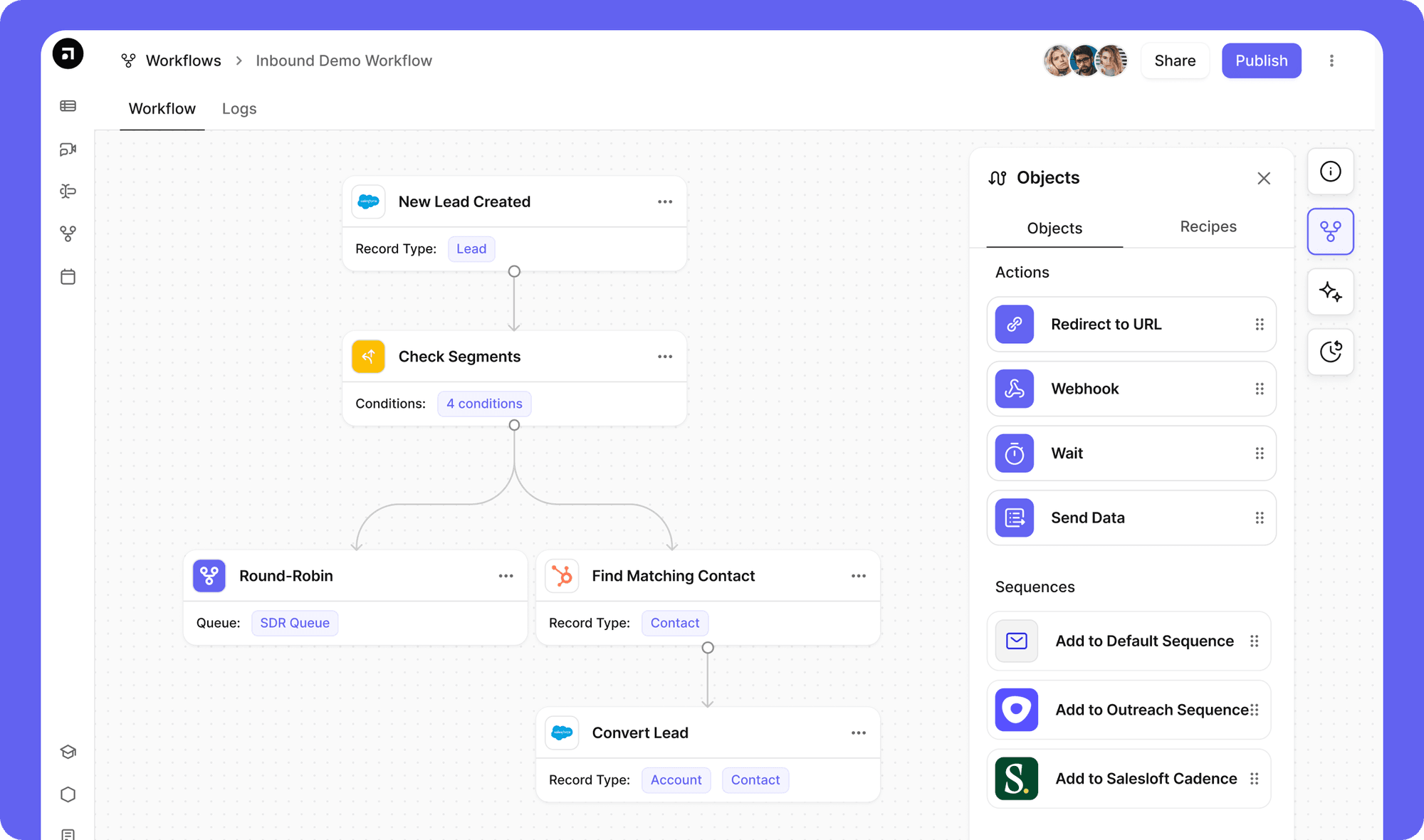
Step #3: Apply round robin within segments
Round robin doesn’t disappear; it becomes more precise.
Within each segment (e.g., SMB, enterprise, EMEA), Default distributes leads evenly across the relevant reps.
Default distributes leads evenly across the relevant reps, so you get fair distribution without sacrificing the routing logic that actually matters.
Step #4: Enrich and qualify leads before assignment
Default enriches records in real time before routing decisions are made.
This prevents:
- Leads being assigned with missing data
- Manual reassignment loops
- Delays caused by incomplete information
Routing decisions are made with full context from the start.
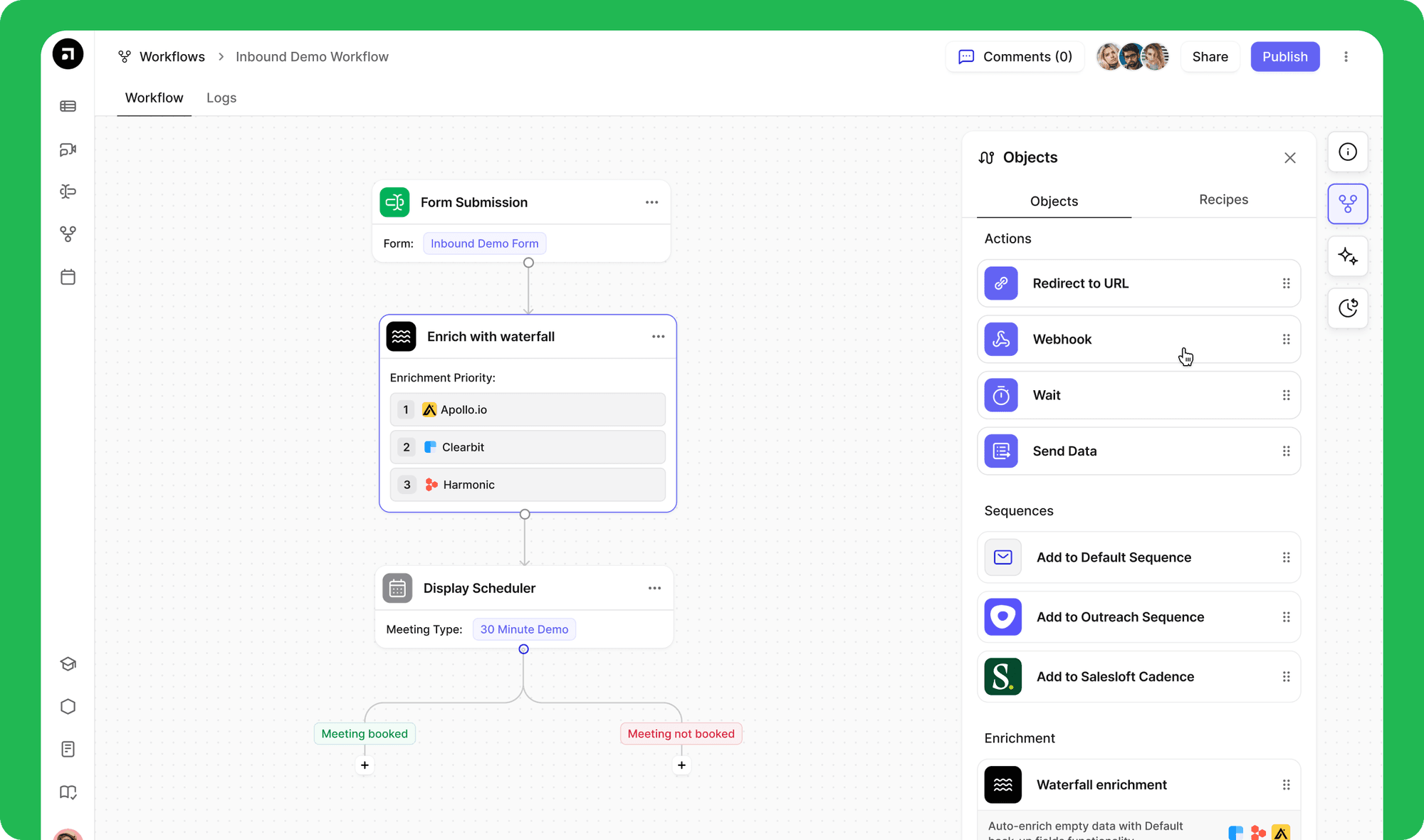
Step #5: Monitor and optimize routing performance
Before going live:
- Test routing across different scenarios
- Validate distribution and assignment accuracy
Once live:
- Track speed-to-lead
- Monitor rep load and distribution
- Optimize routing rules based on performance
Routing becomes a system you improve, not a workflow you maintain.
Here’s how Default compares to HubSpot’s native round robin assignment when it comes to routing capabilities:
If you’re ready to move beyond static rotation, explore Default’s lead routing software to assign every lead based on data, context, and real-time conditions.
Ready to fix your HubSpot round robin?
If your current setup is creating delays, uneven distribution, or missed follow-ups, it’s usually not a configuration issue. It’s the limits of static rotation. And as your pipeline grows, those gaps start to show up in missed SLAs, slower response times, and lost pipeline.
HubSpot can distribute leads. But it doesn’t account for rep capacity, lead context, or changing conditions in real time. That’s where most teams start to feel the friction.
With Default, you can:
- Route leads based on fit, priority, and real-time availability
- Balance rep workload without constant manual adjustments
- Improve speed-to-lead and reduce missed opportunities
- Build a routing system that actually holds up as volume increases
If you’ve run into these issues before, you know they don’t fix themselves. Routing needs to be treated as a system, not a workflow.
Book a demo with Default and see how to build routing that scales with your pipeline.